
“There is no greater agony than bearing an untold story inside you.” — Maya Angelou.
Writers need tools that speed work without dulling voice. Scriptos.ai offers a focused suite called Ebooks & Stories to streamline the entire process.
The platform turns initial ideas into a polished ebook with fewer hours of drafting and editing. It handles structure, chapters, formatting, and even page layout so authors can concentrate on tone and quality.
Whether seasoned authors or first-time creators, people find the interface intuitive and strategic. Scriptos.ai combines smart automation and practical design to reduce time to publish while keeping control of content and voice.
Key Takeaways
- Scriptos.ai’s Ebooks & Stories feature accelerates the writing-to-pdf workflow.
- The platform streamlines chapters, formatting, layout, and basic editing.
- Authors retain creative control while saving hours on structure and design.
- Accessible tools suit both professional authors and new creators.
- Use Scriptos.ai to move from draft to publish-ready book faster.
The Evolution of Digital Publishing
The rise of screen-first reading reshaped how books move from idea to market. The global market is expanding fast and is set to reach US$14.92bn by 2025, a clear sign that readers now favor faster, file-based delivery over print-only cycles.
Formats have moved beyond plain text to rich, interactive experiences. That shift increased demand for robust formatting, consistent structure, and reliable export to pdf and other pages. Authors and creators must adapt workflows to maintain quality while cutting down hours on drafts and editing.
Understanding this history helps explain why modern tools lead the market. Platforms that combine layout, chapter management, and automated design let professionals and indie authors manage a book from concept to final page.
For practical context and a broader take on how tools change the field, see this industry perspective.
- Key shift: content workflows now include design and distribution, not just text.
- Result: creators save time and keep quality high.
Why Writers Need Modern Tools
Practical tools have become essential for authors who want quality and speed in equal measure.
The Shift to Digital
The move to screen-first reading changed how people expect to receive books and guides. Platforms now combine layout, structure, and export to pdf in one workflow.
More than 45 percent of indie authors use automation in some form to speed their processes. That statistic proves a clear trend: creators are adopting tools to meet readers where they are.
Time-Saving Benefits
Modern tools reclaim hours by automating formatting, chapter organization, and basic editing. That time goes back to the creative process—idea development and tone.
Key advantages:
- Faster drafts and fewer rounds of manual formatting.
- Consistent design and structure across chapters and pages.
- Better quality control with less repetitive work for authors and professionals.
Scriptos.ai illustrates how a focused platform can bridge a rough draft and a market-ready book. For ambitious creators and marketers, the result is clear: better content, delivered faster.
Understanding the AI Ebook Writer Landscape
The market for smart book tools now spans simple outlines to full, export-ready manuscripts. Platforms such as Inkfluence AI show how a complete book structure can be generated and exported in minutes.
Writers should assess tools against clear goals: fiction needs for storytelling differ from non-fiction research support. Choose tools that match your workflow—outlining, chapters, formatting, and final pdf export.
Many services now deliver end-to-end workflows that reduce the need for multiple apps. That shift saves people hours and keeps quality consistent across pages and layout.
- Speed: rapid drafts and structure generation.
- Scope: from outlines to final export.
- Fit: evaluate tools by intended book type and desired level of control.
“As platforms advance, producing high-quality, structured content becomes a baseline expectation for modern publishing.”
| Capability | Best for | Outcome |
|---|---|---|
| Auto-outline | Non-fiction guides | Clear chapters and faster drafts |
| Story mode | Fiction authors | Stronger narrative flow |
| Export & formatting | All creators | Print-ready PDF and consistent layout |
Streamlining Ebook Creation with Scriptos.ai
A single platform can collapse hours of busywork into a few focused sessions. Scriptos.ai combines drafting, structure, and export so teams and solo authors spend less time on format and more on ideas.
https://www.youtube.com/watch?v=f9xryQuhr0Q
Writing and Publishing
Draft to distribution: Users draft chapters, revise text, and export ebook files — including pdf — without moving between apps. This reduces handoffs and speeds time to market.
User-Friendly Interface
The interface surfaces key tools where authors need them: chapter lists, formatting controls, and design previews. That clarity helps creators build lead magnets and professional guides that match a brand’s tone.
Automated Workflows
Automation handles routine tasks: auto-structure for chapters, consistent layout, and preflight checks before export ebook. The result: higher quality outputs with fewer editing cycles and saved hours.
- Single workflow for writing, design, and export.
- Quick templates for guides and business books.
- Time savings that let professionals focus on content and tone.
| Feature | Benefit | Best use |
|---|---|---|
| Auto-chapters | Faster structure, fewer drafts | Non-fiction guides and how-tos |
| Formatting presets | Consistent layout across pages | Lead magnets and short books |
| Export options | Ready-to-distribute pdf and ebook files | Retail platforms and websites |
Benefits of Faster Publishing Workflows
When time-to-market shrinks, authors can experiment more and learn what readers actually want.
Faster workflows let creators publish more often. That frequency builds a steady audience and strengthens a brand’s reach.
Automation helps produce lead magnets quickly—so marketers and small businesses grow email lists without long manual cycles.
Reducing hours on formatting and layout frees writers to focus on quality writing and storytelling. More time on tone and text leads to better chapters and stronger books.
Efficiency also speeds testing. Authors can try new ideas, measure response, and pivot strategy based on real feedback. This loop improves content and guide design over time.
- Release more often: stay visible in a crowded market.
- Save editing hours: invest in quality, not repetitive work.
- Compete faster: independent creators can match larger houses on pace and design.
In short, a streamlined process is a competitive advantage. It turns drafts into market-ready pdfs and pages with less friction—and that changes the way professionals work and grow.
Leveraging AI for Story Writing
Story drafts improve fastest when tools suggest choices that sharpen plot and deepen character.
Developing Compelling Narratives
Modern platforms help authors sketch stronger arcs and spot weak scenes fast. They propose plot twists, tighten pacing, and flag inconsistencies across chapters. That support keeps a book focused and the reader engaged.
For fiction creators: a collaborative tool can end writer’s block by expanding thin scenes and offering new emotional beats. It also helps maintain a consistent tone across a long draft.
- Suggests character arcs and emotional highs to lift tension.
- Tests different narrative structures so the story flows logically.
- Automates repetitive notes so authors spend hours on craft, not chores.
Use these features to refine ideas, polish text, and speed the move from draft to a formatted ebook or pdf. For a practical option that combines structure and export, try the ebook creator tool.
Enhancing Writer Productivity
Sustainable writing systems let authors produce steady work without burning out. The goal is consistent output, not frantic speed. A reliable process protects time and improves quality over months and years.
Use tools to handle research and structural planning. Let automation gather references, suggest chapter outlines, and surface relevant examples so people spend fewer hours on prep and more on text.
Track progress with simple milestones. Set chapter targets, daily word goals, and revision windows. Small, measurable steps keep momentum when writers juggle multiple books and guides.
Organize a workflow that links drafts, formatting, and final export to pdf. A neat structure reduces editing cycles and speeds the path from idea to finished page.
When the toolset supports craft, creativity follows. Clear milestones and smart automation free authors to explore new ideas and push their work further—while preserving energy for what matters: tone, story, and lasting impact.
Essential Features for Professional Ebooks
A professional book needs more than good prose; it needs layout that guides the eye and speeds comprehension.
Customizable Layouts
Clean, customizable layouts make text easier to scan and absorb. Templates control margins, headings, and typography so content reads consistently from page to page.
Automated tables of contents and consistent chapter formatting cut editing time. Flexible templates let brands keep tone and design across guides, lead magnets, and longer works.
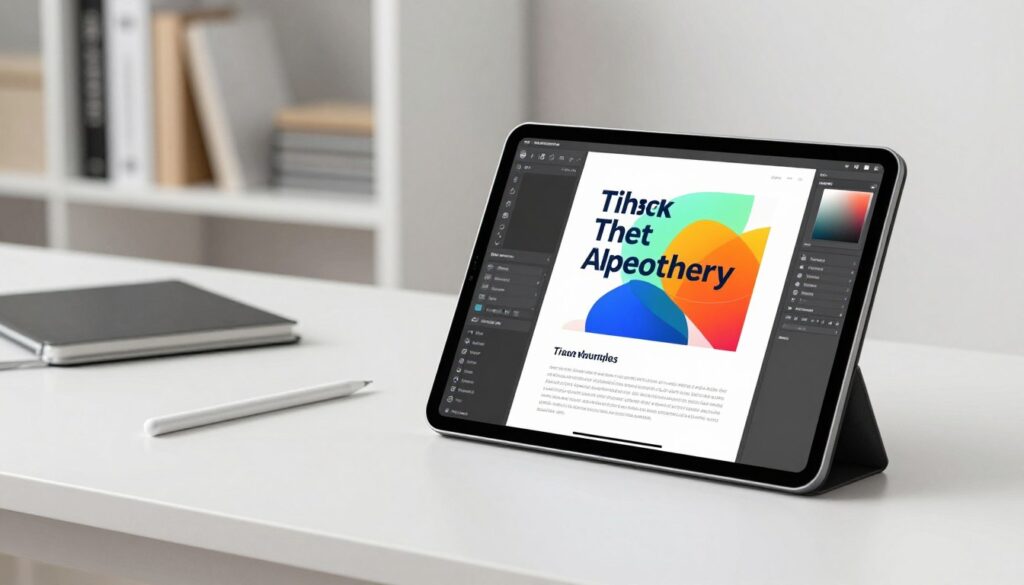
Design options should support images, callouts, and lists without breaking structure. That preserves quality and shortens the path from draft to finished pages.
Export Options
Robust export features matter. Authors need reliable ways to export ebook files to PDF, EPUB, and platform-ready formats for Kindle and Apple Books.
Key exports: fixed-layout PDF for print-like presentation and reflowable EPUB for wide device compatibility. Fast export reduces hours spent on format fixes and manual adjustments.
- Automated TOC and chapter mapping
- Brand templates that carry through every page
- One-click export to common file types
These features lift a simple manuscript into a professional ebook that serves readers and supports business goals.
Choosing the Right Platform for Your Goals
Selecting a publishing tool requires clarity about outcomes: a quick lead magnet, a polished guide, or a launch-ready book demand different strengths.
Match features to goals. If the priority is list growth, look for fast templates, simple formatting controls, and one-click export for a PDF lead magnet. If scope is a long-form book, prioritize robust chapter tools, layout flexibility, and version control.
Balance ease-of-use with advanced features. A clean interface saves hours on routine work; advanced design and export options protect quality as projects scale.
Consider cost and scalability. Entrepreneurs should evaluate subscription tiers, team seats, and how a platform supports future business needs.
Finally, test support and export reliability. Good customer service and multiple file formats reduce friction during launch. For a wider comparison of platform options, see these ebook platforms.
Integrating AI into Your Writing Process
Practical integration begins where authors already work: familiar editors and simple automation.
Start small. Add a plugin to microsoft word to tighten long paragraphs and fix formatting. That single change can save hours of manual edits and keep chapters consistent.
Use supportive tools to brainstorm ideas and map chapter structure. Let a tool suggest headings, refine tone, and export to PDF or an ebook draft. Treat these functions as helpers—not replacements—for judgment and style.
Automate the first draft so people spend more time on final polish and strategic elements of content. Teams and solo creators report better quality and faster turnaround when routine tasks are handled by tools.
| Integration | Primary Benefit | Best for |
|---|---|---|
| Microsoft Word plugin | Quick formatting and tone fixes | Draft cleanup, chapters |
| Outline & structure tool | Faster chapter planning | Guides and short books |
| Export & layout tool | One-click PDF and design | Lead magnets and business ebooks |
Overcoming Common Creative Blocks
When ideas stall, structured habits often unlock progress more reliably than long bursts of effort. Authors benefit from a simple, repeatable plan that preserves momentum and protects quality.
Start small: set daily targets and break chapters into bite-sized tasks. Short goals reduce overwhelm and keep the draft moving.
Strategies for Consistent Output
Use a reliable tool to expand thin sections or reframe a scene when you hit a wall. Editing apps like Grammarly catch tone and grammar so authors spend fewer hours on repetitive fixes.
- Set a modest daily word goal and protect that time.
- Work on one page or one chapter fragment at a time.
- Use templates for formatting and layout to save editing cycles.
“Small, steady progress beats sporadic bursts; structure builds confidence.”
| Strategy | Benefit | Estimated time saved |
|---|---|---|
| Daily word targets | Consistent momentum | 2–5 hours/week |
| Expand sections with a tool | Faster chapter completion | 3–6 hours/project |
| Use automated formatting | Less manual editing | 1–4 hours/export |
For practical tactics on earning time and focus, see this time management guide. The right mix of schedule, tools, and small wins keeps creators on track toward a polished ebook or guide.
Best Practices for Formatting and Layout
Formatting is the silent editor that makes a book readable and professional. Start with consistent heading styles and a clear hierarchy so chapters and sections are easy to scan.
Set page margins for on-screen reading; modest margins reduce scrolling and improve flow. Use paragraph spacing and line height that suit small screens as well as wider displays.
If you begin in Microsoft Word, keep styles strict—then move to a dedicated tool for final layout. That shift preserves structure and avoids lost formatting during export to pdf.
Prioritize accessibility: readable fonts, alt text for images, and logical contents order help more readers reach your ideas. Check page breaks and spacing to prevent awkward widows and orphans.
Invest time in layout: polished design lifts perceived value, reduces editing cycles, and improves reader satisfaction. A reliable process saves hours at the finish line and helps authors and marketers deliver stronger guides and lead magnets.

Expanding Your Reach Through Digital Distribution
A strategic distribution plan turns a finished manuscript into discoverable work. Reach depends on channels, format, and how easy the file is to access. Creators should map goals—lead generation, sales, or brand awareness—before choosing a route.
Use platforms that add value: FlipHTML5 converts an ebook into an interactive flipbook that embeds on sites and social feeds. That format increases engagement and makes long-form guides feel more like a page-turning experience.
Distribute across multiple channels to increase visibility. Publish a PDF for direct downloads, embed an interactive flipbook on a landing page, and promote excerpts on a blog or social feed. This multi-pronged approach attracts different audiences.
- Accessibility: ensure proper formatting, alt text, and fast load times.
- Discoverability: optimize titles, chapter headings, and meta descriptions.
- Engagement: interactive layouts often boost time on page and shares.
| Channel | Format | Best use |
|---|---|---|
| Website embed | Interactive flipbook | Engagement, lead magnets, longer reads |
| PDF attachment | Lead generation and direct distribution | |
| Social | Excerpt images & links | Traffic, brand awareness, blog promotion |
“Distribution is the bridge between quality work and audience growth.”
Maintaining Your Unique Voice with AI
Readers connect to personality and perspective long before they notice neat formatting. Preserve that voice when using automation. Use tools to cut hours on structure, formatting, and layout—but keep the anecdotes and judgment that make the content yours.
Use automation as support: let a tool refine clarity, test tone, or suggest chapter headings. Then revise so every passage reflects the author’s perspective and brand values.
Make review part of your process. Read AI drafts aloud. Edit for rhythm, metaphors, and specific examples that only a human can provide. That preserves quality and builds trust with readers.
“The best results come from collaboration: the writer brings the vision; the machine brings the polish.”
- Keep personal stories and unique examples.
- Use automation for repetitive editing and layout to save time.
- Always review suggested text to match tone and brand.
| Role | Strength | Practical use |
|---|---|---|
| Human author | Perspective and nuance | Personal anecdotes, final tone edits |
| Tool | Speed and consistency | Formatting, draft polish, quick pdf export |
| Hybrid process | Best of both | Faster drafts with authentic voice preserved |
Future Trends in Ebook Generation
Future tools will blend media and data to make each guide feel personal and timely.
Interactive elements will move beyond static pages. Embedded video, live data, and adaptive layouts will let readers engage with content that updates as they consume it.
Personalized lead magnets will scale. Platforms will assemble tailored guides and pdf previews for audience segments, narrowing the gap between first contact and meaningful value.
One-click workflows will grow more capable. Expect systems that handle design, chapters, formatting, and global distribution with a single export—saving authors hours and reducing friction for professionals and brands.
The boundary between a book and an app will blur. Hybrid formats will offer branching narratives, real-time examples, and modular lessons that suit both education and storytelling.
Staying ahead means experimentation: authors and creators should test new layouts, automation, and distribution paths. For a practical look at emerging tools, see future ebook creation insights.
“Adaptability will separate successful creators from the rest as formats evolve.”
- Expect richer, interactive experiences.
- Personalization will become a standard lead strategy.
- One-click publishing will reduce time to market.
Conclusion
Practical tools shorten the gap between an idea and a polished book ready for readers.
Embracing modern platforms like Scriptos.ai speeds ebook creation and frees authors to focus on craft. Faster workflows cut routine hours so teams can improve tone, structure, and market fit.
When writers streamline writing and format in one place, the result is higher-quality ebooks that reach audiences sooner. The market rewards speed and consistency; those who adapt gain a clear advantage.
Explore Scriptos.ai’s features and set a simple plan: draft, refine, export. With the right tools and strategy, ideas become professional ebooks that deliver lasting reader impact.
FAQ
What is Scriptos.ai and how does it speed up publishing?
Scriptos.ai is a cloud-based platform that streamlines book production with guided drafting, templates, and automated formatting. It reduces time spent on layout, chapter organization, and export so professionals can move from draft to market-ready PDF and EPUB faster.
Will Scriptos.ai preserve my unique voice when it helps generate content?
Yes. The platform uses configurable style settings and editable suggestions so authors retain creative control. Writers can accept, revise, or reject generated passages, ensuring the final manuscript reflects their tone and brand.
What export options are available for professional books?
Scriptos.ai supports common formats used for distribution: PDF for print and lead magnets, EPUB for retailers, and DOCX for advanced editing in Microsoft Word. These options streamline distribution across retailers, websites, and email funnels.
Is the interface suitable for nontechnical users?
The interface emphasizes clarity and workflow: drag-and-drop chapters, preset layouts, and one-click exports. It targets ambitious professionals and marketers who need a straightforward, strategic tool without a steep learning curve.
How does automated workflow improve writer productivity?
Automated tasks—such as chapter numbering, TOC generation, and style consistency checks—free time for idea development and revision. Teams and solo authors reclaim hours previously spent on repetitive formatting and layout tasks.
Can I customize layouts and design elements?
Yes. Users can apply and tweak templates, adjust margins, typography, and section styles to match a brand or genre. Customizable layouts ensure a polished, professional appearance without external design work.
Does Scriptos.ai help with narrative development and structure?
The platform includes outlining tools and scene-level prompts to help shape plots, character arcs, and chapter pacing. This guidance supports consistent output and helps overcome creative blocks.
How does Scriptos.ai integrate with existing tools like Microsoft Word?
Files can be exported as DOCX for further refinement in Microsoft Word, and imports allow users to continue work started elsewhere. This interoperability supports familiar editing workflows and team collaboration.
What are best practices for maintaining quality when using assisted writing tools?
Treat generated content as a draft: edit for clarity, check facts, and refine voice. Use style guides and version control, run consistency checks, and perform human proofreading to ensure professional standards.
Will using Scriptos.ai help with distribution and reach?
By accelerating production and offering the right file formats, the platform shortens the path to market. That makes it easier to publish more often, test lead magnets, and expand reach through retailer and direct-distribution channels.
Are there recommended strategies to overcome writer’s block with this tool?
Leverage outlining features, generate scene prompts, and set micro-goals—such as a single page or chapter per session. The guided workflows and templates provide structure that encourages momentum and consistent output.
What security and ownership protections exist for content?
The platform maintains content ownership with the author; standard privacy and export controls let users back up manuscripts locally. Authors should review terms of service for details on data handling and rights.
How can marketers use the tool to create lead magnets quickly?
Marketers can use prebuilt templates, branding options, and rapid export to produce PDFs and short guides ideal for email capture. Automation reduces production time, enabling frequent, targeted campaigns.
What future capabilities are expected in assisted book tools?
Anticipated advances include smarter workflow automation, deeper integration with distribution channels, and enhanced collaboration features. These trends aim to further reduce time-to-market while improving quality and scalability.