“The art of teaching is the art of assisting discovery.” — Mark Van Doren.
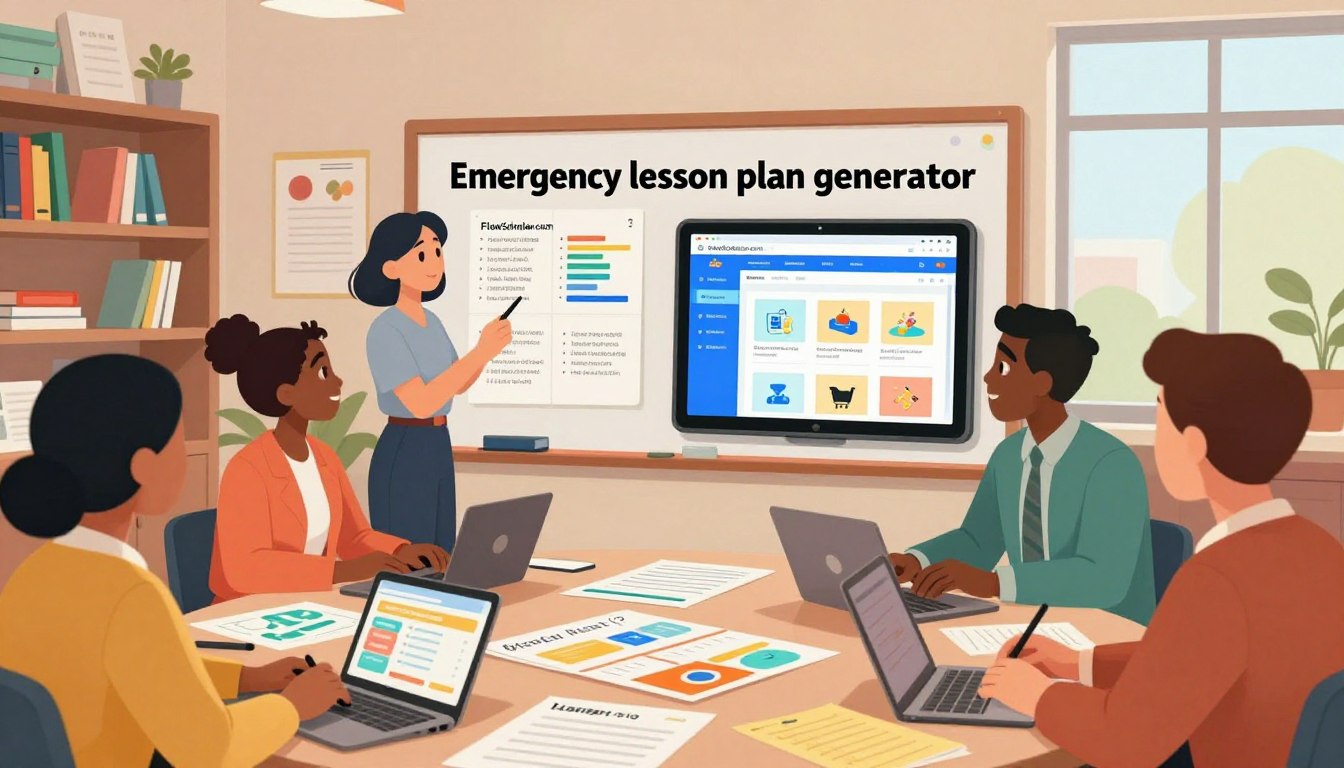
Many U.S. educators work up to 54 hours a week, and that burden leaves less time for direct instruction. FlowScholar.com presents a focused solution that reduces repetitive tasks and streamlines plan creation.
We outline an approach that moves teachers beyond the blank page. The platform uses AI-driven personalization and cognitive-frameworks to speed design while preserving quality and student-centered learning.
By integrating FlowScholar, educators gain targeted support to manage complex education requirements without starting from scratch. Explore how this guide and the platform’s features help save time and improve outcomes — or read a concise case on LinkedIn via transformative AI in lesson design.
Key Takeaways
- FlowScholar reduces repetitive tasks so teachers can focus on learning.
- AI personalization helps tailor plans and supports classroom execution.
- Start the week with structured designs rather than a blank page.
- Analytics enable continuous improvement and smarter time use.
- Integrating the platform provides practical support without building from scratch.
The Reality of Lesson Planning for New Teachers
A data-driven look at daily work and its impact on classroom learning.
The Time Burden
A typical week in U.S. schools reveals a stark gap between classroom hours and total work time. Across the country, many educators report working up to 54 hours a week.
Less than half that span is devoted to direct teaching of students. Prep, grading, and administrative tasks consume the rest. That imbalance reduces time to refine curriculum and to respond to learners’ needs.
The Impact of Burnout
The pressure to create plans from scratch pushes many toward exhaustion. Persistent overtime erodes well-being and limits classroom energy.
When teachers are stretched thin, student learning suffers: fewer differentiated activities, less formative feedback, and diminished classroom culture.
- High work hours increase turnover and reduce job satisfaction.
- Repetitive tasks leave little room for curriculum innovation.
- Automated support can restore time for instruction and reflection.
| Issue | Typical Effect | Possible Solution |
|---|---|---|
| Excess non-teaching hours | Less direct instruction; fatigue | Streamline prep and grading |
| Creating materials from scratch | Slow turnaround; inconsistent quality | Use curated templates and automation |
| Curriculum development load | Delayed improvements to learning | Leverage collaborative resources and analytics |
Acknowledging these structural challenges helps explain why reliable, automated approaches are essential to sustain effective education. Explore practical ways to reclaim time in the week with a focused guide on building GPT-powered educational solutions at AI-powered educational tools.
Why You Need a Reliable Lesson Planning Tool for New Teachers
Centralized resources change daily workflow in simple ways that add up.
When resources live in one place, educators reclaim hours each week. A central hub keeps materials, rubrics, and student data accessible. That reduces searching and repetitive work.
Structured plans let a teacher focus on learning goals rather than assembling files. Predictable daily plans create calmer classrooms and clearer routines.
“Organizing content centrally is the single biggest efficiency gain early in a career.”
- Save time by using a consistent guide to organize materials.
- Centralize curriculum and daily activities to improve predictability.
- Prevent disorganization and build a sustainable professional practice.
| Challenge | Effect | Practical fix |
|---|---|---|
| Scattered files | Lost minutes and extra work | Adopt a searchable resource hub |
| Unclear daily goals | Inconsistent learning outcomes | Use structured daily plans |
| Poor long-term habits | Burnout and turnover | Invest in systems early |
Understanding the Role of AI in Modern Education
AI is reshaping classroom workflows by turning complex curriculum requirements into actionable steps in minutes.
How AI Generators Work
Generative systems scan curriculum standards, classroom goals, and a teacher’s style to produce practical plans. They match activities to learning objectives and suggest differentiation that fits varied student needs.
These engines reduce the initial design time by automating drafts, activity sequences, and assessment ideas. That frees educators to focus on mentorship, classroom culture, and targeted feedback.
The models rely on pattern recognition: they identify effective formats, adapt language, and propose pacing aligned with school expectations. Flexibility is built in so plans stay relevant to district goals.
- Quickly generate fresh ideas and differentiated activities.
- Align suggestions with curriculum and school priorities.
- Automate the initial design stage so human attention goes to learners.
“Understanding how these systems function is the first step toward reclaiming time and reducing cognitive load.”
Key Features to Look for in Planning Software
The right platform reduces friction between standards and daily classroom delivery. Choose features that turn curriculum goals into clear, actionable plans without extra overhead.

Standards Alignment
Automatic standards mapping helps match content to state expectations in math, science, and other subjects. This saves time and keeps each plan tied to measurable outcomes.
Customization Options
Look for editable templates that adapt to student groups and varied learner needs. Flexible templates let instructors tailor lessons and materials quickly.
Ease of Use
Intuitive design reduces the learning curve: organize content, track student progress, and modify plans in minutes. Simplicity prevents the system from becoming another administrative burden.
- Standards synced across units
- Custom templates for small groups and whole-class work
- Fast access to materials and assessment data
“Prioritize platforms that support teaching, not replace teacher judgment.”
How FlowScholar Simplifies Your Weekly Workflow
Turn a chaotic prep week into predictable progress.
FlowScholar reduces weekly friction by turning curriculum goals into ready-to-use lesson plans in minutes. The platform automates drafts so educators avoid starting from scratch every single time.
By leveraging AI, FlowScholar’s integrated tools help align standards and classroom objectives. This reduces administrative tasks and keeps focus on student learning.
Real-world impact: TSHA materials show AI can cut an educator’s task load by more than 50%. That frees sustained time for direct interaction and formative feedback.
- Auto-generated plans that match standards and pacing.
- Flexible templates that adapt to teaching style and class needs.
- Built-in supports that reduce repetitive work across the week.
| Benefit | What It Saves | Result |
|---|---|---|
| Auto-draft plans | Prep hours | More time with students |
| Standards alignment | Curriculum checks | Consistent learning goals |
| Reusable templates | Design work | Faster weekly updates |
Explore how these tools help maintain consistent, high-quality learning all week. Visit https://www.flowscholar.com to see the platform in action.
Comparing Popular Digital Planning Platforms
A concise comparison helps match platform strengths to classroom priorities.
Ten major platforms — including The School House Anywhere (TSHA), Planboard, Planbook, Google Classroom, Jotform, TeacherEase, Educa, Common Curriculum, iDoceo, and Core Learning Exchange — each offer distinct ways to manage plans and content.
Some systems emphasize unit alignment and standards mapping. Others prioritize interactive materials, games, and simulations such as PhET to engage students in math and science.
Evaluate templates, materials, and access to subject-specific resources. Choose a platform that fits teaching style and long-term goals.
- Standards and curriculum mapping: strong in TeacherEase and Common Curriculum.
- Interactive content and games: Google Classroom integrations and Educa excel.
- Flexible templates and gradebook features: Planboard, Planbook, and iDoceo stand out.
“Understanding these differences helps you pick the digital partner that supports growth and saves time.”
| Platform Focus | Strength | Best Use |
|---|---|---|
| TSHA, Common Curriculum | Standards alignment, unit maps | Curriculum-heavy courses and pacing |
| Google Classroom, Educa | Interactive content, student engagement | Classroom activities and formative checks |
| Planboard, Planbook, iDoceo | Templates, scheduling, gradebook | Daily scheduling and easy reuse of materials |
| Jotform, Core Learning Exchange | Custom forms, shared resources | Assessment collections and collaborative content |
Compare features side-by-side and review demos. For a deeper review of digital planners, see a curated list at best digital lesson planners.
Strategies for Balancing Technology and Hands-on Learning
Smart integration pairs digital supports with physical experiments to deepen student learning.
Prioritizing Student Engagement
Start with objectives and pick activities that demand student action. Use AI to draft a plan, then swap one screen task for a tactile lab or group game.
Short, active segments help sustain attention. Rotate groups so every student leads at least one hands-on activity each week.
Maintaining Human Connection
Let digital systems handle admin work to free time for small-group discussions and math games. That preserves the teacher’s role as coach and mentor.
Use templates to organize weekly plans and protect moments for feedback, reflection, and student voice.
| Approach | Strength | Practical tip |
|---|---|---|
| Tech-first | Fast prep; data insights | Limit to short, goal-aligned activities |
| Hands-on | Deep engagement; kinesthetic learning | Schedule labs and rotation groups |
| Balanced blend | Standards-aligned and active | Auto-generate plans, then add offline tasks |
“When technology supports routines, educators reclaim time to focus on learners.”
Overcoming the Blank Page Syndrome
Facing an empty page can stall creative momentum; structured prompts jump-start the process.
Pre-formatted templates convert hesitation into concrete ideas. Use a ready unit plan to focus on a target skill or content instead of layout decisions.
Digital libraries let educators pull aligned materials in seconds. That keeps every plan synced with standards and reduces time spent searching.

Reduce the mental load: when the draft exists, creativity follows. Teachers regain energy to design richer learning experiences and active tasks for students.
“When structure handles the format, teachers can experiment with more meaningful activities.”
- Start with a template to generate quick ideas.
- Save reusable content and refine what works.
- Build a personal repository of successful plans and materials.
Consistent use of these resources creates a growing stock of effective lessons. In time, that archive speeds unit design and improves outcomes for every student.
Maximizing Your Time Outside the Classroom
Protecting personal time preserves energy for meaningful classroom moments.
Small changes add up. Automating routine tasks reduces the hours spent each week on grading, organizing resources, and assembling materials from scratch. That means less evening work and more recovery time on weekends.
Accessing curriculum and templates at home makes prep efficient. A reliable system lets an educator draft a plan in focused blocks, then refine activities during the day. This keeps evenings free without sacrificing quality.
Managing math assignments and other subject work becomes faster when resources are organized and reusable. Many professionals report they no longer need to work late when automation handles repetitive tasks.
Investing in well-being matters: streamlining workflow is an investment in longevity. When time is reclaimed, educators return to school rested and better able to support students’ learning needs.
- Use curated templates to cut draft time.
- Schedule focused prep blocks, not marathon evenings.
- Keep a shared resource library to speed future work.
| Action | Time Saved | Impact |
|---|---|---|
| Auto-generate drafts from curriculum | 2–4 hours/week | More classroom feedback time |
| Organize reusable templates | 1–3 hours/week | Faster weekly updates |
| Batch grading sessions | 2–3 hours/week | Reduced evening work |
Tip: Explore approaches that boost efficiency and reduce cognitive load—see a concise review of helpful automation at 7 AI tools that help teachers work more.
Final Thoughts on Choosing Your Planning Partner
A well-matched system frees educators to spend energy on what truly advances student learning.
Choose a partner that saves time and raises quality. Use clear lesson plans and flexible templates so daily work supports long-term goals. This guide outlines practical steps to compare options and pick a solution that fits your classroom and values.
FlowScholar.com stands out when educators want efficient lesson planning and consistent learning outcomes. The right tools reduce busywork and let you focus on meaningful lessons and student growth.
Visit https://www.flowscholar.com to explore how this education AI tool can help — because the choices you make today matter.
FAQ
What is FlowScholar and how does it help teachers design lessons faster?
FlowScholar is an online platform that streamlines curriculum design and lesson plan creation. It offers templates, standards alignment, and subject-specific resources that reduce prep time and help educators produce consistent, high-quality materials. Teachers can drag-and-drop activities, adapt materials for different learner groups, and export plans for print or digital use.
How much time can FlowScholar save on weekly planning?
Many users report cutting planning time by 30–60% through reusable templates, automatic standards mapping, and integrated activity libraries. The platform centralizes materials, assessments, and differentiation options so teachers spend less time searching for resources and more time refining instruction.
Does FlowScholar align lessons to state standards and curriculum frameworks?
Yes. FlowScholar supports alignment to Common Core and other state standards. Users can tag objectives, view standards alongside activities, and generate reports for administrators or parents—ensuring lessons meet curriculum requirements without manual cross-referencing.
Can teachers customize plans for different subjects and grade levels?
Absolutely. The system supports math, science, ELA, social studies, and elective subjects. Templates are editable so instructors can adjust pacing, learning targets, materials, and group tasks to match grade-level needs and student skill profiles.
How does FlowScholar support differentiation and groups with diverse needs?
FlowScholar includes features for small-group assignments, tiered tasks, and scaffolded resources. Teachers can assign varied activities to groups, add accommodations, and track mastery—making it easy to design inclusive lessons that reach all learners.
Is there built-in guidance for hands-on and game-based activities?
Yes. The content library contains ready-to-use hands-on labs, project outlines, and classroom games aligned to learning objectives. Each item lists materials, time estimates, and assessment ideas so educators can integrate active learning without extra prep.
How does FlowScholar use AI, and is the content reliable?
FlowScholar leverages AI to generate drafts, suggest activities, and map standards. AI speeds routine tasks while teachers review and refine outputs. Content undergoes quality checks and links to vetted resources to maintain instructional accuracy and relevance.
Can FlowScholar export plans to other formats or share with teams?
Plans export to PDF and common learning management systems. Teams can share templates, annotate plans, and collaborate on units—facilitating department coordination and continuity across classrooms.
What resources are available to help teachers learn the platform quickly?
FlowScholar provides guided tutorials, sample units, and a knowledge base with step-by-step walkthroughs. Webinars and community forums offer peer tips and ready-made materials to accelerate onboarding and improve practice.
How does the platform help prevent burnout and reduce workload outside class time?
By centralizing materials, automating routine tasks, and offering reusable templates, FlowScholar reduces after-hours prep. Built-in pacing tools and task organizers help teachers manage time and focus on instruction rather than administrative work.
Is student assessment and progress tracking included?
Yes. The platform includes formative assessment templates, rubrics, and tracker dashboards. Teachers can record outcomes, monitor mastery over time, and adjust instruction based on actionable data.
Can FlowScholar be used on mobile devices and in low-tech classrooms?
FlowScholar is responsive and works on tablets and phones. For low-tech settings, plans export to printable formats and include low-resource activity options—ensuring practical use regardless of device availability.
How secure is teacher and student data on the platform?
FlowScholar follows industry-standard security protocols, including encrypted data storage and role-based access. Administrators control permissions and data-sharing settings to meet district privacy policies and compliance needs.
What support exists for integrating FlowScholar with existing school systems?
The platform offers integration options with popular LMS tools, rostering services, and single sign-on providers. Implementation support and API documentation help IT teams connect FlowScholar with district systems efficiently.
Are there free trials or demos available before purchasing?
FlowScholar typically offers a demo account and short-term trial so educators can test templates, standards alignment, and workflow features. Schools can request personalized demos to evaluate fit before committing.