There is a familiar sting when prototypes race ahead and the final product feels like a patchwork. Teams gain speed, but that gain can hide architectural debt: scattered rules, vague documentation, and surprises during refactor.
This introduction shows a practical path to keep momentum without sacrificing clarity. It summarizes a workflow that turns visual choices into versioned assets and keeps the app predictable across releases.
Readers will see how named decisions — color, type, spacing, motion, and roles — travel cleanly from concept to code. The method pairs a compact brief, a starter kit, and an automated verification step so changes are fast and traceable.
Product-minded engineers and system leads will find concrete steps to map scales, enforce governance, and use AI helpers responsibly so prototyping speed does not become long-term fragility.
Key Takeaways
- Turn visual choices into named, versioned assets for consistent implementation.
- Map tokens to scales and components to bridge design and code.
- Use brief-driven prompts and CI checks to reduce risky ad hoc styles.
- Governance and deprecation keep systems evolving predictably.
- Responsible AI can speed tasks when paired with clear rules and review.
Why Tokens Matter Now: From Vibe Coding Speed to Systemic Consistency
Rapid prototyping can feel like a triumph—until accumulated shortcuts start to break things at scale.
Supernova’s report calls out common pitfalls: architecture-by-accumulation, naming drift, and undocumented decisions that slow refactors and raise risk. Teams gain velocity, but that gain can fracture code and product behavior over time.
A small set of rules turns ephemeral speed into predictable delivery. A system that uses tokens, audited components, and versioned governance channels change into measurable updates rather than surprise regressions.
- Vibe coding compresses time-to-prototype but often creates brittle patterns and hidden dependencies.
- Architecture-by-accumulation appears when “it runs” beats contracts—names and variants drift across surfaces.
- Tokens encode visual and behavioral decisions once so fixes apply everywhere, reducing repeat work.
- Documentation near real components—usage, do/don’t, rationale—keeps knowledge out of chat logs and prompts.
- Governance (status, changelogs, deprecations) lets teams plan migrations and measure adoption.
Case studies show agents speed parts of delivery but need guardrails: align automated helpers with system rules and human review to avoid deprecated APIs and costly rework.
What Design Tokens Are and How They Map to Vibe UI
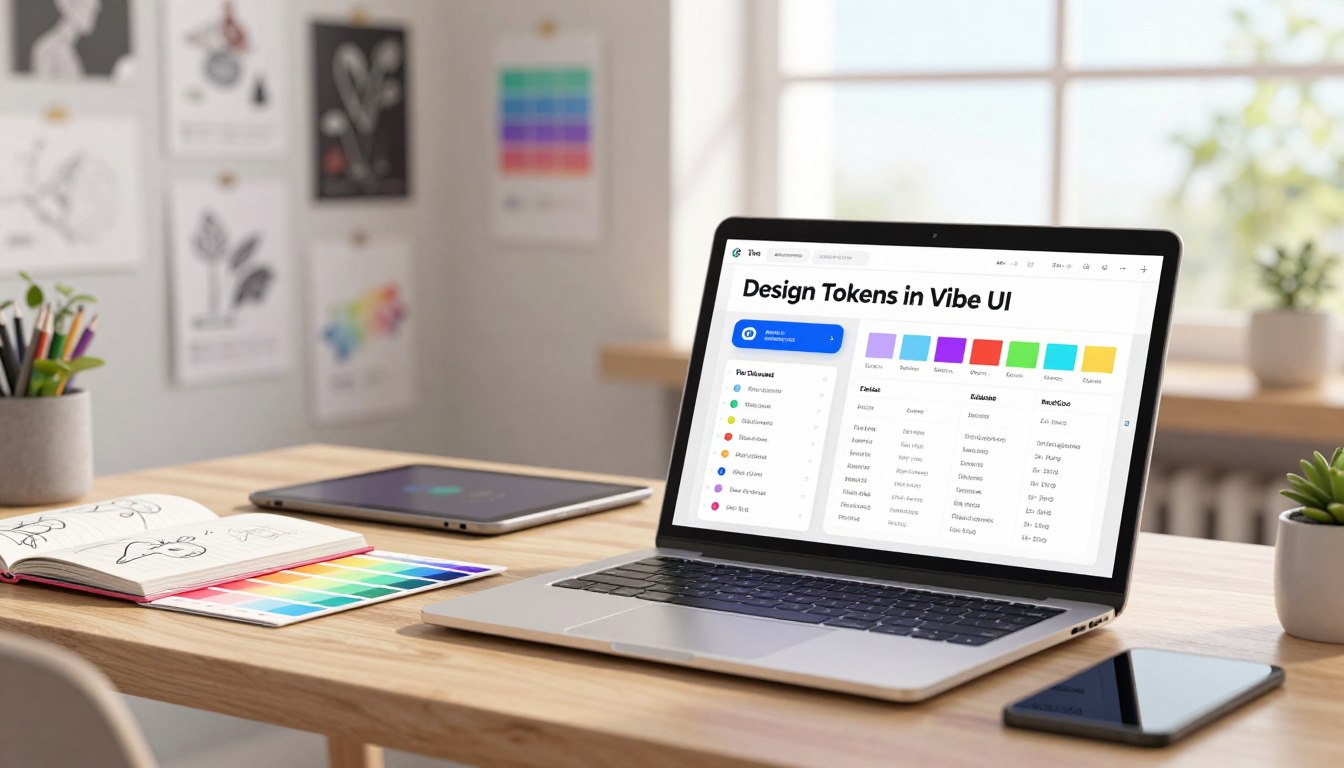
Tokens act as the shared vocabulary that keeps color, type, and spacing predictable across an app.
Named values capture the smallest reusable decisions: palette hues, typography scales, spacing steps, corner radii, elevation levels, motion timings, and semantic roles for surfaces and states.
Semantic tokens decouple intent from implementation. For example, color-bg-surface can map to an alias like gray-100 so components read a role instead of a raw hex. That makes theme and mode swaps safe without touching component logic.
- Names are contracts: stable, human-readable identifiers persist through refactors and cross teams.
- Separate base palettes from roles so a different color palette or brand set can replace values while the app’s semantic layer stays steady.
- Typography, spacing, and motion should be codified: consistent steps make layouts predictable and diffs easier to review.
Export once, consume everywhere: publish a central set to generate platform code and avoid per-component raw values that cause drift. Teams that follow this pattern move faster and reduce surprises. Learn more about practical coding principles with this short guide on vibe coding principles.
Planning Your Token Taxonomy and Naming Contracts
A concise naming contract makes change measurable and reduces guesswork.
Start by scoping values for modes, themes, and product contexts. Separate base palettes from role-level names and scope entries for light/dark mode, brand themes, and contexts such as marketing vs. app. This keeps substitutions safe and predictable.
Scoping for modes, themes, and contexts
Declare which semantic names map to base scales and which are context-specific. Map colors and spacing to established scales and align them with utility frameworks where possible.
Ban raw values in production
Enforce rules that block hex and px during reviews. Add lint checks and CI gates to flag hardcoded colors, spacing, and type. Treat hardcoded values as a defect.
Lifecycles, versioning, and deprecation
Give each item a status: proposed, beta, stable, or deprecated. Publish a changelog with migration notes and expected impact. Track adoption metrics and time-to-update after each release.
| Area | Practice | Outcome |
|---|---|---|
| Scoping | Separate base palettes and role scopes for mode and brand | Safe theme swaps, consistent hierarchy |
| Enforcement | Lint rules + CI checks to block hex/px | Fewer regressions, cleaner code |
| Governance | Status labels, changelogs, deprecation windows | Predictable updates and smoother migrations |
| Metrics | Coverage and time-to-update tracking | Measurable progress and adoption |
Publish a one-page naming contract that lists categories, scales, and role semantics. Keep documentation close to components and treat token change as a product change with release notes.
For practical mapping and deeper context, review the guide on variables and tokens. It clarifies how naming choices affect code generation and CI checks.
Design Tokens in Vibe UI
A single source of truth makes platform mapping and exports routine instead of risky.
Stand up a central token repository tailored for web, iOS, and Android so engineering consumes one aligned asset set. Automate exports to reduce manual drift and keep the codebase coherent across releases.
Setting up a central token source and mapping to platforms
Publish semantic values that map to platform primitives. Use Supernova or a similar tool to sync changes from Figma and to publish JSONC briefs.
Keep a golden-path starter: token package, Tailwind config, and sample components. This gives teams a repeatable step for new features.
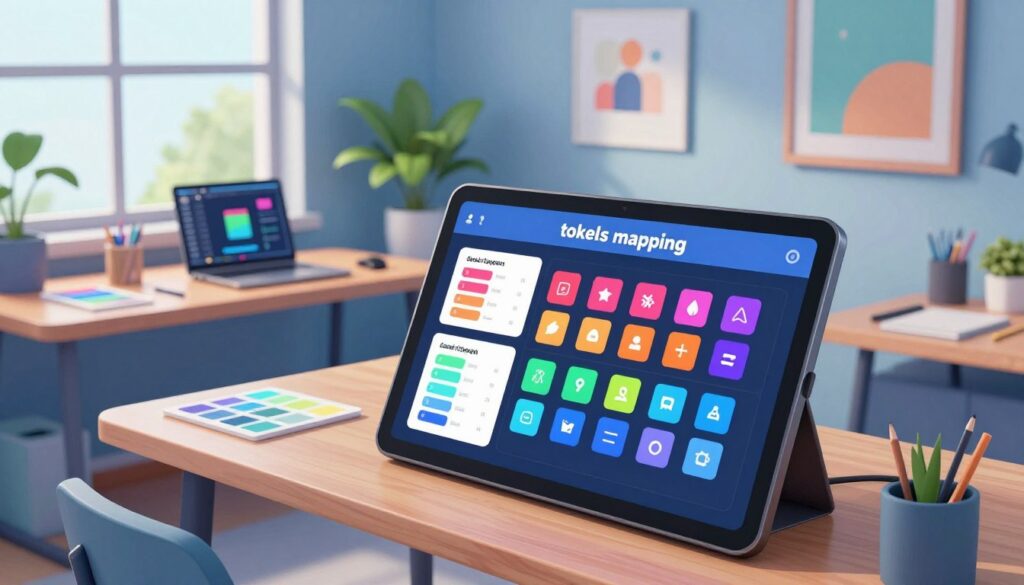
Aligning Vibe UI tokens with Tailwind scales and dark mode
Map semantic names to Tailwind scales where possible to avoid custom classes. Define explicit roles for surface, text, border, and status for each mode.
Document dark mode mappings and test contrast. Treat role changes as product updates and add migration notes to the package.
Export strategies: code generation, transformers, and CI integration
Use transformers to emit CSS variables, TypeScript modules, and platform artifacts. Wire export jobs to run on publish so commits produce traceable outputs.
Integrate MCP-powered delivery to push updates into editors like VS Code and Cursor, open draft PRs, and shorten feedback loops.
| Goal | Action | Outcome |
|---|---|---|
| Single source | Central repo + automated exports for web/iOS/Android | Aligned assets; fewer platform surprises |
| Tailwind mapping | Map semantic names to scale tokens; reduce custom classes | Smaller CSS surface; consistent spacing and type |
| Dark mode | Explicit roles for surface, text, borders, status | Predictable contrast and hierarchy across themes |
| Tooling & CI | Transformers, code gen, MCP delivery, Playwright checks | Traceable changes; blocked regressions in codebase |
Practical step: add a CI rule that flags hardcoded values and verifies components import the canonical package. Pair that with Playwright MCP tests to validate modes and variants before merge.
Implementing Tokens Across Vibe UI Components
When components share named roles, a single update prevents scattered regressions.
Start with audited components: define variants, states, props, and accessibility rules so one fix propagates everywhere. Implement buttons with semantic tokens for primary, secondary, and quiet variants. Include focus, hover, and active states with accessible contrast baked into each component.
Build cards that consume elevation, surface, and text role tokens. Keep spacing consistent using scale steps rather than arbitrary values; this preserves visual rhythm across the app.
For tables, define row-height tokens, dividers, hover roles, and status colors. Ensure keyboard navigation and focus management meet a11y standards. Validate disabled, loading, destructive, and high-contrast modes so behavior stays uniform.
- Replace hex and px with tokenized classes and map to your color palette and background roles.
- Separate sample data into its own files and split reusable UI into clear components to keep diffs focused.
- Add visual regression checks around key components to catch unintended drift.
Document usage and anti-patterns inline, and link examples back to the token source — for a practical recap see the session recap.
Syncing Design to Code Without Drift
Capturing changes from design tools and keeping names stable
Automate Figma syncs to Supernova or your token store so values and names stay aligned. Capture deltas and surface them as draft PRs. Humans review renames and accept mapped replacements to prevent surprise regressions.
Require a short design brief and a JSONC spec in PRs. Those blocks become durable context for reviewers and future maintainers. Track diffs over time so teams know what changed, where, and who must act.
Automating documentation with usage, do/don’t, and live examples
Generate documentation from source: usage notes, do/don’t, and live examples sit beside each component. Surface release notes and migration steps on the same page to cut context switching and reduce time-to-adopt.
Enforce a coding checklist in CI: tokens enforced, states covered, accessibility validated, and no magic strings. Encourage prompt hygiene for AI agents so auto PRs reference canonical names and prompts map to contracts.
For teams exploring handoff-free workflows, see how teams can ship without engineering handoffs for practical ideas.
Governance: Versioned Releases, Status Labels, and Audits
Versioned releases and concise status markers give teams a shared rhythm for updates.
Set a release cadence for the design system and publish clear status labels — proposed, beta, stable, deprecated. Pair each entry with a changelog that lists impact scope, migration steps, and timelines so teams can plan work around each change.
Release cadence, labels, and changelogs
Maintain a rigorous changelog. Note who owns the change and what parts of the codebase must update. Make migration steps explicit and attach example diffs.
Checks that block hardcoded values
Enforce rules in CI: block merges that contain hardcoded hex or px or unapproved variants. Require references to canonical names and documented components before merge.
- Run audits to find drift, forked components, and unused items that need cleanup.
- Use mcp-powered workflows to open draft PRs, attach previews, and tie changes to repo history.
- Define process gates for accessibility, performance, and security before marking assets stable.
“Governance should be firm but lightweight: guardrails, not friction.”
Provide a step-by-step migration assistant (codemods, scripts, example diffs) and train maintainers on release and rollback steps. Instrument adoption metrics and publish dashboards so stakeholders can see coverage and time-to-update trends.
AI-Assisted Workflow That Respects Tokens
Practical automation respects the system when every prompt cites canonical names and expected modes. A three-step way reduces guesswork: generate a structured JSONC brief, bootstrap a starter repo, and run a focused one-shot implementation prompt.
Writing prompts that reference token names and component contracts
Write prompts that name the palette, typography scale, and component contract. Ask for Tailwind token mapping, responsive rules, and explicit dark mode handling.
Keep prompts tight: avoid vague style requests; require component splitting and separate sample data files so agents produce maintainable code.
Structured JSONC briefs to reduce magic strings
Create a JSONC brief that lists palettes, roles, breakpoints, and usage notes. That brief becomes the single source of truth for agents and reviewers.
Include dependency rules and a lint checklist to block hex and px. This prevents quick fixes that break the app or add unexpected dependencies.
Agent workflows with Cursor, Copilot, and MCP verification
In Cursor or Copilot, request step-by-step commits: scaffold components, place sample data separately, and open a draft PR. Use Playwright MCP to run screenshots and accessibility checks.
- When an error appears, prompt the agent to run local checks and update tests.
- Require PRs to link back to the JSONC brief and cover state and responsive usage.
- Log lessons and refine prompt templates over time to improve agent output.
Case note: Copilot Agents can open PRs, but human review remains essential—prompts shape results; reviews keep systems healthy.
Putting It All Together: A Practical Token-to-Code Path
A clear, repeatable pipeline turns a brief into vetted components ready for deployment. This section shows a compact end-to-end approach: brief → starter kit → token mapping → implementation → verification.
Brief → starter kit → token mapping → component implementation
Step-by-step: author a JSONC brief with palette, spacing, and roles; use a starter kit that maps Tailwind tokens and enforces lint rules; map roles to components and avoid magic strings.
Verification loops: dark mode, responsiveness, and adoption metrics
Run automated screenshots across breakpoints and test background contrast for each theme. Check dependencies and trim unused packages so the codebase stays lean.
- Author JSONC brief with palette and semantic roles.
- Bootstrap starter kit with token rules and theme toggles.
- Implement components with variants and isolated sample data.
- Verify dark mode, responsive views, and run CI checks.
- Publish examples, measure adoption, and deploy (Vercel or similar).
| Phase | Action | Outcome |
|---|---|---|
| Brief | JSONC spec: palette, type, spacing | Clear mapping for implementers |
| Starter kit | Tailwind mapping + lint rules | Consistent tokens and fewer magic strings |
| Implement | Components split; sample data isolated | Reusable, testable components |
| Verify | Screenshots, contrast, dependency audit | Stable releases and predictable updates |
“A short, enforced pipeline turns ad hoc choices into repeatable releases.”
Conclusion
,
A short, enforced pipeline lets teams move fast while keeping long-term quality intact. Supernova’s guidance shows that clear contracts, CI checks, and versioned releases make prototype speed sustainable without surprise regressions.
Practical steps matter: author a concise brief, use a starter kit, run automated checks, and require human review for agent PRs. This blend of human judgment and tools turns stylistic choices into durable assets that travel from design to code with less friction.
Outcome: fewer regressions, faster feature delivery, and a predictable process for product teams. Invest once in the system and the returns compound—clean diffs, safer themes, and steadier adoption across the app.
FAQ
What is the goal of creating consistent styles using design tokens?
The goal is to unify visual language across product touchpoints by centralizing key values—color, type, spacing, radii, shadows, and motion—so teams ship predictable interfaces faster and with fewer regressions.
Why do tokens matter now for speed and system consistency?
Tokens turn short-term speed into long-term maintainability. They stop architecture-by-accumulation, reduce duplication, and make it easier to scale themes, modes, and products without fragmenting the codebase or design guidance.
What risks arise from letting UI grow without a token system?
Without tokens, projects accumulate hardcoded values, leading to inconsistent components, brittle styling, and slower updates. That drift increases bugs, raises support cost, and slows feature delivery over time.
How does a design system convert rapid prototyping into maintainable output?
A system codifies patterns, enforces naming contracts, and provides component variants and accessibility rules. That lets teams prototype quickly while ensuring the prototypes can be productionized with predictable behavior.
What are the core token categories every team should define?
Core categories include color (roles and palettes), type scales, spacing and layout scales, radii, elevation/shadow tokens, and motion easing/duration. These form the base for consistent component styling.
What’s the difference between semantic and alias tokens?
Semantic tokens represent intent (e.g., “surface-primary”, “text-muted”); alias tokens map to specific scale values (e.g., “spacing-4”). Semantic names are cross-discipline contracts that keep intent clear even as raw values evolve.
How should teams plan token taxonomy and naming conventions?
Scope tokens by mode, theme, and product context. Use consistent prefixes and role-based names, document allowed overrides, and treat names as stable API—changes should follow a versioned process with deprecation paths.
Why ban raw values like hex or px in production UI?
Banning raw values prevents divergence: tokens ensure global updates, theme shifts, and accessibility fixes propagate. Hardcoded hex or px bypass governance and creates technical debt that is costly to clean up.
How do you manage token lifecycles, versioning, and deprecation?
Establish release cadences, status labels (stable, experimental, deprecated), and changelogs. Use semantic versioning for token packages and provide migration guides and automated codemods when removing or renaming tokens.
How do you set up a central token source and map it to platforms?
Maintain a single source of truth—JSON, YAML, or a token manager—and use transformers to export platform formats (CSS variables, SCSS, JSON, Android, iOS). Automate generation in CI so all platforms stay synchronized.
How should tokens align with utility-first systems like Tailwind and dark mode?
Map token scales to Tailwind-style scales where appropriate and expose semantic roles for dark mode overrides. Keep a clear mapping table so engineers can use utilities while honoring semantic roles across themes.
What export strategies work best: codegen, transformers, or CI integration?
Combine them: code generation transforms tokens into platform artifacts; transformers convert formats; CI validates and publishes artifacts. This pipeline reduces manual steps and keeps docs, packages, and apps in sync.
How do tokens apply across component variants and states?
Define tokens for variants (primary, secondary), states (hover, focus, disabled), and accessibility contrasts. Reference semantic color and spacing tokens inside component implementations to ensure consistency across variants.
How do semantic color roles improve status, background, and text usage?
Roles like “status-error”, “bg-elevated”, or “text-strong” convey intent and accessibility expectations. Teams pick the role, not a hex value, which allows tokens to adapt for themes or contrast requirements without changing components.
How can design and code stay in sync to avoid drift?
Capture changes from design tools via a central token source, enforce stable names, and automate synchronization. Regular audits, shared examples, and CI checks help catch divergence early.
What automation helps documentation stay useful and current?
Auto-generated docs showing usage, do/don’t examples, and live component sandboxes. Link tokens to real examples and usage metrics so teams can see adoption and edge cases clearly.
What governance practices ensure predictable token releases?
Define release cadence, use status labels, publish changelogs, and require reviews for token changes. Include audit runs and tests to prevent accidental breaking changes in production.
What CI checks should be in place to prevent hardcoded values?
Static analysis that flags hex, px, or literal colors; linters that enforce token usage; and tests that verify exported artifacts match the central source. Block merges that introduce unapproved values.
How do AI-assisted workflows respect token rules?
Craft prompts that reference token names, component roles, and modes. Provide structured JSONC briefs and examples so agents generate code that references tokens rather than hardcoded values.
What are best practices for writing prompts and briefs for agents?
Use structured briefs with token lists, component examples, and constraints. Specify required tokens, allowed overrides, and verification steps to reduce “magic strings” in generated output.
How can agent workflows like Cursor or GitHub Copilot be used safely?
Break tasks into clear steps: generate component shell, map token names, run verification tests. Use human review checkpoints and automated linting to catch token violations before merge.
What does a practical token-to-code path look like?
Start with a brief, create a starter kit, map tokens to component props, implement variants, and verify with dark mode and responsiveness tests. Iterate with adoption metrics to guide improvements.
How should teams verify token implementations across modes and responsiveness?
Use visual regression tests, accessibility audits, and device testing for dark mode and responsive states. Track adoption and bug reports to prioritize fixes and refinements.