
There are moments when a single hour of work feels like a week of growth. That feeling comes from stacking meaningful practice — not rushing — and letting experience density do the heavy lifting. Developers who learn deliberately get more value from the same block of time; decisions sharpen and results arrive sooner.
This section frames speed as a disciplined craft: repeatable habits build code velocity, and urgency becomes a muscle rather than chaos. We argue that working fast need not sacrifice quality; it asks for precise execution, clear trade-offs, and an eye for feedback loops.
Readers will find practical ways to move value to users faster, reduce review cycles, and invest time in learning that compounds. The roadmap ahead previews tool mastery, workflow design, rapid debugging, and collaborative behaviors that sustain long-term productivity.
Key Takeaways
- Experience density accelerates growth—do more high-value reps.
- Speed is a discipline; preserve engineering rigor while moving faster.
- Short feedback loops and deliberate learning compound knowledge.
- Cultivate calm under pressure to solve urgent problems well.
- Practical pillars—tools, workflow, debugging, docs, collaboration—support lasting productivity.
Why Speed Matters Without Sacrificing Quality
Faster delivery raises experience density: by shipping smaller increments, teams turn assumptions into measurable outcomes. That approach shortens the time between idea and user feedback, so hypotheses meet reality quickly.
Experience density: delivering more value in less time
Shipping frequent changes compresses learning loops. Teams collect real usage data sooner and iterate on actual problems rather than guesses.
This increases overall productivity and helps developers prioritize the next best thing. Over time, those small wins compound into meaningful product progress.
Fast vs. rushed: protecting craftsmanship and user outcomes
Fast work is disciplined: clear checklists, linters, and tests keep quality intact while maintaining momentum. The fastest path often avoids rework—good names, small functions, and consistent patterns reduce bugs.
Rushed work hides defects that cost more later. Leaders must guard quality gates—reviews and test suites—and enforce a sustainable pace so teams deliver value without burnout.
- Measure impact: track cycle time and lead time to link changes with customer outcomes.
- Align incentives: make speed serve user value, not deadline pressure.
Mindset First: Develop a Sense of Urgency and a Systems View
A deliberate sense of urgency begins with a clear mental model of how a system moves data and recovers from failure. Treat urgency like a retail floor: it is driven by the goal to deliver value swiftly, not by frantic activity.
Slow down to speed up: build durable understanding
Slow down to speed up means investing a little time to map flows, failure modes, and handoffs before writing code. That upfront process lowers friction later and reduces repeated rework.
Map concepts across tools and languages to move faster
When developers grasp queue semantics, retry behavior, and visibility once, that knowledge transfers across platforms. Conceptual fluency saves lookups and strengthens memory under pressure.
“Frame setbacks as data: test failures and user reports are inputs to refine the next iteration.”
- Ask a single question: “What is the quickest way to deliver value without debt?”—then align the process to that answer.
- Capture insights in a personal knowledge base to preserve knowledge and speed future development.
- Run short concept-mapping sessions to connect features to core patterns and grow collective skills.
Speed Coding Tips
Knowing which problems need immediate fixes and which require study is the core of reliable delivery.
Choose your moments: when to push pace, when to invest in learning
Decision tree: move fast when requirements are clear and risks are low; slow down to study when ambiguity or unfamiliar tech appears. This rule reduces rework and protects users.
- Triage tasks by impact and complexity—fix routine bugs quickly, schedule discovery for novel systems.
- Use calendar holds for short learning sprints to reduce risk before big migrations or new frameworks.
- Keep a small list of quick tasks so waiting periods still produce value and preserve mental flow.
Practical workflow moves to compound gains
Adopt a “now vs next” way: ship the minimum to unblock users now, then plan a refactor path for durable quality.
- Track personal bottlenecks—if a database migration stalls you, invest focused learning to cut that delay.
- Pause to document how you solved a new class of bugs; this transforms one-off fixes into repeatable knowledge.
- After each task, capture data on elapsed time and missteps to refine future estimates and choices.
“Small, deliberate learning investments pay off in reduced cycle time and fewer surprises.”
We recommend these moves for steady development: they preserve momentum, sharpen judgment, and make your workflow resilient under pressure.
Master Your Tools: IDE, Shortcuts, and Snippets
Mastering your development environment turns small habit gains into hours reclaimed each week. A focused toolset reduces friction so engineers can solve hard problems, not wrestle with their editor.
Practice keyboard shortcuts and multi-cursor editing daily. Muscle memory for tab navigation, symbol search, and split panes saves repeated context switches.
Keyboard flow, snippets, and auto-complete
Define snippets for CRUD handlers, tests, and logging blocks so writing code becomes predictable. Auto-complete and formatters remove low-value decisions and keep text consistent across files.
Keep an “extension hygiene” ritual: audit memory use, disable conflicting add-ons, and share extension packs in team templates. Monitor IDE logs and restart when an extension silently degrades performance.
We recommend a short practice routine and lightweight drills—pair that with the typing practice in this resource: typing practice.
| Focus | Benefit | Action |
|---|---|---|
| keyboard shortcuts | Minutes saved per task | Practice 10 minutes/day |
| snippets & templates | Less boilerplate writing | Share team snippets |
| linters & formatters | Consistent style, fewer reviews | Align with CI rules |
“Well-chosen features and disciplined habits let tools support judgment, not replace it.”
Right Tools, Right Features: Lean Into Your Stack
Tool selection shapes day-to-day development: pick options that reveal issues early and reduce accidental work.
TypeScript, tests, and diagnostics
Favor TypeScript over JavaScript where type safety and editor diagnostics prevent regressions. Compiler strict modes catch subtle defects before they reach production.
Standardize on a test framework with fast watch modes so feedback loops stay short and mirrors CI behavior.
Extension hygiene and curated add-ons
Choose tools like linters, formatters, and schema validators that integrate with your pipeline to avoid duplicate checks.
- Audit extensions quarterly and publish a recommended set for new teammates.
- Ask senior engineers for trusted add-ons and share configuration as a team preference.
- Document supported languages and versions per service to keep upgrades predictable.
“Small, intentional defaults—types, tests, and vetted extensions—reduce surprises and improve data-driven decisions.”
For practical setup patterns and to learn how to apply these ideas in modern projects, see apply vibe coding techniques.
Terminal, Aliases, and Dotfiles to Accelerate Everyday Tasks
A well-crafted shell and shared dotfiles turn repetitive terminal routines into predictable, low-friction work.
Start small: convert frequent multi-step sequences into aliases and tiny scripts. Examples: gco -> git checkout and gcob -> git checkout -b. These two aliases save keystrokes and reduce typo-driven errors in common code flows.
Keep dotfiles in a GitHub repo so any machine or space boots to a consistent environment. Store shellrc, editor settings, and credential helpers there. Document installation steps in plain text inside the repo.
Internal CLIs and idempotent scripts
Build an internal CLI to standardize project scaffolding, local setup, and deploy steps. Make scripts idempotent; they should be safe to run twice. Use clear text outputs and explicit exit codes to aid debugging and CI integration.
Maintainability and governance
- Script common tasks—compose, kubectl, and git workflows—so the workflow is faster and less error-prone.
- Establish a review cadence for scripts to keep them aligned with infrastructure and data sources.
- Keep documentation near the code: README snippets, examples, and expected outputs.
| Item | Benefit | Example |
|---|---|---|
| Aliases | Fewer keystrokes, fewer errors | gco, gcob |
| Dotfiles repo | Consistent environment for new machines | GitHub public or team repo |
| Internal CLI | Standardized process and onboarding | project-init, local-up |
“Automate the repetitive and protect the human: scripts should reduce toil and surface clear signals when they fail.”
Tighten the Debug Loop and Test Faster
Short feedback cycles convert edits into reliable information in seconds, shrinking uncertainty for teams. Reduce handoffs and make each change produce clear signals so fixes are fast and predictable.
From code to feedback in seconds: hot reloads, watch modes, and logs
Enable hot reloads and tight watch configurations so a simple edit yields visible results without long setup. Keep local servers and fast watchers tuned to one project to avoid wasted time between runs.
Purposeful logging helps: structured, leveled logs create searchable data that guide investigations. Make trace ids and context part of logs to pinpoint runtime behavior quickly.
Unit tests, TDD, and CI to catch issues early
Unit tests cover logic fast; use TDD where design benefit is high to prevent “test last” gaps. Run small suites on each commit so regressions surface in minutes, not hours.
- Use test data builders and fixtures to keep tests expressive and stable.
- Track and fix flakiness promptly—unstable tests erode trust and slow development.
- Provide local reproduction scripts that set env variables and seed data to make failures deterministic and easy to reproduce from a single machine.
| Practice | Benefit | When to use |
|---|---|---|
| Hot reload & watch | Fast edit-to-verify loop | Interactive UI and local APIs |
| Structured logs | Actionable runtime data | Investigations and post-mortem |
| CI per commit | Early regression detection | Every push to feature branches |
“Short, reliable feedback is the most efficient way to prune issues before they propagate.”
These practices tighten the loop so the team spends more time solving real problems and less on guesswork. We recommend adopting them as standard in everyday development workflows.
Documentation as a Force Multiplier
Clear guides and searchable snippets stop people from re-deriving solutions and keep momentum on development work.
Documentation is leverage: one page of precise text can help dozens of projects move faster with fewer questions. Short, focused reference sheets capture steps that are repeated daily.
Quick-reference sheets, README patterns, and changelogs
Standardize README sections—setup, run scripts, tests, deployment, and troubleshooting—so onboarding is predictable.
Maintain changelogs to track behavior changes; consumers of code use them to plan upgrades and avoid surprise regressions.
Bookmarking code, requests, and docs you reuse
Build a searchable bookmark library for endpoints, queries, and reference docs. Retrieval speed beats re-deriving information from scratch.
- Capture repeatable process steps in short guides so teammates self-serve without blocking others.
- Encourage PRs that update docs alongside code to prevent drift during development.
- Use lightweight ADRs to record why choices were made; preserve knowledge for future contributors.
“One clear page can replace ten meetings.”
For patterns that scale documentation as a team practice, see our guide on becoming an effective multiplier and design principles: becoming a force multiplier and vibe coding design principles.
Workflow Design: Batching, Focus Sessions, and Task Switching
A small set of scheduling rules can transform scattered time into predictable, productive blocks. This section shows practical moves to protect deep work and reduce costly context switches.
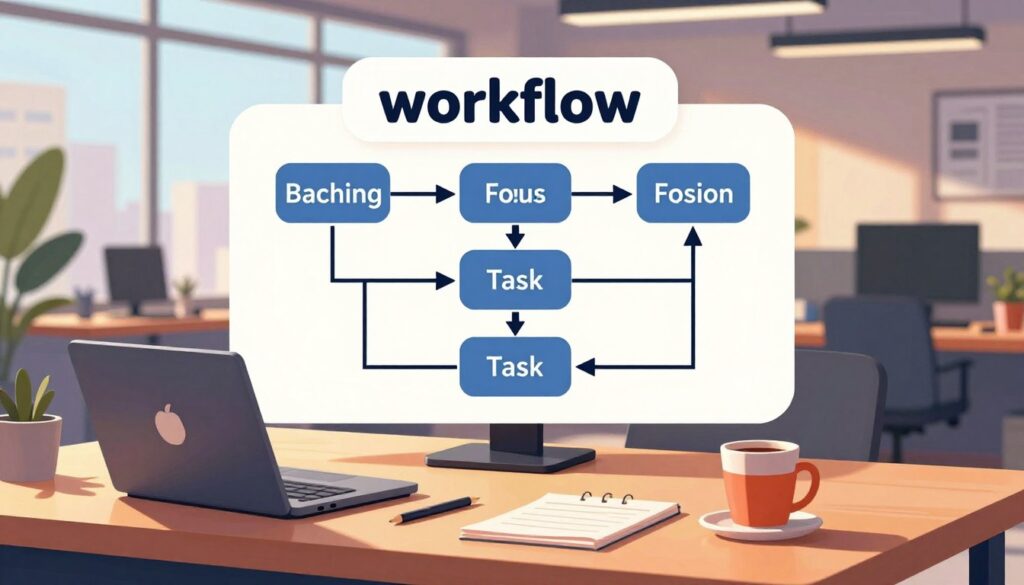
Batch similar work to minimize context switching
Batching groups like work—API integrations, UI tweaks, test writing—so the brain stays in one mode. Fewer switches raise throughput and reduce errors.
Time-blocked sessions and distraction management
Time-block sessions with clear goals and short breaks. Turn off notifications, close unrelated tabs, and claim a quiet space to protect focus.
- Sequence tasks from most to least demanding to match energy with difficulty.
- Keep a “parking lot” note for stray ideas so they don’t break flow.
- Track context switches and set lightweight WIP limits so tasks finish instead of sprawling.
“Design the cadence; let the schedule enforce boundaries.”
Review sessions with simple data—elapsed time, blockers, and outcomes—to refine the workflow and improve development efficiency over time.
Collaboration: Ask Early, Share Often, Read the Clues
Practical collaboration turns individual unknowns into shared solutions that keep projects on track.
Pairing, reviews, and visible knowledge sharing
Ask for help early: a short question prevents long escalations and keeps timelines steady.
Pair programming and structured code reviews move tacit knowledge from one mind into the team. These practices reduce rework and catch issues before they ship.
- Rotate pair partners and reviewers to spread context and avoid silos.
- Codify review checklists so expectations are consistent across work streams.
- Leave breadcrumbs in PR descriptions and commits to record intent for others when triaging issues.
Reading the codebase like a map
Learn to read patterns, naming conventions, and architecture styles as clues. This habit accelerates correct changes and lowers risk.
Favor public channels for questions. Public Q&A becomes searchable data that helps others and newcomers later.
| Practice | Benefit | When to use |
|---|---|---|
| Pair programming | Faster knowledge transfer | Complex or unfamiliar features |
| Structured code review | Consistent quality and shared standards | Every merge to mainline |
| Public Q&A and archived threads | Searchable team memory | Any non-sensitive help requests |
“Make questions public when possible; the answer helps others and becomes living documentation.”
Practice, Reflection, and the Learning Process
Deliberate practice and quick reflection turn ordinary tasks into lasting expertise. Small, focused exercises and real projects create repetition that matters.
Side projects, internal tools, and targeted drills
Side projects and internal tooling let developers repeat patterns without production risk. They expose gaps in judgment and reveal common failure modes.
We recommend structured practice: pick a weak area and run short drills until steps feel automatic.
- Target specific skills—regex, Git rebases, or TypeScript generics—with 15–30 minute exercises.
- Use hackathons or small tools to multiply repetitions and collect useful data.
- Define quarterly goals and track progress with tiny benchmarks.
Work + Reflection = Experience: lock in lessons after each task
Reflection converts effort into durable memory. Brief post-task notes sharpen what worked and what failed.
Keep a learning journal that logs errors, fixes, and the reasoning path. Reviewing entries shortens future troubleshooting time.
“Work plus reflection equals experience.”
Share short write-ups with the team to spread gains and normalize continual learning. For a practical guide on analyzing and improving after interviews, see this post-interview reflection.
Advanced Efficiency: Data Structures, Git Fluency, and Environment
Small, intentional choices in data layout and history management compound into measurable gains in everyday development. This section shows how picking the right data structures, keeping a clean Git flow, and shaping your physical and digital environment reduce friction and recurring issues.
Choose the right data structures without premature optimization
Match structures to access patterns: choose maps for lookups, arrays for ordered scans, and sets for membership checks. Small swaps can lower algorithmic cost and simplify code.
Measure before you change: profile hotspots and confirm Big O trade-offs. Avoid micro-optimizing parts that do not drive latency or resource use.
Git strategies, aliases, and interactive rebases
Adopt a clear branch strategy: small feature branches, focused commits, and frequent pushes. Use interactive rebase to craft readable history and reduce merge friction.
- Create Git aliases for frequent commands to save keystrokes and reduce errors.
- Add pre-commit hooks for linters and quick tests to catch issues early.
- Keep PRs small so reviews are fast and context stays fresh.
Ergonomics and environment for sustained focus
Physical setup affects mental stamina. Prioritize a supportive chair, proper keyboard height, monitor placement, and soft lighting to reduce fatigue.
Reserve a dedicated space free from clutter. Configure monitors so editor, logs, and docs are visible without constant window juggling.
“A reliable machine and a tuned workspace turn idle waits into productive work.”
| Area | Benefit | Action |
|---|---|---|
| Data choices | Lower latency | Profile then switch structures |
| Git flow | Clear history | Feature branches + interactive rebase |
| Workspace | Less fatigue | Ergonomics + dedicated space |
Bonus: Using AI Coding Tools Without Losing Your Edge
Use AI to reduce repetition, while reserving complex reasoning for human review. AI excels at routine scaffolding and common patterns, but teams must treat suggestions as drafts—not final answers.
When AI excels at boilerplate—and when to switch it off
Let AI generate routine code so engineers can focus on architecture and hard logic. This helps the team deliver value and code faster on high-impact work.
Switch AI off for novel domain work, sensitive security paths, or when subtle edge cases matter. Human reasoning should lead in those moments.
Preventing skill atrophy while leveraging AI assist
- Verify suggestions: check types, edge cases, and security against tests and runtime data.
- Use AI as a tutor: ask for explanations and alternatives to support active learning and strengthen skills.
- Capture prompts: save accepted results as snippets so future development is consistent without repeated prompting.
- Rotate modes: periodically work without assistants to keep baseline competence and confidence during constrained environments.
“Treat AI outputs as first drafts—validate, refine, and own the final design.”
When applied deliberately, tools like automated assistants become a force multiplier for development. We recommend a measured approach that preserves learning and long-term craftsmanship.
Conclusion
Lasting productivity is built by deliberate routines, not bursts of frantic effort. Good habits and clear standards let teams practice focused coding and raise overall productivity. This is a practical way to protect quality while moving faster.
Apply the playbook: tool mastery, stack leverage, tight debug loops, living documentation, deliberate workflow design, and collaborative practices. Use small experiments—try shortcuts plus watch tests or batching with time blocks—to see real gains in code and efficiency.
Keep a short weekly review to capture cycle times and blockers. Measure changes with simple data and adapt what works. Balance quick delivery with reflection; invest in skills that permanently shorten future work.
Share results with the team so velocity becomes a shared capability and development improves for everyone.
FAQ
What does "Stay Fast, Stay Focused" mean for developers?
It means balancing speed with craftsmanship. Developers should aim to deliver value quickly while preserving code quality, using practices like batching work, focused sessions, and reviews to avoid rushed decisions that cause rework.
How can one increase throughput without sacrificing user outcomes?
Prioritize experience density—do the highest-impact work first, use tests and CI to catch regressions early, and rely on linters and formatters to maintain consistency. This protects users while improving delivery cadence.
Why is mindset important for coding faster?
A systems view and sense of urgency guide smarter choices: slowing down to understand a problem reduces iterations later. Mapping concepts across languages and tools helps transfer knowledge and speeds problem solving.
When should a developer push pace versus invest time in learning?
Push pace for well-known patterns and low-risk tasks; invest time for unfamiliar domains, architectural changes, or when long-term maintainability matters. Use small spikes to learn quickly without derailing deliverables.
Which IDE features most improve daily efficiency?
Keyboard shortcuts, multi-cursor editing, snippets, and reliable auto-complete cut repeated effort. Add linters, formatters, and integrated debuggers to reduce cognitive load and speed the edit→run→fix loop.
How should teams choose extensions and tools for their stack?
Apply extension hygiene: evaluate impact, audit for performance and security, and share a curated list. Favor tools that integrate with TypeScript, test frameworks, and diagnostics to keep workflows coherent.
What role do aliases and dotfiles play in productivity?
Aliases and shell scripts automate frequent commands; portable dotfiles standardize environments across machines. Together they reduce setup time and let developers execute common tasks in seconds.
How can a developer tighten the debug loop?
Use hot reload, watch modes, rich logging, and fast unit tests to get feedback quickly. Combine TDD and CI to surface issues before they grow costly, shortening the time from code change to validated result.
How does documentation speed up work?
Clear README patterns, quick-reference sheets, and changelogs make onboarding and decision-making faster. Bookmarking reusable code and API requests turns documentation into a practical productivity tool.
What are practical ways to design a workflow that minimizes context switching?
Batch similar tasks, time-block focused coding sessions, and use distraction management techniques. Design work items small enough to complete within a session to preserve momentum and reduce mental overhead.
How should teams collaborate to move faster together?
Ask early, share often: pair programming, timely code reviews, and visible knowledge sharing prevent duplicated effort. Read the codebase history to leverage previous decisions and avoid repeating mistakes.
What practice routine accelerates skill growth?
Combine side projects, internal tools, and targeted drills with regular reflection. After each task, note lessons learned and apply them—work plus reflection compounds experience into faster, better results.
Which advanced habits deliver outsized returns in efficiency?
Choose appropriate data structures, avoid premature optimization, and maintain Git fluency—aliases and interactive rebases keep history clean. Ergonomics and a tuned workspace sustain long-term productivity.
How can developers use AI tools without losing core skills?
Use AI for boilerplate and repetitive patterns, but validate output and continue writing critical logic manually. Limit reliance so diagnostic, architecture, and debugging skills remain sharp while benefiting from assistive automation.