
“Education is the most powerful weapon which you can use to change the world.” — Nelson Mandela. This idea frames why modern classrooms must embrace smart solutions.
Silicon Valley High School built a learning platform that blends artificial intelligence and analytics to meet today’s demands. The platform helps educators reduce routine tasks and focus on what matters: students’ growth.
Using an advanced education AI tool lets a teacher personalize lessons, monitor progress, and deliver timely feedback. That focus supports critical thinking and digital literacy in each student.
Adopting this platform creates a more efficient environment across the school. We encourage readers to explore the solution and see how it can transform class preparation and student outcomes.
Key Takeaways
- AI-driven platforms streamline planning and cut administrative load.
- Personalized lessons boost student engagement and performance.
- Timely feedback supports continuous learning and growth.
- Silicon Valley High School’s system models practical classroom use.
- Educators gain tools to strengthen critical thinking and digital skills.
- Visit the platform to evaluate its impact on preparation and outcomes.
The Changing Landscape of Modern Education
The pandemic forced classrooms to reinvent themselves, speeding a shift to blended and remote learning. This change revealed both the promise and the limits of digital education.
Now, educators act less as sole information sources and more as guides. They teach research skills, critical thinking, and how to evaluate online material. Students must learn to sift facts from noise.
Teachers also face new pressures: planning hybrid lessons, managing tech, and avoiding burnout. Ongoing professional development helps sustain quality instruction.
- Flexible models respond to diverse learning styles.
- Collaboration and critical thinking become core goals.
- Support systems reduce teacher strain and improve outcomes for students.
The role of a teacher is now to guide inquiry and foster skills, not just deliver facts.
| Trend | Impact on Educators | Effect on Students |
|---|---|---|
| Hybrid learning | More planning time; new tech skills | Flexible access; varied engagement |
| Shift to facilitation | Focus on coaching and feedback | Improved critical thinking |
| Professional development | Reduced burnout risk; skill growth | Consistent instructional quality |
As we adapt, schools that prioritize training and wellbeing will help students and teachers thrive in a more connected classroom.
How FlowScholar.com for High School Teachers Streamlines Lesson Planning
When curriculum design is automated, educators reclaim time to coach and mentor students. The SVHS curriculum team pairs an AI-powered engine with human oversight to maintain a catalog of more than 60 online courses.
Standards-Aligned Curriculum
The platform’s Standards Mapping System ensures every unit and course objective maps back to Common Core and state expectations. This alignment makes it simple to verify that each lesson and subject meets core requirements.
The AI handles the heavy lifting of content creation so educators save valuable time each week. That time can be redirected to tailored feedback and direct student support.
- Ready-to-use course materials cut weekly plan hours.
- AI-driven updates keep courses current and compliant.
- Teachers spend more hours mentoring and less time building base content.
“By automating routine curriculum tasks, staff can focus on meaningful instruction and student growth.”
For a practical guide on building AI-powered educational tools and applying similar workflows, see AI tools for educators.
Automating Routine Tasks to Save Valuable Time
Automating administrative workflows returns precious minutes to educators. The SVHS automated grading system removes human error and applies grading criteria evenly across class sections and schools.
That consistency lets teachers reclaim hours each week that once went to manual grading and paperwork. Educators can then devote more minutes to direct student interaction and meaningful teaching.
Organization improves too. The tool streamlines student folders and tabs so every lesson plan, test, and course file is easy to find for groups and single students.
- Automated grading reduces repetitive assessments and cuts administrative tasks.
- Immediate feedback on tests helps students track performance in real time during the week.
- Streamlined plans free teachers to focus on higher-level strategies that boost student growth.
“By shifting routine work to reliable automation, educators gain time to teach and coach.”
Enhancing Student Engagement Through Interactive Learning
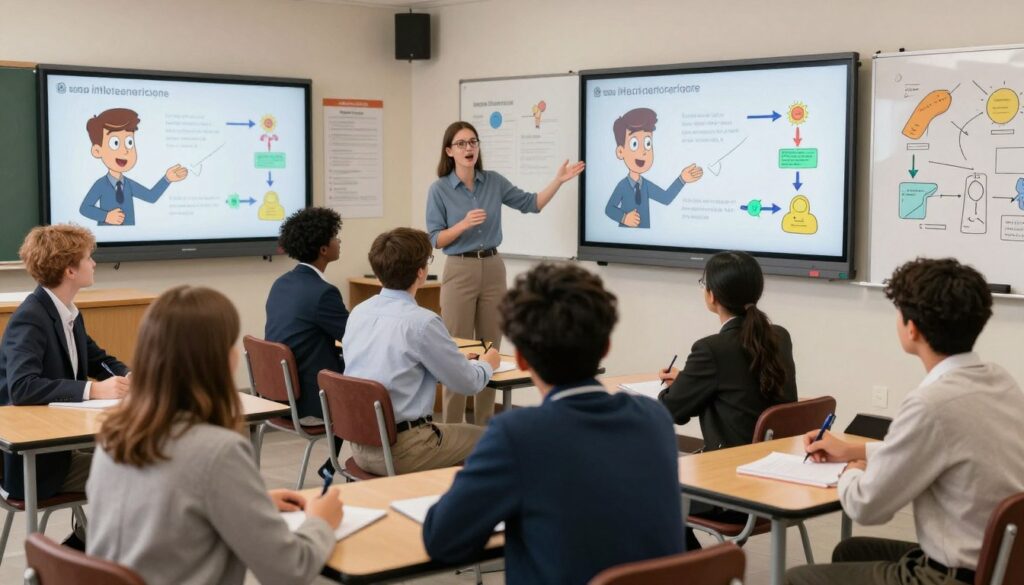
Guided video lessons change passive viewing into an active learning routine. Students stop watching and start practicing ideas as they appear. This shift boosts retention and motivation.
Guided Video Features
Sage, the AI personal tutor, integrates into videos to answer questions and prompt reflection. The guided video tool gives students instant clarifications during any course. That realtime access reduces confusion and helps keep lessons moving.
The platform includes an integrated Student Notebook where students take notes and summarize key points. Sage reviews those notes and offers immediate feedback on accuracy.
- Curated videos replace long lectures so students control pacing and review.
- Guided Video acts as a virtual companion, clarifying complex topics on demand.
- Notebook integration lets students create personalized study notes that Sage evaluates in real time.
- Teachers can lead deeper discussions because the tool handles core content delivery.
- Educators report greater engagement as students receive prompt feedback on their notes and reflections.
“Interactive videos turn short moments of confusion into teachable steps that raise classwide understanding.”
| Feature | Student Benefit | Teacher Benefit |
|---|---|---|
| Guided Video (Sage) | Immediate clarifications; active learning | Less basic lecturing; more discussion time |
| Integrated Notebook | Summaries and searchable notes | Insight into student understanding |
| Real-time Feedback | Quicker correction and confidence | Faster intervention where needed |
For practical setup and a sample notebook workflow, see the guided video notebook guide.
Providing Instant Feedback with Automated Grading Systems
When grading runs on an AI backbone, feedback reaches students the moment their work is complete.
Dot AI evaluates essays, problem sets, and complex math with nuanced rubrics. The assistant returns clear comments and scores fast.
The Gradeometer shows an estimated grade in real time so students can track progress across courses. This visibility helps them adjust study habits and stay motivated.
At Silicon Valley High School, Dot AI replaced hours of manual grading on tests. That shift saves teachers precious minutes each week and reduces routine tasks.
- Consistent evaluations across tests let students trust results and track learning.
- Detailed analytics highlight common misconceptions so every lesson plan adapts quickly.
- Organized grades appear in folders and tabs, simplifying access and follow-up.
“Automated grading turns assessment into a continuous, actionable conversation between educators and learners.”
| Feature | Benefit to Students | Benefit to Teachers |
|---|---|---|
| Dot AI grading | Fast, specific feedback; clearer next steps | Frees time for targeted teaching and planning |
| Gradeometer | Real-time progress tracking | Early flags for interventions |
| Folders & tabs | Easy access to grades and comments | Simplified organization for plans and tests |
Supporting Student Writing with AI Assistance
Ace is built into the Smart Editor to guide students through every stage of writing. It prompts ideas, helps craft outlines, and suggests draft sentences so the process feels manageable.
Brainstorming and Outlining Help
Ace speeds brainstorming by offering topic prompts and logical outlines. Students move from scattered notes to a clear plan in a few steps.
The assistant gives real-time feedback on sentence structure and overall clarity. That saves time and helps learners produce stronger projects outside class.
Promoting Academic Integrity
The editor flags possible plagiarism and suggests proper citations. This discourages shortcutting and teaches correct sourcing as part of the drafting routine.
As a result, teachers can shift focus away from basic instruction and toward higher-order composition and critical thinking.
“Students improve faster when feedback is immediate and integrity is built into the workflow.”
| Feature | Student Benefit | Teacher Benefit |
|---|---|---|
| Ace brainstorming | Faster idea generation; clearer outlines | Less time on basics; more time on critique |
| Real-time editing | Improved clarity and sentence quality | Consistent formative feedback across courses |
| Plagiarism checks | Supports honest work and citation skills | Reduces integrity issues; clearer assessment |
- Students get steady feedback as they draft and revise.
- Educators reclaim time previously spent on routine writing tasks.
Personalized Tutoring and Academic Guidance
Round-the-clock AI support lets learners get tailored help without waiting for office hours. Sage provides instant, individualized help across all subjects. Students receive targeted explanations and quick feedback any hour of the day.
Frankie guides academic planning and career exploration. It helps each student build a clear plan and track course choices across semesters. This reduces routine counseling tasks and gives teachers more minutes for complex advising.
- The platform stores plans and materials in folders and tabs for easy access.
- Automated tutoring cuts repetitive tasks, saving educators time each week.
- Consistent, AI-driven feedback helps students improve steadily and track results.
“When routine guidance runs reliably, staff can spend hours on meaningful mentorship rather than admin.”
Overall, these tools free teaching time and deliver dependable support so every student gets the guidance they need to succeed.
Fostering Student Flow and Self Leadership
Classrooms that train students to self-direct attention create better conditions for sustained work and deeper learning.

Fostering flow means structuring the day so focus is more likely and interruptions are fewer.
Strategies for Student Focus
Set clear work blocks: Use timed sessions and brief breaks so students learn to concentrate without constant prompts.
Teach self-leadership: Encourage each student to set a daily plan, track progress, and reflect on habits. Over time they need less external direction.
Use simple signals: Visual cues and consistent routines reduce friction and help learners enter flow faster.
- Train students to manage distractions and prioritize tasks.
- Model brief check-ins instead of interruptive corrections.
- Build recovery strategies to protect mental energy and sustain focus.
“When students own their routines, they convert lessons into lasting skill and increased autonomy.”
| Practice | Benefit to Students | Benefit to Teachers |
|---|---|---|
| Timed work blocks | Improved concentration | Less classroom management time |
| Daily planning habit | Clear priorities; reduced anxiety | Fewer reminders; smoother lessons |
| Structured recovery | Better energy across the day | More consistent performance |
Integrating Advanced Technology into Your Classroom
When technology focuses on interaction, students move from watching to doing within each lesson.
Silicon Valley’s platform layers AI features that streamline every step of teaching. Educators can manage courses, units, and projects while organizing student folders and tabs for quick access.
Automating routine tasks frees minutes each day so teachers spend more time on instruction and mentorship. The system runs tests, updates grades, and tracks progress across course content.
- 24/7 access to resources supports clarity in every subject of the core curriculum.
- Organized folders and tabs make collaboration in groups simple and fast.
- Built-in features help plan lessons, run assessments, and manage projects in clear steps.
“Smart integration turns administrative load into meaningful classroom minutes.”
| Capability | Benefit to Students | Benefit to Teachers |
|---|---|---|
| Interactive units | Active learning across subjects | Less lecturing; more coaching |
| Automated tests | Immediate feedback and clarity | Fewer grading minutes; consistent results |
| Organized folders & tabs | Easy resource access for projects | Simplified plan and course management |
To explore practical training and implementation steps, see our teaching AI skills workshops.
Conclusion
When administrative load shrinks, teaching regains its creative and mentoring role. Implementing the tools at , https://www.flowscholar.com, modernizes lesson prep and daily plans.
AI-driven systems deliver consistent feedback and personalized support so each student gets clearer next steps. Educators can design a single plan that adapts to many needs, and students receive timely guidance to stay on track.
The result is more sustained flow in class: fewer interruptions, deeper work, and focused mentorship. We encourage teachers to explore these plans and visit https://www.flowscholar.com to start a more efficient, student-centered journey today.
FAQ
How can teachers use FlowScholar.com to streamline lesson planning?
The platform centralizes plans, lesson notes, tests, and folders so educators can build units and weeks quickly. It offers templates and tabs for standards-aligned curriculum and course planning, which reduces prep time and makes plans easier to share with groups and administrators.
Does the system help reduce preparation hours and weekly workload?
Yes. Automated tools cut down repetitive tasks—like creating tests, generating rubrics, and organizing resources—so teachers reclaim minutes and hours each week. That clarity in workflow helps teachers focus on instruction and student feedback rather than administrative chores.
What automation features are available to save time?
Features include test builders, auto-grading, bulk assignment creation, and calendar-driven task lists. These tools automate routine steps in course management and let teachers track projects, steps, and student progress with fewer clicks.
How does the platform enhance student engagement with interactive learning?
The platform integrates guided video features, interactive assessments, and project-based folders to promote active learning. Teachers can design multimodal lessons that increase participation and help students follow clear steps through group tasks and checkpoints.
Can FlowScholar.com provide instant feedback through automated grading?
Automated grading engines handle objective items and provide immediate results, freeing teachers to deliver targeted feedback on higher-order work. This speeds intervention, improves transparency, and supports data-driven decisions about instruction.
How does the AI support student writing without compromising academic integrity?
AI tools assist with brainstorming and outlining support, suggesting structure and revision strategies while flagging potential plagiarism. Educators can set parameters that encourage original work and use built-in integrity checks to promote responsible use.
What tutoring and personalized guidance features are offered?
The platform enables tailored tutoring workflows, adaptive practice, and individualized study plans. Teachers can assign differentiated tasks, monitor progress by student, and deliver targeted mini-lessons based on performance data.
How can tools help foster student focus and self-leadership?
The system includes strategies for student focus, such as step-by-step project scaffolds, goal-setting templates, and progress trackers. These tools teach self-management and help students take ownership of tasks and long-term projects.
Is it easy to integrate advanced technology into existing classrooms?
Yes. The platform supports single-sign-on, import/export of course content, and compatibility with common LMS and assessment tools. That makes rollout smoother and preserves existing resources while adding planning and tracking capabilities.
How does the platform help with tracking student groups and projects?
Teachers can create groups, assign roles, and monitor project steps in real time. Folder organization and task tabs keep materials and deadlines visible, enabling efficient oversight of collaborative work and individual contributions.
What access controls and sharing options are available for educators?
Role-based permissions allow administrators, teachers, and support staff different levels of access to courses, plans, and student data. Sharing features let educators publish units or collaborate on course materials while maintaining privacy and compliance.
Can teachers build and reuse tests and assessments across courses?
Yes. The test builder and question banks let teachers create, store, and reuse assessments by subject, unit, or standard. Items can be grouped into folders for easy retrieval and aligned to core standards for consistent evaluation.
How does the platform support feedback loops between students and teachers?
In-app commenting, rubric-based scoring, and automated progress reports create clear feedback channels. These tools encourage iterative improvement and make it simple to track responses, revisions, and teacher comments over time.