
“Education is the kindling of a flame, not the filling of a vessel.” —Socrates.
FlowScholar.com offers an advanced education tool designed to help a teacher manage complex classroom demands. As a dedicated educator, you can use FlowScholar to differentiate instruction with AI so every student gets tailored support.
The platform simplifies the process of differentiation, cutting administrative load and freeing time for high-impact teaching. It acts as a reliable partner that helps teachers navigate varied learning profiles in daily practice.
We believe that access to the right technology transforms how teachers plan and deliver content. This guide shows practical ways to integrate FlowScholar’s features and foster a more inclusive, responsive learning environment.
Key Takeaways
- FlowScholar is an education tool that supports targeted teaching strategies.
- It reduces admin tasks so teachers can focus on student learning.
- The platform helps tailor lessons for diverse learner needs.
- Adopting the tool can make classrooms more inclusive and efficient.
- Practical integration tips in this guide help teachers get started quickly.
Understanding the Role of AI in Modern Classrooms
Educators now use adaptive systems to match learning pace and style across diverse learners. This shift gives teachers practical ways to customize lessons and target support for students who need it most.
Evidence supports the change: a 2023 study at UniDistance Suisse found that students who engaged with an adaptive tutor improved by up to 15 percentile points over traditional methods. That outcome shows clear gains in learning and engagement.
These tools let schools move beyond one-size-fits-all lessons. Digital resources provide targeted strategies that support classroom equity and better academic growth for all students.
Teachers gain time-saving resources that reduce admin work and free up moments for feedback and coaching. As educators adopt these approaches, classroom experiences become more responsive to individual needs.
For a practical look at how tailored support works, see this guide: how tailored support works.
https://www.youtube.com/watch?v=qKi6Bi11dOE
- Students benefit from adaptive practice that adjusts to skill level.
- Teachers use data to shape strategies and monitor progress.
- Learning becomes more equitable when tools address varied needs.
How to Differentiate Instruction with AI Effectively
Small changes to a prompt often yield materials that match students’ needs more closely. A brief setup helps guide output toward the right level and tone.
Refining Prompts for Better Results
Be explicit: name the student level, desired vocabulary, and the task. Ask for multiple versions of the lesson text so teachers can pick the best fit.
For example, Khanmigo can produce a grammar lesson for advanced readers and a scaffolded version for English language learners. Adjusting complexity in the prompt creates targeted content quickly.

Using AI as a Thinking Partner
Treat the tool as a colleague. Brainstorm lesson ideas, possible questions, and classroom activities together. This process saves time and sharpens strategies.
We’ve found that this collaborative workflow helps educators test prompts, refine plans, and anticipate student challenges. The result: better support for every student and more time for teaching.
| Goal | Prompt Focus | Output Example |
|---|---|---|
| Challenge advanced students | Complex tasks, richer vocabulary | Extended practice problems |
| Support language learners | Scaffolded steps, simple text | Guided sentence frames |
| Save teacher time | Multiple lesson variants | Editable lesson plans |
Adapting Lesson Materials for Diverse Student Needs
Teachers can convert a single lesson into several leveled versions that match student strengths and challenges.
Diffit lets a teacher paste any text or topic and generate versions with built-in supports for varied learners.
This tool creates scaffolded text, simplified passages, or advanced extensions so every student can access the same learning goals.
Creating Accessible Content for Every Learner
Using tools like Diffit, a teacher can make visual vocabulary lists or leveled reading that align to the current lesson.
That approach keeps content rigorous while changing the path to the objective. It preserves depth and honors diverse skill levels.
- Generate varied texts quickly to match each student level.
- Create activities that stretch advanced learners and support those who need more guidance.
- Ask the tool to produce questions that check understanding at multiple stages of a task.
Practical benefit: less prep time, clearer materials, and more targeted classroom support that reaches every student.
Providing Personalized Feedback and Support
Personalized feedback transforms everyday tasks into clear pathways for student growth. Brisk Teaching links to Google Docs so teachers can add targeted comments on voice, sentence construction, and text structure.
That setup saves time and keeps feedback specific. Teachers can grade a reading assignment or a complex task without long evenings of marking.
We’ve found that when students receive guidance as they write, they reflect better and improve key skills more quickly.
Use the tool to prompt students to analyze their own work. The tool can suggest ideas for a character analysis or a tighter paragraph.
- Faster feedback: detailed comments inside Google Docs reduce turnaround time.
- Student ownership: learners review suggestions and revise, boosting learning.
- Focused support: educators target needs and free up time for rich classroom experiences.
For a practical guide on classroom strategies, see this short primer on using tools for tailored lesson support: use differentiated instruction resources.
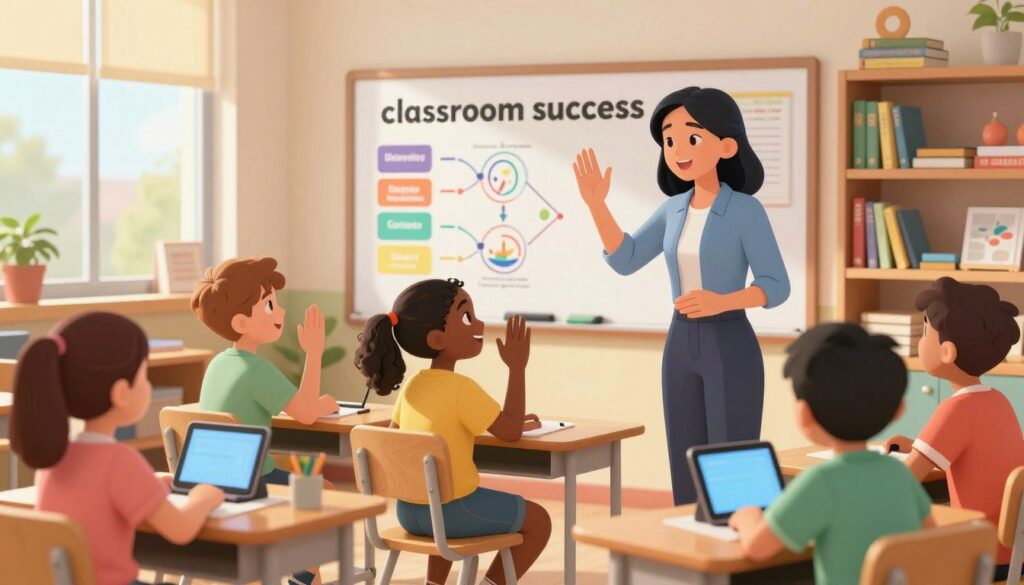
Leveraging FlowScholar for Classroom Success
Streamlined planning and targeted supports change how teaching looks each day. A single platform can cut planning time and make lesson plans more responsive to learners’ needs.
FlowScholar.com bundles resources that help educators convert a plan into practical classroom materials quickly. It supports diverse language levels and offers data that points to where students need help.
Streamlining Your Planning Process
Teachers save time by generating lesson variants and editable plans in minutes. That efficiency frees time for coaching and grading.
- Quickly produce leveled lesson plans and text versions for mixed classrooms.
- Use templates and prompts to create activities and questions that match each level.
- Track progress so plans evolve based on real classroom points.
Supporting Neurodiverse Students
MagicStudent lets a teacher build custom chatbots to guide independent work. These chatbots deliver scaffolded prompts and check-ins that support students through complex activities.
This example helps teachers provide targeted support students need while keeping class routines smooth.
Integrating AI into Daily Workflows
Integrate tools into daily work to keep data, content, and feedback in one place. Educators gain real-time insights and can adjust materials mid-lesson.
Practical result: more responsive teaching, clearer supports, and lesson plans that meet the needs of every student.
- Build chatbots for step-by-step practice and instant help.
- Generate vocabulary lists and character study prompts on demand.
- Monitor progress and identify where extra support is needed.
Learn more and transform your classroom at FlowScholar.com. For community examples, see this short post or read a practical guide on building GPT-powered educational tools here.
Conclusion
A clear set of tools, helps teachers turn planning into meaningful classroom moments that reach students every day.
Start small: pilot one routine and watch how students respond. Try leveled materials, brief checks, and targeted feedback to boost engagement.
Tools like FlowScholar.com support classroom goals and help a student access content at their pace. They free time for coaching and conversation—what matters most in education.
Visit https://www.flowscholar.com to explore resources and begin adapting lesson practice. When teachers pair strategy and tools, students grow—and learning becomes more inclusive.
FAQ
How does FlowScholar help teachers tailor lessons for diverse learners?
FlowScholar provides lesson templates, adaptive reading supports, and scaffolded activities that let teachers match materials to students’ skill levels. The platform offers resources for vocabulary, reading tiers, and varied task formats so educators can design lessons that meet individual needs without adding planning time.
What role does artificial intelligence play in classroom support?
FlowScholar uses intelligent tools to analyze student work, suggest differentiated tasks, and generate accessible versions of texts. These features act as a thinking partner for teachers—speeding assessment and offering evidence-based recommendations while keeping educators in control of decisions.
How can teachers refine prompts to get better results from intelligent tools?
Effective prompts are clear, specific, and tied to learning goals. Include target skills, student profiles, and desired formats (e.g., summary, quiz, scaffold). FlowScholar’s prompt guides and examples help teachers iterate quickly, producing more accurate, classroom-ready outputs.
In what ways can intelligent tools serve as a thinking partner rather than a replacement?
These tools suggest options, surface patterns in student work, and create draft materials—freeing teachers to focus on pedagogy and relationships. Teachers review and adapt outputs, applying professional judgment to ensure alignment with standards and student needs.
How does FlowScholar help create accessible content for every learner?
The platform converts texts into multiple reading levels, adds multimedia supports, and generates clear vocabulary glossaries. It offers templates for visual organizers and alternative assessment formats, ensuring materials are usable for students with varied learning profiles.
What strategies does FlowScholar recommend for providing personalized feedback?
FlowScholar encourages targeted, timely feedback that highlights one or two growth areas and offers concrete next steps. Automated comment banks, rubrics, and sample language help teachers deliver consistent, skill-focused guidance tied to each student’s progress.
How does FlowScholar streamline the lesson planning process?
The platform organizes standards-aligned plans, reusable activity banks, and auto-generated differentiation options. Educators can assemble, adapt, and share lessons quickly—reducing prep time while maintaining instructional quality.
What supports does FlowScholar offer for neurodiverse students?
FlowScholar includes customizable sensory-friendly templates, chunked instructions, visual schedules, and options for multi-modal responses. These resources help teachers design predictable routines and accessible tasks that respect sensory and processing differences.
How can teachers integrate intelligent tools into daily classroom workflows?
Start small—use the tools for one routine task like exit tickets or reading checks. Build trust by co-reviewing outputs with students, then scale to planning and feedback. FlowScholar provides step-by-step integration guides and ready-to-use prompts to make adoption gradual and sustainable.
Are student data and privacy protected when using FlowScholar?
FlowScholar follows industry-standard security practices and complies with education privacy laws. Schools retain control of student data; access is role-based and encrypted to protect confidentiality while enabling meaningful insights for instruction.
What training or support is available for teachers new to FlowScholar?
FlowScholar offers on-demand tutorials, live webinars, and sample lesson libraries. Coaches and help-center resources guide prompt refinement, differentiation strategies, and classroom implementation to accelerate teacher confidence and impact.
Can FlowScholar align lesson materials to state or district standards?
Yes—FlowScholar maps activities and assessments to common standards and allows custom alignment to district frameworks. This makes it easier to plan lessons that meet accountability requirements while addressing diverse learner needs.