There are nights when the calendar, the homework, and a thousand small tasks feel like a single invisible weight. This guide meets that feeling with calm strategy. It shows how modern systems can lift the load and restore time for what matters.
Here, readers find a practical map of Parent AI Tools and the best tools that help families run smoother mornings, focused homework blocks, and steadier bedtimes. Examples span smart assistants (reminders and timers) to learning apps that personalize lessons.
The article links everyday wins—fewer missed events, reliable logins, calmer evenings—to clear selection criteria: privacy, school integrations, and device compatibility. For an overview of the landscape, see a compact guide to family-centered solutions at best AI tools for families, and a thoughtful take on technology’s role in caregiving at the artificial parent program.
Key Takeaways
- Practical systems can reduce the invisible load and save time each day.
- Hands-free assistants excel at reminders; specialized apps manage calendars and chores.
- Choose apps that prioritize privacy and integrate with school platforms.
- Short, focused sessions protect wellness while boosting learning.
- Concrete workflows help families implement a lean stack in a weekend.
How Parent AI Tools Help U.S. Families Thrive in Remote Learning Today
When routines are predictable, families reclaim small blocks of time that add up to big gains for study and sanity.
Parents gain time and calm when automation handles background tasks: synced schedules, grocery and chore lists, and timely reminders. That frees caregivers to coach homework, give feedback, and take meaningful breaks.
Focus features like Freedom block distracting sites across devices during defined school hours. Meanwhile, Google’s Family Link now enables supervised Gemini access for under‑13 users, with time limits and data oversight. Woebot offers HIPAA‑compliant CBT exercises for on‑demand support. Predictive sleep apps (for example Huckleberry’s algorithm) help schedule study blocks when a child is most alert.
- Three main wins: parents reclaim time, families build calmer routines, and kids improve focus.
- Prioritize privacy: prefer end‑to‑end encryption, clear data deletion, and transparent policies.
- Choose school-friendly apps that parse school emails into shared schedules and sync across devices.
Start small: pick one app that removes the most friction, implement it in under an hour, then expand as the family sees steady wins. For more engagement strategies, see ways to engage parents in school.
Parent AI Tools for Family Organization: Calendars, Grocery Lists, Chores, and Smart Devices
A small set of connected apps and devices can turn chaotic inboxes into clear, shared schedules.
Familymind acts as a command hub: it centralizes calendars, meal plans, chore rotation, and school events. Users report reclaiming roughly four hours per week after adoption. Set one family calendar, add meal blocks, and assign chores; Familymind nudges follow-through so plans become habits.
How other services fit into the flow
Sense auto-converts forwarded school and sports emails into calendar entries. That one step reduces manual entry and cuts missed practices.
Jam pairs shared calendars with email scanning and unified grocery and chore lists so everyone sees updates in real time.
Google Assistant with Gemini ties voice routines to calendars, smart lights, and shopping apps — quick commands add items or set reminders before practice.
Cozi uses color-coded calendars and shared to-dos with recipes; it pairs well with voice assistants for hands-free list adds during breakfast.
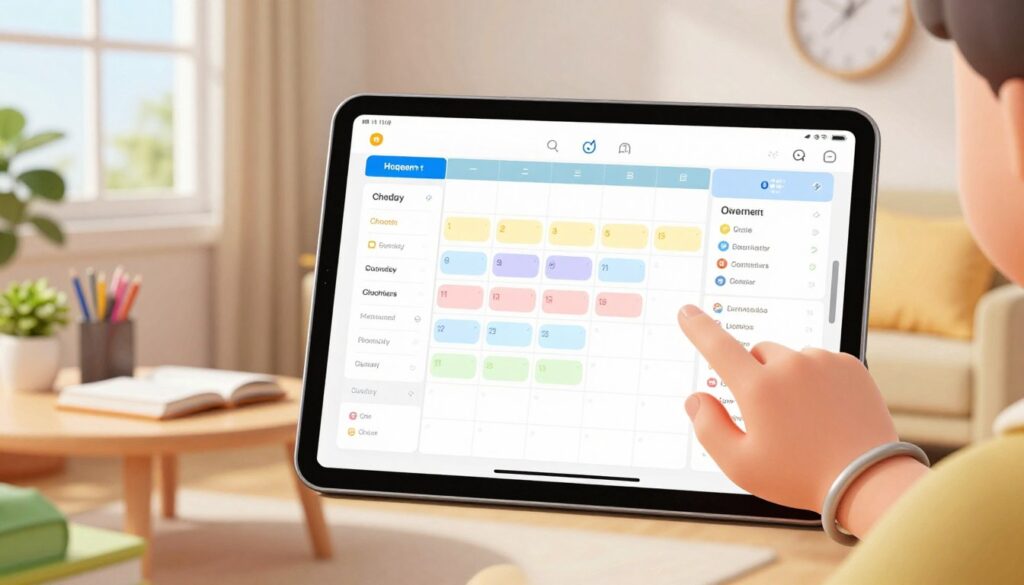
Mango Display puts a synced dashboard on a tablet or TV. The visible schedule, notes, and widgets help kids visualize the day.
Ohai.ai learns purchase patterns and suggests grocery lists while assigning tasks and sending notifications to keep accountability visible and fair.
| Service | Primary function | Best for | Reported benefit |
|---|---|---|---|
| Familymind | Central hub: calendars, meals, chores | Full family coordination | ~4 hours recovered per week |
| Sense | Email-to-event conversion | School & sports events | Fewer missed practices |
| Jam | Shared calendar + lists | Grocery & chore coordination | Real-time updates for all |
| Ohai.ai | Adaptive grocery suggestions | Shopping automation | Less decision fatigue |
Quick start: forward school emails to Sense or Jam, connect calendars once, and set two daily routines with Google Assistant to see an immediate drop in admin time.
To explore a consolidated command hub that ties many of these features together, see this Familymind overview.
AI-Powered Learning Tools for Children: Homework Help, Personalized Lessons, and Study Skills
Adaptive learning systems give children targeted practice that fills gaps, not just repeats material.
Khan Academy Kids personalizes early reading and math practice so a child builds confidence with clear, scaffolded steps.
Khan Academy Kids
It creates adaptive pathways for foundational skills. Short sessions keep engagement high for early learners.
Socratic by Google
Socratic converts stuck problems into step-by-step explanations across math, science, and humanities. Use it to turn homework into teachable moments.
Squirrel AI
This responsive tutor diagnoses weak spots in real time and adjusts lessons so a child progresses without overload.
ChatGPT Projects & Gemini via Family Link
ChatGPT Projects organizes weekly study calendars, meal plans, and creative project ideas. Gemini via Family Link keeps access supervised—parents set time limits and review usage.
- Workflow: unpack problems with Socratic, practice with Khan or Squirrel AI, and track deadlines in a shared calendar.
- Ensure apps run on school-issued devices to avoid friction during transitions.
“Start with one tool per learning goal and measure outcomes before adding more.”
Safety, Well-Being, and Balance: Tools That Protect Focus Time and Family Life
Safety and balance start with systems that reduce nightly friction and protect focused hours for study and rest.
Woebot for mental-health support
Woebot offers HIPAA‑compliant CBT exercises that help parents manage stress during late nights and busy weeks.
Short check-ins reduce overwhelm and support steady routines. Use it as a first response for anxious moments, not a substitute for clinical care.
Freedom to guard school hours
Freedom blocks distracting websites and apps across phones and computers. Set “school hours” so children focus and households avoid last‑minute scrambles.
Designate focus zones and pair them with scheduled breaks to preserve momentum and prevent burnout.
Vision monitors and nursery safety
Devices like Nanit Pro and Cubo AI send roll‑over and movement alerts. Babysense adds multi‑camera split views for siblings or twins.
Nanni AI classifies infant cries and can trigger alerts through smart hubs for hazards—temperature shifts or carbon monoxide—so the family can act fast.
Practical safety guidance
- Verify any medical claims: look for FDA or CE clearance.
- Review privacy settings; disable unneeded cloud uploads.
- Treat automated alerts as a co‑pilot—double‑check medical‑style messages.
- Integrate short movement breaks, screen‑free meals, and steady bedtimes into each day.
| Solution | Primary use | Best for | How it lowers load |
|---|---|---|---|
| Woebot | CBT exercises | Stressed caregivers | Quick stress reduction during hectic evenings |
| Freedom | Block lists & schedules | Focused school sessions | Eliminates digital distractions; protects study time |
| Nanit Pro / Cubo AI | Vision monitoring | Nursery surveillance | Movement alerts and night insights for peace of mind |
| Nursery hubs & sensors | Environmental alerts | Home safety | Monitors air, temp, and CO; reduces constant checking |
“Treat technology as a co‑pilot: verify clinical alerts and use systems to lower cognitive load, not replace judgment.”
Conclusion
A simple, focused stack returns time and clarity for family life.
Start small: pick two or three best tools that remove the biggest friction for one week, then measure impact. Begin with an organizer (Familymind, Sense, or Jam), add a learning app like Khan Academy Kids plus Socratic or Squirrel AI, and enforce focus with Freedom.
Layer voice access and a shared display—Google Assistant with Gemini and Mango Display—so everyone sees the plan. Keep wellbeing visible with Woebot and, for infants, a vision monitor such as Nanit Pro.
Revisit privacy settings quarterly, tidy lists and passwords, and track outcomes: fewer missed events, smoother mornings, and clearer homework follow‑through. For context on tech in caregiving see what is AI for parenting and practical education resources.
FAQ
What are the best AI tools for supporting remote learning at home?
The most effective solutions combine organization, tutoring, and device-friendly interfaces. Look at adaptive learning platforms like Khan Academy Kids and Squirrel AI for lessons and practice; Socratic and ChatGPT-style assistants for homework support and project ideas; and family organization apps such as Cozi, Jam, and Familymind to sync schedules, groceries, and chores. Integrating a voice assistant—Google Assistant with Gemini—or a kitchen hub like Mango Display helps keep routines visible and actionable across devices.
How do these systems help U.S. families thrive during remote learning?
They return time to busy households by automating routine tasks—converting school emails into calendar events, generating grocery lists, and assigning chores. They improve study focus with personalized lessons and step-by-step homework help, reduce friction with school-friendly integrations, and support calmer routines by centralizing schedules and reminders across phones, tablets, and smart displays.
What privacy and safety features should families prioritize?
Prioritize strong privacy policies, local data controls, and explicit parental controls. Choose services that offer family accounts or Family Link-style supervision, encrypted communications, and granular permission settings for devices. Verify vendor compliance with COPPA or relevant U.S. privacy standards, and prefer solutions that keep sensitive learning data on-device when possible.
Which tools simplify family organization like grocery lists, chores, and calendars?
Cozi and Jam provide shared calendars, color coding, and list features. Familymind centralizes chores, meals, and school events. Ohai.ai and grocery features in voice assistants create smart shopping lists that learn habits. Mango Display acts as a physical command center in the kitchen to visualize the day for everyone at a glance.
Are voice assistants useful for managing kids’ routines?
Yes—voice assistants can trigger routines, set timed reminders for study or screen breaks, and add items to shopping lists hands-free. Google Assistant with Gemini delivers contextual help and can work with Family Link for kid-safe interactions; however, parents should configure permissions and privacy settings before enabling full access.
Which AI learning tools offer real personalization for children?
Adaptive platforms such as Khan Academy Kids and Squirrel AI adjust content based on performance, targeting gaps in real time. Socratic offers step-by-step problem solving, while ChatGPT-style projects can produce study schedules and creative prompts. Combined, they foster mastery rather than rote repetition and support diverse learning styles.
How can families protect focus time and reduce digital distractions?
Use tools like Freedom to block distracting apps and websites during study hours, set device schedules, and employ smart monitors to limit unnecessary checks. Establish clear household norms—scheduled “focus blocks,” offline activities, and device-free meal times—and sync those blocks into shared calendars so everyone stays aligned.
Do smart monitors and nursery devices actually reduce parental stress?
Yes. Devices such as Nanit Pro and Cubo AI provide vision-based insights, sleep analytics, and alerts that let caregivers make informed decisions without constant monitoring. Hazard sensors and smart-home alerts cut down cognitive load by notifying parents only when action is needed, helping maintain attention on work and family priorities.
How do I ensure school-friendly integrations when choosing services?
Confirm compatibility with common school platforms (Google Classroom, Microsoft Teams), look for email-to-calendar automation, and pick apps that offer shareable links or CSV exports for teachers. Favor tools that respect school IT policies and allow teachers to join shared calendars or distribute assignments with minimal friction.
What’s the best way to introduce these systems to a family without overwhelming children?
Start small—pick one app for scheduling and one for learning, set simple routines, and gradually add features. Use visual aids like a Mango Display or color-coded calendars to make changes tangible. Involve children by assigning age-appropriate tasks and rewarding consistent habits to build ownership and reduce resistance.