There are moments when a prototype ships fast and the team breathes a small, hopeful sigh — only to face scattered choices later. This introduction speaks to that familiar mix of pride and unease. Teams crave speed, but they also need a steady visual language that survives growth.
The rise of vibe coding and AI-assisted tools changed how teams build. Rapid prototyping can produce results in minutes, yet it often creates drift, documentation gaps, and fragile architecture.
A focused design system anchors choices: semantic color, type, spacing, motion — all versioned and auditable. That approach turns one-off edits into shared assets and keeps product teams aligned.
This article shows a practical path: define token foundations, wire them into components, and integrate AI workflows with strict rules so the code stays predictable and maintainable.
Key Takeaways
- Treat tokens as the single source of truth for consistent styling across teams.
- Use semantic tokens to separate brand themes from component code.
- Integrate AI workflows via structured briefs and starter code to avoid drift.
- Versioning and audits prevent architecture by accumulation and documentation debt.
- Measure token coverage and update speed to track system health.
Why consistent styling matters now: aligning Vibe UI with modern vibe‑coding workflows
Letting AI translate intent into code accelerates exploration, but it also scatters decisions across chats and commits. Rapid prototypes show value fast; they also hide drift that grows into technical and visual debt.
Supernova-style audits surface three common risks: inconsistent UI/behavior, undocumented choices lost in prompt history, and demos that sidestep accessibility and performance checks.
Tools such as Magic Patterns and Subframe help teams explore non-linear ideas and capture forks. But without a shared contract, those forks become costly forks later.
- Consistency preserves speed: a tokenized foundation restores polish without slowing iteration.
- Shared semantics connect work: names that travel from Figma to code keep product teams aligned.
- Governance balances freedom and safety: audits, docs, and controlled releases keep experiments on-system as they scale.
Clear rules reduce cognitive load for new contributors and make each experiment a trust signal for stakeholders across marketing, sales, and support.
Design token foundations for Vibe UI and why they’re your consistency contract
A shared set of named decisions turns scattered choices into a repeatable visual contract. This foundation encodes the system’s intent so teams can move fast without creating fragility.
What tokens represent
Core values cover color, type scales, spacing, radii, elevation, motion, and semantic roles. Each name documents purpose and usage so intent is explicit and reusable.
How tokens travel from design to code
Centralized management and Figma sync keep names and values aligned. Automated exports and transformers publish canonical data to the codebase, cutting manual glue work.
- Durable names allow value changes without editing components.
- Semantic roles (success, danger, surface, interactive) abstract brand choices from usage.
- Publishing pipelines enforce rules and visibility for updates.
| Category | Primary Purpose | Example Role |
|---|---|---|
| Color | Contrast and branding | background/surface |
| Spacing | Rhythm and layout | space/step-4 |
| Motion | Interaction clarity | motion/smooth |
Governance rules and clear usage notes prevent ad-hoc styles. For practical guidance and a community example, see token publishing patterns.
Design Tokens in Vibe UI: step‑by‑step setup for colors, type, spacing, and modes
A practical step-by-step setup keeps palettes, type, and spacing predictable as teams scale. Start by defining a compact token set that separates brand values from component use. That approach reduces surprise changes and speeds safe updates.
Core palettes and semantic roles
First, map primary palettes to roles: background, text, accents, and status. Use named roles rather than hex values so brand updates do not force code edits.
Rule: Publish palettes to a central source and map each color to semantic names like surface, interactive, success, and danger.
Typography scales and spacing rules
Next, establish type scales for display, heading, body, and numeric. Lock weights, line-height, and letter spacing to preserve rhythm.
Create a spacing scale (4, 8, 12, 16…) and document composition guidelines for padding and gaps across breakpoints.
Modes, motion, and accessibility
Implement light and dark mode with theme tokens instead of hardcoded values. Ensure hover, focus, and disabled states adapt across modes.
Add motion tokens for durations and easings, and respect reduced-motion preferences for accessibility.
Publishing and practical rules
Store and export the set from one central tool; map outputs to CSS variables, JS, and native styles. Supply a short how-to so engineers know when to use a core color versus a semantic role.
| Group | Primary Purpose | Example Role |
|---|---|---|
| Palettes | Brand and contrast | background / accent |
| Typography | Scale and rhythm | heading-lg / body-sm |
| Spacing | Layout consistency | space-4 / space-16 |
| Semantic | Intent-driven styling | success / danger |
Applying tokens to components: buttons, cards, layout, and interactive states
A component-first approach maps intent to implementation, so one fix updates every screen.
Map semantic values directly onto component anatomy: surfaces, text, borders, shadows, radii, and overlays should reference role variables, not ad-hoc values.
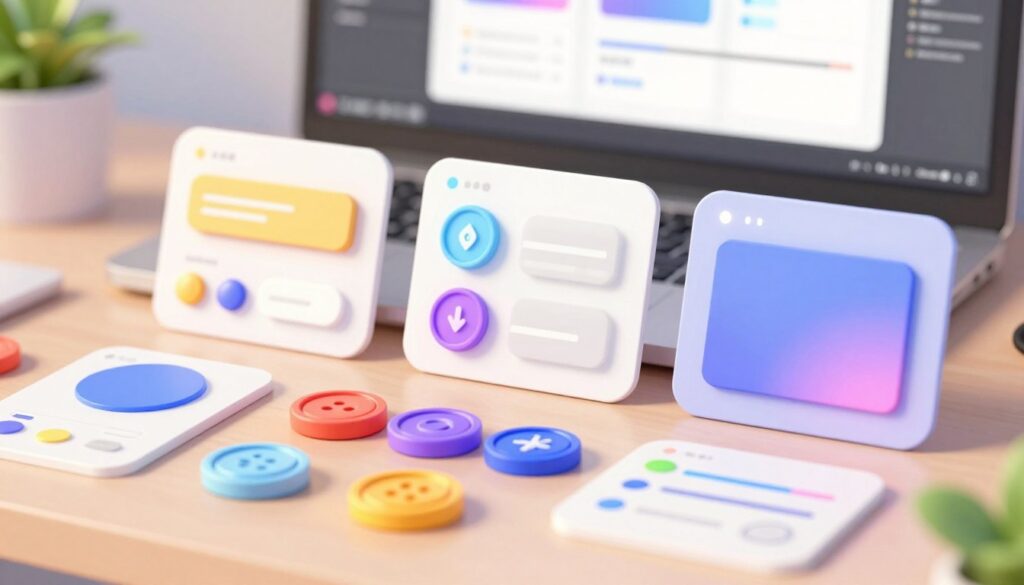
Map tokenized styles to reusable components with variants and states
Define clear variants: primary, secondary, ghost, and link. Declare hover, focus, active, and disabled states so behavior is consistent across modes and platforms.
Expose props like intent=”success” so the component maps to role values automatically. Supernova-style audits and Tailwind’s dark: classes make dark mode first-class and predictable.
Use spacing and layout values to enforce rhythm and responsive grids
Apply spacing variables for padding, gaps, and grid gutters. This keeps rhythm steady when teams extend patterns or change breakpoints.
Document how stacks, grids, and cards scale. Note how space steps compress on small screens to preserve balance.
Accessibility and states: focus rings, hover, disabled, and motion values
Implement dedicated focus values (color, outline, offset) that meet contrast in both light and dark mode. Use motion values for transitions and respect prefers-reduced-motion.
| Component | Anatomy mapped to role values | Primary states |
|---|---|---|
| Button | surface, text, border, radius, shadow | default, hover, focus, disabled |
| Card | surface, elevation, pad, radius, accent | rest, hover, selected |
| Layout | gutter, gap, column, breakpoint | responsive, stacked, wide |
Example: a single color change at the semantic source updates every component. Tools like Subframe help mix exploration modes while keeping the component library authoritative.
Integrate tokens into an AI‑assisted workflow without the vibe‑coding pitfalls
Avoiding style drift starts with a machine‑readable brief that leaves no room for ambiguous choices. The brief gives AI a clear map: semantic names, breakpoints, and mode rules so outputs stay on‑system.
Author a structured JSONC design brief to encode token rules and breakpoints
Step 1: publish a JSONC brief that lists semantic names, light/dark mappings, and responsive breakpoints. This file supplies context and prevents guesswork.
Prompt patterns that reference tokens and components, not raw values
Use prompts that call variables: “use surface/primary for card background.” That keeps generated code tied to the system and reduces ad‑hoc styling.
Divergent exploration without drift
Allow AI to explore multiple variants, then compare them on a canvas. Tools like Magic Patterns and Subframe let teams remix ideas while preserving the contract.
Manual revisions back to source
When edits occur, flow changes to the source: update token maps, Figma libraries, and docs. Verify outputs with Cursor plus Playwright MCP screenshots and iterate until the brief is met.
| Phase | Action | Verify |
|---|---|---|
| Brief | JSONC with semantics & breakpoints | Automated lint |
| Bootstrap | Starter codebase and SEO essentials | Smoke tests |
| Implement | One‑shot prompt using tokens | Playwright MCP checks |
For a starter kit and practical templates, consult an AI design systems starter kit that ties briefs, code, and tools together.
Governance and versioning: prevent drift with documentation, reviews, and CI
Treating the system like a product makes management of change measurable and reversible. A clear release cadence, status labels, and deprecation paths let teams plan updates without surprise work. Versioned releases also make rollbacks safe when a feature causes regressions.
Place documentation next to components. Live examples, do/don’t notes, code snippets, and rationale belong beside the component code so contributors see intent without digging through chats. This reduces guesswork and speeds correct implementation.
Practical rules for safe updates
- Adopt versioned releases with clear status labels and deprecation windows so downstream teams can schedule changes.
- Implement CI checks that block merges when raw hex, px, or ad‑hoc spacing appears; require token coverage for production UI.
- Publish release notes that call out breaking changes, migrations, and step‑by‑step upgrade instructions.
Reviews, contribution guidelines, and telemetry
Use review checklists that enforce naming conventions, code patterns, and required tests for every change. Coach prompts used for AI generation to reference tokens and components rather than vibes, and require code review before merging.
Track adoption at the system level. Measure token coverage, time to update after releases, and replaced one‑offs. That telemetry shows where drift happens and where to invest enablement.
For a practical read on keeping a library lean and maintainable, see building a resilient design system.
Performance and change management: scaling tokens across teams and products
Scaling a shared style system demands rules that survive multiple products and fast experiments. Teams need an approach that balances speed and long‑term performance.
Product contexts scope themes and component sets by brand or line of business. Supernova 3.0’s Product Contexts let prototypes inherit the correct brand, values, and libraries so experiments stay on‑system.
Product contexts and theming at speed
Keep prototypes aligned by generating variants with existing role names and components. That avoids one‑offs that cause maintenance overhead and harm runtime performance.
Adoption metrics that matter
- Token coverage: percent of UI using shared variables.
- Replaced one‑offs: count of custom styles swapped for system components.
- Median update time: days to apply a release across products.
Wire Figma sync and automated exports to documentation and CI so updates propagate with minimal manual work. Support teams with templates and CLI scripts; make the compliant path the fastest path to success.
For practical principles that make code feel good, see top vibe coding principles.
Conclusion
When teams pair structured briefs with reliable starters, prototypes turn into lasting features.
Anchor fast exploration to a clear system: publish a JSONC brief, ship starter code, and map semantic roles so each change updates across pages and products. Tools such as Magic Patterns and Subframe help explore without breaking the contract.
Consistency wins: governance—versioned releases, CI checks, and review rules—keeps experiments safe and measurable. Measure adoption: token coverage, replaced one‑offs, and median update time tell the real story.
Embrace vibe coding for ideas; let a disciplined system carry those ideas to product. That way teams move fast, ship quality, and reduce rework over time.
FAQ
What is the core purpose of creating consistent styles using design tokens?
Consistent styles act as a single source of truth that speeds product delivery, reduces rework, and ensures a coherent user experience across projects. Tokens encode color, type, spacing, radii, and motion so teams can apply the same rules in prototypes, components, and production code without guessing values.
Why does consistent styling matter now for modern vibe‑coding workflows?
Teams build faster with predictable systems. When visual rules tie directly to code, designers and engineers prototype, iterate, and ship with fewer mismatches. This improves cross‑discipline collaboration, supports AI‑assisted tooling, and shortens feedback loops from concept to release.
What do tokens represent and which categories should be prioritized?
Tokens represent atomic style decisions: color roles (background, text, accents, status), typography scales, spacing and layout rhythm, corner radii, motion durations, and semantic intent (success, danger, interactive). Prioritize color, type, spacing, and semantic roles first to maximize consistency.
How do tokens travel from design to code and survive refactors?
Use a canonical JSONC or similar machine‑readable file as the source. Sync that file with Figma variables, CSS variables, or a component library package. Treat token names as the contract—refactor implementation but keep names stable, version releases, and document deprecations to avoid breaking consumers.
What are the step‑by‑step setup tasks for colors, type, spacing, and modes?
Start by defining core palettes and semantic roles, create a typographic scale with named sizes and weights, establish spacing increments and layout tokens, then add light/dark mode mappings. Commit these to a shared token file, publish a release, and wire tokens into components and prototypes.
How do you define core color palettes and roles effectively?
Build palettes with accessible contrast in mind and map each swatch to a role: surface, background, text, interactive, and status. Use semantic names (e.g., surface-01, interactive-primary) so teams reference intent rather than raw hex values—this eases theme swaps and accessibility checks.
What rules should govern typography scales and spacing to scale across components?
Define a modular scale for type and a consistent spacing system—multiples of a base unit (4 or 8px). Name tokens semantically (heading-lg, body-sm, gap-md). Apply these tokens to component variants to maintain rhythm across layouts and breakpoints.
How do you add light/dark mode without hardcoded values?
Create mode tokens that map semantic roles to mode‑specific tokens (e.g., text-on-surface → text-on-surface-dark). Swap only the mappings at theme load rather than touching component styles. This pattern keeps components agnostic to color details.
What are semantic or intent tokens and why are they durable?
Intent tokens represent meaning—success, danger, info, warning, interactive—rather than appearance. Because they express purpose, designers and engineers can retheme or adjust palettes behind the scenes without changing component logic or copy that references intent.
How should tokenized styles be mapped to reusable components and states?
Create component variants that pull from named tokens for base, hover, focus, and disabled states. Store style rules in a central library or package so components reference tokens programmatically. Variants ensure predictable behavior across buttons, cards, and forms.
How do spacing and layout tokens enforce rhythm and responsive grids?
Use spacing tokens for gutters, column gaps, and element margins. Combine them with breakpoint tokens to scale layout at different widths. This enforces consistent visual rhythm and makes grids predictable when prototypes evolve into production.
How do tokens support accessibility for focus rings, hover, disabled, and motion?
Define accessibility tokens for contrast thresholds, focus outlines, reduced motion preferences, and state opacity. Reference these tokens in component states so accessibility concerns are baked into the system rather than added later.
How can teams integrate tokens into an AI‑assisted workflow without common pitfalls?
Structure prompts to reference token names and component roles instead of raw color or spacing numbers. Maintain a clear JSONC brief that documents breakpoints and token rules so AI suggestions stay on‑system. Validate AI outputs against token coverage checks to prevent drift.
What should a structured JSONC design brief include to encode token rules?
Include token categories, naming conventions, scale values, breakpoint definitions, and example component mappings. Add rationale and do/don’t examples so automated tools and designers apply tokens consistently during exploration.
What prompt patterns help when asking AI to use tokens and components?
Ask AI to “use token names only” and provide concrete component examples. Request alternatives that keep the same semantic intent and ask for comparisons that show token usage versus hardcoded values. This keeps generative outputs aligned to the system.
How do teams enable divergent exploration without drifting from the system?
Allow branching experiments in a sandbox that still reads from the token file. Capture variants, run automated checks, and compare results. Only merge approved changes back into the main token release after review and testing.
How are manual revisions kept in sync across Figma, code, and docs?
Use a single source token file and automate syncs where possible. Document update workflows, require pull requests for token changes, and pair reviews between design and engineering to keep Figma variables, component libraries, and documentation consistent.
What governance and versioning practices prevent token drift?
Implement semantic versioning, release notes, and a deprecation schedule. Require code and design reviews for token changes, run CI checks, and keep documentation adjacent to components so teams understand intent and impact before updating tokens.
What should documentation next to components include?
Provide usage guidance, do/don’t examples, code snippets, token mappings, and rationale. Explain accessibility implications and show how to swap themes. Clear docs reduce misuse and speed onboarding across teams.
How do automated checks enforce token coverage and ban hardcoded values?
Add linters and CI rules that flag raw color, spacing, or type values. Measure token usage coverage and fail builds when components reference hardcoded styles. These guards keep the system reliable as it scales.
How can tokens scale across products while keeping prototypes on‑system?
Provide lightweight starter kits and Figma libraries that reference the canonical token set. Offer templates and component variants so product teams prototype with the same building blocks used in production. This reduces rewrite work later.
Which adoption metrics should teams track to measure success?
Track token usage rates, time from token update to adoption in products, number of one‑off overrides replaced, and cadence of token releases. These metrics show system health and highlight where additional training or tooling is needed.
How do versioned releases and deprecations keep updates predictable?
Treat token changes like API changes: release with changelogs, provide migration guides, and deprecate gradually. This lets consumers plan updates and reduces incidents caused by unexpected style shifts.
What common mistakes cause token systems to fail?
Using descriptive colors instead of intent names, not automating syncs, skipping reviews, and allowing frequent hardcoded overrides. These practices erode the contract between design and code and create fragmentation.
How quickly can teams expect to see benefits after implementing tokens?
Early wins appear in faster prototyping and fewer visual regressions—typically within weeks. Deeper benefits, such as reduced maintenance and faster releases, emerge as versioning, governance, and automation mature over months.
What tools and workflows help speed token adoption and maintenance?
Use shared repositories, CI linting, Figma variables, component libraries (React, Vue, etc.), and automated sync tools. Pair these with clear governance, training sessions, and example prompts for AI assistants to accelerate adoption.