There are moments when an idea feels urgent — a product vision that must become tangible before momentum fades. For teams under tight deadlines, that pressure shapes how they choose to build. Some turn to a new paradigm where natural-language intent is translated into working code by AI, compressing days of effort into hours.
Others rely on a disciplined, manual approach where developers shape architecture, performance, and security line by line. Both paths matter: one accelerates prototyping and iteration, the other secures long-term stability for complex systems.
Tools like Zencoder and platforms such as Hostinger Horizons show how AI agents, repository-aware suggestions, and automated tests change workflows. This section frames the comparison so leaders can match approach to project risk, scope, and timelines.
In short: this piece helps teams decide when to embrace rapid AI-assisted development and when to commit to hands-on engineering for mission-critical applications.
Key Takeaways
- Vibe coding shortens time-to-value by turning natural language into runnable code quickly.
- Manual coding preserves control over architecture, performance, and security.
- Modern tools (Zencoder, Hostinger Horizons) blur the line between prototyping and production.
- Choose the approach based on risk, scale, and long-term ownership.
- A hybrid strategy often delivers the best balance of speed and reliability.
Vibe Coding and Traditional Coding at a Glance
Rapid, intent-driven creation translates a product brief into layouts, logic, and tests without typing every line of code.
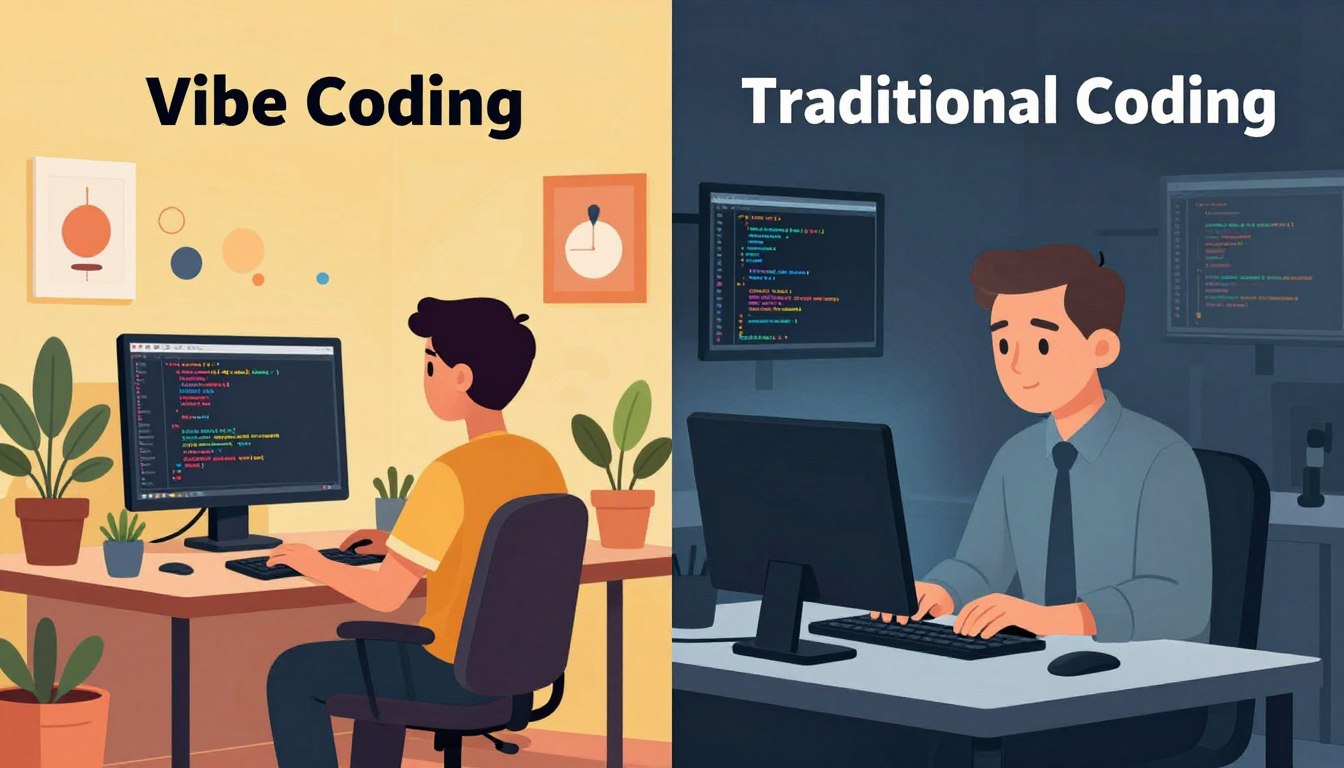
What is vibe coding? It uses AI agents and natural language prompts to generate interfaces, logic, and tests. Platforms like Hostinger Horizons and Zencoder auto-produce scaffolds useful for quick MVPs and lightweight projects.
What is traditional coding? This path relies on manual programming with programming languages such as Python, Java, or C++. Developers use IDEs, version control, and testing frameworks to tune performance and long-term maintainability.
How it differs from no-code and low-code — unlike visual drag-and-drop builders, this approach centers on written prompts. The system generates working code from an idea rather than assembling UI blocks.
“AI-assisted workflows cut the time from idea to prototype, but expertise remains essential to review and secure the output.”
- AI-first generation lowers the barrier for non-engineers while preserving iteration.
- Manual development gives precise control over architecture and optimizations.
- Early prototyping often pairs both approaches: generate fast, then harden later.
For a practical guide on design principles that make generated code feel intentional, see top design principles.
Vibe Coding vs Traditional Coding: Core Differences That Matter Today
Choosing an approach often comes down to whether a project needs rapid proof-of-concept or durable architecture.
Learning curve and expertise: vibe coding lowers the barrier by turning intent into working output. Nontechnical product owners can produce scaffolds fast. Manual methods demand deeper programming knowledge, debugging skills, and architectural expertise.
Speed and prototyping: AI-assisted workflows compress time to MVP. Teams move from idea to testable features in hours. Traditional coding trades that speed for careful planning and predictable quality at scale.
- Control & structure: intent-first generation accelerates initial progress but can create structural debt; manual coding gives more control over modular design and refactoring.
- Scalability & performance: small applications suit AI-led builds; enterprise systems favor traditional coding for performance-sensitive logic and compliance.
- Cost & team skills: early costs drop with AI tools; long-term maintainability often needs seasoned developers and governance.
“Use AI to scaffold and test, then strengthen critical paths with human-led architecture.”
Tools and Environments: AI-Enhanced Workflows vs Established Toolchains
Development outcomes hinge on the environment: AI-first platforms speed iteration, while mature stacks secure long-term stability.
AI-enhanced environments center on natural language interfaces and repository-aware agents. Zencoder-style agents can generate code, automate multi-step tasks, analyze repos, and draft unit tests to speed feedback loops.
Hostinger Horizons shows how plain-language prompts become web apps: layouts, logic, and styling emerge without typing every line. Data-aware suggestions help the tool fit into existing projects—but teams must still verify assumptions and enforce conventions.
Established toolchains rely on mature IDEs, strict branching in version control, CI pipelines, and comprehensive testing frameworks. These elements codify processes that scale across teams and ensure predictable results for complex software.
“Use AI to scaffold routine work, then apply established toolchains to harden critical paths.”
- Assess how AI outputs land in repos and run inside CI.
- Balance speed and control: AI for scaffolding; proven tools for governance.
| Aspect | AI-Enhanced | Established Stack | Fit |
|---|---|---|---|
| Interface | Natural language prompts | Mature IDEs | Prototyping vs long-term development |
| Testing | Auto-generated unit tests | Comprehensive test suites | Speed vs coverage |
| Process | Agent-driven automation | Branching + CI pipelines | Iteration vs governance |
| Repository fit | Context-sensitive suggestions | Manual integration rules | Validation needed for both |
For enterprise guidance on pairing these approaches, consult this enterprise guide.
Speed and Experience: Rapid Prototyping Without the Syntax Barrier
By removing the syntax hurdle, teams can move from concept to clickable features far faster than before.
From prompts to working features: platforms like Hostinger Horizons and Zencoder automate layout, logic, styling, and unit tests so teams validate ideas quickly.
From prompts to working features: turning ideas into applications in hours
Vibe coding compresses time by letting stakeholders describe an idea in plain language and receive working features the same day.
- Rapid prototyping turns concepts into demoable applications within hours, enabling earlier product validation.
- Auto-generated scaffolding and tests speed learning cycles; small glue edits keep momentum high.
- This approach excels for internal dashboards, POCs, and throwaway utilities where speed and knowledge flow matter more than polish.
Features emerge through guided prompts and refinement, so teams can explore directions quickly and converge on what users prefer.
“Start fast, validate with users, and plan for hardening when adoption grows.”
Practical path: use vibe coding to prove value, then transition measuredly to traditional code for performance and resilience. For a deeper compare, see compare approaches.
Control, Performance, and Code Quality: When Detail and Precision Win
Performance-sensitive features often require deliberate engineering choices. Developers tune algorithms, manage memory, and shape I/O so the system behaves predictably under load.
Performance-sensitive features and complex logic in traditional coding
Traditional coding gives teams the control to optimize hot paths: search, recommendations, payments, and real-time analytics. Small decisions about data schemas, error handling, and concurrency compound into system reliability.
AI-generated code patterns: strengths, gaps, and refactoring needs
AI-generated patterns speed initial delivery and reduce menial tasks. But generated code often needs refactoring to match team style, fit the codebase, and meet performance goals.
- Performance-critical paths favor manual work where developers can fine-tune algorithms and memory behavior.
- Clear ownership plus style guides and linters keep quality high across the codebase.
- Testing should combine generated unit tests with human-written edge cases to catch hidden regressions.
“Use AI to accelerate routine writing, then apply human review to secure correctness and throughput.”
Security and Compliance Considerations in Modern Development
Every development path must answer the same question: who owns security, and how is it enforced?

Platform-managed protections: benefits and limitations
Platform-managed security reduces setup friction. Teams get default encryption, identity controls, and baseline monitoring without heavy configuration.
That speed helps early projects and internal applications. But platform defaults may not satisfy regulated workflows or sensitive data needs.
Custom security, testing, and governance
Traditional coding enables bespoke threat models, key management, and fine-grained access controls. Developers can map controls to compliance frameworks and design for scale.
Rigorous validation follows: code reviews, static analysis, and CI-integrated compliance checks reduce risk across releases.
When risk and compliance drive the approach
Data classification should guide choices: public apps can lean on platform defaults; private or regulated systems need custom safeguards.
Teams must define responsibility boundaries—what the vendor secures versus what the organization must monitor. Clear answers reduce procurement friction and build user trust.
| Consideration | Platform-Managed | Custom Approach |
|---|---|---|
| Setup speed | Fast — built-in encryption and access | Slower — bespoke architecture and policies |
| Regulatory fit | May require extensions | Designed to meet standards (HIPAA, PCI) |
| Operational control | Provider-led controls | Organization-owned keys and processes |
“Start with platform protections, then layer custom safeguards as sensitivity and scale increase.”
For guidance on secure AI workflows see secure AI development. For a practical comparison, consult vibe coding vs traditional programming.
Collaboration, Workflow, and Project Management
Teams today often fold planning into execution when AI suggests runnable code and tests in real time.
Fluid, AI-assisted workflows compress the loop: developers prompt an agent, receive code, run tests, and adjust with minimal ceremony. This pattern speeds experimentation and helps teams socialize ideas with stakeholders faster.
Fluid, AI-assisted workflows: blurred planning and implementation
Advantages: tighter cycles reduce time to feedback, reduce routine tasks, and let teams measure impact sooner.
Structured methodologies: Agile, code reviews, and quality gates
Structured process remains essential for scale. Agile rituals, formal reviews, and quality gates provide shared context and predictable delivery for complex programs.
“Blend exploratory spikes with disciplined handoffs—fast prototypes, then formal pull requests.”
- Use repository-integrated tools to smooth handoffs between idea and implementation.
- Keep testing constant: automated suites plus human review maintain standards as velocity rises.
- Capture knowledge—decisions and rationale—to protect team experience and user outcomes.
Project managers can mix modes: run exploratory sprints with vibe coding, then finalize via pull requests and acceptance gates. The right workflow balances speed with accountability for reliable software development.
Choosing a Hybrid Approach: Pairing Vibe Coding with Traditional Practices
A pragmatic hybrid model routes simple, repeatable tasks to agents and keeps complex design under developer control.
Use vibe coding for automation, boilerplate, documentation, and tests
Let AI speed routine work: generate scaffolding, docs, unit tests, and repetitive files so teams move faster. This frees capacity to validate ideas and deliver initial features quickly.
Reserve traditional coding for architecture, performance, and critical paths
Keep experts on high-risk areas: entrust system design, performance-sensitive algorithms, and security controls to seasoned developers. That preserves control over logic, latency, and compliance.
Decision guide: map project goals, risks, and timelines to the right approach
Assess user risk, compliance needs, expected scale, and lifespan. Short-lived projects and prototypes can lean on AI; long-term platforms need careful hardening.
- Start small: prototype with AI, validate value, then invest in hardening the codebase.
- Govern the handoff: set standards for merging generated code, naming, and test coverage.
- Pick tools that export clean code and integrate with CI/CD to preserve maintainability.
- Revisit choices as applications mature—refactor when adoption and risk increase.
“Use automated generation for speed, and human review for trust.”
For practical patterns and a deeper comparison of a vibe coding workflow, see vibe coding workflow.
Conclusion
C Modern product teams treat quick iteration as the first step, then apply engineering rigor to ensure long-term stability.
Use natural language and AI agents to accelerate rapid prototyping and move from ideas to working code fast. Tools like Zencoder and Hostinger Horizons speed early feedback while experienced developers add architecture, performance tuning, and security.
Adopt a hybrid approach: pilot low-risk projects, measure outcomes, and codify decision criteria. Invest in testing, knowledge transfer, and clear ownership so prototypes evolve into reliable applications without sacrificing control or user trust.
FAQ
What sets vibe coders apart from backend engineers?
Vibe coders focus on intent-first workflows driven by natural language and AI assistants, enabling rapid prototyping and feature generation. Backend engineers prioritize system architecture, performance, and long-term maintainability. Together they form complementary roles: one accelerates delivery and experimentation; the other ensures reliability, scalability, and fine-grained control.
What is vibe coding? Natural language, AI agents, and rapid iteration
This approach uses conversational inputs and AI agents to generate application scaffolding, business logic, and tests. It reduces friction by translating ideas into working features quickly, making it ideal for prototyping and automation of repetitive tasks while relying on models and platform automation.
What is traditional coding? Manual programming, debugging, and optimization
Traditional development uses explicit programming languages, IDEs, and tooling. Developers write, debug, and optimize code by hand, applying established patterns, version control, and performance tuning. This yields deep control over architecture and predictable behavior in production systems.
How does vibe coding differ from no-code and low-code tools?
Unlike many no-code platforms that offer fixed components and visual builders, vibe-driven workflows prioritize natural language intent and AI-generated code, giving more expressive flexibility. Low-code concentrates on reducing boilerplate but still often requires traditional programming for complex logic; AI-assisted approaches bridge the gap with faster iteration and more context-aware outputs.
How steep is the learning curve for intent-first development versus traditional languages?
Intent-first methods lower the initial barrier by letting users describe desired behavior in plain language. However, to maintain quality and scale, teams still need software engineering fundamentals—architecture, testing, and debugging. Mastery of programming languages remains essential for complex, performance-sensitive systems.
How much faster are prototypes when using AI-assisted, natural language workflows?
Many teams report moving from concept to an MVP in hours or days rather than weeks. The speed gain comes from automated scaffolding, generated tests, and reduced boilerplate. Actual velocity depends on project complexity, integration needs, and how well generated outputs align with product goals.
What about flexibility, control, and code structure with AI-generated outputs?
AI-generated code excels at expressing intent quickly, but it can produce patterns that need refactoring to meet architectural standards. For full-stack customization and fine-grained optimizations, traditional techniques remain superior. The best practice is to treat generated code as a starting point and enforce structure through reviews and linters.
Can projects built with AI-first workflows scale and stay maintainable long-term?
Small to medium projects can scale if teams apply sound engineering practices: modularization, tests, CI/CD, and documentation. Large enterprise systems usually require intentional architecture and governance from experienced engineers to ensure resilience and maintainability.
How do cost, team skills, and time-to-value compare between approaches?
AI-assisted workflows reduce up-front development cost and accelerate time-to-value, especially for prototypes and internal tools. Traditional development demands higher initial investment in specialized skills but can lower long-term operational risk and performance costs for mission-critical systems.
What tools support natural language, AI-enhanced workflows?
Tools include conversational interfaces, AI code generators, automated testing suites, and integrated platforms that connect prompts to deployment pipelines. These environments emphasize quick iteration, inline documentation, and test scaffolding to speed delivery.
How do established toolchains in traditional stacks differ?
Traditional stacks rely on mature IDEs, language-specific frameworks, Git-based version control, testing frameworks, and well-defined architectural patterns. They offer deep debugging, profiling, and deployment controls designed for long-term enterprise needs.
How quickly can prompts become working features?
For many standard features—CRUD interfaces, simple APIs, authentication—teams can see working demos within hours. More complex integrations or business logic extend that timeline; iterative refinement and testing remain necessary to reach production quality.
When is manual coding necessary for performance-sensitive features?
High-throughput services, real-time processing, and latency-sensitive components often require hand-tuned implementations and custom optimization. Traditional coding provides deterministic performance and the ability to micro-optimize critical paths.
What are common gaps in AI-generated code that require refactoring?
Typical gaps include inconsistent abstractions, missing edge-case handling, inefficient algorithms, and insufficient test coverage. Engineers should validate security, error handling, and scalability before relying on generated modules in production.
How does platform-managed security in AI-assisted environments help and where does it fall short?
Managed platforms provide built-in controls, baseline hardening, and automated policy checks that simplify compliance. They may not cover custom threat models, sensitive data flows, or unique regulatory requirements—areas where bespoke security engineering is still essential.
How do traditional approaches handle custom security, testing, and governance?
Traditional development embeds security and governance into the design: threat modeling, custom encryption, manual audits, and rigorous testing pipelines. This delivers tailored protections required by regulated industries and high-risk applications.
When should security and compliance concerns determine the chosen approach?
If an application processes regulated data, requires strict audit trails, or faces significant legal exposure, favoring expert-driven coding and governance is prudent. For internal tools or low-risk prototypes, platform-managed controls may suffice with proper oversight.
How do AI-assisted workflows change collaboration and project management?
They blur the line between planning and implementation: product ideas can be converted into runnable artifacts quickly, enabling faster feedback loops. This requires clear ownership, review policies, and alignment between product managers and engineers.
How do structured methodologies remain valuable alongside AI tools?
Agile practices, code reviews, and quality gates remain essential to ensure reliability. AI tools speed execution but don’t replace processes that control scope, ensure test coverage, and uphold architectural standards.
How can teams pair AI-assisted generation with traditional practices effectively?
Use AI for boilerplate, documentation, tests, and routine automation. Reserve experienced engineers for core architecture, performance hotspots, and critical security work. Establish clear handoff points and testing requirements to integrate generated code safely.
What decision criteria help choose when to use AI-assisted workflows versus manual development?
Map project goals, risk tolerance, timeline, and required performance. Use AI for rapid innovation, user-facing prototypes, and internal automation. Choose manual methods when compliance, intense optimization, or long-term maintainability are primary concerns.