“Education is the most powerful weapon which you can use to change the world.” — Nelson Mandela. This idea frames a practical search: how do teachers save time and help students learn more deeply?
Rachelle Dené Poth from Riverview High School notes that modern educators look for ways to keep students motivated all year. FlowScholar.com offers a platform that helps with planning, assessments, and adaptable reading and quiz materials.
By using the right tools, educators can create personalized learning paths that let students engage with content in meaningful ways. The platform generates prompts, data insights, and real-time feedback so teachers understand student thinking and adjust lessons quickly.
We recommend exploring a concise demo or reading educator stories via this post to see how FlowScholar can support planning, tasks, and participation.
Key Takeaways
- Save time: automated plans and assessments reduce prep work for teachers.
- Personalize learning: adaptive materials help students at different levels.
- Real-time insights: data and prompts reveal student thinking fast.
- Broaden activities: quizzes, readings, and videos keep learners active.
- Proven practice: educators report improved participation and understanding.
Understanding the Modern Classroom Engagement Crisis
Many schools report that students disconnect when lessons feel distant from real life.
That disconnect creates clear barriers to participation. A lack of relevance and motivation often stops learners from asking questions or joining discussions. When teachers rely on passive methods, students tune out and achievement falls.
Identifying Barriers to Participation
Common factors: curriculum content that seems unrelated to daily life, boring reading or text-heavy lessons, limited personalized support, and scarce feedback. These issues make it harder for students to stay focused and do the work.
The Impact of Passive Learning
Passive listening reduces student engagement and sidelines higher-order thinking. Research shows that learners who see no real-world use for material are less likely to participate.
- Analyzing student data helps teachers spot gaps and adjust lesson plans quickly.
- Interactive activities and prompts make learning feel relevant and accessible.
- Offering targeted support and the right tools saves time and helps every student succeed.
| Barrier | Effect on Students | Practical Fixes |
|---|---|---|
| Irrelevant content | Low participation, poor attention | Connect lessons to real-world tasks |
| Passive lessons | Decline in critical thinking | Use interactive activities and prompts |
| Limited feedback | Slow progress, unclear needs | Analyze data and give targeted feedback |
| Poor planning time | Uneven materials and support | Adopt platforms that streamline plans and assessments |
Why Educators Need a Classroom Engagement AI Tool
Educators gain an edge when technology highlights learning patterns and suggests targeted fixes. A robust platform acts as a collaborator, scanning student data to reveal trends a teacher might miss.
Key benefits: instant feedback that corrects misconceptions early; personalized paths that match each student level; and automated plans and quizzes that save time for meaningful teaching.
“When systems surface clear signals, teachers spend less time on paperwork and more time on instruction.”
| Feature | What it does | Impact on students |
|---|---|---|
| Progress tracking | Monitors work and assessments | Faster support for struggling learners |
| Instant feedback | Auto-comments and hints | Builds confidence and reduces errors |
| Adaptive materials | Tailors reading, quizzes, videos | Improves understanding across levels |
Platforms like this free teachers to ask better questions, design richer activities, and focus on relationship-building. For practical examples, see how K–12 teachers can use AI.
Strategies for Boosting Student Participation
When conversations are well-designed, students take more risks, ask better questions, and show deeper understanding. Small, structured activities turn reading and lesson prompts into meaningful discussion.
Fostering collaborative discussions means giving clear roles, timed turns, and prompts that push thinking. Teachers can use platforms to export assessments and share quizzes directly to Google Forms or Canvas to save planning time.
Encourage peer-to-peer learning by rotating groups and assigning specific tasks. That builds community and improves the way students explain content to one another.
- Use generated prompts that require evidence and follow-up questions.
- Diversify activities so each student can participate through talk, writing, or short tasks.
- Collect quick data from discussions to give targeted feedback and support.
| Strategy | What to do | Impact |
|---|---|---|
| Timed debates | Assign sides and a summary task | Improves reasoning and participation |
| Peer review | Use short rubrics for feedback | Boosts understanding and ownership |
| Integrated quizzes | Export to platforms like Google Forms | Saves time and fits existing workflows |
Explore practical training and methods via our teaching workshops and seminars to learn how educators can adopt these plans and features effectively.
Leveraging FlowScholar for Active Learning
FlowScholar turns everyday lessons into active moments that invite students to think, speak, and apply ideas.
Enhancing Lesson Interactivity
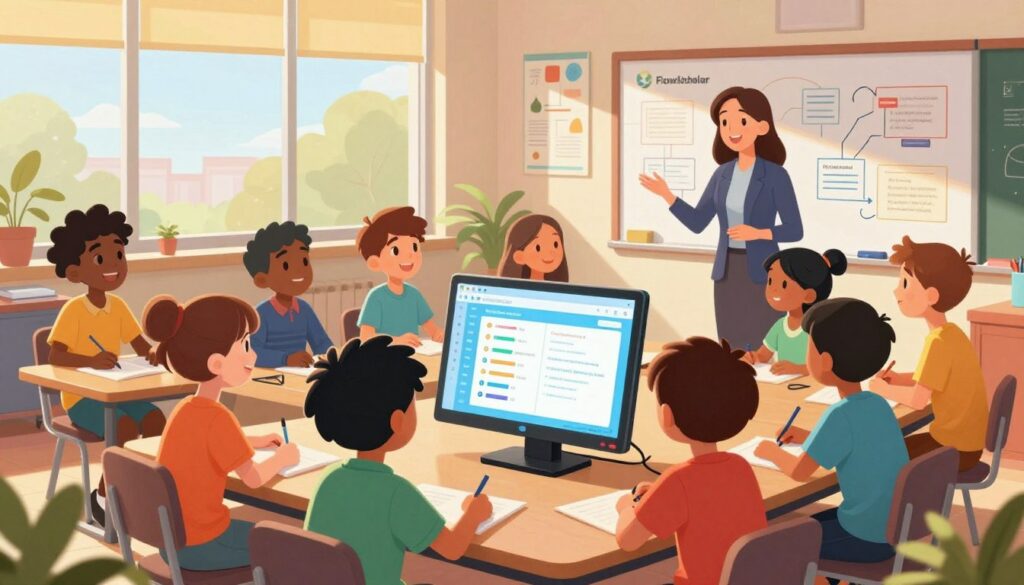
Create dynamic activities that hold attention across a full lesson. Teachers can add timed prompts, quick polls, and response chains that prompt students to ask deeper questions.
Streamlining Content Creation
Save time by generating high-quality content in seconds instead of hours. FlowScholar joins other tools—like TeacherToolAI and Diffit—in helping teachers craft leveled readings and polished materials fast.
Supporting Diverse Learner Needs
Feedback and differentiation matter. Features for multilingual support and leveled texts mirror Curipod and Diffit capabilities so every student can access the lesson.
Real-time data helps teachers monitor progress and tailor feedback. Snorkl’s Spanish II case shows how timely feedback builds confidence in hesitant speakers.
- Result: richer activities that boost participation.
- Result: faster content creation and clearer data for instruction.
| Feature | Impact | Example |
|---|---|---|
| Adaptive readings | Better comprehension | Diffit-style leveling |
| Multilingual prompts | Wider participation | Curipod compatibility |
| Live progress data | Targeted feedback | Snorkl-style confidence gains |
Visit FlowScholar to see how the platform combines smart features and practical workflows that help students and educators create meaningful learning moments and improve student engagement.
Creating Personalized Learning Paths with Technology
Personalized learning maps let each student follow a pace and path that fits their strengths and gaps.
Teachers can use platforms that analyze performance data and suggest the right tools for each learner. Khanmigo, for example, ties into Khan Academy content so recommendations reference real exercises and lessons.
Adaptive activities change in real time based on student responses. That means quizzes and tasks calibrate difficulty as a learner progresses, saving time and reducing frustration.
Instant feedback helps students see mistakes and try again, building a growth mindset. Our platform also supports diverse content so every student finds materials that match their interests.
- Track progress over time to inform next steps.
- Design adaptive activities that respond to performance.
- Use data-driven recommendations to save planning time.
| Feature | Benefit | Classroom Impact |
|---|---|---|
| Integrated content (Khanmigo) | Contextual exercises tied to lessons | Faster remediation and mastery |
| Real-time adaptive activities | Dynamic difficulty and pacing | Higher student confidence |
| Progress tracking & reports | Data for targeted feedback | Clearer instructional decisions |
Explore practical examples and start building personalized learning plans at personalized learning plans.
Gamification Techniques to Spark Student Interest
Gamified maps and branching quests convert routine lessons into clear, navigable adventures for students.
“Rewards and challenges turn effort into curiosity.”
Deck.Toys shows how map-based lessons use adaptive branching and badges to boost motivation. Teachers can design paths that give immediate wins and clear goals.
Using Rewards and Challenges
Start small: add checkpoints, badges, and short quests that take little time to complete. These mechanics make content feel purposeful rather than tedious.
Design varied challenges so each student finds a route that suits their pace. Our platform supports branching maps and progress tracking so teachers can spot who needs more feedback.
- Motivation: competition and achievement sustain focus.
- Retention: active tasks help students remember core ideas.
- Flexibility: platforms offer diverse features for different learning styles.
“Well-designed gamification makes learning feel like a short series of wins, not one long chore.”
Visit https://www.flowscholar.com to explore how these techniques save time and make lessons more engaging in the classroom.
Managing Data and Feedback Loops
Clear, timely data turns daily lessons into informed next steps for every learner.
Edcafe AI provides a dashboard with real-time class and individual performance data. Teachers can see which topics need review and which students need help right away.
Consistent feedback is the cornerstone of student engagement. Automated feedback loops give immediate responses to work, so learners know how to improve and stay motivated.
- Access live performance signals to prioritize reteach moments.
- Create automated feedback that nudges students toward mastery.
- Track progress over time to measure the impact of instruction.
| Feature | What it shows | Benefit for students |
|---|---|---|
| Real-time dashboard | Class and individual scores | Faster support for struggling students |
| Automated feedback | Immediate responses to work | Clear steps for improvement |
| Trend reports | Performance over weeks | Evidence for lesson adjustments |
Our platform helps manage complex classroom data so teachers can focus on learning outcomes and content that matters. Visit FlowScholar to learn how these tools save time and make feedback loops work for every student.
Navigating Ethical Considerations in AI Adoption
Ethics matter: choices about data and algorithms determine whether tech widens or narrows opportunity for students. Schools should be deliberate about policies, roles, and transparency before introducing any system.

Addressing Algorithmic Bias
Algorithms can favor patterns that reflect historical bias. That risk affects how students see opportunities and how feedback is delivered.
Practical steps: audit models for skewed results, test with diverse data sets, and let teachers review outputs before use. Use tools that log decisions so educators can trace unexpected behavior.
Protecting Student Privacy
Protecting private data is nonnegotiable. Schools must state what data is gathered, how long it is kept, and who can access it.
We design systems with encryption, role-based access, and clear retention policies. These measures keep student records secure and preserve trust.
- Transparency builds trust: share data practices with families and staff.
- Teachers should model fair use and explain privacy to students.
- Monitor platforms regularly to ensure ethical alignment with school values.
| Concern | Action | Outcome |
|---|---|---|
| Algorithmic bias | Bias audits and diverse test data | Fairer decisions for every student |
| Data retention | Clear retention and deletion schedules | Reduced long-term risk |
| Access control | Role-based permissions and logs | Stronger privacy protections |
| Transparency | Public documentation of practices | Greater family and staff trust |
Bottom line: by prioritizing bias checks and privacy, schools can adopt systems that support learning and meaningful engagement while protecting students and content. Visit FlowScholar to learn how these principles are applied in practice.
Best Practices for Seamless AI Integration
Focus first on building student fluency with new systems so learners move from curiosity to purposeful use. Short pilots give teachers time to test processes and refine expectations.
Start small. Use low-risk activities that introduce basic features and let students practice responsibly. These quick wins build confidence and demonstrate clear benefit.
Build literacy. Teach students how systems work, their limits, and the ethical concerns around data and bias. A shared framework helps everyone use features with care.
Maintain human oversight. Teachers must review outputs and guide decisions so instruction stays student-centered. Consistent feedback keeps learners motivated and aware of progress.
- Sequence learning: simple tasks, then complex projects.
- Document policies: privacy, roles, and review cycles.
- Use tools that save time so teachers can focus on relationships.
Long-term success rests on sustainable practices: clear goals, ongoing training, and resources. Visit FlowScholar to explore support and materials that make integration practical and inclusive.
Final Thoughts on Empowering Students with AI
Real change comes when systems support curiosity and give every student a clear path to progress.
Empowering students is more than adopting new tech; it is about creating chances to grow. With over 500,000 personalized sessions, SchoolAI shows how targeted support improves learning outcomes and confidence.
When teachers pair smart supports with expert practice, routine tasks shrink and time for mentoring grows. FlowScholar helps handle administrative work so educators focus on instruction and relationships.
Start small: try one pilot, measure results, then scale. Visit FlowScholar to begin a practical path toward richer learning and stronger student progress.
FAQ
What is FlowScholar.com and how does it support more active learning?
FlowScholar.com is a platform designed to help teachers design interactive lessons and learning experiences that increase student participation. It offers features for planning activities, creating quick formative checks, and producing varied content formats — like quizzes, discussion prompts, and short videos — so educators can move away from passive lecture models and toward student-centered practice.
What common barriers prevent students from participating in class?
Barriers include unclear expectations, one-size-fits-all materials, limited opportunities for peer interaction, and lack of timely feedback. Time constraints and large class sizes can also reduce individualized attention. FlowScholar helps by offering adaptable templates, collaborative prompts, and built-in assessment options that free teachers to focus on facilitating rather than only delivering content.
How does passive learning affect student outcomes?
Passive learning often leads to lower retention, weaker critical thinking skills, and reduced motivation. Students who don’t practice retrieval or active problem solving struggle to transfer knowledge to new situations. Active approaches supported by technology—brief practice cycles, interleaved questions, and peer discussion—improve memory and deeper understanding.
Why should educators adopt a platform like FlowScholar for increasing participation?
Educators benefit from tools that save planning time, provide diverse activity types, and surface real-time evidence of student understanding. FlowScholar streamlines content creation, suggests engagement strategies, and offers assessment templates so teachers can iterate quickly and focus on instruction that encourages higher-order thinking.
What classroom strategies pair well with FlowScholar’s features?
Effective strategies include think-pair-share, scaffolded problem sets, formative checks every 10–15 minutes, and structured peer review. FlowScholar supplies ready-made prompts and templates for these approaches, helping teachers implement them consistently and measure impact with simple data dashboards.
How does FlowScholar enhance lesson interactivity?
The platform enables teachers to embed short polls, branching scenarios, and multimedia prompts directly into lessons. These elements invite student responses, spark discussion, and allow instructors to pivot instruction based on live feedback, creating a more dynamic learning flow.
Can FlowScholar help reduce lesson planning time?
Yes. FlowScholar includes content libraries, editable lesson blueprints, and auto-generated question sets that align to common standards. These resources cut prep time by offering reusable materials and quick customization options tailored to grade level and subject.
How does FlowScholar support diverse learner needs?
The platform supports differentiation through adjustable task complexity, multimodal content (text, audio, video), and scaffolded prompts. Teachers can assign personalized paths and provide targeted feedback, ensuring learners at different levels stay engaged and challenged.
Is it possible to create personalized learning paths with FlowScholar?
Yes. Educators can design branching modules and assign activities based on diagnostic checks. The system recommends next steps when students demonstrate mastery or need remediation, enabling a more tailored progression through standards-aligned content.
How can gamification techniques be used to increase student interest?
Gamification works when it aligns with learning goals: short challenges, badges for mastery, and competitive but low-stakes leaderboards. FlowScholar makes it easy to add reward structures and timed challenges that motivate participation while reinforcing content practice.
What features help teachers collect and act on student data?
FlowScholar provides quick formative assessments, response analytics, and progress dashboards. These tools aggregate results by student or class, highlight misconceptions, and suggest targeted follow-ups so teachers can close learning gaps efficiently.
How does FlowScholar address ethical concerns like algorithmic bias?
FlowScholar emphasizes transparency in recommendation logic, uses diverse training data for any automated suggestions, and lets educators override or customize algorithmic outputs. The company advocates regular audits and teacher review to reduce biased prompts and ensure equitable learning opportunities.
What measures protect student privacy on FlowScholar?
FlowScholar follows industry standards for data protection, including encryption in transit and at rest, role-based access controls, and compliance with applicable laws such as FERPA. The platform minimizes data collection to what’s necessary for instruction and offers clear export and deletion options.
How can schools integrate FlowScholar without disrupting existing systems?
Best practices include phased rollouts, pilot classrooms, and integrating FlowScholar with single sign-on (SSO) and existing LMS platforms. The vendor provides onboarding resources and professional development to align the platform with current curricula and workflows.
What are the recommended steps for teachers to start using FlowScholar effectively?
Start small: choose one unit to pilot interactive lessons, use built-in templates, and run short cycles of formative checks. Review analytics weekly, adapt prompts based on student responses, and expand use as confidence grows. Ongoing collaboration with peers accelerates effective practice.