“Education is the kindling of a flame, not the filling of a vessel.” —Socrates. This introduction frames a practical shift in how educators manage planning, assessments, and classroom data.
Modern educators increasingly rely on a campus support AI tool for teachers to reduce repetitive tasks and reclaim time for instruction. FlowScholar.com offers a platform that centralizes lesson planning, rubrics, assessments, and student data in one dashboard.
By using targeted features, teachers generate clear lesson plans and assignments that align with district standards. The platform helps teachers track student progress, produce feedback, and adapt instruction across grade level needs.
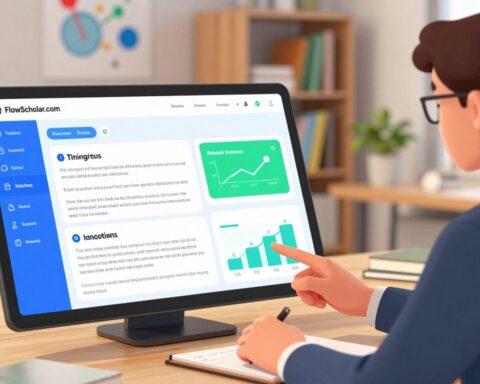
Explore the FlowScholar dashboard on FlowScholar insights to see how streamlined planning and data visualization can change daily work and improve student outcomes.
Key Takeaways
- Time savings: Centralized planning reduces administrative burden.
- Aligned content: Resources map to district standards and grade level goals.
- Data-driven: Visual student data supports informed instruction and interventions.
- Engagement: Structured assignments help students engage with clear expectations.
- Accessible tools: Teachers can use templates, rubrics, and assessments quickly.
The Evolving Role of Technology in Modern Classrooms
Digital workflows now reshape how lesson planning and feedback reach students every day.
Brisk Teaching, a Chrome extension, follows educators across web platforms to streamline daily workflows. It helps with quick grading and inline feedback on student writing. This reduces the time teachers spend copying comments between systems.
Practical shifts: lesson planning has moved from manual drafts to automated aides that save time and keep content aligned with standards. When paired with a robust platform like FlowScholar.com, schools can deliver consistent instruction and monitor learning without extra steps.
Adopting a stable software version matters. A reliable release prevents interruptions and supports diverse learners in a fast-paced classroom. Effective adoption blends teacher workflow changes, student needs, and focused professional development.
- Personalized feedback: provide direct comments on writing within the browser.
- Aligned content: maintain standards-based lessons across grades.
- Time savings: fewer manual steps, more instruction time.
Learn more about practical classroom implementations and strategic digital adoption at creating an online course and read perspectives on technology’s classroom impact in this EdWeek analysis. Visit FlowScholar.com to explore a complete version of these capabilities.
Why Schools Need a Dedicated Campus Support AI Tool for Teachers
Administrative load often steals the most valuable classroom minutes. Administrative tasks, planning, and repeated assignment design add cognitive load that leads to burnout. A centralized platform reduces tedious steps and restores time for instruction.
Addressing Teacher Burnout
Reliable planning systems let teachers create lesson plans and assignments faster. When lesson planning is streamlined, teachers spend less time on routine work and more time on teaching. District-grade data and secure workflows protect both staff and student information during daily use.
Enhancing Instructional Personalization
With the right features, educators can adapt content to student needs and monitor student progress with clarity. Platforms like FlowScholar.com provide templates, rubrics, and automated pathways that keep standards high while tailoring learning.
- Reduce planning friction and repetitive writing of assignments.
- Focus feedback and intervention where students need it most.
- Keep district data secure and accessible across versions and grade levels.
In short: Consolidated tools help teachers reclaim time and improve instruction. Learn more about practical implementations at teaching AI skills workshops.
Key Features to Evaluate When Selecting an Education Platform
Selecting the right platform begins with clear criteria that match district needs and daily workflows. A focused checklist keeps pilots practical and prevents wasted time during adoption.
Seamless Integration with Existing Workflows
Look for native Google Docs integration and single-sign-on. This reduces friction and helps staff import lesson plans and writing without extra steps.
Automated Feedback and Assessment Capabilities
Automated feedback speeds grading and keeps comments consistent across assessments. Uploadable rubrics let a teacher grade faster and track progress with reliable data.
Alignment with District Standards
Choose a platform that maps content to grade level standards and secures district data. Platforms like FlowScholar.com offer templates and alignment tools that simplify planning and assignments.
- NotebookLM: upload up to 50 sources to create varied activities students engage with.
- Suno: free version offers daily credits for audio activities and classroom use.
For a practical evaluation checklist, review this evaluation checklist. Visit FlowScholar.com to explore features and a demo that matches district needs.
Prioritizing Data Privacy and Security in Your District
When districts prioritize compliance, learning platforms scale with less risk and more trust.
Protecting student data starts with policies that match practice. Platforms such as Panorama Solara with Class Companion maintain SOC 2, FERPA, PPRA, and COPPA compliance to protect sensitive records.

District leaders should review common-sense privacy ratings when evaluating tools. Brisk Teaching’s 93% rating highlights how high marks reduce uncertainty and encourage safe use by teachers and students.
“Security is not an add-on — it is the foundation that lets instruction and planning thrive.”
Choose platforms that secure access to Google Docs, protect assignments and rubrics, and log version history. Large districts—like Ottawa Catholic (53,000 students), Barbers Hill ISD (8,000), and Hauppauge (3,200)—show that secure platforms scale across an entire district.
- Compliance: Verify FERPA and COPPA alignment.
- Privacy rating: Favor high Common Sense scores.
- Integration: Ensure safe access to Google Docs and other resources.
Learn more about secure platforms and district needs at FlowScholar.com.
Conclusion
Conclusion
, Choosing the right platform reshapes daily instruction and the district’s long-term success.
Prioritize platforms that deliver secure content, clear alignment to standards, and intuitive features. The right tools save time and let teachers focus on lesson design, writing feedback, and student learning.
FlowScholar.com presents a version that balances privacy and practical features. Visit FlowScholar.com to explore how this platform can support instruction and improve outcomes for students and teachers.
FAQ
What is FlowScholar.com and how does it help intervention teams?
FlowScholar.com is a platform designed to streamline classroom workflows and support intervention teams with practical digital resources. It centralizes lesson plans, assessments, rubrics, and student progress data so teams can identify needs, track interventions, and adjust instruction quickly.
How does this platform change the role of technology in modern classrooms?
The platform positions technology as an instructional partner rather than a distraction. It automates routine tasks, surfaces actionable student insights, and provides content that teachers can adapt. This frees time for planning, differentiation, and targeted student support.
How does FlowScholar help reduce teacher burnout?
By offering templates, automated grading options, and ready-made activities aligned to standards, FlowScholar reduces repetitive work. The system also organizes student data and communication, so teachers spend less time on admin and more on instruction and feedback.
Can the platform personalize instruction for diverse learners?
Yes. It includes features to create differentiated lesson plans and scaffolded assignments by grade level and learning goal. Teams can assign varied materials, monitor progress, and adapt tasks to meet individual student needs.
What integrations are available with existing district tools and workflows?
FlowScholar integrates with common systems such as Google Workspace (Docs, Drive), learning management platforms, and student information systems. These integrations keep work in familiar tools while syncing grades, plans, and student data.
Does the platform offer automated feedback and assessment capabilities?
The platform includes automated scoring for objective items, draft feedback generators for writing, and rubric-based assessment templates. These features accelerate grading and provide consistent, actionable feedback for students.
How does FlowScholar ensure alignment with district standards?
It maps lessons, assignments, and assessments to state and district standards. Administrators and curriculum specialists can customize standards alignment and share approved resources across classrooms and grade levels.
What measures are in place to protect student privacy and stay compliant?
The platform prioritizes data privacy with encryption, role-based access controls, and regular security audits. It supports compliance with FERPA and COPPA and provides documentation to help districts meet legal requirements.
Is there a free version or trial available for schools to test features?
FlowScholar typically offers a free tier or trial so schools can evaluate core features like lesson planning, basic assessments, and integrations. District-level features and advanced analytics are available in paid plans.
How can intervention teams use student data to drive instruction?
Teams can view consolidated progress reports, identify trends, and apply filters by subgroup or standard. These insights inform targeted interventions, progress monitoring schedules, and adjustments to instruction.
What support is available for onboarding and professional learning?
The company provides training resources, guided onboarding, and professional development modules focused on lesson planning, assessment design, and using data to inform instruction. Districts can request customized support packages.
Can teachers export lesson plans and student data to share with parents or other staff?
Yes. Teachers can export lessons, reports, and assessment results to common formats like PDF and Google Docs. This makes it easier to communicate student progress with families and colleagues.
How does FlowScholar handle accessibility and usability across grade levels?
The platform includes accessibility features and age-appropriate templates for elementary through secondary grades. Materials are designed to support varied reading levels and include accommodations for diverse learners.
What are the key features districts should evaluate when selecting an education platform?
Districts should assess integration capabilities, assessment and feedback tools, standards alignment, data security, scalability, and available professional learning. These factors determine long-term impact and adoption.
How does the platform help educators design meaningful assessments and rubrics?
It offers customizable rubric templates, item banks aligned to standards, and examples of formative and summative assessments. Educators can adapt these resources to match learning targets and grade-level expectations.