As educator Maria Montessori once observed, “The greatest sign of success for a teacher… is to be able to say, ‘The children are now working as if I did not exist.'” This vision of empowered, self-directed learning is the ultimate goal of academic projects. Yet, the journey from a brilliant idea to a polished submission is often anything but smooth.
Many learners face a common struggle. Essential details get lost in a sea of WhatsApp messages, scribbled notes, and forgotten deadlines. This chaos undermines the very purpose of project-based work, turning a cornerstone of modern education into a source of stress.
Fortunately, a new approach is changing this dynamic. Modern systems replace reliance on memory with structured visibility. They centralize task descriptions, due dates, file uploads, and instructor feedback into one clear platform. This eliminates the “Was that due today?” panic and fosters proactive progress management.
This guide explores how a dedicated tracker transforms the chaotic journey into a streamlined process. We will demonstrate how tools like Flowscholar’s Education AI bring clarity and accountability to every stage. By replacing anxiety with control, learners can focus on what truly matters: producing exceptional work and deepening their understanding.
Key Takeaways
- Academic projects are vital for learning but often become disorganized without a proper system.
- Traditional tracking methods like paper planners and messaging apps create friction and lead to missed deadlines.
- A centralized digital tracker provides clear visibility over all tasks, deadlines, and feedback.
- Structured project management replaces confusion with confidence, allowing focus on quality work.
- Implementing a dedicated tool transforms the project experience from stressful to manageable.
- Proactive progress management is key to academic success and reducing last-minute panic.
Overview: Transforming Academic Projects
The complexity of modern coursework requires more than just subject mastery—it calls for systematic approaches to manage multiple assignments. Long-term projects, group presentations, and science models demand organizational strategies that paper planners cannot adequately support.
Understanding the Need for Project Tracking
Learners today juggle various complex assignments across different subjects simultaneously. This creates significant cognitive burden that impacts both quality of work and overall academic well-being.
Traditional methods like handwritten notes and scattered messaging apps lead to confusion. Essential details get lost, deadlines are missed, and the educational value diminishes.
The table below highlights key differences between outdated and modern tracking approaches:
| Tracking Aspect | Traditional Methods | Digital Systems |
|---|---|---|
| Deadline Visibility | Scattered across notebooks | Centralized dashboard view |
| Progress Monitoring | Manual updates required | Real-time status indicators |
| Collaboration Support | Limited to in-person meetings | Integrated communication tools |
| Feedback Integration | Separate from task management | Unified platform for all elements |
Role of Digital Tools in Modern Education
Digital tracking addresses organizational challenges by providing real-time visibility into requirements and submission status. This eliminates deadline confusion entirely.
Modern educational environments recognize that learning extends beyond content mastery. Essential skills like time management and systematic progress monitoring become achievable with the right tools.
When learners can clearly visualize their assignment pipeline, they allocate time more effectively. This reduces last-minute rushes and produces higher-quality work that reflects true capabilities.
Tools and Systems: Getting Started
Navigating multiple coursework requirements demands a structured approach to organization. This section explores practical solutions for establishing an effective workflow.
Introducing the Flowscholar Education AI Tool
Flowscholar represents a purpose-built organizational system designed specifically for academic environments. It addresses common challenges learners face when managing assignments from conception through final submission.
The platform centralizes all essential information in one intuitive interface. This eliminates the confusion caused by scattered notes and multiple communication channels.
How to Access and Set Up Your Tracker
Getting started requires a straightforward registration process at Flowscholar.com. Users create accounts linked to their educational institution for seamless integration.
The initial setup guides individuals through customization options. These align the platform with specific school requirements and course loads.
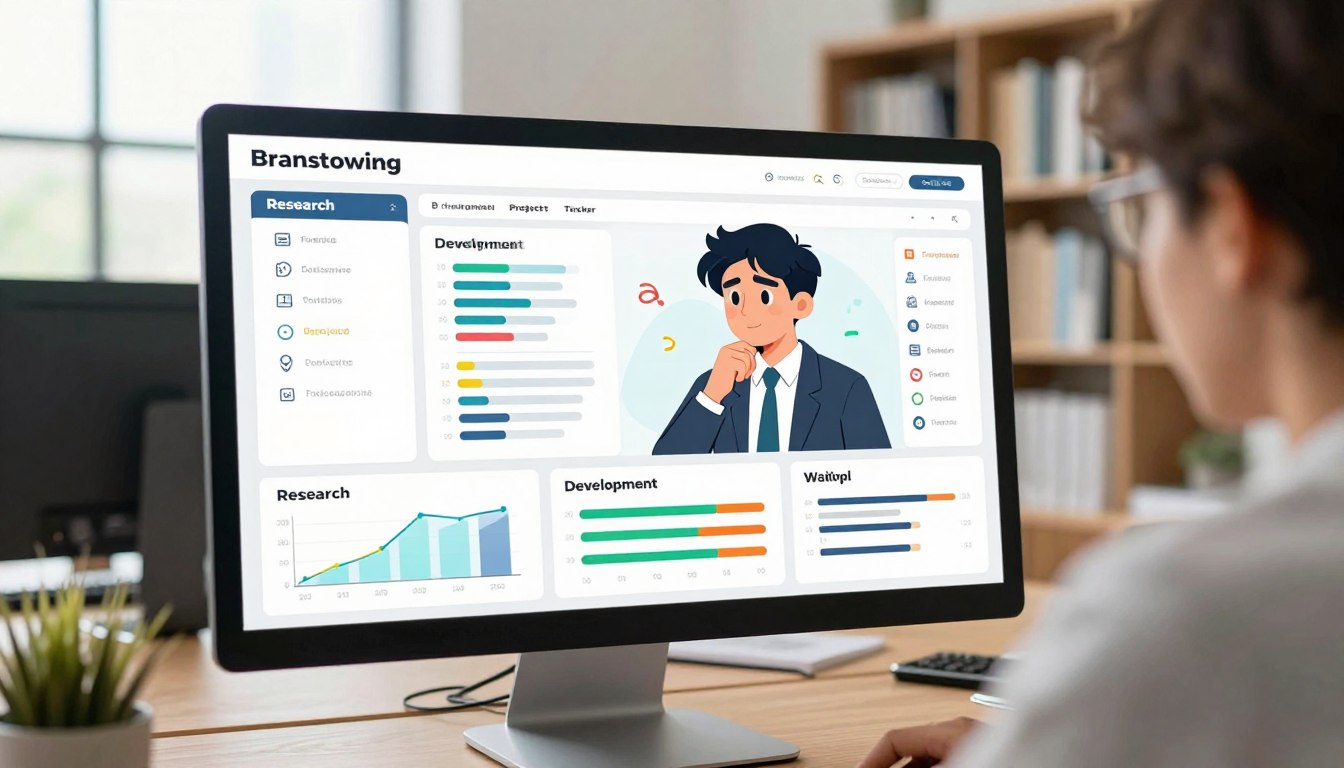
Once configured, the tracker’s dashboard page becomes the central command center. All assignment details, deadlines, and submission statuses converge here for clear visibility.
The platform offers full mobile support, enabling management from any device. Technical resources ensure users maximize capabilities from day one.
The Student Project Tracker: From Idea to Submission
The journey from receiving an assignment to achieving academic recognition requires seamless organizational continuity. A dedicated system captures every phase, ensuring nothing slips through the cracks during busy academic periods.
When educators post new assignments, the platform automatically populates each learner’s queue with comprehensive details. This includes subject classification, detailed requirements, and submission deadlines. Clear status indicators show whether work is pending, submitted, or overdue.
This comprehensive visibility transforms abstract management concepts into concrete, actionable tasks. Learners can systematically address requirements without feeling overwhelmed. Visual progress indicators provide at-a-glance awareness, enabling strategic prioritization when multiple deadlines converge.
The platform serves as both planning tool and submission hub. It eliminates scenarios where effort is misdirected, as all expectations remain consistently visible. This end-to-end approach creates frictionless continuity that prevents procedural errors and builds confidence.
Step-by-Step Guide to Tracking Project Progress
A systematic approach to monitoring academic work transforms overwhelming tasks into achievable objectives. This process begins with strategic planning and evolves through continuous oversight.
Defining Your Project Milestones
Breaking large assignments into smaller components creates a clear roadmap. Each learner can establish personalized checkpoints that reflect individual working styles and available time.
The table below illustrates different approaches to milestone creation:
| Milestone Type | Traditional Approach | Strategic Method |
|---|---|---|
| Research Phase | General topic exploration | Specific source targets with deadlines |
| Draft Development | Single completion goal | Section-by-section progress markers |
| Review Process | Last-minute proofreading | Scheduled peer and self-review sessions |
| Final Submission | One-time deadline pressure | Buffer period for unexpected delays |
Color-coded indicators provide immediate visual feedback on advancement. Marking completed steps builds momentum throughout extended timelines.
Monitoring Deadlines and Submission Status
Calendar integration ensures visibility across daily, weekly, and monthly views. This prevents oversight of approaching due dates.
Automated notifications serve as intelligent reminders at optimal intervals. They reduce cognitive load while ensuring sufficient time remains for quality work.
Comprehensive lists sort active assignments by subject, deadline proximity, or completion percentage. This enables strategic resource allocation across competing demands.
Regular review of status indicators develops crucial planning skills. Learners accurately estimate task duration and identify potential conflicts before they escalate.
Integrating Teacher Feedback and Resubmission Processes
Modern educational systems recognize that growth occurs through iterative improvement cycles. The most valuable learning often happens after initial submission, when expert guidance transforms good work into exceptional results.
This approach moves beyond one-time grading toward continuous development. It creates meaningful dialogue between educators and learners.
How Teachers Provide Structured Feedback
Educators access dedicated review panels within the tracking system. They can provide specific comments, assign grades, and indicate whether revisions are needed.
This structured environment ensures feedback remains organized and actionable. Each comment attaches directly to the relevant submission for easy reference.
| Feedback Aspect | Traditional Method | Structured System |
|---|---|---|
| Comment Organization | Scattered across emails | Centralized by project |
| Revision Requests | Verbal or brief notes | Clear action items |
| Progress Tracking | Manual version control | Automatic history |
| Response Time | Variable delays | Consistent timelines |
Managing Revision Requests and Resubmissions
When instructors request changes, learners receive clear notifications with specific guidance. The system’s “Update Submission” feature allows for seamless revisions.
This process maintains complete version history. Both parties can track how work evolves through successive improvements.
The structured approach enhances visibility throughout the refinement cycle. It transforms feedback from criticism into expert coaching that elevates final outcomes.
Advanced Features for Enhanced Project Management
Today’s academic tools extend far beyond simple to-do lists. They incorporate smart notifications and mobile-first design that adapt to modern learning lifestyles.
Full mobile support enables comprehensive management from smartphones. Learners can track assignments, upload files, and check progress during commutes or between classes.

Mobile Support and Real-Time Notifications
The interface maintains complete functionality on smaller screens. Responsive design ensures all features remain accessible without compromise.
Real-time push alerts keep users informed about approaching deadlines. These notifications work proactively—even when the tracker isn’t actively open.
Customization options let individuals match alerts to their workflow. Some prefer immediate warnings, while others opt for daily summaries.
Utilizing Status Indicators for Better Clarity
Visual markers provide instant view of assignment status. Color-coded tags like Pending, Submitted, and Overdue communicate clearly.
This system reduces mental burden during busy periods. At a glance, learners understand what needs attention and when.
Filtering options isolate items by their current status. This helps with planning work sessions and reviewing completed submissions.
These advanced capabilities represent the kind of intelligent systems that educators can build using modern no-code platforms. They transform organizational tools into proactive partners in academic success.
Leveraging Flowscholar for Increased Productivity
Productivity gains in academic settings often stem from eliminating administrative friction rather than increasing study time. Flowscholar addresses this directly by creating an environment where organizational overhead disappears, allowing focus on actual learning.
Key Benefits for Students and Educators
Young learners experience measurable productivity improvements when using this platform. They no longer waste hours searching for assignment details or reconstructing timelines from scattered notes.
Systematic tracking consistently leads to better academic performance. The tool removes organizational barriers that previously hindered genuine effort.
Educators gain comprehensive visibility into class-wide submission patterns. They can identify individuals needing support and streamline feedback delivery.
Seamless Integration with School Systems
The platform’s architecture ensures compatibility with existing institutional infrastructure. It exchanges data with learning management platforms and grading applications seamlessly.
This interoperability prevents the frustration of maintaining parallel systems. Information flows smoothly between connected platforms without manual transfers.
Administrators appreciate the management insights from aggregated tracking data. These reveal patterns in assignment completion and help optimize curriculum pacing.
| Integration Aspect | Traditional Approach | Flowscholar Solution |
|---|---|---|
| Data Exchange | Manual entry required | Automatic synchronization |
| User Management | Separate account creation | Single sign-on integration |
| Progress Tracking | Isolated systems | Unified dashboard view |
| Scalability | Limited classroom use | District-wide deployment |
The system establishes a common language for discussing academic work. This enhances communication among all stakeholders while supporting individual learning journeys. Explore how Flowscholar can transform your educational experience at https://www.flowscholar.com.
Customizing Your Tracker to Fit Your Workflow
Customization transforms generic productivity tools into personalized academic companions. The real power emerges when systems adapt to individual learning styles rather than demanding conformity.
Personalization Options and Templates
Every learner approaches assignments differently. Pre-built structures for common tasks—research papers, lab reports, presentations—provide starting points that save time.
These frameworks capture best practices while allowing modification. A student can adopt a research paper template immediately or tweak it for specific requirements.
Visual learners might prefer kanban boards showing progress across columns. Analytical thinkers often choose hierarchical lists. The right view makes tracking intuitive.
Adjusting Settings for Optimal Use
Fine-tuning notification frequency ensures the system supports rather than interrupts focused work. Some prefer immediate alerts while others opt for daily summaries.
This flexible way of working accommodates diverse academic demands. Architecture majors might use a specialized template for design projects.
Advanced users can set personal milestones beyond official deadlines. This creates additional accountability checkpoints throughout longer assignments.
The system grows with the user’s needs. Explore how custom automation templates can further streamline your academic progress.
Troubleshooting Common Issues in Project Tracking
Even the most reliable digital systems can encounter occasional hiccups that disrupt workflow momentum. When technical challenges arise, having a systematic approach to resolution ensures minimal impact on academic work.
Resolving Technical Glitches and Errors
Common technical issues include synchronization delays, display inconsistencies, or notification failures. Many apparent problems actually stem from user configuration rather than system flaws.
A structured diagnostic process typically resolves most issues. This involves clearing browser cache, verifying internet connectivity, and checking for updates. Comprehensive documentation serves as an invaluable first resource.
When legitimate technical glitches occur, responsive support channels provide quick restoration of full functionality. This prevents significant disruption to the management workflow.
Tactics for Streamlining Task Management
Beyond technical issues, some individuals struggle with methodology—overcomplicating their tracking approach or creating excessive categories. This can obscure rather than clarify priorities.
Periodic system audits help streamline the process. Learners should review their setup, eliminate unused features, and consolidate redundant categories. Effective progress tracking balances comprehensiveness with simplicity.
Developing consistent habits transforms the system into a proactive framework. Designated update times and standardized naming conventions create sustainable management practices. This approach ensures the tool enhances rather than hinders academic work.
Real-Life Success Stories and Case Studies
Documented implementations showcase how digital tracking eliminates organizational challenges in academic settings. These real-world examples provide compelling evidence of transformational outcomes.
Schools adopting comprehensive systems report dramatic improvements across multiple metrics. Submission rates increase while anxiety about deadlines decreases significantly.
Examples from iSchoolCloud and Context Labs
iSchoolCloud’s deployment demonstrates how structured systems replace chaotic “paper chasing.” The platform accommodates diverse assignment types—from science models to language presentations.
This versatility ensures all work receives proper attention regardless of format or subject area. Group functionality facilitates collaborative management when institutions enable this feature.

Context Labs developed a specialized system for architecture students. This domain-specific approach addresses unique requirements like iterative development and portfolio management.
Both implementations share common benefits. Learners gain peace of mind knowing exactly where each assignment stands. Educators save administrative time through automated processes.
| Implementation | Before Tracking | After Implementation |
|---|---|---|
| iSchoolCloud | Scattered deadlines | Centralized visibility |
| Context Labs | Manual progress checks | Real-time status updates |
| Group Projects | Unclear contributions | Transparent accountability |
| Teacher Workload | Manual administration | Automated processes |
These case studies reveal that effective tracking extends beyond organizational efficiency. They foster improved communication and develop professional-grade management skills.
Conclusion
The transition from scattered notes to organized tracking represents a fundamental shift in educational methodology. This approach replaces chaos with clarity, transforming how academic work gets managed from conception to completion.
Learners who implement structured systems consistently see improved performance. They experience reduced stress and better time management. Educators benefit from streamlined administration and efficient feedback delivery.
These tracking skills extend beyond immediate academic applications. They prepare individuals for future professional demands where organized project management is essential.
Discover how Flowscholar can revolutionize your approach at https://www.flowscholar.com. This platform brings all assignment details into one clear view, eliminating fragmentation that undermines success.
FAQ
What is the main purpose of a student project tracker?
The primary purpose is to provide a clear system for managing academic work from the initial idea to final submission. It helps learners organize tasks, monitor progress, and meet deadlines efficiently, transforming a complex process into a manageable workflow.
How does the Flowscholar Education AI tool support project management?
Flowscholar’s AI tool offers an intelligent platform that assists in setting milestones, tracking status, and integrating teacher comments. It provides real-time notifications and mobile support, ensuring students stay on top of their work and receive timely support.
Can the tracker be customized for different subjects or group projects?
Yes, the system includes various templates and personalization options. Users can adjust settings, details, and status indicators to fit specific subjects, whether it’s a solo paper or a collaborative group effort, making it a versatile tool for any academic scenario.
What should I do if I encounter a technical issue with the tracking system?
First, check the platform’s help page for common solutions to glitches. For persistent errors, contact support directly. They offer guidance on streamlining task management and resolving issues quickly to minimize disruption to your learning progress.
How does the tracker help with teacher feedback and resubmissions?
The tool provides a dedicated place for teachers to leave structured comments and revision requests. Students can view this feedback, update their project status, and manage resubmission deadlines all in one place, ensuring a clear and efficient improvement cycle.