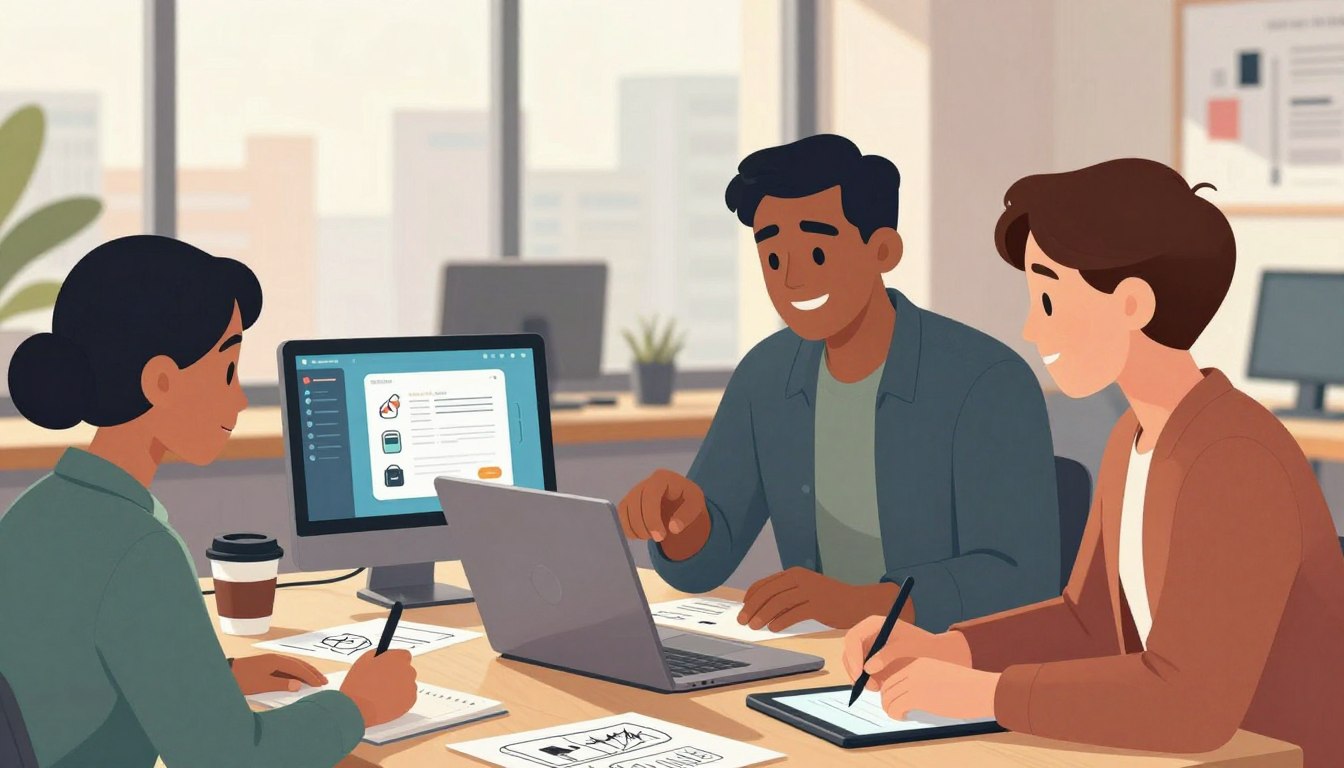
There are moments when code becomes clear and time slips away. Many engineers remember a late afternoon when a simple idea snapped into place and the world narrowed to a single line of thought. That sense is not mystical; it is a measurable performance edge that teams can create.
Mihaly Csikszentmihalyi framed this experience with nine dimensions—challenge-skill balance, clear goals, rapid feedback, and transformed time among them. Practitioners like Jonathan Carter, Idan Gazit, and Chris Reddington link better collaboration in comments and pull requests to higher quality code and faster deployments.
This article treats the idea as practical. It shows how protecting long focus windows, tightening feedback loops, and shaping the environment can convert interruptions and meeting overload into opportunities. Readers get concise techniques to reclaim time and improve productivity today.
Key Takeaways
- Understand core dimensions that make deep work repeatable and reliable.
- Protect multi-hour focus blocks to avoid the ~23-minute recovery cost after interruptions.
- Tighten feedback in pull requests and issues to raise code quality and speed delivery.
- Design team habits and environments that reduce context switching.
- Measure time and attention—the scarcest resources in a developer’s day.
What Flow Feels Like for Developers Today
Many engineers know the rare stretch when coding feels effortless and time bends around a single task. In that moment, decisions arrive faster than typing, and focus deepens into steady progress.
The experience is both vivid and measurable: people report a compressed sense of time and higher satisfaction because work aligns with their ability and challenge. Collaboration helps when it is smooth—well-scoped issues, quick pull requests, and clear comments that guide rather than distract.
That immersion is fragile: university research finds returning after an interruption often costs roughly 23 minutes. A single break can shatter a mental model and kill momentum across the day.
Practical cues speed re-entry into this state: a short pre-work ritual, a clean desk, and compact blocks of uninterrupted time. Teams that design reviews and comments to be timely and targeted create more of these high-quality coding stretches.
Read practical steps on how to get there in this guide: how to get in the flow while.
Understanding Flow State: The Psychology and the Developer Reality
Psychology and software intersect: classic flow signals become concrete levers in day-to-day engineering.
Csikszentmihalyi’s book lists nine dimensions that explain deep focus. In practice, those dimensions map cleanly to software development: clear goals, fast feedback, matched challenge and skill, and sustained concentration.
Match task size to ability. Small, well-scoped tasks stretch a developer without overwhelming working memory. That balance keeps momentum and reduces start-up friction.
Immediate feedback is critical. Local tests, linting, and tight CI cycles return results in seconds or minutes. Quick signals close the loop and preserve concentration.
Effortlessness and transformed time arrive when the codebase is consistent and navigable. Mental models stay intact; developers lose the sense of elapsed time and gain steady progress.
We can design workflows that make these conditions routine: crisp issues, acceptance criteria, and uninterrupted focus windows. The concept is simple and actionable—apply the psychology, and the work improves.
“Properly structured engineering work satisfies these conditions, letting developers maintain deep focus while progressing through complex problems.”
- Clear goals: crisp user stories and acceptance criteria.
- Fast feedback: tests, CI, and reviews under minutes.
- Challenge-skill fit: tasks sized to stretch ability.
Flow State for Developers: Why It Matters and What Gets in the Way
Sustained attention is a measurable advantage in modern engineering teams. Research ties short interruptions to a steep recovery cost: regaining focus takes about 23 minutes. Microsoft reports teams with optimized flow environments complete projects 37% faster.
Evidence of impact
Quantified gains matter. A team that protects deep blocks shows higher productivity and fewer defects. Minutes lost to context switching compound over a sprint and reduce momentum on hard problems.
Interruptions and context switching
Frequent interruptions and context shifts can cut productivity by up to 40%. Calendar fragmentation and ad hoc pings make meaningful work rare.
Slow feedback and high cognitive load
Slow builds, delayed PR reviews, and inconsistent patterns increase cognitive load. That friction prevents the team from reentering flow.
- Takeaway: remove interruptions, accelerate feedback, and simplify systems.
| Issue | Typical Impact | Practical Fix |
|---|---|---|
| Interruptions | Lose ~23 minutes per event | Block focus hours |
| Slow feedback | Broken momentum, more bugs | Faster CI and review SLAs |
| High cognitive load | Long ramp-up, stale context | Standardize code and docs |
“Protect time and you convert potential into measurable results.”
How to Enter Flow: Personal Practices That Actually Work
Small, repeatable habits make deep focus reliable across a busy workday. This section gives concise, practical steps a developer can adopt immediately.

Design your day
Block 2–3 hour deep-work windows and cluster meetings into one block. Protect at least one uninterrupted stretch each day to let complex tasks settle.
Silence the noise
Set notification hygiene: snooze Slack, silence the phone, and batch email checks. Good calendar management prevents constant attentional shifts and reduces distractions.
Pre-flow rituals
Prime the brain with a short routine—review three goals, put on headphones, open the editor. Rituals signal the mind that it is time to start serious code work.
Monotasking and fast feedback
Queue tasks and finish one at a time to protect working memory. When stuck, pair with a colleague or use an AI copilot for immediate suggestions. Pairing restores momentum faster than prolonged trial-and-error.
- Practical checklist: protect blocks, snooze notifications, use a ritual, monotask, and seek fast feedback.
“Match task difficulty to skill; that sweet spot keeps motivation and reduces frustration.”
Designing for Team Flow: Leader and Process Moves that Scale
Leaders can shape an organization’s daily rhythm to protect long stretches of concentrated work. Small policy changes and clear norms let teams keep 2–3 hour focus windows that complex development needs. When leaders model fewer interruptions, the whole group follows.
Reduce meeting overload
Default to async and cluster meetings into blocks. Define explicit interruption criteria so engineers keep protected time. Signal status in Slack and respect do-not-disturb by default.
Accelerate feedback loops
Pair and mob programming replace slow review cycles with immediate feedback. Combine that practice with fast local tests to tighten the loop and restore momentum.
Clarify outcomes
Insist on clear issues: outcome statements, acceptance criteria, and dependencies. Better ticket quality reduces rework and speeds delivery.
Protect autonomy and challenge
Match tasks to skill while offering stretch challenges. Autonomy plus the right difficulty boosts motivation, quality, and satisfaction across the team.
- Make focus a team norm: define focus hours and signals in Slack.
- Simplify process to maximize engineering time on customer-impacting work.
- Establish shared coding standards to cut cognitive friction.
| Action | Impact | How to implement |
|---|---|---|
| Async default | More protected hours | Document norms; use async tools |
| Pair/mob programming | Faster feedback | Schedule short pairing sessions |
| Clear issues | Less rework, higher throughput | Templates with acceptance criteria |
“Organizations that reduce meeting load and embrace asynchronous communication give engineers 2–3 hour focus windows essential for complex work.”
Engineer the Environment: Tooling, Codebase, and System Design for Flow
A reliable environment turns startup overhead into uninterrupted progress. Small choices in tooling and structure change how much time a team spends solving problems versus fixing setups.
Standardized dev environments
Containerize and codify environments with containers and IaC. One-command setup scripts and single-command build/test remove onboarding friction.
Automate repetitive work
Automate builds, tests, formatting, and provisioning so engineers stay in the code rather than the pipeline. Fast feedback keeps momentum and reduces interruptions.
Organize code for cognition
Design modular packages, consistent naming, and clear docs. This improves discoverability and raises code quality across the team.
Consolidate tools and guard notifications
Reduce platform hopping with SSO and integrated knowledge bases. Batch alerts, enable focus modes, and codify quiet hours to limit distractions.
- Practical moves: one-command setup, fast local feedback, centralized knowledge, and guardrails on notifications.
| Action | Benefit | Quick implementation |
|---|---|---|
| Container + IaC | Consistent environment | Publish image and script |
| One-command build/test | Less setup time | CI task + README |
| Automated pipelines | Faster feedback | Run lint/tests on push |
| Notification guardrails | Fewer interruptions | Batch alerts; quiet hours |
“Small system fixes compound into large gains in attention and output.”
See practical developer flow guidance at developer flow guidance and learn how team habits combine to maximize productivity at how flow state and vibe coding.
Measure, Learn, Improve: Flow Metrics and Continuous Optimization
Measure what matters: start with a few clear indicators and build feedback loops that guide action. Quantitative signals make progress visible and create opportunities to reduce interruptions and boost productivity.
Baseline indicators
Track percent of the day in uninterrupted focus, meeting share, and context-switch frequency. These baselines show where attention leaks and where small fixes can yield big gains.
Quality and velocity
Combine test coverage, defect trends, lead time, and tech-debt growth. Teams that engineered their environments delivered 37% faster and raised productive coding time by up to 40%.
Culture signals and experiments
Collect satisfaction scores and after-hours patterns. Run quick experiments—cluster meetings, batch notifications, or speed up local tests—and measure results in days, not quarters.
- Start: baseline focus %, meeting load, context switches.
- Pair: coverage, defects, lead time with satisfaction and overtime.
- Iterate: small experiments and dashboards to show cause and effect.
| Metric | What to track | Quick target | Expected impact |
|---|---|---|---|
| Focus time | % of uninterrupted blocks | Increase by 20% | Higher sustained progress |
| Review latency | Minutes to first review | <60 minutes | Faster feedback, fewer defects |
| Lead time | Code ready → deployed | Reduce by 25% | Faster project delivery |
“Use simple dashboards and pulse surveys to tie practice changes to real outcomes.”
For practical measurement approaches, see measuring flow metrics and adopt the management routines that translate information into sustained progress.
Conclusion
Sustained progress in software arises when people design rhythms that protect attention.
Small choices scale: protect long blocks, tighten feedback, and simplify systems so high-quality development becomes routine.
Evidence matters: a single interruption costs about 23 minutes, while teams with optimized flow complete projects ~37% faster and can raise productive code time by up to 40%.
Individuals can engineer their day with rituals, notification hygiene, and monotasking. Teams win by clustering meetings, setting clear outcomes, and using pairing and fast reviews.
Standardized environments, automated pipelines, and clear processes cut cognitive load. Measure results, run one focused experiment, and share wins across the team.
Next step: pick one bottleneck, run a short intervention, and build momentum toward reliable, repeatable flow that improves quality, productivity, and progress.
FAQ
What practical techniques help achieve sustained focus while coding?
Developers often use 2–3 hour focus blocks, scheduled meeting clusters, and short restorative breaks. Start with a clear goal for each block, silence notifications across Slack and email, and use a short ritual—like a specific playlist or a warm-up task—to prime attention. Combine monotasking with local quick tests or AI copilots to keep feedback immediate and reduce friction.
How long does it take to recover deep concentration after an interruption?
Studies and engineering experience converge around ~23 minutes to fully refocus after an interruption. That recovery time multiplies with context switching. Teams can protect focus by batching communications, setting interruption criteria, and reserving uninterrupted blocks for heads-down work.
Which environmental changes yield the biggest return on attention?
Standardizing development environments (containers, one-command setup), automating builds and tests, and consolidating tools cut context switching and cognitive load. Adding notification guardrails—focus modes and batched alerts—further reduces accidental interruptions and preserves working memory.
How should teams redesign meetings to support more deep work?
Default to async updates where possible. When meetings are needed, cluster them into specific parts of the day and publish clear agendas and decisions in advance. Define explicit interruption criteria so engineers know when they can ignore synchronous pings without blocking the project.
What role do codebase structure and tooling play in maintaining immersion?
A modular, consistent codebase improves discoverability and reduces mental overhead. Fast local tests, reliable CI, and code formatting tools remove repetitive tasks and prevent minor issues from breaking immersion. Good documentation and searchable APIs let developers regain context quickly after breaks.
How can leaders match tasks to individual skills to boost engagement?
Balance challenge and skill by calibrating task difficulty: offer stretch goals with mentorship for growth, and reserve routine work for periods aimed at low cognitive load. Clear technical goals, well-written tickets, and autonomy in execution increase motivation and the likelihood of entering deep concentration.
Are pair programming and AI copilots compatible with deep focus?
Yes—when used deliberately. Pairing accelerates feedback and reduces time stuck on problems, which preserves immersion. AI copilots can provide fast suggestions and boilerplate, shortening feedback loops. Schedule pairing sessions for problem-solving and solo blocks for implementation to maintain working memory.
What metrics reliably indicate improved focus at the team level?
Useful indicators include percentage of uninterrupted focus time, context switching frequency, meeting load, and fast-test turnaround. Supplement these with quality metrics—test coverage, defect rates, delivery time—and culture signals like developer satisfaction and after-hours work patterns.
How should teams run experiments to improve concentration and throughput?
Run small, time-boxed experiments: introduce a focus day, enforce meeting-free mornings, or batch notifications for two weeks. Measure baseline indicators, compare changes, collect qualitative feedback, and iterate. Small wins build trust and guide larger process shifts.
What are common blockers that consistently erode developer flow?
Frequent interruptions, slow feedback loops (long builds or delayed PR reviews), fragmented tooling, and unclear goals are primary culprits. High cognitive load from inconsistent code or excessive platform hopping also drains attention. Addressing these areas yields immediate gains in productivity and satisfaction.