
There are nights when a package on the porch feels like a small victory—and nights when a missed notification becomes a worry. Many people trust Wyze devices to protect their home, rentals, and small businesses during busy seasons. The holidays amplify deliveries and travel, and one well-placed camera can offer strong coverage when it matters most.
The rise of AI features—object recognition, familiar-face awareness, and concise event summaries—changes what video captures and what it shares. These capabilities boost security, but they also create a core privacy tension: more intelligence means more sensitive data.
Design choices matter. Visible sleep indicators, privacy zones, and clear retention settings help reduce oversurveillance without losing deterrence or evidence quality. Better alerts cut noise from glare or headlights and let owners focus on real events.
Key Takeaways
- AI features can improve security while shifting what data is collected.
- Seasonal risks make strategic camera placement especially valuable.
- Privacy zones and sleep indicators help balance safety and discretion.
- Smarter alerts reduce false alarms and alert fatigue.
- The guide previews resolution, coverage, storage, and analytics to aid buying decisions.
Smart Surveillance today: convenience, coverage, and new privacy trade-offs
Today’s camera ecosystem connects cloud clips, AI alerts, and quick sharing to simplify home security. This fusion makes it easier to see a delivery, speak at the door, or review a clip from a phone.
That convenience comes with questions: who views the recordings and how long they stay accessible. Brands now offer short free cloud windows for fast triage, while paid tiers add captions and longer archives.
Broad coverage catches more activity but can also capture neighbors and passersby. Targeted monitoring—privacy zones, schedules, and short retention—reduces incidental collection and limits exposure.
Real-world gains are plain: two-way audio to deter theft, package-state alerts, and automated lights that act without daily effort. These features raise practical security with minimal friction.
- Start with one strategic placement.
- Enable only essential alerts, then expand coverage.
- Default to least-necessary collection; layer features when needed.
Pragmatic choice: test a single camera, use home/away modes and privacy zones, and rely on brief cloud windows to keep most video short-lived. These steps preserve convenience while protecting neighbor privacy and personal data.
Smart Surveillance
Modern home cameras do more than record — they tag, time, and route alerts to your phone or voice assistant. This shift defines what qualifies as true smart home security today.
What qualifies as “smart”: AI detection, alerts, and ecosystem control
Essential capabilities include person/vehicle/package labeling, activity zones, basic motion detection, and schedules. These features cut false alarms and highlight real events.
Advanced analytics add familiar-face recognition, event captions, and extended cloud history — often behind a subscription. Ecosystem control ties routines to lights, sirens, or voice announcements so a triggered clip can prompt an immediate response.
Why this matters now: holidays, travel, and porch threats
Seasonal spikes in deliveries raise theft risk. Package arrival and removal notices, timely two-way response clips, and quick re-positioning with battery power and magnetic mounts reduce vulnerability.
| Tier | Core Features | Advanced Features | Deployability |
|---|---|---|---|
| Essential | Person/vehicle/package labels, motion zones | — | Battery mounts, simple wall placement |
| Premium | All essential features | Captions, familiar-face, longer cloud | Flexible repositioning, faster recharge |
| Integration | Alerts and routines | Voice announcements, linked sirens | Automated home modes |
Practical test: if alerts feel noisy, refine zones and schedules. If events are missed, add AI filters or relocate the device for better coverage. These steps keep security focused and effective.
Editor’s roundup: the best-performing home security cameras right now
This roundup highlights current top-tier cameras that blend clarity, coverage, and practical features for real-world home use.
Arlo Pro 6: 2K HDR, color night vision, 160° field of view, spotlight, rich AI
Why it stands out: up-to-2K resolution with HDR, wide field view, and an integrated spotlight that functions as a cam floodlight for color detail at night. Advanced object ID and event captions shine with a paid tier.
Google Nest Indoor/Outdoor Cam (battery)
Why it stands out: reliable 1080p video, very accurate AI (Gemini), and a free 3-hour cloud window for quick triage. Magnetic base makes placement simple.
Ring Outdoor Cam Plus Battery
Why it stands out: a portable battery cam built for mobility. Use motion and privacy zones plus home/away modes to limit interior collection.
TP‑Link Tapo Pan/Tilt C210
Why it stands out: under-$30, pan/tilt coverage, two-way audio, 30-foot night vision, and a siren—strong value for indoor video and open rooms.
Google Nest Doorbell (battery)
Why it stands out: package detection, free short-term cloud clips, 720p resolution, night vision, and two-way audio for direct doorstep interaction.
- Pairing tip: combine an Arlo Pro 6 for yard coverage with a Nest battery doorbell for package tracking.
- Subscription note: Arlo’s advanced captions and Nest’s free 3-hour window contrast on ongoing cost.
Pan tilt and tracking cams: when 360-degree views are worth it
A pan/tilt head can turn a single device into roomwide cover, reducing blind spots without adding more cameras.
When to choose pan/tilt: wide rooms with multiple entry points—open living areas, playrooms, and garages—benefit most. Tracking lets the camera pivot to follow motion, so one unit can replace two or three fixed cameras.
Silent tracking and preset views: Arlo’s advantages
Arlo’s indoor pan/tilt delivers 2K resolution, silent tracking, and a visible bowing “sleep” cue to show when the camera is inactive. Preset “favorite views” let users jump between entry, play area, and backdoor angles instantly.
- Presets speed manual checks and automate routine scans.
- Silence tracking reduces disturbance in family spaces.
- Sleep indicators balance awareness with privacy.
Open floor plans and playrooms: practical placement tips
Mount the camera where the head has full freedom to pan and tilt. Route power cords so the head can rotate without snagging and keep cables out of children’s reach.
Measure room dimensions and typical movement paths. Aim presets at high‑traffic lines to avoid “hunting” between minor motions.
“Test recordings help refine speed and sensitivity so the device follows meaningful activity, not every toy or shadow.”
| Use case | Why pan/tilt helps | Placement tip |
|---|---|---|
| Open living room | Covers multiple doors and seating areas with one camera | High corner mount; preset: entry, sofa, hallway |
| Playroom | Tracks movement without adding units | Midwall mount; hide power and childproof cord routing |
| Garage/workshop | Follows tools, benches, and doorways | Ceiling mount near center; preset: workbench, door |
Balancing privacy and security: enable privacy modes and use the bowing sleep indicator during family time. Then schedule active monitoring only when needed.
Night vision showdown: infrared vs color night vision with spotlights
At night, the choice between LEDs and infrared determines whether footage shows hues or only shapes.
Infrared delivers consistent monochrome images in low light. It works without visible light and keeps monitoring discreet indoors. Infrared often pairs with HDR to improve contrast, and some models claim around 30-foot range for indoor spaces.
Color night vision uses built-in spotlights or LEDs to capture true color after dusk. That detail helps identify vehicle paint, backpack color, or shoe markings—elements that IR can obscure. For driveways and yards, color output can make the difference in usable evidence.
Choose both where it makes sense: a color-capable outdoor camera for perimeter checks and IR-only units indoors for low-impact monitoring. To respect neighbors, dim spotlights, schedule illumination, or set the light to trigger only on high-confidence events.
“Test at multiple distances—wall color, ambient glow, and reflections change effective range more than specs suggest.”
- Pro tip: Run short live tests at 10, 20, and 30 feet to confirm real-world performance.
- Balance: color for ID; IR for subtlety and low disturbance.
From pixel motion to AI analytics: cutting false alerts and focusing on what matters
Basic frame-compare systems flag motion when enough pixels change, which often misreads everyday light changes.
Pixel-based motion detection compares consecutive frames and trips when a threshold of changed pixels is met. Sunrise glare, passing headlights, or swaying branches can satisfy that threshold and create noisy alerts.
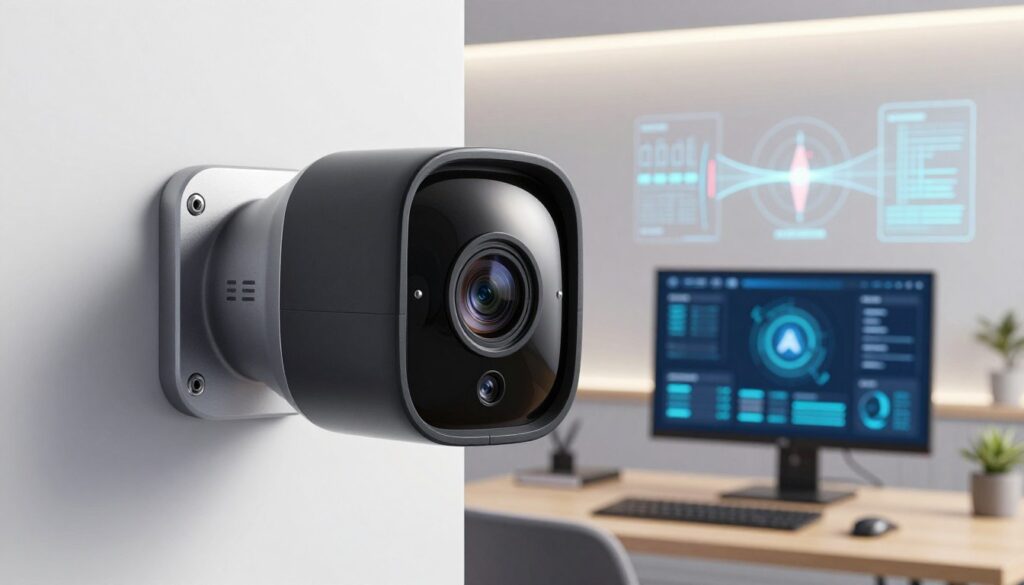
AI rules that sharpen focus
Advanced analytics add context: Tripwire and Intrusion draw lines and areas so the system only notifies on meaningful crossings. Heat mapping and people counting reveal true traffic patterns, useful for stores or busy entries.
Object and face-aware policies
Object detection can spot package arrival, removal, or long dwell times; rules then notify only when logistics look abnormal. Face detection helps mute pings for household members while alerting on unknown visitors.
“Layering zones first, then adding analytics, yields the best balance of precision and simplicity.”
| Feature | Use | Benefit |
|---|---|---|
| Tripwire | Crossing lines | Fewer irrelevant notifications |
| Intrusion | Area breaches | Focused event captures |
| Heat map / People count | Traffic analysis | Operational insight |
Practical tip: start with refined zones on a single camera, then add analytics at chokepoints. Audit rules seasonally—light and landscaping change over time to keep security effective.
Subscriptions and storage: real costs behind “smart” features
Ongoing fees and where clips live determine the real cost of video intelligence.
Arlo ties advanced captions and wider object ID to an Arlo Secure tier, generally starting around $8 per month. That plan adds cloud storage and more useful alerts for busy porches or yards.
Cloud tiers vs local hubs
Google Nest offers a useful free three-hour cloud window for quick triage; longer history requires paid tiers. TP‑Link Tapo keeps costs down with microSD support and a low-cost cloud plan near $3.50 monthly.
Practical options: use cloud AI for rapid review and a local SmartHub or card as backup. Hybrid setups give fast access without surrendering long-term ownership of clips.
“Short free windows reduce storage sprawl while letting owners find key incidents fast.”
| Provider | Core benefit | Local fallback |
|---|---|---|
| Arlo | AI captions, extended cloud | SmartHub local storage |
| Google Nest | Free 3-hour cloud, quick review | Limited local; relies on cloud |
| TP‑Link Tapo | Low-cost plan, microSD support | On-device microSD |
- Budget beyond hardware: multiple subscription fees add up; consolidate roles (one porch camera with richer AI, simpler units indoors).
- Local storage survives internet outages but needs secure on-site access and routine card checks.
- For deeper reading on why subscription fees vary, see this guide to camera subscription fees.
Final note: match security goals to cost. Hybrid choices often balance privacy, access, and the real-world value of video evidence.
Doorway to debate: video doorbells, package detection, and neighborhood privacy
A front‑door camera often captures the most human moments—and the toughest privacy questions.
The choice between battery and wired doorbells shapes placement, power, and image quality. Battery models offer flexible mounting and angled wedges to frame walk‑ups and package zones. That flexibility helps catch porch activity without awkward rewiring.
Battery vs wired doorbells: placement flexibility and power trade-offs
Wired variants remove the charging chore and can support higher resolution and continuous power. But they limit where the device sits, which can affect the view of the door and package areas.
Practical guidance: shape motion zones to exclude sidewalks and public right‑of‑way. Use short cloud windows—many brands offer free three‑hour clips—for quick triage and to avoid storing every interaction.
- Battery: best for angleable coverage and easy retrofit.
- Wired cameras: better for continuous power and higher specs.
- Privacy: exclude public paths with motion zones and brief retention.
“Clear package removal alerts reduce delivery disputes and catch thefts in real time.”
| Concern | Battery doorbell | Wired doorbell |
|---|---|---|
| Placement | Flexible; wedges for tight spaces | Fixed to existing door wiring |
| Power & specs | Rechargeable; modest continuous recording | Continuous power; higher resolution possible |
| Privacy & storage | Short cloud windows work well | Supports longer cloud and local options |
Neighborhood etiquette: add signage or app chimes to notify visitors that recording occurs. Test audio and door angles so two‑way calls are clear but interior views remain private.
Field of view, resolution, and zoom: seeing more with fewer cameras
Choosing how much a lens sees changes how many cameras you need—and what details you actually capture.
Wide-angle designs—some near 160°—let one camera cover a porch and drive path. That reduces device count and simplifies wiring and management.
There is a trade-off: wider field view shrinks distant faces. Higher resolution sensors, such as up-to-2K with HDR, preserve detail so digital zoom can confirm identity when needed.
Match resolution to the task. Use 2K HDR for driveways and yards, and 1080p for close-quarters entries where subjects stand near the camera.
- Walk typical routes day and night to test recognition distance and sign readability.
- Mounting height and modest tilt reduce fisheye distortion and keep edges useful.
- Prefer optical zoom when available; use digital zoom only to confirm details, not as a placement fix.
“Combine one wide-FOV exterior unit with a focused entry camera to minimize devices while keeping clear evidence.”
Practical rule: start with a high-FOV exterior and a targeted entry camera. Adjust angles, then verify that video captures readable faces and license plates at key distances.
Smart home compatibility: Alexa, Google, SmartThings—and what actually works
Integration with voice assistants has become the practical edge that separates useful camera features from gimmicks.
Most devices support Amazon Alexa and Google Assistant for live view and basic commands. Some brands add Samsung SmartThings or IFTTT for broader automations. Matter does not yet support video devices, so a promised universal control layer is still pending.
Voice assistants, routines, and practical automations
Prioritize native integrations and well-tested skills instead of future promises. Native support gives reliable live view on smart displays, voice arming, and routine triggers that fire when an event is detected.
Practical automations include: turning on a cam floodlight when a person is detected, playing a chime on connected speakers, or locking a smart deadbolt after a short delay.
- Use conservative rules: limit spoken alerts to front entries to reduce fatigue.
- Test timing so lights or sirens deter quickly but do not annoy neighbors.
- Choose brands with broad assistant support so rooms running different assistants still work together.
“Focus on proven integrations today—don’t bank on a protocol that hasn’t enabled video control yet.”
Final tip: map your automations before buying. That ensures the chosen camera and ecosystem deliver the options and security behavior you expect in daily use.
Brand ecosystems and buying paths: Wyze, Arlo, Google Nest, Ring, TP‑Link
Brands take different paths: some chase low cost and wide availability, others push premium AI and subscription services. Choosing among them shapes day‑to‑day use and long‑term costs.
Wyze focuses on affordability and breadth. Millions use a wyze cam in homes, rentals, and small businesses. The product finder helps match models to needs.
Arlo leans into advanced analytics and subscription features. Google Nest highlights accurate detection plus a free three‑hour cloud window. Ring favors portable battery camera options and flexible zones. TP‑Link Tapo drives value with budget pan/tilt models and microSD support.
Buying paths: cost-first buyers often start with a wyze cam or TP‑Link. AI-forward users gravitate to Arlo. For low-friction cloud access, consider Google Nest.
- Pilot a single device to verify AI accuracy, app behavior, and video retention.
- Cross-check ecosystem roadmaps and app usability; learning curves differ across brands.
- Consider whether a security system tie‑in or professional monitoring matters for your plan.
“Start small, validate performance, then scale—every add‑on raises both capability and cost.”
Use cases by space: porch, driveway, living room, entryway, and rentals
Each room has its own risks and deserves a tailored camera strategy. Start by defining what matters: packages, vehicles, interior privacy, or guest zones. Then match device type and rules to that need.
Privacy zones and home/away modes to reduce oversurveillance
Porch: narrow motion zones to exclude sidewalks and rely on package detection. Use short cloud windows for fast review so frequent events don’t pile up.
Driveway: favor color-capable night coverage and limit motion alerts to people or cars crossing a defined area. High-confidence triggers cut false pings from shadows.
Living room: deploy pan/tilt sparingly; enable a clear sleep indicator and set home mode to pause interior recording when family is present.
Entryway: frame tightly and prioritize two-way audio so interactions are clear without capturing passing neighbors.
Rentals: choose portable battery camera units that move with guests and apply privacy zones to shared corridors.
- Default to minimal alerting—people and packages only.
- Use home/away automation to toggle privacy reliably.
Practical guide: test placements, then refine zones. For suggestions on ideal spots, consult a guide to best places to install security cameras to fine-tune coverage and peace of mind.
Buyer’s checklist: features to prioritize for peace of mind without oversharing
A practical checklist keeps purchases focused on useful outcomes: clear ID, reliable alerts, and manageable data.
Essential specs: resolution, color night vision, two‑way audio, motion/object alerts
Resolution and dynamic range matter most. Choose 2K HDR when distance or license-plate detail is likely; 1080p is fine for close entries.
Color night vision helps ID in yards and driveways; use infrared indoors for discretion.
Two‑way audio must be clear at typical mounting heights—test it in real conditions before finalizing placement.
Mounting, power source, weather rating, and battery life
Pick mounts that make sight lines simple: wedges, magnetic bases, or wall plates give flexible options.
Match power to placement: battery cams for flexible entries and patios; wired cameras for always‑on spots. Confirm weather rating for outdoor units and compare expected battery life in high‑traffic zones.
| Priority | Why it matters | Quick choice |
|---|---|---|
| Resolution & HDR | Preserves identifiers when zooming | 2K HDR for driveways; 1080p for close doors |
| Night coverage | Color for ID; IR for subtlety | Cam floodlight for yard; IR indoors |
| Power & mount | Uptime and clean sight lines | Battery for mobility; wired for constant power |
| Alerts & storage | Reduce oversharing and cost | Person/package alerts; short cloud + local backup |
Tip: Start with one well‑placed unit, refine zones and alerts, then scale. For installation ideas and a broader home security checklist see home security checklist.
Conclusion
A focused setup—fewer cameras, tuned alerts, and short retention—usually beats quantity. Start with a strong, practical path: one capable exterior unit plus a targeted entry camera.
Balance matters. Use person and package filters first, then refine motion zones. Layer analytics only where they cut false alerts or improve evidence.
Choose an ecosystem for app quality and storage terms you can live with; subscriptions pay off when features materially help. For technical context on edge AI and efficient inference, see this edge AI research.
Seasonal demands—holiday deliveries, travel—favor portable battery cams and strategic floodlights so coverage adapts without adding devices. Review clips promptly and keep only what matters to protect privacy and retain trust.
FAQ
How do AI-powered cameras affect privacy norms?
AI-enabled cameras add powerful capabilities—face and object detection, package recognition, and behavioral analytics—that change who can observe and act on video. They can improve safety by reducing false alerts and focusing on real threats, yet they also increase the scope of recorded personal data. Users should balance convenience with privacy by limiting features like continuous cloud storage, enabling privacy zones, and applying strict sharing controls.
What features define modern smart surveillance devices?
Modern systems combine AI detection, real-time alerts, ecosystem integration, and controllable hardware such as pan/tilt and color night vision. Key capabilities include person/vehicle/package detection, two-way audio, motion zones, and compatibility with Alexa, Google, or SmartThings. These elements determine how much automation and insight the camera delivers.
Why does this matter now for homeowners and renters?
Rising package theft, more frequent travel, and denser urban living have made reliable monitoring a priority. Cameras that detect people or packages—and limit false positives—save time and reduce anxiety. At the same time, increased visibility into neighborhoods raises community privacy concerns that owners must manage responsibly.
Which home security cameras lead the current editor’s roundup?
Top performers include Arlo Pro 6 for 2K HDR and color night vision; Google Nest Indoor/Outdoor Cam for accurate AI and short free cloud storage; Ring Outdoor Cam Plus Battery for portable battery operation and privacy zones; TP‑Link Tapo Pan/Tilt C210 for an affordable pan/tilt option; and Google Nest Doorbell (battery) for package detection and free short-term cloud retention.
When are pan/tilt and tracking cameras worth the extra cost?
Pan/tilt models excel in large rooms, open floor plans, or when you need active tracking—reducing the number of cameras required. They suit playrooms, garages, or broad porches. If preset views, silent tracking, or 360-degree coverage matter, a pan/tilt design often pays off.
How do infrared night vision and color night vision differ?
Infrared night vision produces monochrome images visible in total darkness using IR LEDs; it’s reliable and power-efficient. Color night vision uses a spotlight or larger sensors to render color after dark, improving identification of clothing, vehicles, or package labels. Choose based on identification needs and light pollution concerns.
Why do basic motion alerts generate so many false alarms?
Pixel-based motion detection flags any change in a camera’s view—sun glare, shadows, tree movement, or headlights can trigger alerts. Without AI filtering, systems lack context and treat all motion equally, which increases nuisance notifications and reduces trust in alerts.
How do AI video analytics reduce false alerts?
AI analytics classify motion into people, vehicles, pets, or packages and can apply rules like tripwires or heat mapping. This filters out irrelevant triggers and prioritizes incidents that matter. Properly trained models improve accuracy and lower notification fatigue.
Can cameras reliably detect objects like packages or faces?
Many current cameras use object and face detection to identify packages, people, and vehicles. Performance varies by model, lighting, and angle. High-resolution sensors, color night vision, and AI tuning—for example, Google Nest’s Gemini-enhanced models—improve detection rates, but no system is perfect.
What are the real costs behind “smart” features and subscriptions?
Subscriptions often unlock cloud storage, advanced AI alerts, and event captions. Arlo Secure and Google Nest offer tiered plans; Arlo supports local SmartHub storage to reduce reliance on cloud fees. Budget cameras like TP‑Link Tapo may offer microSD local recording to avoid monthly costs.
How do free short-term cloud windows compare to paid plans?
Free short-term windows—such as Google Nest’s free three-hour cloud buffer—provide immediate, limited access for recent events. Paid plans extend retention, enable advanced AI analysis, and add features like shared clips or person alerts. Assess incident frequency and archival needs before subscribing.
Wired or battery doorbell—what should I choose?
Battery doorbells offer flexible placement and easy installation; wired models provide continuous power and more reliable uptime. If you want continuous recording or high-frequency captures, wired is preferable. For renters or flexible setups, battery models like the Nest Doorbell (battery) simplify deployment.
How do field of view, resolution, and zoom impact camera placement?
Wider field of view covers more area but can reduce fine detail at distance; higher resolution preserves detail for identification and digital zoom. Strategic placement—overlooking entryways, driveways, or porches—combined with the right lens and resolution reduces the number of cameras needed to cover a property effectively.
What should buyers expect from smart home compatibility?
Expect differing levels of integration: basic video feeds and routines usually work across Alexa, Google, and SmartThings, but advanced features—AI alerts or multi-device automations—may be limited to the camera brand’s ecosystem. Test voice assistant controls and routine triggers before committing.
How do brand ecosystems affect buying decisions?
Ecosystems (Wyze, Arlo, Google Nest, Ring, TP‑Link) influence long-term device behavior, subscription offers, and cross-device features like doorbell-triggered lights. Staying within one ecosystem simplifies management and automations; mixing brands can require third-party hubs or sacrifices in functionality.
Which camera features are best for specific spaces like porches or living rooms?
For porches and driveways: weather-rated cams with wide field of view, package detection, and color night vision. For living rooms and entryways: indoor cams with two-way audio, person detection, and privacy zones. Rentals often benefit from battery cams and easy removal.
What belongs on a buyer’s checklist to avoid oversharing while keeping safety?
Prioritize resolution, color night vision, reliable two-way audio, and accurate motion/object alerts. Add weather rating, mounting options, power source, and battery life. Enable privacy zones, home/away modes, and local storage to minimize unnecessary sharing.