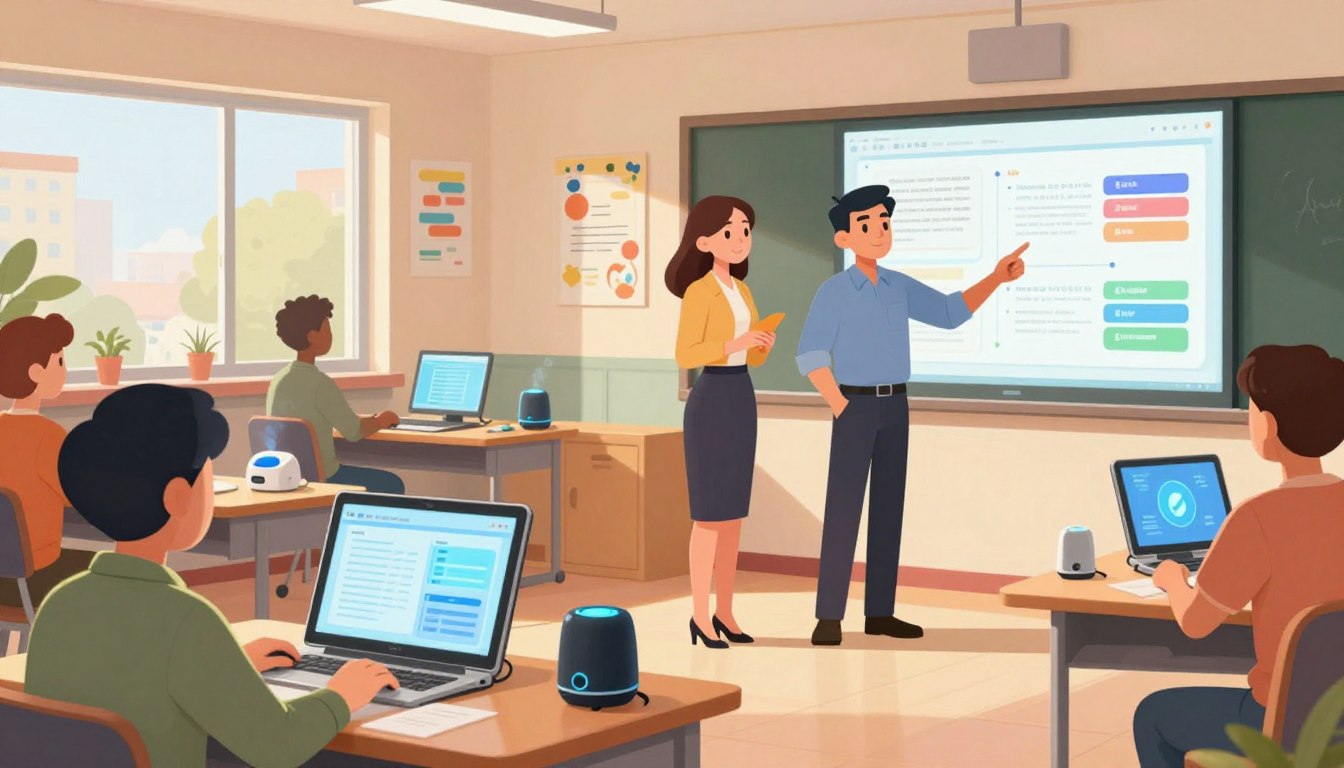
Every week brings the same quiet urgency: more prep, more grading, less room for what matters most. Educators feel that pull — the wish to teach, to connect, but not enough hours to plan and respond. This section opens with a simple promise: modern tools can shift routine work back into thoughtful instruction.
The piece highlights platforms teachers trust: Khanmigo, Brisk, and MagicSchool. Each platform speeds work differently — lesson plans, rubrics, exit tickets, multilingual family emails, and real-time feedback inside Google and Microsoft tools.
What changes is practical: less prep time and clearer next steps for students. Integrations mean fast onboarding; privacy standards like SOC 2, FERPA, and COPPA protect classroom data. In short, these tools reclaim hours so educators spend more time on instruction and less on logistics.
Key Takeaways
- Save hours weekly: Tools convert prep into minutes, freeing time for teaching.
- Quality-first resources: Lesson hooks, rubrics, and exit tickets created quickly.
- Seamless integrations: Work inside Google, Microsoft, Canvas, and PDFs.
- Privacy and trust: SOC 2, FERPA/COPPA compliance and privacy-by-design.
- Actionable insights: Summaries and progress reports that guide next steps for students.
Why Teacher AI Assistants Matter for U.S. Classrooms Today
Across the United States, schools juggle curriculum demands while time for individualized instruction shrinks. Districts need tools that cut routine work and protect precious minutes for high-impact teaching.
The latest platforms reduce cognitive load by drafting lessons, rubrics, and family messages so teachers can focus on conferences and small-group support. When systems summarize student work and surface trends, personalization and next steps happen faster.
Adoption fits the day: integrations with Docs, Classroom, and Canvas mean no new portals to learn. Privacy standards matter too—Brisk supports 20,000+ districts and earned a 93% Common Sense privacy rating; Khanmigo is free to teachers via a Microsoft partnership; MagicSchool holds SOC 2 and FERPA/COPPA certifications.
| Platform | Reach | Privacy & Access |
|---|---|---|
| Brisk | 20,000+ districts | Common Sense 93% privacy rating |
| Khanmigo | Global teacher access | Free for teachers via Microsoft partnership |
| MagicSchool | District-aligned deployments | SOC 2; FERPA & COPPA compliant |
- Faster feedback: Summaries and trend signals speed formative assessment.
- Seamless fit: Works inside existing workflows—no extra steps for students or staff.
- Responsible rollout: Compliance and privacy give district leaders the guardrails to innovate.
At-a-Glance: What You Can Do in Minutes Instead of Hours
Imagine converting hours of unit planning into a repeatable minutes-long habit that preserves rigor. Practical tools create a consistent workflow so educators focus on sequencing and scaffolds, not the blank page.
Create differentiated lesson plans aligned to standards
Build standards-aligned lesson plans in minutes and tailor them by readiness level. Khanmigo ties lessons to trusted content libraries, keeping accuracy and depth intact.
Draft rubrics, exit tickets, quizzes, and in-class activities
Generate rubrics and exit tickets fast, then refine language to match your assessment plans. Turn a rough draft into a polished plan with small iterations.
Summarize student work to identify support needs
On-demand summaries show who needs reteaching and who’s ready to extend. Use chat history to revisit prompts and keep continuity across lessons.
Generate family emails and multilingual newsletters
Produce clear family messages and multilingual drafts that respect tone and context—saving time while keeping communication inclusive.
| Task | Typical time before | Time with rapid workflow |
|---|---|---|
| Standards-aligned lesson plans | 2–4 hours | 10–30 minutes |
| Rubrics, exit tickets, quizzes | 1–2 hours | 10–20 minutes |
| Student work summaries & family emails | 1–3 hours | 5–15 minutes |
Meet the Platforms Educators Trust
Practical platforms streamline workflows so educators focus on instruction and student growth.
Khanmigo by Khan Academy is free for teachers and supports standards-aligned planning, quick summaries of student work, rubrics, exit tickets, hooks, and multilingual communication. Schools can pilot with low friction, reducing cost barriers while speeding classroom impact.
Brisk embeds directly inside Google and Microsoft tools via a browser extension. It earned a 93% Common Sense privacy rating and shows results in district case studies, including Ottawa Catholic (53,000 students) and Barbers Hill ISD (8,000). The in-tool workflow means less switching and faster feedback.
MagicSchool focuses on district-scale governance. It integrates with Docs, Classroom, and Canvas, holds SOC 2 certification, and meets FERPA/COPPA requirements. Importantly, it does not use student or teacher data to train models—helping leaders adopt with confidence.
| Platform | Key Strength | Classroom Fit | Privacy & Governance |
|---|---|---|---|
| Khanmigo | Free standards-aligned planning | Fast lesson drafts, rubrics, multilingual messages | Available free for teachers; school pilots easy |
| Brisk | In-tool workflows | Real-time feedback inside Google & Microsoft | Common Sense 93% privacy rating; district case studies |
| MagicSchool | District-scale safety | Integrates with Docs, Classroom, Canvas | SOC 2; FERPA & COPPA compliant; data not used for model training |
- Practical impact: Each tool delivers clear drafts and aligned resources that save time in planning.
- Selection guide: Choose by cost and speed-to-value (Khanmigo), deep in-tool workflows (Brisk), or enterprise safety and integrations (MagicSchool).
- Shared priority: All three put privacy and classroom results first.
Teacher AI Assistants Built for Your Workflow
Built for real classrooms, these tools plug into the apps educators already use and keep work in one place. Integration reduces friction: planning, grading, and family communication happen where instructors already work.
Use inside Docs, Classroom, Canvas, and online textbooks
Brisk works directly in Google Docs and Microsoft tools and reads PDFs, images, YouTube, and online textbooks. MagicSchool links to Docs, Classroom, and Canvas for district-scale deployments. Khanmigo delivers quick first drafts and preserves chat history for continuity.
No steep learning curve—start in minutes
The learning curve is minimal. Brisk installs as a browser extension and gets staff productive on day one. Schools can standardize templates while letting each teacher keep their voice.
- Full-cycle workflows: draft, differentiate, deliver, and update based on real classroom results.
- Range of artifacts: assignments, quizzes, rubrics, progress notes, and parent updates are centralized.
- In-lesson support: quick adjustments or alternative activities keep instruction flowing.
Save Time on Lesson Plans without Sacrificing Quality
Planning can be faster and more dependable when drafts start from vetted content. Educators get a clear scaffold that reduces busywork and keeps the focus on instruction. Khanmigo links planning to Khan Academy’s content library so materials map directly to required outcomes.
Practical planning means templates that are standards-aware, hooks that spark curiosity, and quick group recommendations so teachers spend minutes—not hours—sorting logistics.
Standards-aligned planning tied to trusted content libraries
Build lesson plans anchored in vetted content so materials align with standards and measurable goals. Start from a strong draft, refine objectives and success criteria, and keep assessments coherent across days.
Hooks, student groupings, and content refreshers
Generate engaging hooks—like pop-culture or game references—that connect prior knowledge to new concepts and motivate students. Create strategic groupings for practice, enrichment, and peer support without manual sorting.
- Content refreshers: quick subject refreshers in math, science, humanities, and coding to boost confidence.
- Built-in checkpoints: exit tickets and short quizzes to monitor learning progression.
- Save time: start from a polished draft and focus on high-impact interactions while repetitive formatting is handled automatically.
From First Draft to Finished Resource: Fast, Flexible, and Personal
Drafts that start strong let instructors shape pacing, rigor, and supports in minutes. A focused first pass saves time and sets clear goals for the class.
Thoughtful drafts you can tailor to class needs
Begin with objectives, prompts, and scaffolds, then refine. Brisk and Khanmigo emphasize practical starting points—templates that become tailored assignments in a few quick edits.
- Quick customization: Tune language, rigor, and supports to match teaching goals in minutes.
- Personalized pathways: Convert a generic activity into a differentiated lesson for each student.
- Rapid iteration: Expand challenge items, add scaffolds, or create extensions on the fly.
- Assessment alignment: Keep rubrics, exit tickets, and exemplars coherent so feedback measures the intended outcome.
| Feature | Brisk | Khanmigo | Time to Polish |
|---|---|---|---|
| Starter draft | Template with prompts | Standards-linked scaffold | 5–10 minutes |
| Differentiate | In-tool edits by level | Examples for varied learners | 5–15 minutes |
| Assessment coherence | Auto-aligned rubrics | Exit tickets tied to goals | 3–8 minutes |
Tie each draft to a clear student outcome—fluency, transfer, or problem-solving—so materials support meaningful learning, not just coverage.
Classroom Management and Feedback That Scale
When feedback travels with the work, momentum stays with the class. Embedded feedback and clear progress signals free time and sharpen instruction.
Practical tools deliver comments and hints inside documents and assignments so responses feel immediate and purposeful.
Personalized, real-time feedback across assignments
Brisk gives personalized, real-time feedback inside Docs and other materials, letting teachers mark essays, problem sets, and projects faster without losing quality.
Khanmigo creates high-quality progress reports and on-demand summaries of student work, so we spot who needs reteaching and who can extend learning.
Progress reports and next steps aligned to curriculum
Use concise reports to identify trends in data—skill gaps, misconceptions, and growth areas—without manual spreadsheets.
- Deliver consistent, personalized feedback so students know how to improve without extra grading time.
- Deploy targeted mini-lessons tied to standards based on quick progress snapshots.
- Generate in-class supports: hints, exemplars, and sentence frames that preserve rigor.
- Coordinate with co-teachers and specialists so support plans stay coherent for every student.
For practical guidance on rolling out these workflows, see our classroom management strategies page.
Student Learning: Personalization with Purpose
When instruction adapts to a student’s next right step, engagement and progress climb together.
Personalization focuses on clear pathways: targeted practice, leveled tasks, and extension challenges that match current ability. This approach keeps learning meaningful and measurable.
Khanmigo supports learners from elementary through college across math, science, coding, history, and humanities. It guides students with prompts and hints rather than handing answers, which strengthens understanding and builds independence.
Engage each student with differentiated experiences
Design tasks that meet students where they are. Calibrate reading levels, question complexity, and multilingual supports so activities remain rigorous and accessible.
Use insights from practice sets to plan small groups and one-on-one conferences. Those focused sessions maximize limited instructional time.
Support across math, science, humanities, coding, and more
Scale personalization across subjects so the entire school benefits—not just a single department. The same tools that draft lesson plans can generate practice sets and exemplars for classroom or homework use.
- Personalize pathways: differentiated tasks, targeted practice, and extension challenges tied to each student’s level.
- Subject breadth: support for math, science, humanities, coding, and more so schools can scale personalization.
- Productive struggle: guided prompts and hints encourage deeper reasoning instead of quick answers.
Student-friendly scaffolds keep motivation high and autonomy intact. Teachers retain control over rigor and relevance while using tools to monitor progress and plan next steps.
| Feature | Classroom Impact | Why it matters |
|---|---|---|
| Personalized pathways | Higher engagement; targeted practice | Aligns tasks to readiness and goals |
| Subject coverage | Works across K–12 and college levels | Enables school-wide consistency |
| Guided feedback | Promotes productive struggle | Builds deeper understanding, not shortcuts |
For practical guidance on classroom rollout and research, see this research on classroom tools.
Trust, Safety, and Data Privacy You Can Depend On
Security and clear policies turn promising classroom tech into reliable tools for districts. Schools need assurances that protect families and staff while enabling instructional change.
District-ready security matters: SOC 2 and FERPA/COPPA compliance show a platform meets strict school privacy expectations. MagicSchool is SOC 2-certified and FERPA/COPPA-compliant, and it does not use student or teacher data to train models—an important privacy-first stance.
Brisk earned a 93% Common Sense Privacy Rating, signaling robust protections and transparency. Districts can request IT approval packets and privacy centers to speed reviews and approvals.
Khanmigo limits access for under-18 users to district implementations or parent-managed accounts, creating clear oversight for classrooms and families.
- Clear policies: defined data retention and usage reduce legal and operational risk.
- Privacy-first design: minimizes unnecessary sharing and keeps control with schools.
- Practical benefit: a secure baseline lets staff focus on instruction instead of compliance hurdles.
Privacy-by-design fosters trust among educators, families, and students—so pilots scale faster and adoption stays aligned to district priorities.
District-Ready Deployment and Governance
District leaders design rollouts that match policy, roster systems, and classroom priorities. A clear plan makes student access predictable and auditable.
School and district implementations for student access
Schools can provision student access through district-managed programs tied to local rosters and curricula. Brisk has scaled to student-facing use in large districts like Ottawa Catholic School Board (53,000 students), showing how deployments can grow from pilots to full rollouts.
IT approval packets and privacy centers
IT teams get what they need: privacy centers, approval packets, and configuration guides that speed review. Brisk provides a privacy center and packaged materials so legal and data teams can green-light pilots quickly.
- Classroom integrations (Google Classroom, Canvas) keep assignments and grading inside district systems.
- Centralized configuration enforces consistent privacy and content filters across grade bands.
- Tool choices can be standardized while preserving educator autonomy for daily workflows.
For planning reference: review district deployment guidance in the device deployment models.
Real Educator Results: Testimonials and Case Studies
Classroom-ready deployments produce clear evidence: faster cycles of feedback and stronger learning supports.
Faster grading with better feedback
District testimonials show teachers grading faster while improving the clarity and specificity of comments.
Measured gains include reduced grading time and higher-quality formative notes that guide next steps for each student.
Scaled safe, student-facing tools to tens of thousands
Large districts—like Ottawa Catholic School Board—scaled student-facing solutions to tens of thousands of learners with governance and safeguards in place.
These rollouts prove feasibility: scale does not mean sacrificing privacy or oversight.
Turning skeptics into champions through existing workflows
Barbers Hill ISD and Hauppauge Public Schools report staff who were once skeptical became advocates after using tools inside Docs and online textbooks.
Intuitive design and built-in professional learning made adoption feel like support, not extra work.
- Faster, more actionable feedback that saves time without lowering rigor.
- Scaled deployments that protect students and preserve district policies.
- Familiar workflows that accelerate uptake and build educator capacity.
Common thread: better feedback in less time leads to more responsive teaching and stronger outcomes for students.
Minutes to Mastery: Onboarding, Training, and Support
A short, focused setup accelerates classroom impact and builds long-term skill. Schools see real gains when onboarding is measured in minutes, not days.
Fast starts matter. Brisk’s browser extension gets staff producing their first aligned resource within minutes. That quick win builds confidence and momentum.

Free certification courses and educator communities
MagicSchool offers free certification courses and a thriving educator community that shares best practices and templates. These networks speed adoption and spread practical workflows across schools.
Access chat history and ongoing learning resources
Khanmigo preserves chat history so a teacher can reopen past threads to refine lessons, extend units, or reuse proven prompts. Continuous access makes iterative learning easier.
- Quick onboarding: produce a standards-aligned draft in minutes and iterate confidently.
- Guides & exemplars: built-in models show when to scaffold and how to calibrate rigor.
- Skill growth: early wins evolve into advanced workflows for assessment and enrichment.
- Student impact: as teachers master features, feedback becomes more precise and actionable.
Ongoing resources—certifications, community forums, and product updates—keep staff current and ensure tools continue to save time while strengthening instruction.
Comparison: How These Tools Differ from Generic AI
Specialized classroom platforms prioritize learning over quick answers. They prompt inquiry and stepwise reasoning rather than offering immediate solutions that can short-circuit instruction.
Platforms like Khanmigo guide students to find answers, using prompts and hints that build understanding. MagicSchool enforces strict handling of student and staff data and does not use that data to train models. Brisk holds a 93% Common Sense privacy rating—an indicator of safety and transparency.
Aligned to curriculum and standards
Outputs map to pacing guides, assessment frameworks, and measurable goals. This alignment reduces rework and keeps classroom activity coherent with district plans.
- Purpose-built: promote inquiry and reasoning, not shortcuts.
- Governance: clear controls on educational data and access for district adoption.
- Ready features: rubrics, exit tickets, and progress reports—no heavy prompting needed.
For a deeper primer on generative vs. generic models, see this generative AI primer. For guidance on policies and ethics, consult our responsible governance guide.
Who Can Use What, and How Access Works
Access models shape how quickly a classroom can adopt new workflows and who benefits first. Clear provisioning makes pilots manageable and lets districts expand with confidence.
Khanmigo: free for teachers; student access via districts or parents
Khanmigo offers free teacher access, which makes early pilots simple and low-cost. A teacher can test lesson drafting, rubrics, and family messages without district purchase cycles.
For under-18 learners, access is provisioned through district implementations or parent-managed subscriptions. This ensures oversight and aligns use with local policies.
Brisk and MagicSchool: teacher-first, school-ready access
Brisk and MagicSchool prioritize teacher workflows and district governance. Both integrate with Docs, Classroom, Canvas, and digital textbooks to keep instruction uninterrupted.
- Start with teacher pilots, then scale to classroom or school deployments.
- Provisioning pathways let admins phase rollouts while tracking compliance.
- Integrations minimize disruption so students see consistent tools inside daily workflows.
Clear access pathways reduce friction and let schools focus on impact—time saved, better feedback, and measurable gains for students.
Implementation Playbook: Bring AI to Your School
Begin with a narrow scope to test fit, collect evidence, and build trust. A phased approach reduces risk and delivers quick wins. Focus on a small group so support is targeted and feedback stays actionable.
Pilot with a small group of educators
Start with teachers across grades and subjects. Keep the pilot limited in scale so IT and leaders can respond fast.
- Select a representative part of the staff—mix grades and content areas.
- Offer just-in-time support and scheduled office hours to remove friction.
- Capture exemplars that become templates for broader rollout.
Align to standards, privacy, and district policies
Define expectations up front: standards alignment, data handling, and governance. Use vendor resources to speed approvals.
- Prepare IT and legal reviews with approval packets and privacy center materials from Brisk.
- Note MagicSchool’s SOC 2 and FERPA/COPPA compliance when evaluating district-scale options.
- Ensure classroom access flows—Khanmigo routes under-18 use through district or parent accounts.
Measure time saved and student outcomes
Define clear metrics: time on planning and grading, student growth indicators, and teacher satisfaction with feedback quality.
| Phase | What to track | Benefit |
|---|---|---|
| Pilot | Time saved (minutes/hr); teacher feedback | Fast validation of fit and workload impact |
| Governance | Data access logs; privacy reviews | Compliance and stakeholder confidence |
| Scale | Student outcomes; exemplar adoption | Targeted professional learning and sustained impact |
Communicate results to principals and families. Use clear data and brief stories to build momentum. When schools measure impact and share wins, scaling becomes a matter of planning—not guesswork.
Get Started Now: Save Hours This Week
A focused starter workflow turns minutes of work into measurable classroom gains.
Pick one small task—a lesson draft, a rubric, or a parent email—and build the first resource in minutes. Khanmigo allows immediate sign-up for teachers; Brisk offers a fast browser extension and web app; MagicSchool connects to Docs and LMS tools and includes free certification for quick upskilling.
- Choose a starter workflow and create your first draft in minutes to realize immediate time savings.
- Install Brisk’s extension or sign up for Khanmigo to generate aligned materials fast; connect MagicSchool to Docs or Classroom to streamline delivery.
- Pick one upcoming lesson and add hooks, quick checks for understanding, and a clear rubric; refine tone and rigor to match your student group.
- Summarize recent student work, plan targeted small groups for the week ahead, and act on clear next steps.
- Share the draft with a colleague for rapid feedback—collaborative iteration compounds gains for teachers and students.
- Track hours saved and learning impacts to guide broader adoption and professional learning priorities.
“Small experiments scale quickly when they focus on real classroom wins.”
Start today: one short draft, one quick summary, one shared revision—and free up hours for instruction by week’s end.
Conclusion
Small workflow wins compound into real, measurable gains for schools and students. Across Khanmigo, Brisk, and MagicSchool, educators get standards-aligned planning, integrated feedback, district-ready privacy, and fast onboarding designed for real classrooms.
These platforms are now a practical part of modern education: they honor instructional intent while giving back valuable time. With secure, education-focused design and integrations across Docs, Classroom, and Canvas, schools can adopt without disrupting teaching and learning.
From planning to feedback, each step produces coherent resources that help every student progress. Minutes saved daily add up—freeing hours each week for deeper instruction and stronger relationships.
Districts can move from pilots to scale using clear governance, privacy assurances, and targeted professional learning that builds teacher capacity. Start with one use case: try a tool, measure impact, and iterate so classrooms see benefits this term.
FAQ
How do teachers use AI assistants to save hours every week?
Educators use these tools to draft standards-aligned lesson plans, create rubrics and quizzes, summarize student work, and generate family communications. By automating repetitive tasks and offering polished first drafts, teachers reclaim planning and grading time for instruction and student support.
Why do teacher AI assistants matter for U.S. classrooms today?
They help schools scale personalized learning, reduce administrative burdens, and support equitable access to quality materials. With district-ready privacy and governance, these platforms fit into existing workflows while improving efficiency and instructional impact.
What tasks can be done in minutes instead of hours?
Educators can create differentiated lesson plans aligned to standards; draft rubrics, exit tickets, quizzes, and in-class activities; summarize student work to identify needs; and generate family emails and multilingual newsletters—all from concise prompts and templates.
Which platforms do educators trust?
Trusted options include Khanmigo by Khan Academy (free for teachers), Brisk (integrates with Google and Microsoft tools), and MagicSchool (district-aligned with SOC 2 and FERPA/COPPA compliance). Each emphasizes safety, curriculum alignment, and classroom usability.
Can these tools fit into existing workflows?
Yes. Many solutions work inside Docs, Classroom, Canvas, and online textbooks. They’re designed with low friction so busy educators can start in minutes without a steep learning curve.
Will using these tools reduce the quality of lesson plans?
No. Platforms focus on standards-aligned planning tied to trusted content libraries, offering hooks, groupings, and refreshers that enhance lesson quality while saving time. Teachers retain control to tailor and refine outputs.
How do these assistants support grading and feedback?
They provide personalized, real-time feedback across assignments, suggest next steps, and help generate progress reports aligned to curriculum. This scales feedback without sacrificing specificity or instructional guidance.
Can these tools personalize learning across subjects?
Yes. They support differentiation and targeted scaffolds across math, science, humanities, coding, and more—engaging each student with tailored experiences and supports based on performance data.
What privacy and safety standards do these platforms meet?
Leading platforms implement SOC 2 controls, follow FERPA and COPPA requirements, and design privacy-first systems where data isn’t used to train models. Some vendors also hold recognized privacy ratings that inform district procurement.
How do districts deploy and govern these tools?
District implementations include pilot programs, IT approval packets, privacy centers, and clear governance frameworks. Schools often run controlled rollouts, align policies to standards, and provide staff training to ensure safe, equitable access.
Do real educators see measurable results?
Yes. Case studies report faster grading with improved feedback, scaled student-facing use across districts, and many instances of converting skeptics into champions by integrating tools into existing routines.
What onboarding and training resources are available?
Vendors and partners offer free certification courses, educator communities, chat history access, and ongoing learning resources to shorten the learning curve and build classroom-ready skills quickly.
How do these learning-focused tools differ from generic AI?
They’re ethically designed for education—prioritizing learning over shortcut answers—and align outputs to curriculum and classroom standards. The result: tools that support pedagogy rather than replace it.
Who can access these platforms and how?
Access models vary: Khanmigo is free for teachers with student access via districts or parents; Brisk and MagicSchool offer teacher-first, school-ready deployments. Districts often manage student accounts and permissions centrally.
What’s the recommended playbook to implement these tools in a school?
Start with a small pilot group, align the rollout to standards and privacy policies, train educators, and measure time saved alongside student outcomes. Iterative pilots allow adjustments before full-scale adoption.
How quickly can an educator start saving time?
Many teachers see benefits within the first week by using templates and integrations that slot into daily tasks—reducing hours spent on planning, grading, and parent communications almost immediately.