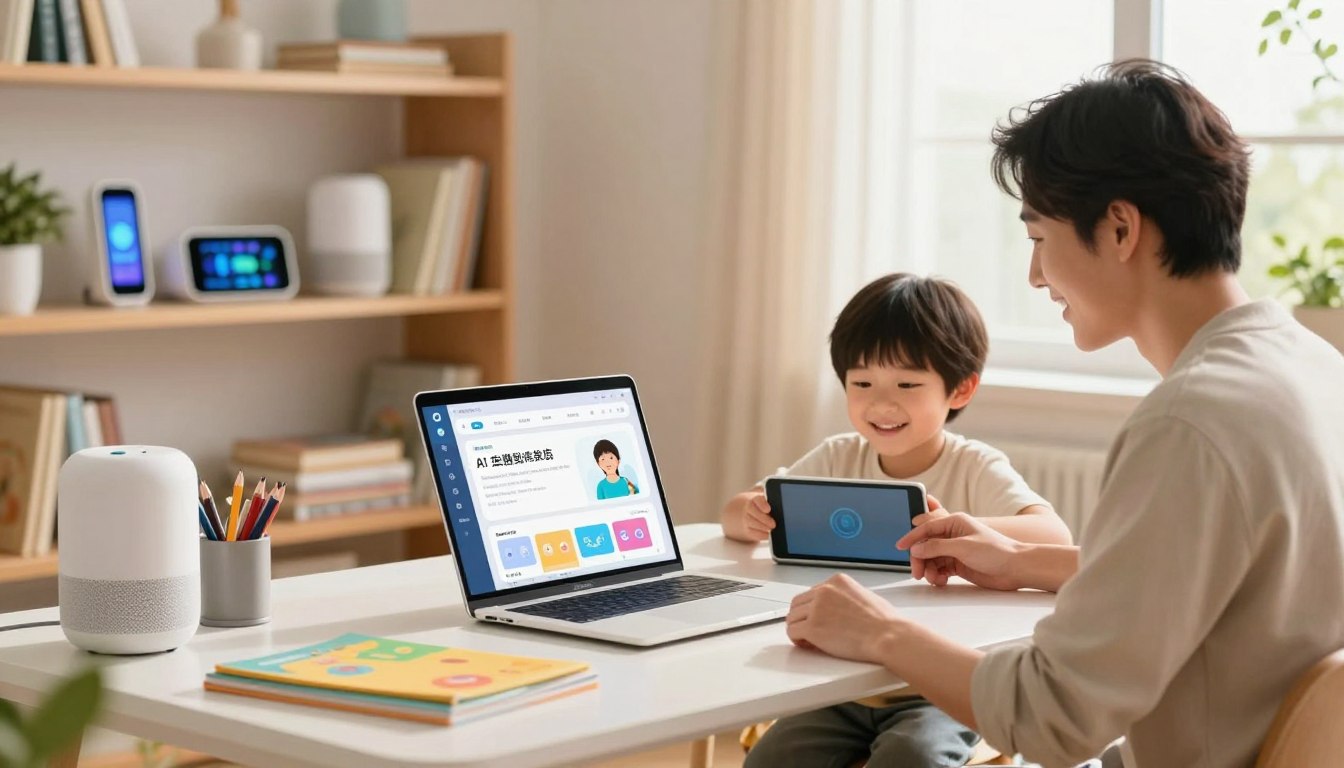
There are nights when schedules fray and every minute feels borrowed. This guide meets that feeling with clear choices that restore calm. It maps how modern systems—virtual assistants, smart monitors, and adaptive tutors—help families manage routines and boost learning at home.
Readers will find practical options: from trusted education partners like Khan Academy to smart-home safety from Ring and Nest. The focus is on real impact—less context switching, smoother mornings, and better study focus—so busy parents reclaim time and energy.
For a deeper look at how these systems can act as consistent, thoughtful support in daily life, see a detailed exploration of the broader concept of an artificial parental figure at Miloriano.
Key Takeaways
- Practical tech can reduce mental load and reinforce learning at home.
- Trusted platforms and smart-home devices offer reliable safety and scheduling support.
- Adaptive tutoring and sleep analytics improve study focus and routines.
- Privacy and controls matter—choose solutions with clear safeguards.
- Used thoughtfully, these systems free time for human connection and growth.
What Are Parent AI Tools for Remote Learning in the United States Today?
Modern family tech now stitches school notices, chores, and study time into one shared rhythm for busy households.
These systems consolidate calendars, automate reminders, and turn school emails into action items. Virtual assistants — Alexa, Google Assistant, and Siri — link lists, timers, and smart devices so parents can capture tasks by voice. Services such as Sense and Jam parse school messages into shared calendar events, reducing manual entry.
At home, adaptive apps like Khan Academy Kids and Socratic tailor practice to individual learners and support steady learning habits. Focus apps such as Freedom block distractions during study blocks. Woebot offers brief mental‑health check‑ins while Nanit and Miku provide sleep analytics for infants.
How these services help schedules and study
- Automated email‑to‑event parsing creates reminders from newsletters and assignment updates.
- Cross‑device reminders and routine templates keep homework, bedtime, and mornings predictable.
- Smart‑home displays and doorbell alerts surface schedules where children see them most.
| Service | Core benefit | Key features |
|---|---|---|
| familymind | Central family organization | Shared calendars, chores, routine templates |
| Sense / Jam | Email‑to‑event automation | Parses school mail, creates calendar events |
| Khan Academy Kids / Socratic | Adaptive practice | Personalized exercises, step‑by‑step help |
Choosing interoperability matters: evaluate how each app and device will fit with your existing calendars and work systems. For an in‑depth review of education integrations, see education tool reviews.
The Best Parent AI Tools for Family Organization and Study Routines
A clear hub for events, lists, and reminders keeps everyone aligned and helps study sessions start on time.
familymind: An all‑in‑one companion that lifts the mental load
familymind centralizes schedules, chores, and meal planning in one place; families report reclaiming nearly four hours weekly as the system nudges routines and fills gaps proactively.
Sense & Jam: Email parsing and shared calendars
Sense automates the error‑prone workflow: forward school or sports emails and the app parses dates, locations, and reminders into shared calendar entries.
Jam complements that by combining calendars, grocery and chore lists, and forward‑to‑calendar automation so entries don’t need double work.
Voice, classic organizers, and smarter lists
Google Assistant with Gemini turns voice into action: add shopping items, set reminders, or trigger study routines hands‑free.
Cozi provides a dependable, color‑coded calendar, a recipe box, and shared to‑do lists that are easy to adopt across families.
Ohai.ai & Mango Display: smarter groceries and visible dashboards
Ohai.ai learns buying patterns to build intelligent shopping lists and assign tasks across members.
Mango Display places today’s events, photos, and widgets on a kitchen screen so schedules are visible at a glance.

“A single orchestration app plus ambient displays reduces scramble time and clarifies ownership of tasks.”
- Pick one primary organization app and connect email parsing and voice assistants.
- Align calendar events with device reminders to support consistent study and completion of tasks.
For a practical list of recommended systems, see the 10 best organization apps.
AI Tutoring and Homework Help for Kids: Tools That Make Learning Stick
Modern tutoring blends adaptive practice, real-time feedback, and parental oversight to boost skills and confidence.
Khanmigo by Khan Academy
Khanmigo pairs Khan Academy content with a guided tutor that nudges a child toward solutions rather than handing them answers. At $4/month or $44/year, U.S. families can enable up to 10 kids and track progress through a parent dashboard.
Features include chat history, safety alerts, text‑to‑speech, and 20+ management tools—quiz generators, lesson builders, and summaries that help parents assign and review work.
Khan Academy Kids and Socratic
Khan Academy Kids and Socratic offer adaptive practice and step‑by‑step explanations to reinforce classroom lessons.
They personalize paths so learners close gaps before tests and practice skills with clear, scaffolded guidance.
Squirrel AI and chat-based guidance
Squirrel AI adapts in real time, changing difficulty and sequencing to match a learner’s responses and pace.
Chat-driven guidance and chatbot prompts encourage metacognition—students learn to reason through problems and retain concepts.
“Align tutoring sessions with school units to make practice directly relevant and measurable.”
| Service | Primary strength | What it supports |
|---|---|---|
| Khanmigo | Guided tutoring with parental controls | Math, science, humanities, coding; chat history & parental tools |
| Khan Academy Kids / Socratic | Adaptive practice | Step-by-step help, personalized learning paths |
| Squirrel AI | Real-time adaptation | One-on-one sequencing and pacing for varied learners |
- Schedule sessions to match school units so tutoring emphasizes the same skills in class.
- Use chat visibility and alerts to balance oversight with independence.
Safety, Screen Time, and Well‑Being: AI Tools for a Calmer Home
Smart limits and thoughtful monitoring create predictable evenings that benefit study and sleep.
Freedom blocks distracting apps and websites across devices on a schedule, so kids focus on homework and wind down before bedtime. A single setup yields household‑wide impact and fewer late‑night interruptions.
Woebot offers on‑demand mental check‑ins. It teaches CBT strategies parents can use to manage stress and decision fatigue during busy weeks.
Ring and Nest add smart monitoring at the door: motion detection, alerts, and optional face recognition keep families informed whether they are here or away.
Nanit and Miku turn infant sleep into data—real‑time analytics reveal wake cycles and patterns so routines can be adjusted for calmer nights and more rested mornings.
“A visible family place—like a kitchen display—reduces phone checking and reinforces quiet hours.”
- Use structured screen‑time windows and calming pre‑bed rituals to cut evening conflicts.
- Review privacy settings and notification thresholds so alerts stay meaningful, not noisy.
Together, these options improve safety and make the home a steadier place where routines do the heavy lifting and technology fades into the background.
How to Choose the Best Tools for Your Family in 2025
In 2025, the best family tech balances safety, cost, and how well it fits into daily routines.
Privacy, safety, and parental controls for children’s use
Start with safeguards: require chat visibility, age‑appropriate content, and clear moderation. Khanmigo is an example: it offers a U.S. pricing model ($4/month or $44/year), up to 10 kids per account, a parent dashboard with chat history, and safety alerts.
Check data practices closely. Pick vendors with transparent retention policies and opt‑out choices so children’s data stays protected.
Cost, features, and integrations with your existing apps and devices
Evaluate cost versus coverage: one app that serves several children often beats stacking niche subscriptions. Confirm compatibility with calendars, smart displays, and email parsing services like Sense and Jam.
- Map workflows: school emails → calendar (Sense/Jam), routines → reminders (Assistant), study → tutoring (Khanmigo).
- Pilot a single weekly goal before wider roll‑out; measure impact on learning and household work.
- Use a simple scorecard: privacy, usability, integration, education alignment, and cost.
“Choose systems that reduce friction so families can focus on learning, not on setup.”
Conclusion
A clear finish line helps families turn scattered routines into steady habits.
Start small: pick one orchestration app, connect email parsing like Sense or Jam, and pair it with a tutoring service such as Khanmigo so short practice sessions become part of weekly rhythms.
Organization platforms—familymind, Cozi, Mango Display—cut busywork. A Freedom blocklist plus thoughtful safety settings and gentle notifications protect focus and safety.
Make learning feel natural: brief sessions, fast feedback, and visible chat summaries help each child build real skills over time.
The way forward is deliberate: revisit the setup as learners grow, keep the stack lean, and learn more about practical trade-offs at AI for parenting.
FAQ
What are the most effective tools for supporting remote learning at home?
The most effective options combine organization, tutoring, and safety features. Solutions like Google Assistant with Gemini and Cozi help manage calendars, reminders, and routines; Khanmigo and Khan Academy Kids provide adaptive tutoring and practice; and apps such as Freedom reduce distractions during study time. Families often pair a calendar hub (Cozi, Jam) with a tutoring service (Khanmigo, Socratic) and a monitoring solution (Ring, Nest) to cover schedules, learning, and household safety.
How do these tools help with schedules, school tasks, and at‑home study habits?
They automate routine work and create structure. Sense and Jam convert emails and messages into shared calendar events and to‑do lists. Google Assistant sets voice reminders and routines that cue homework or reading time. Coaching features in apps like Khanmigo and Socratic tailor practice sessions to a child’s progress, reinforcing study habits. Blocking apps such as Freedom limit distractions during focused sessions to improve retention.
Which tools centralize family organization and reduce mental load?
Familymind and Cozi are designed to centralize tasks, calendars, and chores. Familymind offers an all‑in‑one assistant that assigns tasks and tracks responsibilities. Cozi keeps shared calendars and shopping lists in one place. Jam integrates email‑to‑event automation and shared hubs for calendars and lists, helping families coordinate schedules and reduce the mental load of managing school, sports, and household tasks.
Are there visual devices that help children stay on task in common areas?
Yes. Mango Display functions as a visual kitchen command center that shows family schedules, timers, and reminders—making routines visible to kids. Paired with shared calendar apps like Sense or Jam, these displays turn abstract plans into concrete cues, which supports consistency for morning routines, homework times, and bedtime.
What tutoring and homework help tools are safe and suitable for children?
Khanmigo by Khan Academy and Khan Academy Kids prioritize safety and parental controls while offering personalized instruction. Socratic by Google provides step‑by‑step explanations for problems. Platforms such as Squirrel AI adapt in real time to a learner’s level. Look for services with clear privacy policies, age‑appropriate content, and parent supervision features.
How can families manage screen time and promote well‑being while using these apps?
Balance functionality with built‑in limits. Freedom blocks distracting apps during study and bedtime. Woebot offers mental‑health check‑ins and tools based on CBT to support emotional well‑being. Smart monitors like Nanit and Miku provide sleep analytics for younger children, helping parents optimize rest. Combine focus apps, mental‑health check‑ins, and consistent routines to protect both learning time and downtime.
What home monitoring and safety devices integrate with family learning routines?
Ring and Nest provide AI‑enhanced monitoring and alerts that integrate with smart home systems to give parents context around arrivals, deliveries, and unusual activity—useful when coordinating pick‑ups or after‑school care. Nanit and Miku focus on infant sleep and breathing analytics, which can help parents plan study schedules around younger children’s sleep cycles.
How should families evaluate privacy and parental controls when choosing tools in 2025?
Prioritize clear data practices and granular controls. Review each service’s privacy policy, where data is stored, and whether there are options to limit data sharing. Favor tools that offer parental dashboards, supervised accounts, and age‑based permissions. Integration with existing apps—Google Calendar, Apple Calendar, or Microsoft Teams—can also reduce redundant data flows and simplify management.
What factors determine cost and ROI for these family tech solutions?
Assess subscriptions, device costs, and the time saved. Evaluate features—shared calendars, tutoring personalization, automation, and safety—against monthly fees. Free tiers (Khan Academy, Google Assistant) often cover core needs, while premium services (Familymind subscriptions, Mango Display hardware) deliver added convenience and automation. Consider long‑term benefits: reduced scheduling conflicts, improved grades, and lower stress.
How can families combine tools to create a cohesive study routine?
Start with a central calendar (Cozi or Jam), add voice routines and reminders (Google Assistant with Gemini), include a tutoring layer for practice (Khanmigo or Socratic), and protect focus time with Freedom. Use a visual hub like Mango Display in a common area and connect monitoring devices (Ring, Nest) for safety. This layered approach aligns schedules, learning, and household responsibilities into a single, manageable workflow.