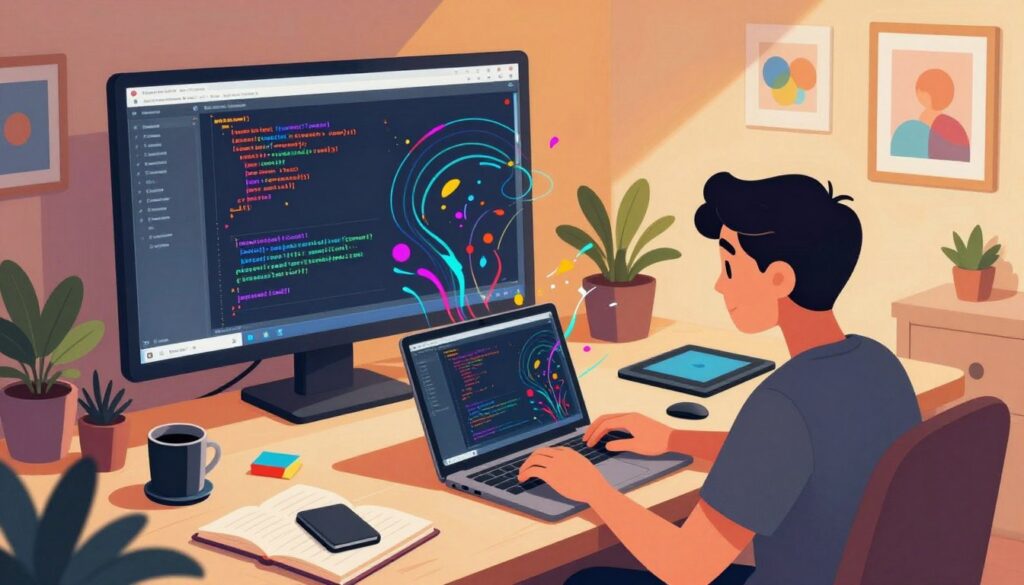
There are moments when code becomes more than logic—it becomes a language for what we feel. The author opens by recalling the quiet thrill of shipping a small interactive piece that surprised colleagues and led to new conversations about design and intent.
This guide maps ten portfolio-ready workstreams that blend craft and function. Each selection favors visible impact: visual flair, data handling, and polished UI that hiring managers in the United States notice. We draw on real examples—Random International’s Audience, Zach Lieberman’s Land Lines, and PEmbroider—to show how expressive software proves both technical and aesthetic skill.
Readers will find practical steps, tool links, and a strategic path from prototype to case study. Expect projects that teach APIs, real-time systems, and tidy code; plus advice on packaging demos and writing outcomes recruiters actually read. For additional idea generation and monetization patterns, see a curated list of vibe ideas and roadmaps at vibe coding resources.
Key Takeaways
- These ten entries link visual design with measurable development results.
- Each project targets core skills: APIs, UI polish, data handling, and real-time logic.
- Real-world examples prove how artful code signals professional competence.
- Guidance covers shipping demos, documenting trade-offs, and writing case studies.
- The list is a strategic roadmap—tools, languages, and outcomes tied to hiring needs.
What Creative Coding Is and Why It Supercharges Your Portfolio
When developers use code as an expressive tool, their work communicates intent as clearly as function.
creative coding blends programming and art to make interactive visuals, data-driven pieces, and physical installations. These works go beyond utility: they tell stories with motion, sound, and data. That narrative quality helps a portfolio show vision, not just technical skill.
Employers favor candidates who translate complex concepts into clear interfaces. Those candidates demonstrate product sense, communication, and user empathy. Learning through these hands-on builds also tightens understanding of events, state, rendering loops, and data pipelines.
“Small experiments—one idea, one dataset, one refined interaction—teach more than large, unfocused builds.”
Start with accessible resources: W3Schools, Codecademy, Learnpython.org, LinkedIn Learning, and Processing. See how motion work by Random International and maps by Zach Lieberman make public work resonate.
| Benefit | Example | Starter Tool |
|---|---|---|
| Visual storytelling | Land Lines (Z. Lieberman) | p5.js |
| Data interaction | Audience (Random International) | Processing |
| Rapid prototyping | Browser sketches | Codecademy + YouTube |
For a practical primer and portfolio tips, explore a guide to first-job vibe builds at vibe coding portfolio tips and a mindset piece at how the vibe coding mindset powers.
Top 10 Vibe Creative Coding Projects to Elevate Your Portfolio
Practical, portfolio-ready ideas follow—each one balances fast iteration with measurable outcomes recruiters value.
Builds below teach core patterns: API use, real-time sync, ML integration, and polished UI. Each entry is paired with clear deliverables you can demo in a live link or screencast.
Interactive Weather App with Real-Time Data Visualization
Fetch live weather APIs, render responsive charts and maps, and add threshold alerts. This app highlights asynchronous flows, caching, and clean data visualization for users who need timely info.
Generative Art Sketches with Processing or p5.js
Produce evolving sketches that react to input—showing math-driven patterns and rendering performance. Processing and p5.js are ideal platforms for rapid experimentation.
Visually Appealing To‑Do List with Smart Task Manager Features
Ship CRUD, priorities, recurring tasks, and keyboard shortcuts. A sleek to-do list proves UX thought, edge-case handling, and task persistence across devices.
Home Automation Controller for Lights and Energy Tracking
Connect smart lights and meters, add schedules, secure auth, and energy dashboards. This signals IoT literacy and reliability in a real home context.
Real-Time Chat App with WebSockets and Notifications
Implement presence, typing, read receipts, and push alerts. The chat app demonstrates event-driven architecture and latency management for real users.
Recipe Recommender with Dietary Filters and Grocery Lists
Filter by allergens and macros, generate shopping lists, and score matches. This shows personalization, structured data, and thoughtful user flows.
Personal Finance Dashboard with Charts and Budget Limits
Visualize category spend, import transactions, and enforce budget alerts. A finance dashboard proves data modeling, privacy-by-design, and polished charts.
Collaborative Document Editor with Live Sync and Versions
Experiment with CRDTs or OT for live cursors and version history. This is an advanced demo of concurrency, conflict resolution, and scale.
NLP Chatbot for Content or Support with Sentiment and Intents
Build intent classification, sentiment handling, and graceful escalation. A chatbot demonstrates language understanding and evaluation metrics.
AI Image Classifier with Real-Time Recognition
Run inference on-device or via cloud, optimize pipelines, and surface confidence scores. This highlights ML integration and UX for error handling.
For a supplemental list and monetization patterns, see vibe coding resources.
Creative Coding Projects: Tools, Languages, and Platforms to Start Today
Pick tools that map to outcomes: fast UI loops, stable data flows, and cheap hosting so demos go public quickly.
Core programming languages and frameworks
JavaScript drives web UIs and real-time features; Python handles data, automation, and machine learning. Add HTML/CSS for structure and visual polish. These languages form a pragmatic stack for development and a portfolio website.
Artist‑friendly environments
Processing and p5.js speed up generative studies and interaction tests. Use them for sketches, prototypes, and installation proofs before porting to a full web build.
APIs, data, and real-time
Design APIs with pagination, auth, and schema validation. Respect rate limits and add caching and retries to keep demos reliable. For live sync, choose WebSockets or event streams and implement reconnection and backpressure handling.
Starter resources: W3Schools, Codecademy, Learnpython.org, LinkedIn Learning, YouTube, and the Processing site help accelerate learning and iteration.
Deployment and ML notes: Host demos on static sites with serverless functions for light backend work; use containers for heavier services. For algorithms and machine learning, try pre-trained models first and fine-tune only with small, labeled datasets.
Inspiration from the Creative Coding World
Examining standout pieces from the art world clarifies how sensing and algorithms become expressive systems. These examples offer clear ideas for designers and developers who want portfolio pieces with visible impact.
Audience by Random International: Motion tracking and perception
Audience uses motion tracking and mirror rows to turn viewers into the subject. This reframing shows how sensing systems change human interaction.
Land Lines by Zach Lieberman: Machine learning meets maps
Land Lines maps user sketches to similar places using ML and optimized algorithms. It is an elegant pipeline for pairing user input with public imagery.
PEmbroider: Generative embroidery tools for artists
PEmbroider is an open-source program that lets artists generate stitch patterns from code. It proves tools can move digital ideas into textiles.
- Portable patterns: input capture, transformation algorithms, and feedback loops translate to fast prototypes.
- Design trade-offs matter: latency, calibration, and lighting affect user experience as much as concept.
- Remix ideas: adapt motion sensing to gesture controls or reuse line matching for path visualizations.
- Skill growth: these builds teach spatial reasoning, signal processing, and human-centered design skills.
“Make the audience part of the system; then the behavior becomes your medium.”
Designing for Users: Make It Visually Appealing and Usable
Good design starts by prioritizing what a user needs to do, then removes anything that gets in the way. Visual clarity matters across builds—from a simple to-do list with a manager view to a dense data interface. The goal: make the experience visually appealing while keeping core tasks fast and reliable.
Data Visualization and Interaction Patterns That Engage Users
Use clear interaction patterns: filtering, drill-downs, and hover details help users find meaning in data. Offer progressive disclosure so complex views reveal details only when needed.
Design consistent affordances: empty states, helpful errors, and focused microcopy keep users oriented and reduce recovery time. Component libraries or design tokens preserve a coherent visual language across experiments and app screens.
Accessibility, Performance, and Mobile-First UX
Advocate mobile-first layouts and motion that supports comprehension, not distraction—this keeps experiences crisp on constrained devices.
Prioritize legibility: color systems and type scales should meet WCAG contrast and sizing guidelines. For performance, set responsive budgets: lightweight assets, lazy loading, and measured animation timing to keep interfaces smooth.
- Progressive enhancement: core features work without advanced APIs; extras layer on when available.
- Apply the same polish to smaller builds (like a task manager or to-do list) as to advanced visualizations—polish signals maturity.
“Design that respects users’ goals is the fastest route from prototype to product.”
For a deeper primer on UX fundamentals and practical patterns, review an established resource on user experience design.
From Beginner to Advanced: A Roadmap of Project Challenges
A staged approach to project work shortens feedback loops and turns concepts into measurable skills. This roadmap shows how to progress from simple, deterministic builds to systems that use real data and machine intelligence.
Starter builds include calculators, unit converters, small portfolio sites, and simple weather apps. These focus on logic, UI, and deployment tasks that teach fundamentals fast.
Starter Builds: Calculators, Unit Converters, and Portfolio Sites
Begin with deterministic apps to learn control flow and validation. Aim for an MVP by day 3, polish by day 5, and docs plus a demo over the weekend.
Advanced Systems: Predictive Analytics, Automation, and IoT
Move to mid-level dashboards, chat apps, e-commerce, and job boards to practice CRUD, state, and real-time models. Advanced work adds NLP chatbots, collaborative editors, stock prediction with machine learning, and home automation.
| Stage | Example Builds | Primary Skills |
|---|---|---|
| Beginner | Calculator, Unit Converter, Portfolio | Logic, HTML/CSS, deploy |
| Intermediate | Finance Dashboard, Chat App, E‑commerce | CRUD, state, real‑time |
| Advanced | NLP Chatbot, Image Classifier, IoT | ML, concurrency, integration |
“Start with one clear constraint each time—offline-first or accessibility targets—and iterate.”
- Rebuild a familiar project on a new stack to deepen learning.
- Keep a living backlog of project ideas and retrospective notes.
- Add small integrations—email, analytics, notifications—to show end‑to‑end thinking.
Ship It: How to Present Projects for Maximum Impact in the U.S. Tech Market
A clear demo, a tight README, and a short case study make your work easy to evaluate. This combination helps a hiring manager scan value fast and decide to dig deeper.
Polished Demos, GitHub Readmes, and Case-Study Narratives
Start with the happy path. Host a fast-loading website demo with direct links to code and docs. Add a 60–90 second walkthrough video so reviewers can see the core experience in real time.
- README checklist: problem statement, feature list, stack, architecture diagram, setup steps, constraints, metrics, roadmap.
- Case study: frame the problem, outline alternatives, show reasoning, and present measurable results—what improved and by how much.
- Platform-aware artifacts: short Loom clips, GIFs for social, and a one-paragraph recap for a recruiter’s limited time.
| Artifact | Primary Goal | Key Metrics |
|---|---|---|
| Live website demo | Show the user experience quickly | Lighthouse score, load time, happy-path flow |
| README | Make setup and intent obvious | Steps-to-run, stack, constraints |
| Case study | Explain trade-offs and outcomes | Engagement, latency, qualitative feedback |
| Social clip / GIF | Drive quick assessments | View count, hover rate, recruiter shares |
Show breadth with a concise list of exemplar builds: a weather app, a manager-style to-do, and a real-time tool—each highlights different tools and platforms in development. Include benchmark snippets like API latency and cold-start times. Use inclusive language and clear licensing so others can evaluate reuse quickly.
“Pack clarity into every artifact; then your technical depth has a fair chance to shine.”
Conclusion
, A focused week-long build can prove more than a month of planning: ship a small app, learn fast, and iterate.
Creative work amplifies a portfolio by pairing craft with clarity. Choose one idea, deliver an MVP, and collect user feedback—momentum beats perfection.
Publish across platforms with a concise narrative: what you built, why it matters, and how users benefited. Use known tools and languages and link to demos, docs, and a short walkthrough.
Then expand: add a second app that explores real-time, ML, or IoT to show range. Each finished piece improves skills, speeds development, and sharpens the way you tell the story.
Pick the smallest viable idea today—design one delightful interaction, ship it to real people, and let the work compound.
FAQ
What does "vibe" mean in the context of coding projects?
Vibe refers to a project’s aesthetic and interaction style—how it feels to use and view. A strong vibe blends visuals, microinteractions, and responsive behavior to create an emotional and memorable user experience. Focus on color, motion, and thoughtful layout to shape that impression.
Which programming languages and frameworks are best for building visually appealing portfolio pieces?
For front-end visuals and interactivity, JavaScript with libraries like p5.js or D3.js pairs well with HTML/CSS. Python suits data-driven work and machine learning prototypes; Flask or FastAPI can serve demos. Combine these with tools like Processing for generative art and WebSockets for real-time features.
How can a beginner start one of these projects without prior experience?
Begin with small, focused builds: a unit converter, a simple to‑do list with local storage, or a static portfolio page. Follow tutorials for the chosen language, read concise docs, and iterate. Host on GitHub Pages or Vercel to showcase progress and collect feedback.
What APIs and services are useful for real-time data or weather visualizations?
Reliable options include OpenWeatherMap and WeatherAPI for meteorological data. For real-time streams and notifications, use WebSockets via Socket.IO or serverless functions on AWS Lambda or Cloudflare Workers. Combine APIs with charting libraries like Chart.js or D3 for engaging visuals.
How should one document a project to impress hiring managers in the U.S. tech market?
Create a polished demo, concise README with setup and architecture, and a case-study narrative: challenge, approach, outcomes, and lessons. Include screenshots, short videos, and links to live demos and source code. Emphasize measurable impact—performance, user tests, or usage stats.
What accessibility and performance best practices matter for portfolio builds?
Prioritize semantic HTML, keyboard navigation, ARIA roles, and sufficient color contrast. Optimize assets—compress images, lazy-load heavy modules, and minimize third-party scripts. These steps increase reach and demonstrate professional-grade attention to quality.
How can machine learning be integrated into a portfolio project without large infrastructure?
Use lightweight models and client-side inference with TensorFlow.js or run small APIs via Hugging Face or Google Cloud Run. Build a focused feature—image classifier for a niche dataset, or an NLP intent detector—and document model choice, training data, and privacy considerations.
What tools help create generative art or motion-driven interactions?
Processing and p5.js are artist-friendly environments for generative sketches. For web-based motion tracking and interaction, use ml5.js, TensorFlow.js, or the MediaDevices API. Combine these with SVG or Canvas and CSS transitions for polished effects.
How do you balance aesthetic ambition with deliverability when shipping a demo?
Scope features for a minimum viable experience: core interaction, basic polish, and a deployable demo. Prioritize one standout visual or interaction, then add progressive enhancements. Track timeboxes and rely on proven libraries to reduce build time.
Which project ideas best showcase product thinking and technical depth simultaneously?
Choose projects that solve a real user need while allowing technical complexity: a personal finance dashboard with charts and budget alerts; a recipe recommender with dietary filters and grocery lists; or a home automation controller with energy tracking. These demonstrate UX, data handling, and systems design.