
There are moments when a messy file steals an afternoon and a clean commit gives back an hour. This opening thought connects to a common frustration: teams waste time deciphering intent instead of building features.
Good code is a practical act of care. It sets tone for reviews, guides maintainers, and makes a project safer to change. In a world where software outlives its authors, readability and structure become strategic assets.
The right style—clear names, consistent indentation, and thoughtful comments—reduces cognitive load. That clarity often brings incidental performance gains and faster onboarding.
We will outline a pragmatic solution: simple rules, a shared formatter, and review habits that scale. The aim is a code look that communicates intent and frees teams to do higher-impact work.
Key Takeaways
- Readable code improves collaboration and reduces time spent on bug hunts.
- Consistent code style prevents drift and eases onboarding.
- Clear names and comments cut cognitive load and speed reviews.
- Formatter and linter rules set expectations for reviewers and maintainers.
- Small, consistent habits compound into a resilient, easier-to-navigate project.
What Is Code Aesthetics and Why It Matters Today
When files present a predictable structure, contributors find intent without guesswork. Good aesthetics is the discipline of arranging code so others can read, change, and extend it with confidence.
Structure and readability over raw performance
Prioritize clear control flow and naming rather than clever micro-optimizations. Simple paths make bugs easier to spot and tests easier to write.
Clean structure does not ignore performance; it helps teams profile and optimize where it truly matters. Readability compounds into maintainability: small, readable functions invite safe refactors.
Collaboration, comprehension, and long-term maintenance
Conventions and patterns build a shared mental model for developers and others joining the project. Predictable modules cut onboarding time and reduce misinterpretation.
Light-touch comments that explain why decisions were made add context without clutter. Over time, this discipline yields a coherent system where names mirror the domain and files reveal clear entry points.
Code Aesthetics: A How-To Mindset for the Present
When maintainability becomes a criterion, small style choices save hours across a project’s life.
Adopt planning for maintenance from day one. Making code easy to change reduces long-term friction. Teams that accept modest, early effort see fewer regressions and faster delivery over time.
Agreeing on defaults helps. Decide directory layout, naming, formatter rules, and review expectations before the project grows. These defaults act as guardrails that scale across teams and time zones.
Practical steps for shifting mindset
- Prioritize clear names and discoverable structure so newcomers spend less time hunting intent.
- Refactor small surfaces frequently; avoid waiting for large rewrites.
- Value clarity first; optimize performance only after profiling shows need.
“Good style is less about rules and more about enabling the next person to move quickly and safely.”
| Practice | Why it helps | Immediate action | Long-term payoff |
|---|---|---|---|
| Default decisions | Reduces debate in reviews | Document layout and naming | Consistent project growth |
| Small, regular refactors | Prevents large technical debt | Schedule tidy-ups in sprints | Faster feature delivery |
| Discoverable names | Speeds onboarding | Use domain language for names | Less tribal knowledge |
Outcome: The project behaves like a well-organized knowledge system. Good code becomes a team asset that saves time and reduces maintenance burden in a fast-moving world.
Building a Codebase That Teaches Good Code
Clear file layout and repeatable patterns turn source into a living style guide for everyone on the team.
Maintainers model conventions and enforce them
Maintainers set the tone. They model readable functions, consistent imports, and purposeful comments. Tooling—formatters and linters—reduces debate and keeps review time focused on intent.
How newcomers learn from source
New developers learn by reading examples. When patterns are crisp, others copy them. Encourage questions early; each query reveals where structure or naming needs work.
- Use checklists and automation to enforce style.
- Document decisions, link examples, and note anti-patterns.
- Phase changes with migration notes to avoid breaking the project.
“A repository that teaches reduces accidental complexity and raises the team’s baseline.”
| Action | Tooling | Payoff |
|---|---|---|
| Model clear patterns | Formatters, examples | Faster onboarding |
| Enforce conventions | Linters, review checklist | Less style debate |
| Encourage questions | Docs, annotated examples | Improved structure |
| Keep comments purposeful | Guides, PR notes | Better rationale for others |
Measuring Complexity to Guide Aesthetics
Numbers can point to where the system asks developers to do extra mental work.
Cyclomatic complexity quantifies control flow: each branch, loop, and decision point raises the number of independent paths through a function. Higher counts often mean harder testing and more fragile maintenance.
Cyclomatic: branches, loops, decision points
Use this metric to see which functions have many paths to test. Track values per file and across the system to find hotspots.
Cognitive: human effort to understand logic
Cognitive complexity rates how taxing source code feels to read. Deep nesting and intertwined conditions inflate this score even when path counts look modest.
When metrics flag readability problems
High values across files or a single file are warning signs. Watch for rising line counts, growing local variables, and long parameter lists.
- Group related parameters into objects to cut call-site noise.
- Prefer small functions with one reason to change.
- Baseline metrics and watch trends—stable or falling scores signal healthy refactors.
“Measure to guide, not to punish: combine numbers with a quick read of the function.”
| Metric | What it shows | Action |
|---|---|---|
| Cyclomatic | Number of independent paths | Split large functions; simplify branches |
| Cognitive | Reading effort and nesting cost | Reduce nesting; extract helpers |
| Size (lines/vars) | Scope growth and comprehension risk | Limit line length; shrink scopes |
Combine automated measurement with a human review. Metrics guide priorities; readability comes first, then targeted performance work where profiling shows impact.
Finding Hotspots: Use Churn and Complexity to Target Work
Frequent edits reveal where a system resists change and where team time leaks away.
Churn is simply the number of times a file is edited. High churn highlights files that change many times and often signals fragile design or unmet abstractions.
Combine churn with complexity analysis to pinpoint hotspots: areas where bugs cluster and reviews take longer than they should. Prioritize refactors where cost meets impact—high-churn, high-complexity code gives the best return.
Churn as a signal for fragile files
Track times changed per file over releases. A sharp rise often means hidden coupling or unclear responsibilities.
Hotspots: where bugs and maintenance time concentrate
- Use dashboards to monitor churn and complexity trends.
- Encapsulate unstable areas behind stable interfaces to reduce maintenance risk.
- Plan small, recurring refactor work; one-off cleanups rarely stick.
“A small refactor in a hotspot file can unlock faster delivery and fewer incidents across adjacent modules.”
| Signal | What it reveals | Recommended action |
|---|---|---|
| High churn | Frequent edits; fragile design | Audit responsibilities; simplify interfaces |
| High complexity | Hard to read and test | Extract helpers; reduce nesting |
| Churn + complexity | Bug-prone hotspots | Prioritize refactor in sprint planning |
Choose and Tune Your Editor for Better Code Style
When an editor mirrors project structure, developers spend less time hunting and more time building.
A comfortable, extensible editor shortens feedback loops and keeps focus on intent. Teams gain from navigation, shortcuts, and integrations that reduce friction across the system.
Practical setups favor predictable behavior across machines. Consistent workspace settings make handoffs smoother in a world of many contributors.
- Configure symbol search, breadcrumbs, and peek definitions to move across structure quickly.
- Map shortcuts and snippets so teams can write code faster and reduce repetitive errors.
- Use focus modes and distraction-free views for deep work on complex logic.
- Integrate editor APIs for linting, testing, and safe refactors to shorten the feedback loop.
- Choose extensions that enforce style and aesthetics—autofix on save and import sorting earn their keep.
| Feature | Benefit | Action |
|---|---|---|
| Navigation | Faster intent discovery | Enable symbol search |
| Shortcuts | Reduced repetition | Standardize keymaps |
| Integrations | Quicker validation | Hook linters and test runners |
“Tune the editor once and let it return hours of focused work every week.”
Linters as Your Always-On Guardrails
Automated linting enforces a shared baseline so teams spend reviews on design, not formatting.
Static analysis runs quietly and consistently. It flags undefined variables, dead branches, unused imports, and common bugs before a change lands. That early control prevents avoidable rework and reduces review friction.
Static analysis that catches bugs and style drift
Linters automate checks across the source and surface clear, actionable messages. Start with autofixable rules to gain momentum. Then add stricter checks where safety matters.
Standardization that makes code look like one author wrote it
Explicit conventions mean a project reads consistently. Configure rules per repository, integrate runs on save and in CI, and link rule explanations to internal docs so developers fix issues fast.
- Use editor plugins, pre-commit hooks, and CI gates to keep the baseline consistent.
- Allow sparse suppressions with comments that explain why—don’t hide systemic problems.
“Linters reduce noise; they make reviews about intent and speed up delivery.”
| Goal | How | Benefit |
|---|---|---|
| Catch bugs early | Static rules for undefined values | Fewer runtime incidents |
| Prevent style drift | Shared rule set and editor support | Uniform code look across teams |
| Faster reviews | Autofix and CI checks | Focus on design, not format |
Formatters and Indentation: Make Code Easier to Read
Consistent formatting turns files into a predictable surface that developers scan and trust.
Adopt a single formatter so line length, whitespace, and brace placement are the same across every file. This reduces debate in reviews and makes the project look unified.
Let the tool handle indentation and spacing so developers can focus on control flow and data transforms. When the formatter runs on save and in CI, teams stop spending review time on style and start evaluating intent.
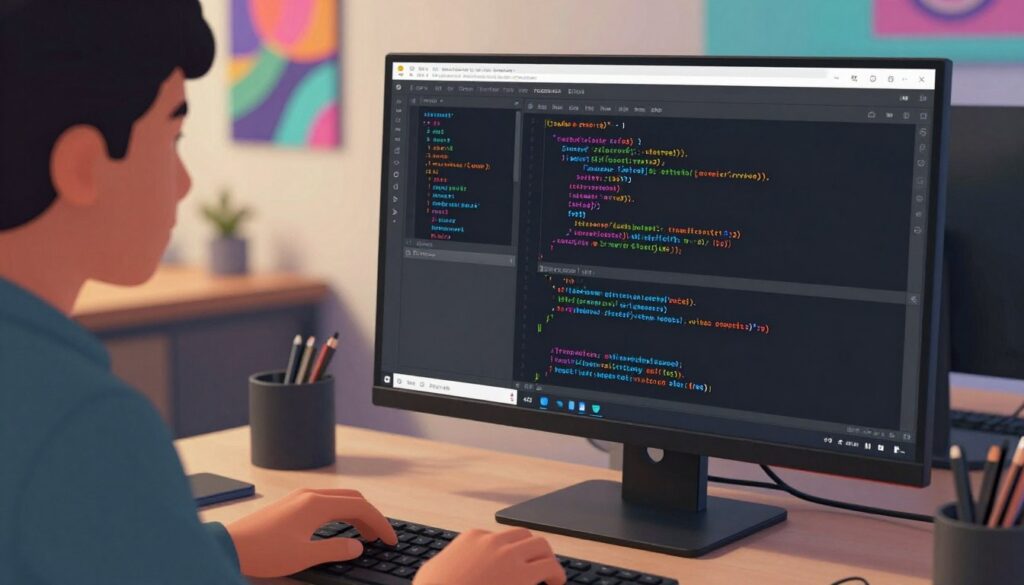
Consistent line length, whitespace, and brace placement
Uniform rules make the visual structure obvious: blocks align, parameters wrap predictably, and logical piece boundaries become visible. That consistent code look helps reviewers spot anomalies faster.
Let the formatter handle spacing so you can think about logic
Use language-aware tools to avoid accidental semantic changes. Combine a formatter with import sorters and autofixable rules to keep diffs clean and reduce merge conflicts.
- Run formatters on save and in CI to eliminate “format in review” churn.
- Pick opinionated defaults and document the rationale once for the system.
- Keep line wrapping and trailing commas consistent to improve merge clarity.
“Formatting reveals intent — a tidy layout makes complex logic easier to scan and test.”
Naming Conventions That Communicate Intent
Good names act like signposts in a busy codebase—pointing readers where intent, type, and effect live.
Consistent naming reduces guesswork. When variables, functions, and files use domain language, the team reads source code faster and makes fewer mistakes.
Variables and boolean hints
Prefer domain-centric variables. A boolean named isActive tells type and intent at a glance. Short, meaningful names avoid redundant prefixes that the namespace already provides.
Functions that express action
Name a function with an action plus a target: updateProfile, fetchScore, sortEventsByDate. Keep parameters natural; when arity grows, pass an object so call sites remain readable and easier to evolve.
Files aligned with purpose
Choose file names that match content and scope—trackerUtils suggests tracking helpers, not a vague utilities dump. Align file names with public contracts and update them when behavior drifts.
- Reserve abbreviations for common terms; expand unclear acronyms.
- Treat unclear names as defects in reviews—not cosmetic items.
- Trim redundancy while preserving meaning to boost readability across the project.
“Clear naming is the cheapest, highest-leverage readability improvement you can make to a codebase.”
Comments That Add Value Without Noise
Good comments reflect trade-offs and constraints, not obvious mechanics. A concise note that explains intent helps future readers make correct changes without chasing context.
When to explain “why” versus “what”
Explain decisions, assumptions, and invariants
Prefer comments that state why a choice was made or which constraint drove it. That context survives refactors and saves others time when questions arise.
Mark invariants, preconditions, and non-obvious trade-offs so readers see the design intent at a glance. If a behavior depends on external limits, document that boundary near the affected piece of code.
Avoid narrating obvious operations
Do not comment simple expressions or routine loops; they add noise and lower overall readability. If a block must be clarified, consider extracting it into a well-named function instead.
Comments in reviews, refactors, and complex logic
Capture rationale during refactors and reviews
During a refactor, leave migration notes that explain why structure changed. In reviews, use inline remarks that propose concrete edits and link to team guidance to speed consensus.
When logic is dense, complement readable code with short annotations that point to the invariant or the external constraint the code depends on.
- Keep comments close to the code they describe.
- Link to canonical docs instead of duplicating long explanations.
- Prune stale comments regularly; outdated notes mislead more than they help.
“Comments should reduce future questions by making intent explicit.”
| Use | Why | Action |
|---|---|---|
| Explain why | Preserves decision context | Write short rationale near the change |
| Mark assumptions | Helps future debugging | Note invariants and edge cases |
| Link references | Prevents divergence | Point to canonical docs or tickets |
Avoiding Common Code Smells That Hurt Readability
Small structural choices have outsized impact on how fast a team reads and fixes defects. This section highlights practical steps to keep files predictable and easier to maintain.
Excessive nesting and deep indentation
Cap nesting depth to keep indentation shallow. Use early returns and guard clauses to flatten branches.
Shallow structure makes intent clearer and reduces the effort to follow logic. That leads to fewer bugs and faster reviews.
Magic numbers and long parameter lists
Replace every raw number with a named constant so the number carries meaning. When a function accepts many parameters, group them into an object or interface.
Grouping parameters clarifies call sites and eases future changes without breaking signatures.
Overlong functions and top-level variables
Split sprawling routines into small, purpose-driven functions. Keep variables scoped to where they’re used; avoid top-level variables that leak state and surprise readers.
Pair short comments with complex boundaries only—refactor first, then document intent.
“Establish thresholds — max parameters and cyclomatic limits — and enforce them in CI.”
| Smell | Why it hurts | Fix |
|---|---|---|
| Deep nesting | Hard to scan, high mental load | Use guard clauses; extract helpers |
| Magic numbers | Meaning hidden in a literal | Introduce named constants |
| Long functions | Hard to test; more bugs | Split into small functions |
| Top-level variables | Unexpected shared state | Limit scope; pass explicit dependencies |
Patterns and Conventions for Familiar, Scalable Structure
Shared patterns let teams read intent fast and build with confidence. A predictable structure helps developers make safe changes and reduces time spent debating style in reviews.
Adopt established conventions from well-known guides—then adapt them to your system. Google-style guides for popular languages give a common starting point and speed alignment across teams.
Shared vocabulary and reusable templates
Patterns create a shared vocabulary so developers recognize intent quickly. Treat patterns as reusable piece templates—compose solutions rather than inventing new ones for each feature.
Document anti-patterns explicitly; clarity on what not to do prevents recurring pitfalls. Lightweight ADRs capture trade-offs and guide future contributors.
- Align layout—package, module, and directory names should map to domain concepts.
- Publish exemplars—reference implementations show idiomatic, good code in your stack.
- Keep conventions living—review them quarterly to match evolving tooling and maintenance needs.
“A consistent set of patterns makes the file tree tell a story and the system easier to change.”
| Focus | Why it helps | Action |
|---|---|---|
| Templates | Reduce reinvention | Create and version reusable snippets |
| Architecture patterns | Clarify boundaries | Document layered or hexagonal choices |
| ADRs | Preserve rationale | Write short records for major decisions |
For a quick dive into published style guidance and how it reinforces team practice, see this reference.
Git Manners That Preserve Aesthetics Over Time
A tidy history in Git makes future debugging faster and reviews clearer. Small, intentional commits and purposeful branch names keep a repository easy to read and to maintain.
Keep commits small and focused. Make each commit a single logical change so reviewers can reason about intent without scanning unrelated files. Commit at logical times to reduce merge pain and keep work units reviewable.
Use descriptive, imperative messages and include issue numbers for traceability. Choose branch names that encode purpose—feature/add-payment or fix/overflow-check—so context is obvious at a glance.
Stage changes carefully to curate diffs. Avoid mixing refactors and features in the same file changes; that preserves review control and speeds approval. Prune dead branches and keep mainline green to enable safe releases.
- Commit frequently at logical checkpoints to reduce large merges.
- Use PR comments to flag non-obvious changes or temporary compromises.
- Ensure CI runs relevant checks per commit to protect repository health.
“A consistent history accelerates onboarding and supports accurate post-incident analysis.”
Pull Requests and Code Reviews That Improve Style
Treat each pull request as a short story: problem, proposed solution, and proof that it works. This habit makes reviews faster and lowers the chance of misunderstandings.
PR descriptions: problem, solution, and testing evidence
State the problem clearly. Explain why the change was needed and what the expected outcome is.
Describe the proposed solution and link to tests, logs, or screenshots that demonstrate behavior. Keep diffs focused; large, sweeping edits hide intent and slow reviewers.
Use a checklist to show tests added, docs updated, and edge cases considered. Templates help standardize these points and reduce omissions.
Constructive, specific reviewer comments
Reviewers should offer actionable suggestions and examples rather than vague critiques. Ask clarifying questions when intent is unclear—coaching beats gatekeeping.
Align feedback with style and architectural guides so discussion stays objective. Celebrate improvements and note trade-offs; a positive tone turns review into collaborative work.
“Reviews should raise the bar for the team, not for a single author.”
| Item | Why it helps | Action |
|---|---|---|
| Problem summary | Focuses reviewer attention | One-line issue description |
| Proposed solution | Shows intent and trade-offs | Short design notes and links |
| Testing evidence | Proves behavior | Screenshots, CI links, logs |
| Review comments | Guides improvements | Specific examples, suggested edits |
A Practical Workflow: From Source to Formatter to Review
A repeatable workflow ensures each change travels from source to review with minimal friction.
Start at the editor: configure on-save linting, format-on-save, and quick test commands to shorten feedback cycles. These settings catch simple issues early and reduce time spent fixing trivial problems later.
Next, run the linter locally and in CI so the same rules guard every branch. This enforces consistent code style and provides safety nets before a change reaches reviewers.
Set up editor → linter → formatter → review checks
Apply the formatter before commit to stabilize diffs and keep line changes minimal and meaningful. Gate pull requests with automated checks—tests, lint, and type checks—so reviewers can concentrate on design and patterns.
- Use autofix on save to reduce review churn.
- Run CI checks on every push to protect the main branch.
- Keep a golden example repository that demonstrates the intended workflow and tooling defaults.
Use churn and hotspot analysis to prioritize refactors
Schedule time each iteration for refactors driven by churn and complexity analysis. Target small, high-leverage cleanups rather than broad rewrites; analysis reports reveal where maintenance work returns the most time savings.
Make moves safe: rename, extract, and verify in sequence. Capture improvements in ADRs or team notes so wins propagate across teams. Finally, feed insights back into conventions and templates when patterns shift.
“Treat hotspot reduction as an investment: small, frequent work protects long-term velocity.”
For practical examples of how to apply tooling patterns in modern projects, see apply Vibe tooling patterns.
Conclusion
A small, steady set of habits produces outsized returns for teams and projects. Keep workflows simple: editor integrations, linters, formatters, and CI checks as defaults. These tools save time and reduce risk as systems and teams grow.
Good code comes from aligned patterns, tools, and habits—not one-off heroics. Conventions, clear comments, and focused reviews create shared understanding that speeds delivery without sacrificing quality.
Measure where attention matters: use complexity metrics and churn to target real bottlenecks. Teach through examples in the repo so newcomers learn by reading. For research linking form and readability, see this study on aesthetic factors and readability.
In a changing world, consistent clarity wins. Carry forward what works, retire what does not, and document decisions. Ship with confidence—when source reads well, it behaves predictably and invites collaboration.
FAQ
What does "code aesthetics" mean and why should teams care?
Code aesthetics refers to the set of conventions, structure, and style choices that make source code easier to read, navigate, and maintain. Teams who prioritize aesthetics reduce friction during reviews, lower the rate of bugs, and speed onboarding. Good styling — from indentation and naming to file layout — supports collaboration, improves comprehension, and preserves long-term project health.
Should developers choose readability over raw performance?
Yes: favor structure and readability in most cases. Readable software is easier to debug, test, and extend; performance hotspots can be measured and optimized selectively. Start with clear architecture and maintainable patterns, then profile and tune where analytics show a real bottleneck.
How do conventions and style guides help newcomers?
Conventions create a shared vocabulary that teaches new contributors how a project is organized. Consistent file names, function signatures, and naming patterns let newcomers predict where to find logic, reducing the learning curve and preventing common mistakes.
What metrics should teams use to measure complexity?
Track cyclomatic complexity for branching and decision points, and cognitive complexity for human effort to understand flows. Combine those metrics with churn and hotspot analysis to discover fragile files that need refactors or clearer structure.
How can churn analysis guide refactoring priorities?
Churn highlights files that change often — a signal of instability or unclear responsibility. When churn aligns with high complexity or many bug reports, those hotspots become top candidates for cleanup, clearer abstractions, or tests.
What should developers tune in their editor to support better style?
Configure navigation shortcuts, focus modes, and file explorer behavior to reduce cognitive load. Enable integrations for linters, formatters, and source-control so style checks run as part of the workflow, not as an extra task.
How do linters function as "always-on" guardrails?
Linters perform static analysis to catch syntax errors, potential bugs, and style drift before code reaches review. They enforce rules consistently, so a team’s codebase begins to look cohesive — as if one author owns the style — which improves readability and reduces review friction.
When should teams rely on formatters versus manual formatting?
Let formatters handle whitespace, indentation, and line length consistently; that eliminates trivial diffs and frees reviewers to focus on logic. Reserve manual formatting for structural changes or when a formatter cannot express a deliberate layout choice.
What naming conventions produce the clearest intent?
Use boolean hints for flags (for example, isActive), prefer action-plus-object for functions (calculateInvoice), and align file names with their primary responsibility. Consistent parameter naming and return annotations reduce guesswork when reading or refactoring.
How should teams use comments to add value?
Comments should explain the “why” — design decisions, trade-offs, and nonobvious constraints — rather than restating what the code does. During reviews and refactors, move important context into documentation or concise comments so intent survives future edits.
What are common "smells" that harm readability?
Watch for excessive nesting, magic numbers, long parameter lists, overlong functions, and sprawling top-level variables. These patterns increase cognitive load and hide intent; address them with small, focused refactors and clearer abstractions.
Which patterns and conventions scale well for teams?
Favor predictable structure and shared vocabulary: modular boundaries, clear service or domain names, and consistent folder layouts. Patterns that map to business intent make code easier to navigate and reason about across teams.
How do good Git habits preserve aesthetics over time?
Adopt small, logical commits with descriptive messages and clear branch names. That practice keeps history meaningful, simplifies reverts, and helps reviewers understand the evolution of a change without wading through unrelated edits.
What makes a pull request effective for improving style?
A strong PR includes a concise problem statement, the implemented solution, and testing evidence. Reviewers should give constructive, specific comments focused on intent and maintainability rather than nitpicking formatting when automated tools cover style.
What practical workflow ensures consistent style from authoring to review?
Set up editor defaults, enable linter rules, apply a formatter, and require automated checks in CI before review. Use hotspot and churn analysis to prioritize refactors so the team improves the parts of the codebase that cost the most time.






