There are moments when an idea needs to move faster than the tools allow. For many developers, that gap between concept and a live app feels personal. It costs time, dampens momentum, and asks teams to choose between speed and control.
Lovable.dev aims to close that gap by turning natural-language prompts into a working codebase. The platform generates full‑stack projects using React, Tailwind, Vite, and Supabase so developers can see a live preview in minutes. Speed and ownership remain core: code is editable and exportable, and teams can refine locally or inside the product.
The promise is pragmatic. Reviews note the system often completes about 70% of work quickly, leaving the final 30% for manual polish. Pricing uses a credit model, so users can weigh cost against outcomes before committing.
Key Takeaways
- Lovable.dev converts prompts into runnable web apps fast, using a full‑stack template.
- The platform balances rapid previews with editable, exportable code for developer control.
- Version 2.0 adds an agent-like Chat Mode, collaboration, and security checks.
- Pricing runs on credits; a free tier exists, with Pro and Business tiers for heavier use.
- Expect rapid progress plus manual refinement—best for teams that value speed and code ownership.
Why Lovable.dev matters right now for developer experience in the United States
For founders and startup teams, moving from an idea to a working preview in minutes changes the game. U.S. users—founders, indie developer teams, and IT managers—cite faster validation cycles as the top advantage when delivering features under tight timelines.
Rapid scaffolding makes internal tools and early product pilots tangible. A short feedback loop means stakeholders see an app quickly, so teams iterate based on real input instead of assumptions.
Real user feedback often notes dramatic speed-ups—“months of work in days”—but also warns about credit surprises and occasional debugging loops during iteration. Teams balance these tradeoffs by choosing chat for small edits and larger flows for big refactors.
“We shipped a working prototype in minutes and used the preview to collect real feedback from customers.”
Because the system outputs real code, engineering leaders keep GitHub workflows and coding standards intact. That preserves long-term maintainability while accelerating initial project delivery.
| Use case | Primary benefit | Practical note |
|---|---|---|
| Founders / startups | Fast concept validation in minutes | Watch credits during rapid iterations |
| Internal tools | Scaffold baselines developers can extend | Integrates with existing repos and standards |
| Small dev teams | Shorter feedback cycles with stakeholders | Use previews to confirm product decisions |
Lovable.dev Overview
This product generates complete, editable repositories from clear prompts. Engineers receive runnable pages, components, and a connected backend so an app reaches preview and test stages fast.
What it is:
AI-generated full-stack code, not just blocks
The system converts prompts into real code that covers UI, routing, and CRUD. It scaffolds pages and components while creating the initial API and database models.
The output syncs with GitHub so teams can review diffs, run tests, and merge like any normal project. That avoids the lock-in common to visual-only builders.
Stack and platform: React, Tailwind, Vite with a Supabase backend
The stack favors speed and ergonomics: React for UI, Tailwind for styles, and Vite for fast builds. Supabase provides auth, storage, and database tables that the generator creates when needed.
| Area | What is generated | Practical benefit |
|---|---|---|
| Frontend | Pages, components, styles | Editable UI ready for user testing |
| Backend | Database schema, auth, API endpoints | Less boilerplate; faster data flows |
| Workflow | GitHub sync, hosting, custom domains | Teams keep control and maintain standards |
How Lovable.dev works from prompt to deployed app
Start with a concise brief: state user roles, core entities, and clear success criteria so the generator’s initial plan matches your priorities.
Describe your project: prompts, scope, and initial plan
Give a focused prompt that names users, primary flows, and the essential pages. A tight brief reduces iteration and keeps the plan from drifting.
Tip: limit scope to core features on the first pass—this improves fidelity and lowers credit spend.
Code generation: pages, components, database, auth in minutes
The system drafts routes, React components, Tailwind styles, and a Supabase database schema. Within minutes you often get a working prototype to open in a preview.
Iterate and fix: Chat Mode, diffs, and multi-file edits
Chat Mode proposes a plan and applies multi-file edits. It shows diffs before committing so teams can review changes.
“Use diffs as gates: they catch unintended edits and protect your main branch.”
Ship and export: hosting, custom domains, GitHub sync
Deploy to hosting for quick demos; add a custom domain on paid tiers. Export or sync the repo to GitHub to keep version control and CI/CD intact.
When ready, drop the repository into your pipeline and run tests—this preserves standards and review workflows.
| Stage | What is created | Practical result |
|---|---|---|
| Prompt & plan | Project brief and routes | Clear scope for iteration |
| Generation | Pages, components, database, auth | Working prototype in minutes |
| Review | Diffs and multi-file edits | Safer changes and faster fixes |
| Ship | Hosting, domain, GitHub sync | Shareable app and preserved version control |
For teams exploring no-code AI SaaS approaches, see a practical guide to build and export a product with minimal friction at no-code AI SaaS.
Key features that blend no‑code simplicity with developer control
Teams gain both speed and precision when no‑code simplicity meets code‑first guardrails.
Default mode handles quick adds and focused fixes in a few clicks. It is ideal for small changes that don’t require wide refactors.
Chat Mode plans multi‑file refactors, shows diffs, and preserves developer review flow. Use it when scope expands so engineers keep control over the codebase.
Designers speed up fidelity with Figma‑to‑code imports that create components and layout scaffolds. Teams then refine styles directly in the repository.
The Supabase backend provides database, auth, and storage. One‑click deployments turn a preview into a shareable app while keeping CI/CD workflows intact.
Custom knowledge stores naming, brand rules, and conventions across sessions to reduce repetitive prompts. Third‑party integrations—GitHub, Stripe, Clerk, OpenAI, Superblocks—extend functionality without rebuilding every api hook.
| Area | Primary benefit | When to use | Notes |
|---|---|---|---|
| Default mode | Fast, targeted edits | Small UI tweaks | Low credit use; review diffs |
| Chat Mode | Coordinated refactors | Cross‑file changes | Preserves developer control |
| Design tools | Figma imports → components | Accelerate UI fidelity | Refine styles in code |
| Integrations | Expanded capabilities | Payments, auth, APIs | Centralize secrets; rotate keys |
For teams evaluating no‑code platforms and tools, see the best no-code website builders guide for comparison and practical advice.
What’s new in Lovable 2.0 that changes day‑to‑day development
With 2.0, developers get an agent that proposes a plan, previews diffs, and applies safer multi-file updates. This reduces brittle, isolated edits and makes larger shifts more predictable.
Agent-powered Chat Mode
Agent planning now outlines steps, runs coordinated edits across pages and components, and shows diffs before committing. Teams can accept the plan or refine it, keeping control while scaling scope.
Multiplayer collaboration
Multiple contributors work in a single workspace. Paired building and live review speed alignment for teams and cut hand-off time.
Security and abuse prevention
AI-driven URL scanning, automated takedowns, and safer auth defaults harden public demos and apps. These measures help teams ship faster with fewer surprises.
Improved layout engine
A refined layout engine reduces UI drift across pages and keeps components consistent. That means less manual polish and more reliable previews.
| Feature | Day-to-day benefit | Recommended practice |
|---|---|---|
| Agent Chat Mode | Predictable multi-file changes | Use branch-based reviews with agent proposals |
| Multiplayer | Faster reviews and shared context | Pair on complex flows; assign roles |
| Security scanning | Safer public demos and fewer takedowns | Enable automatic scans before deploy |
| Layout engine | Consistent UI across pages | Use generated components as single sources of truth |
Tip: Watch agent plans inside a branch workflow and pair them with your existing CI checks. For a quick walkthrough of the new features, see the launch video here.
Pricing and credits explained for 2025
Pricing in 2025 ties monthly subscriptions to a flexible credit model that favors planned work.
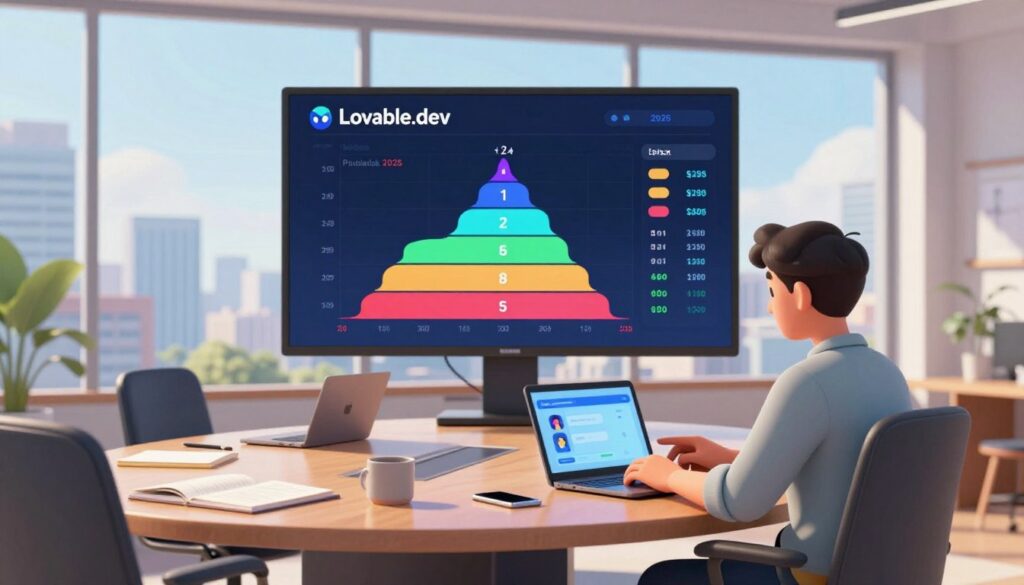
The platform offers four tiers that scale from casual exploration to enterprise needs. The Free tier costs $0 and grants 5 daily credits (about 25–30 per month). Projects on this tier are public and carry a badge.
Pro runs at $25/month and includes 100 monthly credits plus 5 daily credits that roll into the monthly pool. It removes branding and enables custom domains. Most substantive building starts here because the monthly pool supports larger flows.
Business (~$50/month) adds private projects, SSO, internal publish, access controls, and team features for structured collaboration. Enterprise plans are custom—private hosting, SSO, high-volume credit pools, and dedicated support.
Message interactions typically cost one credit. Complex generations or multi-file refactors consume more credits. Treat a credit as a proxy for change size: backend or heavy code edits usually use several credits.
- Free: best for experiments; caps iteration.
- Pro: balances monthly price and flexible usage; use rollover to smooth peaks.
- Business: adds governance for teams and shared repos.
To control spend, batch related edits with Chat Mode and run refactors in a branch. Scope changes tightly and align iterations to monthly allotments to improve predictability.
| Plan | Monthly price | Credits | Key features |
|---|---|---|---|
| Free | $0 | 5 daily (≈25–30/mo) | Public projects, badge |
| Pro | $25 | 100 + 5 daily (rollover) | Custom domains, no branding, usage-based AI |
| Business | ~$50 | Monthly pool (larger) | Private projects, SSO, access control, team tools |
| Enterprise | Custom | High-volume pools | Private hosting, SSO, dedicated support |
Real-world performance: speed, prototypes, and production reality
From short brief to live preview, many teams reach a functioning app in minutes. The initial output commonly includes routes, UI scaffolds, and a Supabase auth and data layer.
Why this matters: fast prototypes and mvps let stakeholders interact with a working flow the same day. That accelerates feedback and reduces guesswork during early product decisions.
That speed is not universal. Complex business logic, multi-step flows, and service choreography expose limits. Those cases demand manual coding, thorough tests, and more engineering time.
A key risk is code quality: vague prompts produce verbose or inconsistent code that needs refactoring. As data volume grows, teams must tune queries, add caching, and own performance decisions.
“Prototyping velocity is real, but production reliability still depends on disciplined engineering practices.”
| Measure | Strength | Weakness | Practical tip |
|---|---|---|---|
| Speed to demo | Minutes to working app | Surface-level polish | Use previews for stakeholder validation |
| Prototypes & MVPs | Fast validation | Not production-ready | Export early; harden in IDE |
| Complex logic | Good starting point | Fails on choreography | Plan multi-file refactors and tests |
| Scaling & data | Built-in DB/auth | Query tuning required | Design schema and caching proactively |
Watch pricing: heavy iteration can inflate credit use. Batch related changes, scope tightly, and run diffs in branches to limit surprises.
Pros and cons based on real user feedback
Users praise the platform for turning a brief into a runnable app faster than traditional scaffolding.
Pros: velocity, full-stack generation, accessible UI
Velocity: Teams ship a usable baseline fast. A concise brief often yields a preview in minutes, which speeds decision-making.
Full-stack output: The tool generates frontend, backend, and auth layers so projects avoid common blockers such as missing database or storage.
Accessible interface: Nontechnical collaborators can explore previews while engineers keep full edit rights and exportable code.
Cons: credit drain, debugging loops, generic design risks
Credits: Rapid iterations can consume credits quickly. Users report drain during fix cycles; scoped prompts and review gates reduce waste.
Debugging loops: Some changes introduce regressions. Use diffs, branch reviews, and tests to find root causes fast.
Design risks: Generated layouts can feel generic. Early design reviews and Figma imports help tailor components to brand needs.
“Overall, the platform is excellent for starting fast; the last mile needs deliberate engineering.”
| Aspect | Strength | Risk | Practical step |
|---|---|---|---|
| Velocity | Rapid app scaffolds | Surface polish required | Use previews for stakeholder sign-off |
| Full-stack | Auth, DB, API generated | Complex logic needs manual work | Export to IDE for heavy refactors |
| Collaboration | Approachable UI for teams | Credit surprises for non-devs | Set review gates and limits |
| Design | Figma imports speed fidelity | Generic component styling | Run design review early |
Who should use Lovable.dev and when
Choose the platform when speed to a credible prototype matters more than exhaustive customization. It excels at turning concise briefs into a working app so stakeholders can give real feedback fast.
Great fit: MVPs, internal tools, founders, and builders
Founders and startup teams get value quickly: validate ideas, collect user input, and prove product‑market fit without long initial sprints.
Use it for mvps and demos that need to show flows, data entry, and basic auth. Internal tools benefit as teams can scaffold operational workflows and iterate with less friction.
For practical examples and use cases for no-code apps, see this short guide: use cases for no-code apps.
Not ideal: sensitive data, complex workflows, production‑grade ops
Projects that handle regulated data or require enterprise observability should prefer platforms with mature governance and strict access controls.
Complex orchestration increases manual work: deep backend customization or intricate service choreography often means exporting to an IDE and adding traditional coding, testing, and monitoring.
Team collaboration is supported, but larger businesses should plan external policy enforcement and monitoring as they scale.
- Choose this tool when speed to a credible MVP matters more than exhaustive controls.
- Use it to scaffold internal tools and validate workflows quickly.
- Expect to migrate to code‑first workflows as product needs and complexity grow.
- Avoid for highly regulated data or when enterprise‑grade reliability is required from day one.
Limitations to consider: control, complexity, and data handling
Even fast generators have trade-offs: teams must weigh speed against granular visual and architectural control. The improved layout engine narrows the gap, but teams seeking pixel‑perfect UI should expect to refine styles manually.
Limited visual control versus low-code UI builders
Speed favors practicality over pixel accuracy. Generated layouts map quickly to components, yet detailed design tweaks often belong in a designer’s toolchain. Plan for manual styling passes.
Refactors that break components and code drift
Multi-file edits can ripple through a project. Treat diffs, tests, and branch reviews as mandatory to catch regressions early.
Tip: use linters and formatters to reduce code drift and preserve team conventions.
Security and governance maturity
URL scanning and safer defaults improved data protection in 2025, but many enterprises still need centralized policy management and audit trails.
- Align backend schema changes with migration tooling.
- Bake review and rollback workflows into regular practice.
- Favor small, reversible edits when updating complex logic or workflows.
Lovable.dev vs alternatives: choosing the right tool for your team
Choosing the right builder means matching governance, integrations, and developer control to your team’s goals.
Different platforms prioritize distinct trade-offs. Some focus on strict policy and version control; others favor in‑IDE power or drag‑and‑drop speed. Match the tool to the problem, not the hype.
Superblocks for governed internal tools and version control
When to pick it: choose Superblocks for internal apps that need RBAC, SSO, audit logs, and Git‑based CI/CD.
It prioritizes governance and on‑prem agents. That gives teams strict control over deployments and compliance.
Cursor for code‑first development and multi‑file reasoning
When to pick it: pick Cursor if your developer team wants deep IDE integration and multi‑file refactors.
Cursor excels at sustained development—coders keep full code control and can reason across many files.
UI Bakery AI Agent for dashboards and drag‑and‑drop control
When to pick it: UI Bakery fits data‑heavy dashboards where visual control and integrations matter.
It blends AI generation with drag‑and‑drop, RBAC, and self‑hosting options. That reduces engineering cycles for internal monitoring apps.
Bolt.new and Vercel v0 for rapid front‑end and landing pages
When to pick them: use Bolt.new or Vercel v0 for quick UIs and marketing landing pages.
They accelerate front‑end builds; pair with a separate backend when you need auth or data flows.
Practical recommendation: For general web apps where teams want runnable code fast, this product remains compelling—export and continue work in your toolchain. Reassess after a short pilot and migrate to code‑first workflows as complexity grows.
| Use case | Strength | When to switch |
|---|---|---|
| Governed internal tools | Superblocks: policy & version control | Compliance, audit needs |
| Code‑first projects | Cursor: IDE & multi‑file reasoning | Long‑term development |
| Dashboards | UI Bakery: visual control & integrations | Data‑heavy internal apps |
| Landing pages / quick UI | Bolt.new / Vercel v0: speed | Marketing sites, prototypes |
Developer workflows: version control, integrations, and management
Teams need workflows that make AI-generated changes auditable and reversible. Treat the repository as the single source of truth so every change lands behind a review.
GitHub sync, CI/CD alignment, and team permissions
Sync generated projects to GitHub and require pull requests for AI edits. This lets reviewers run tests and catch regressions before merges.
Align CI/CD to run linting, unit tests, and type checks on every branch. Automated gates keep generated code meeting team standards.
Set branch-based permissions so contributions map to roles. Teams reduce accidental pushes when reviews and role rules control merges.
APIs, database schemas, and backend management with Supabase
Manage Supabase schema changes as planned migrations, not ad-hoc edits. Track migrations in code so the database evolves with the project.
Centralize environment variables and secrets in a vault or CI secrets store; avoid scattering credentials across tools or previews.
- Keep your repo as the source of truth: gate AI changes with PRs and automated checks.
- Run CI checks on every change: tests and linters prevent drift and preserve quality.
- Treat backend changes as migrations: track schema and auth updates in code.
- Review integrations: audit Stripe, Clerk, and OpenAI scopes and rotate keys regularly.
Finally, treat each project as a learning system: capture prompt patterns and templates to improve future development and reduce friction across teams.
How to get better outcomes with fewer credits
Effective credit management starts with a clear mini‑spec that limits scope and sets acceptance criteria.
Prompt strategy: define scope, user roles, data models, and pages
Write prompts as short specs: name user roles, core entities, key pages, and acceptance tests. This reduces back‑and‑forth and keeps the initial plan tight.
Why it helps: a focused brief cuts iteration and prevents a project from expanding mid‑generation.
Iteration tactics: smaller changes, review diffs, validate logic
Prefer atomic edits—small, testable changes are cheaper and safer. Always review diffs before merging; a quick scan prevents credit‑heavy fix loops.
Validate logic with unit tests and sample data; do not trust a green preview alone to prove correctness.
Hybrid workflow: export to IDE for complex coding and debugging
Use the agent mode to batch related edits so one planned change replaces many fragmented attempts. For deep fixes, export the code and continue coding in VS Code or Cursor.
Run linters, type checks, and local tests with your tools to catch issues early and save credit spend during prototyping.
| Tactic | Benefit | Action |
|---|---|---|
| Scoped prompts | Fewer iterations | Define roles & pages up front |
| Diff reviews | Lower risk | Gate merges with PRs |
| IDE export | Better debugging | Use linters & tests locally |
Over time, refine your prompt library so teams and individual devs get repeatable results and spend fewer credits per app built.
Save credits with an efficient app‑building
Conclusion
A fast path to runnable code shortens the loop between concept and customer feedback. For teams building mvps, demos, or internal apps, this approach speeds validation and reduces guesswork.
Key takeaways: 2.0’s agent planning, multiplayer, and security scans make day‑to‑day development smoother. Exportable code keeps projects portable and ready for deeper work in an IDE.
Mind pricing dynamics: credits change per outcome, so scope tightly and gate changes with diffs and reviews. For governed needs, consider tools like Superblocks, Cursor, or UI Bakery alongside this builder.
Prototype fast, harden in code, and turn feedback into shipped product with fewer surprises—teams that pair focused prompts with disciplined reviews win.
FAQ
What is Lovable.dev and how does it generate full‑stack code?
Lovable.dev is an AI-powered platform that produces full‑stack web applications — not just UI snippets. It generates React front ends (Vite + Tailwind), server logic, and a Supabase backend including database schemas, auth, and storage. The system outputs working pages, components, API calls, and deployment artifacts so teams can move from idea to running prototype quickly.
Why does Lovable.dev matter for developer experience in the United States today?
It shortens the feedback loop between concept and working product, helping startups and engineering teams ship prototypes and internal tools faster. By automating routine scaffolding and backend setup, teams gain headroom to focus on product logic, integrations, and UX — critical advantages in competitive U.S. markets where speed and iteration matter.
How do you go from a prompt to a deployed app with Lovable.dev?
Users start by describing the project: scope, user roles, data models, and pages. The AI then generates pages, components, database schema, and auth in minutes. Iteration happens via Chat Mode and multi-file diffs; users request changes, review proposed edits, and apply them. Finally, apps can be hosted on Lovable’s platform, mapped to custom domains, or synced to GitHub for CI/CD.
What stacks and platforms does the system use?
The default stack is React with Vite and Tailwind for the front end and Supabase for backend services — database, auth, and storage. This combination balances rapid UI development with a production‑capable backend, and it supports exporting code for further development in standard IDEs.
How does Chat Mode and the agent‑powered workflow improve iterations?
Agent-powered Chat Mode plans multi-step changes, generates diffs across multiple files, and proposes safer edits. It reduces manual patching by producing coherent refactors and explaining tradeoffs, which speeds up complex updates while preserving developer control.
Can teams collaborate in real time on generated projects?
Yes. Multiplayer development features enable teams to work together on projects, review diffs, and manage permissions. This supports collaborative prototyping and handoffs between designers, product managers, and engineers.
What visual design features are available — can I import from Figma?
The platform supports visual edits and component-based design. It includes Figma-to-code import capabilities so designers can translate layouts into React components and then refine them inside the generated project.
How does Supabase integrate with generated apps?
Supabase is used for database schemas, authentication, storage, and serverless function patterns. The generator creates tables, relations, and auth flows and wires client code to Supabase APIs so the app is deployable out of the box.
What customization and third‑party integrations are possible?
Users can add custom knowledge, connect external APIs, and build API-driven workflows. The platform supports integrations for payments, analytics, and other services via generated API clients and configuration options.
What changed in Lovable 2.0 for daily development?
Key improvements include an agent that plans multi-step edits with diffs, enhanced multiplayer collaboration, stronger security scanning, and a more consistent layout engine — all intended to reduce friction in iterative development and team workflows.
How does pricing and credits work for 2025 plans?
Plans typically include Free, Pro, Business, and Enterprise tiers. Credit consumption depends on activity: chat messages, complex generation tasks, and long-running refactors use more credits. Teams choose between predictable monthly plans or outcome-based consumption depending on usage patterns.
How can I control credit usage and reduce costs?
Better outcomes come from clear prompts that define scope, user roles, and data models. Make smaller, targeted edits, review diffs before applying them, and use a hybrid workflow — export to your IDE for heavy development — to limit costly multi-file generations.
What are realistic expectations for speed and reliability?
The platform can produce working web apps and prototypes in minutes, accelerating early development. However, complex business logic, scaling, and reliability challenges still require manual engineering, testing, and often migration to traditional CI/CD and observability systems.
What are common pros and cons reported by users?
Pros include strong velocity, full‑stack generation, and an accessible UI for building prototypes and internal tools. Cons include potential credit drain during heavy iterations, occasional debugging loops when logic is complex, and risk of generic design patterns unless customized.
Who is the ideal user for this platform?
The platform fits founders, freelancers, and engineering teams building MVPs, internal tools, landing pages, or early prototypes. It is less ideal for systems handling highly sensitive data, extremely complex workflows, or where enterprise‑grade governance is mandatory.
What limitations should teams consider before adopting it?
Limitations include reduced visual control compared with dedicated low‑code UI builders, potential refactors that break components over time, and security/governance maturity gaps versus established enterprise platforms. Plan for export and manual upkeep when projects grow.
How does Lovable.dev compare to alternatives like Superblocks, Cursor, or Vercel?
Each tool targets different needs: Superblocks emphasizes governed internal tools and strict version control; Cursor focuses on code-first development and multi-file reasoning; UI Bakery and Bolt.new aim at dashboard and landing page speed. Choose based on whether you prioritize governance, code ownership, or rapid UI delivery.
How does version control and CI/CD fit into the workflow?
The platform supports GitHub sync for version control and aligns with CI/CD practices. Teams can export code, integrate with existing pipelines, and apply familiar development management patterns like PR reviews and automated tests.
What best practices improve results with fewer iterations?
Use precise prompts, define data models and user roles up front, break changes into smaller steps, and validate logic in a local IDE when complexity grows. Monitor diffs, test auth flows, and use staging environments before production deployments.






