
There are moments when a single idea changes the course of a side hustle. The author recalls nights spent refining a notion page until it felt like a real product — simple, useful, and ready to sell. That quiet focus led to a repeatable path that others can follow.
This introduction outlines a practical route to launch a digital planner business that uses notion as a flexible workspace. Readers will see how Notion AI tools and AI templates speed ideation, copy, and structure, cutting production time while keeping quality high.
The piece connects product design to real customer demand and shows how a focused platform mix—landing pages, payment integrations, and social schedulers—turns a template into revenue. Expect clear steps, measured benefits, and a roadmap for steady growth that helps people move from idea to sales with confidence.
Key Takeaways
- Notion serves as a versatile workspace for building sellable planners.
- Notion AI tools and AI templates cut drafting time and improve content.
- A curated platform stack reduces friction from product to payment.
- Focus on signals of demand to align offers with what people buy.
- Repeatable workflows compound growth and shorten production cycles.
Why a digital planner business is booming in the United States
The 2024 surge paired a side-hustle mindset with faster production paths. Creators now convert ideas into sellable planners in days thanks to flexible page systems and instant data access. This change lowered the barrier for independent makers and small teams.
Past to present: the 2024 side hustle wave and AI tailwinds
Remote work and gig income pushed more people to package workflows for others. Notion’s flexible pages and in-app assistants sped brainstorming, summaries, and copy—compressing time-to-market.
Commercial intent signals: who buys planners, where, and why
U.S. buyers skew toward professionals and students who value clear productivity and reduced cognitive load. They search by use case, follow creators on social feeds, and subscribe to newsletters that show outcomes.
“Buyers want systems that save time and make tasks feel manageable.”
| Buyer | Primary need | Discovery channel |
|---|---|---|
| Professionals | Task and calendar clarity | Search & LinkedIn |
| Students | Study schedules, deadlines | Social & newsletters |
| Makers / Creators | Content pipelines, life balance | Feeds & landing pages |
Key advantages: instant data access, better copy and visuals from scheduling platforms, and focused layouts that prioritize a few core workflows. These factors make adoption faster and repeat purchases more likely.
Your core stack: Notion and Notion AI tools for planner creation
The right workspace and in-app assistants shorten the gap between concept and a usable template. Start by mapping an information model: databases for tasks, calendar entries, notes, and projects. Link them with relations and rollups so one page becomes the single source of truth.
Design flexible pages that switch views—Board for stage tracking, Timeline for longer projects, and Calendar for deadlines. These views let users match the system to how they think and work.
Using Notion AI to brainstorm, summarize, and write template copy
Use notion AI to generate feature lists, turn meeting notes into clear action items, and draft a concise description for each template. For heavy writing, pair it with ChatGPT-4o to produce outlines, FAQs, and benefit-focused messaging, then paste back into the workspace for final edits.
From idea capture to instant access: speeding up template production
Capture an idea once and propagate it across linked databases; updates cascade instantly. Establish repeatable patterns—intake, plan, execute, review—to make each template familiar but adaptable to niches.
- Keep a components database: checklists, dashboards, and formulas for reuse.
- Validate structure by walking through a sample week: log tasks, reflect, and ship.
- Design for reuse to reduce time per template and maintain quality.
“Capture once, update everywhere — that single principle cuts production time and reduces errors.”
Product roundup: AI tools to build, market, and sell your planners
Creators succeed when they pair writing power with fast publishing and distribution. Start with writing and SEO, add a lean website, and pick channels that scale reach.
Creation and writing
Draft and publish fast
Use ChatGPT-4o to outline landing copy and product descriptions. Pair it with AutoBlogging to publish SEO-friendly posts on your blog and surface ideas in search.
Launch your website and accept payments
Typedream makes a responsive website simple: sales page, PayPal and Stripe integrations, analytics, and lead-capture forms in minutes.
Email growth and monetization
Beehiiv powers newsletters with built-in monetization: AI drafting, premium subscriptions, and recommendation slots to drive revenue.
Social and content amplification
Later schedules Instagram carousels and reels while Taplio boosts LinkedIn posts and lead discovery. For X and Threads, Tweet Hunter and Thriendly speed posting and engagement. Revid repurposes long videos into short clips for better media reach.
| Use case | Recommended service | Primary benefit |
|---|---|---|
| Writing & SEO | ChatGPT-4o + AutoBlogging | Fast outlines, publish-ready blog posts |
| Website & checkout | Typedream | Quick setup, PayPal/Stripe ready |
| Email growth | Beehiiv | Monetization and subscriber funnels |
| Social publishing | Later / Taplio / Tweet Hunter | Scheduled posts and analytics |
| Video repurpose | Revid | Short clips that drive engagement |
For a deeper walkthrough of complementary resources, see this resource roundup.
digital planner business: packaging AI templates into sellable Notion bundles
Notion enables flexible views and instant access, which makes modular packaging straightforward. Creators can sell single-page solutions or combine them into more comprehensive systems. Clarity on a product page speeds buying decisions and reduces support requests.
Single templates vs. bundles vs. premium dashboards
Single template: Offer focused outcomes—daily checklists, habit trackers, or a task hub. Price these entry-level to drive quick sales and trials.
Bundle: Group complementary parts (calendar, review, task flows) to lift average order value. Keep setup notes on the sales page so buyers start fast.
Premium dashboard: Build advanced systems with linked databases, saved views, and role-specific filters. Position these for professionals who need structure across work and life.
Positioning by niche
Align packaging with clear user needs. Target productivity for knowledge workers, student planners for coursework, finance dashboards for budgeting, creator systems for content, and team kits for operations.
- Mention included items: databases, views, automations.
- Offer a notion template starter plus a short video walkthrough to reduce friction.
- Upsell a bundle from a single page or add a premium tier with custom filters.
Distribution: Deliver via Typedream checkout with PayPal/Stripe and promote through newsletters and scheduled posts to scale sales.
Best Notion AI templates to inspire your planner lineup
A curated set of ready-made notion systems can jumpstart any planner lineup and show customers immediate value. Start by sampling high-use examples to learn structure, views, and copy that sell.
Productivity and task hubs
Productivity hubs combine board, list, and calendar views with AI summaries so users triage tasks quickly. Examples: @Andy’s hub and @Garry’s Eisenhower daily flow.
Daily planners and habit systems
Offer an Eisenhower-style day that logs distractions and closes with a short reflection. Pair that with an Atomic Habits inspired tracker and quick logging buttons.
Business, life, and student systems
Ship a unified dashboard for projects, sales, social media, meal plans, and budgets—plus StudyOS for courses, exams, and automated reminders (@Rachael K, @Julia Pagani).
Freelancer, startup, and finance OS
Include a freelancer CRM with invoices and an assistant; add a startup finance OS for projections and cap table tracking (@Chris, @Ajinkya, @Notionglobe).
Creator and editorial workflows
Deliver social media calendars, analytics, and a Blog OS with idea generators and a 30-item SEO checklist so teams manage content and publication with fewer handoffs.
- Start with a hub that covers core tasks and views.
- Layer niche systems: student, finance, creator, and freelancer.
- Publish clear setup notes and a short walkthrough to reduce support.
Explore Notion Templates For AI: free and premium resources directory
Finding the right collection of ready-made pages cuts research time and sparks new product ideas.
The directory lists free and premium options across core categories: Productivity (225), Business (183), Finance (100), Student (54), and Marketing (51). It also covers Freelance, Dashboard, Creator, and more.
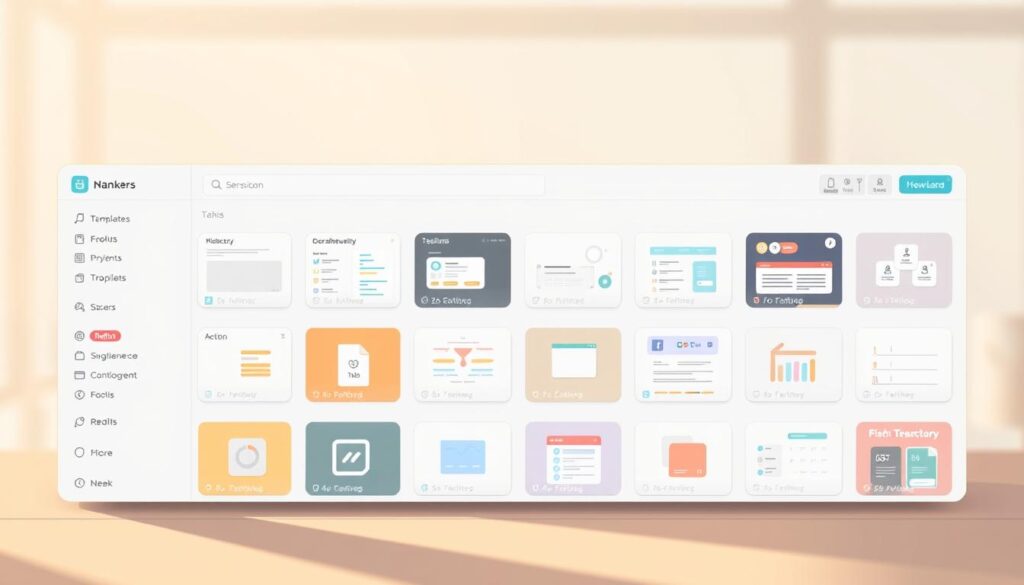
Finding niche planners across categories
Use the curated list to search categories and pull quick inspiration for a new niche. Study top listings to learn pricing, positioning, and feature patterns.
Leveraging focused collections and prompt vaults
Tap into deals and collections—AI Arsenal (100+ free resources), ChatGPT Search Planner, and AI Tools Hub (5,300+ resources). Large prompt bundles (15K+ prompts) speed research and feed your generator ideas.
- Analyze category data to spot underserved mixes (e.g., Finance x Creator).
- Bookmark entries that spark naming and feature ideas for a swipe file.
- Use the FAQ section to learn how to collaborate, import/export data, and get started faster.
| Category | Count | Primary use |
|---|---|---|
| Productivity | 225 | Daily flows, task hubs |
| Business | 183 | Operations, CRM |
| Finance | 100 | Budgets, forecasts |
| Student | 54 | Courses, exam plans |
| Marketing | 51 | Content calendars |
Subscribe to the blog and newsletter to track trends and uncover niches where demand rises faster than supply. Use this directory as a research hub and a launchpad for your next market-ready notion template.
Go-to-market playbook: launch, distribution, and sales channels
A clear go-to-market plan turns a product idea into predictable sales and steady growth. Start by mapping a simple funnel: awareness, interest, and purchase. Use a focused landing page that explains outcomes and reduces friction.
Build a landing page and link-in-bio funnel with Typedream. Launch a single-page website that lists benefits, embeds testimonials, and adds forms. Route social profile clicks to that link so every post drives a clear next step.
Grow owned media with Beehiiv recommendations and promos. Run a weekly newsletter that mixes short value drops, swaps with other creators, and timed promos. Newsletter referrals compound attention and feed steady conversions.
Scale discovery across X, Threads, Instagram, LinkedIn, and short video. Plan 30 days of posts and schedule with Later, Taplio, Tweet Hunter, and Thriendly to keep cadence without burnout. Use Revid to turn long walkthroughs into snackable clips for feeds.
“Top-of-funnel tips, mid-funnel demos, and bottom-funnel offers create a repeatable creator-friendly funnel.”
- Tailor messaging by platform: punchy hooks on X, carousels on Instagram, use cases on LinkedIn, conversational threads on Threads.
- Engage people who comment; replies drive trust and clicks to your link.
- Track weekly metrics: click-through rate from link, newsletter conversions, and post performance by format.
| Channel | Primary use | Key metric |
|---|---|---|
| Typedream website | Landing, checkout, forms | Link CTR |
| Beehiiv newsletter | Owned distribution, promos | Subscriber→buyer rate |
| Social & scheduling | Discovery and cadence | Engagement & post reach |
| Video repurpose (Revid) | Snackable demos | View-to-click rate |
Pricing, bundles, and growth levers for sustainable sales
Anchor offers to results—daily clarity, weekly review, or team sync—so buyers see immediate value.
Tier by outcome: offer singles for focused wins, a mid-level bundle that pairs a planner with a review calendar and dashboard, and a premium dashboard for full workspace and project management. Use Typedream’s integrated payments to test tiered pages quickly and capture checkout behavior.
Use email for launch discounts and rotating promos. Beehiiv’s monetization features help convert subscribers into paying users. Keep promos exclusive to the newsletter to boost signups and conversions.
Track posts, landing page analytics, and purchase data. Let that data guide price changes, messaging, and which bundle combinations lift average order value.
“Offer a quick-start checklist and workspace onboarding guide to shorten time-to-value and cut refunds.”
Value-adds and commercial options: include icons, cover sets, SOPs, and a commercial license or dashboard add-on for teams. These extras create clear upgrade paths without fracturing the catalog.
Keep content velocity high with AutoBlogging to drive organic discovery and reduce paid acquisition. For distribution strategy and marketplace options, see the best place to sell notion templates.
| Leverage | Action | Key metric |
|---|---|---|
| Typedream pricing page | AB test tiers and promos | Conversion rate / AOV |
| Beehiiv email | Launch discounts, premium offers | Subscriber→buyer rate |
| Content cadence | AutoBlogging + scheduled posts | Organic visits & referral traffic |
| Analytics | Track posts and landing performance | Click-through & purchase data |
Conclusion
Start small: validate an idea quickly, ship one focused page, and let feedback guide growth.
The repeatable system is simple: validate demand, build a tight notion template, publish a clear page, and promote with targeted posts and blog content.
Keep the customer journey short — demo on a page, show concrete benefits with a short video, and link to a checkout. Treat every post as an experiment; winning formats feed your content calendar and spark new ideas.
Close the loop with a newsletter and search-optimized content. Bundle related pages into premium dashboards and expand without complex rework. The opportunity is timely: one well-executed page can grow into a durable digital planner business driven by steady marketing and meaningful inspiration.
FAQ
What makes a make-money-with-AI planner idea viable in 2024?
The market favors practical, time-saving products that help people manage projects, content, and life. Recent uptake of generative assistants and Notion-based workflows accelerated demand for ready-made pages, dashboards, and bundles. Creators who combine clear value—like task systems, content calendars, or finance trackers—with polished landing pages and email capture convert faster.
Who is the primary buyer for Notion-based planners and where do they come from?
Buyers are ambitious professionals, freelancers, students, and creators seeking better workflows. They discover products via social platforms (Instagram, LinkedIn, X), newsletters, and search. High-intent traffic often arrives from SEO-led blog posts, paid social ads, and curated marketplaces or deal lists.
How does Notion plus Notion AI speed up template production?
Notion provides flexible pages, databases, and views; Notion AI accelerates brainstorming, copywriting, and summaries. Together they shorten the cycle from idea capture to a polished product—automating descriptions, generating example content, and populating starter datasets for customers.
Which creators and tools should be in the core stack for building and selling planners?
A reliable stack includes Notion for the product, ChatGPT-4o or similar for long-form copy and prompts, Typedream or another website builder for landing pages, Stripe/PayPal for payments, Beehiiv for newsletters, and Later or Taplio for social scheduling. Revid and Tweet Hunter help amplify short-form video and social posts.
What are the best product formats to package—single templates, bundles, or premium dashboards?
Singles work for niche problems; bundles increase average order value and cross-sell; premium dashboards command higher prices when they integrate multiple databases, automations, and onboarding. Pricing depends on complexity, perceived ROI, and included support or updates.
How should one position planners by niche to maximize sales?
Focus on clear outcomes: productivity hubs for time management, student study systems for grades and exams, finance OS for budgeting and tracking, and creator toolkits for content calendars and monetization. Case studies and targeted landing pages improve conversion for each segment.
What features make a Notion template stand out to professionals and entrepreneurs?
Distinctive features include AI-driven summaries, custom views for tasks and projects, Eisenhower-style prioritization, integrated content idea generators, finance dashboards with projections, and quick onboarding guides. Clear examples of real workflows help buyers see immediate value.
How can creators use email and newsletters to monetize template launches?
Build an email list with gated free templates or lead magnets. Use Beehiiv-style newsletters to nurture subscribers, announce drops, offer early-bird discounts, and run segmented promotions. Consistent content that showcases templates in use increases trust and repeat purchases.
What marketing channels drive discovery and sales for template sellers?
Owned media (blogs and newsletters), organic social (Instagram, LinkedIn, X), short-form video, and marketplaces all play a role. Repurposing content across platforms—clips, posts, and threads—amplifies reach. Paid ads can scale launches once product-market fit is proven.
Are there legal or technical considerations when selling Notion bundles?
Ensure you respect Notion’s terms and any third-party IP. Secure payment processing with Stripe or PayPal, provide clear licensing and refund policies, and deliver files and access via a reliable website or fulfillment system to avoid disputes.
How should creators price and bundle templates for steady growth?
Test tiered pricing: free lead magnets, low-cost single templates, multi-template bundles, and premium dashboards with support. Track conversion rates, average order value, and LTV. Use limited-time offers and bundles to increase perceived value and accelerate purchases.
What metrics indicate a successful planner product launch?
Key metrics include conversion rate on the landing page, email opt-in rate, average order value, refund rate, and repeat purchase rate. Engagement signals—like demo downloads, active workspace installs, and social shares—predict sustainable growth.
How can AI-generated content help with SEO and blog promotion for templates?
Use generative models to create blog outlines, SEO-friendly copy, and FAQ sections that address buyer intent. Pair AI drafts with human editing for accuracy and voice. Publish case studies, tutorials, and comparisons to capture commercial search traffic.
What support materials increase customer satisfaction after purchase?
Provide concise onboarding guides, video walkthroughs, example data, and a prompt vault or generator for customization. Offer a searchable knowledge base and clear channels for updates and support to lower churn and increase referrals.
Can freelancers and startups use these templates for revenue tracking and investor prep?
Yes. Templates can include finance tracking, revenue projections, cap table basics, and investor-ready dashboards. When paired with clear documentation and sample datasets, they save time and present professional reports for stakeholders.