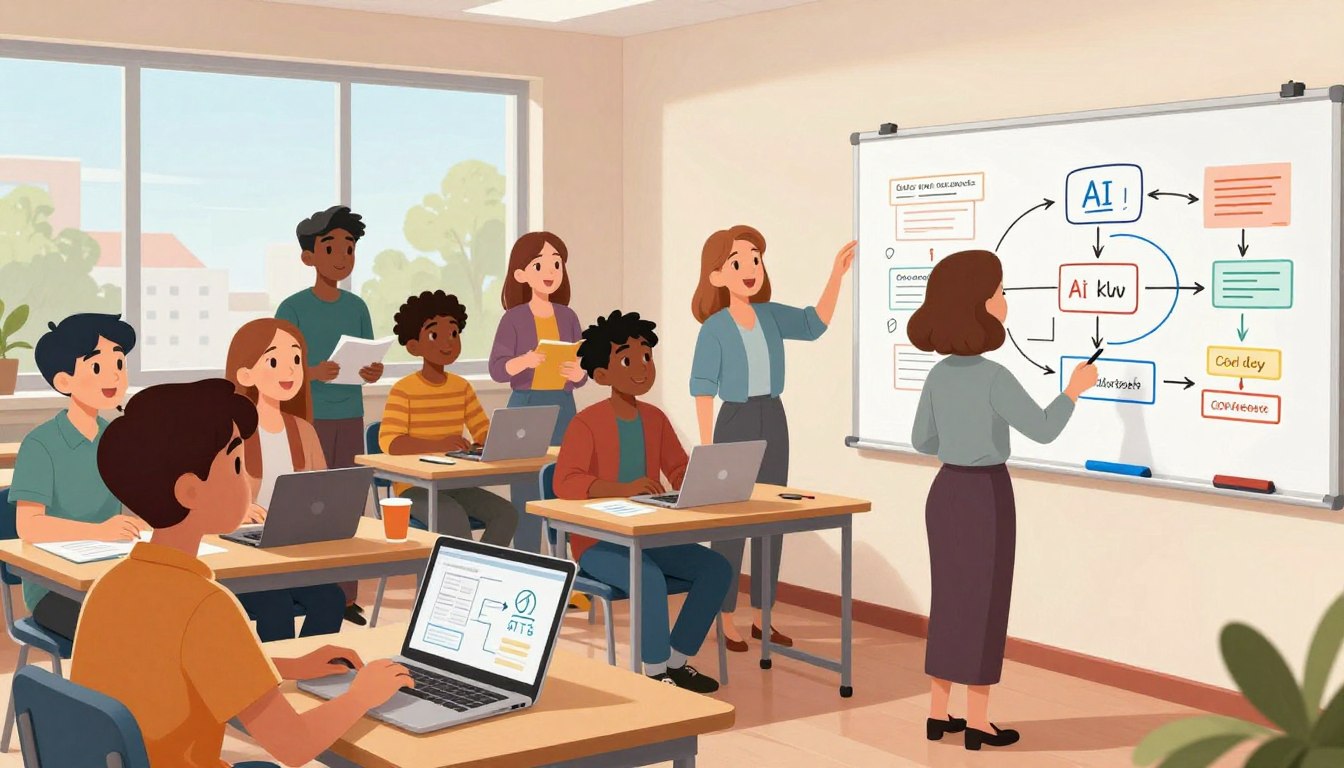
There are moments when a project stops being theory and becomes something people remember. That shift is often quiet: a pattern snaps into place, an interaction feels inevitable, and the product finally speaks to users.
This introduction maps a practical path for designers and teams who want to move faster without losing craft. AI-assisted tools — from Figma Make and Bolt to Vercel, Replit, and Cursor — can turn an idea into an early interface in far less time. Still, speed is not the same as quality.
Vibe coding reframes design as a visual, intent-driven workflow that uses AI to scaffold prototypes while preserving empathy, clarity, and ethics. Readers will learn which tools offer less control and which give more, how to use prompts as iterative sketches, and why human review remains essential as projects scale.
Key Takeaways
- Vibe coding blends designer intent with AI to ship interfaces faster.
- Tools differ: some trade control for speed; others give model choice and predictability.
- Human judgment and quality gates prevent hidden complexity at scale.
- Use prompts like sketches and iterate with model selection for better outcomes.
- Cross-functional teams get faster feedback when designers deliver working interfaces early.
What is vibe coding UX and why it matters now
AI is turning natural intent into working interfaces, and that change matters for how teams build products.
Vibe coding describes using generative systems to translate plain-language intent into software behaviors. A designer states the desired outcome; the platform generates a runnable prototype. This moves the idea from conversation to a live web or app demo far faster than traditional development.
Historically, low-code and no-code lowered barriers. Today, AI-assisted tools like Cursor and Replit speed that arc further. They let teams shape a concept with prompts and see a working example appear in minutes.
The intent-based UI paradigm means users tell systems what they want in their own words. That creates new UX questions: How clear is the system’s response? How are errors surfaced? Designers must think in terms of constraints, expected outcomes, and states.
“AI is the first new UI paradigm in 60 years.”
- Practical tip: Start with lower-risk projects and document prompt patterns.
- Teams shift: Designers prototype directly; developers harden and scale the output.
Core mindset: balancing play, speed, and craft
Fast idea generation only helps when a team has rules to turn experiments into resilient products.
The creation-maintenance divide you can’t ignore
AI often wins at initial creation: prototypes appear in hours, not weeks. Practitioners report it falters when requirements accumulate. A Microsoft engineer observed large models struggle to extend and maintain projects without clear architecture.
Designers and developers must separate exploration from ship-ready work. Time-boxed exploration lets teams throw clay, then switch to an engineering process that enforces patterns, tests, and documentation.
Avoiding creative debt and homogenized products
Overused prompts produce sameness. Creative debt appears as boring products and costly rewrites. Leaders recommend prompt diversity: rotate metaphors, constraints, and examples to surface fresh ideas.
- Set quality baselines early: heuristics, contrast, and microcopy standards.
- Run quick user checks to validate the path that matters most.
- Keep collaborative checkpoints: align on edges, performance, and accessibility.
Decision hygiene—documented trade-offs and lightweight gates—prevents small problems from compounding. When teams treat playful vibes as drafts and enforce craft through clear criteria, the product lasts.
vibe coding UX: Principles, patterns, and mental models
Designers who learn to think in systems gain leverage beyond fast prototypes. A practical three-tier model maps that growth: Prompt Engineer, Solution Architect, and System Innovator.
Prompt Engineers write crisp prompts, enforce constraints, and ship repeatable interactions. They focus on patterns and testable outputs.
Solution Architects combine model capabilities, data flows, and tooling to compose integrated features. They specify state, error paths, and extension points for developers.
System Innovators invent new interaction paradigms that models have not seen. They blend domain insight, market context, and human behavior to shape original products.
- Prompt pattern: objective, constraints, data sources, UX heuristics, and test criteria.
- Leverage: execution speed comes from AI; intellectual leverage comes from judgment and sequencing.
- Artifacts: system diagrams, interaction rules, naming conventions, and ethical constraints.
Teams should keep a prompt library and annotate why patterns worked. That practice turns short-term experiments into durable frameworks for designers and developers alike.
Choosing your tool: from prototype vibes to production code
Tool choice determines whether a demo stays a demo or becomes ship-ready code. Teams should match platforms to goals: fast validation, collaboration, or production hardening.
Less control: fast prototyping
Bolt and Lovable accelerate early work. They import Figma, preview on devices via Expo QR, and deploy to web and app stores fast.
Lovable adds payment wiring—Stripe and PayPal—and GitHub sync for round-tripping edits. These tools shine for quick revenue experiments and demo-ready products.

Some control: shared projects and collaboration
V0 (Vercel) and Replit surface community projects and make collaboration visible. Replit shows a clear file structure, live editing, task suggestions, and compile hints.
Replit’s mobile app notifies teams when AI tasks finish—useful for busy devs who need asynchronous progress updates.
Most control: full editor and workflows
Cursor acts like a full IDE: install packages, set GitHub workflows, and choose models to stabilize results. Use Cursor when code ownership and tests matter.
Decision criteria
- Match tool to time-to-market, team skills, and required features.
- Start in Lovable or Bolt to “throw clay,” then move to Cursor to harden code.
- Watch credits and paywalls—optimize prompts to control cost.
From prompt to prototype: a step-by-step UX workflow
The fastest path to a working demo starts with a clear, structured PRD and a single golden flow.
Write a PRD (ChatPRD), define user flows, and constraints
Start with ChatPRD: capture goals, user stories, data sources, and acceptance criteria. Attach the PRD to the project so everyone references the same intent.
Diagram the golden path and two edge cases. Specify states and transitions so the interface and code remain aligned with user mental models.
Prompt engineering tactics: sketches, “do-not-touch,” and iteration loops
Craft prompts as design sketches: state objectives, non-goals, data models, and visual tone. Use explicit “do-not-touch” sections to protect stable areas during iteration.
Iterate in tight loops: test one flow, review generated code for readability, then refine prompts. This disciplined step reduces creative drift and speeds quality work.
Importing designs from Figma and shaping the interface
Import components and design tokens into Bolt or Lovable. Specify spacing, type scale, and interaction rules so the generated UI matches the intended design.
Validate behavior early: accessibility, empty states, and error paths. Quick checks avoid costly rewrites when developers harden the output.
Deploy pathways: web, app store, and device previews with Expo
Ship early to gather feedback: deploy to the web or use Expo QR for device previews. Use V0 and Replit to surface community projects and tasks; move to Cursor for model selection and predictable code.
| Tool | Best use | Key feature | When to switch |
|---|---|---|---|
| Bolt | Fast prototype | Figma import, Expo preview | After validation |
| Lovable | Revenue experiments | Do-not-touch, payments | Before production |
| Replit | Collaboration | Tasks, compile hints | During team review |
| Cursor / V0 | Harden & scale | Model selection, workflows | When code ownership matters |
Close the loop: record findings, update the PRD, and log prompt changes. This keeps designers and developers aligned as the project moves from a prototype to working code.
Keeping the soul: UX craft, heuristics, and dark pattern avoidance
Design discipline keeps interfaces honest even when tools accelerate output.
Jakob Nielsen’s ten usability heuristics still anchor good work. Apply them early to AI-generated flows: visibility of system status, match with the real world, user control, error prevention, and clear help paths.
Applying usability heuristics to AI-generated interfaces
Start with a simple checklist. Confirm the interface communicates state, supports undo, and prevents avoidable errors.
Test with two or three people for five minutes on the golden path. Quick feedback surfaces surprises before developers harden the output.
Spotting and rejecting dark patterns in fast builds
Global scrutiny is rising: India has outlawed a dozen common dark patterns. Teams must refuse shortcuts that trap people or disguise intent.
- Reject: disguised ads, forced continuity, confirmshaming, and sneaking extra steps.
- Adopt: ethical defaults—clear consent, data minimization, and transparent pricing.
- Verify: color contrast, focus states, keyboard access, and alt text; AI often omits these unless asked.
Microcopy matters: labels, empty states, and error messages should use plain language that makes sense to people, not just code.
We recommend documenting unacceptable patterns in the product playbook and folding usability findings back into prompts. For deeper context on why human thinking still matters, see this essay on design and real user thinking: real UX thinking.
Team workflows and handoffs: designers, developers, and AI
Clear handoffs and repeatable rituals turn fast prototypes into dependable releases.
Teams should adopt a documentation-first stance. Capture specs, decisions, and review notes alongside generated code so handoffs stay repeatable and auditable.
Designers own interaction quality and acceptance criteria. Developers validate performance, security, and maintainability. Both roles shape prompts and expect traceable decisions.
Documentation-first: specs, decisions, and code review for AI output
Document everything: attach PRDs, architecture notes, and review comments to commits. Require AI-generated code to include comments that explain trade-offs.
Standardize code review: linters, unit tests, and security scans must pass before merge. Insist on human sign-off where the AI made key decisions.
GitHub-centric loops: prototype in Lovable/Replit → refine in Cursor
Adopt a GitHub-first loop: prototype in Lovable or Replit, commit often, then refine in Cursor for tests and deployment workflows.
- Use Lovable’s GitHub sync to clone, edit locally, and push changes back.
- Leverage Replit’s collaboration, task suggestions, and notifications to sequence work.
- Move to Cursor to select models, run installs, and tie changes to GitHub workflows for reproducibility.
| Stage | Tool | Primary purpose | Key artifact |
|---|---|---|---|
| Prototype | Lovable / Replit | Fast UI iteration and collaboration | Committed prototype branch, task list |
| Refine | Cursor | Architectural edits, model selection, tests | Feature branch with tests and model metadata |
| Review & Deploy | GitHub workflows | CI, security checks, preview deploys | Merged main branch with deployment logs |
Define branch strategy and preview deployments so stakeholders can try changes without blocking work. In Cursor, record which model and settings produced each change; this aids reproducibility when a fix is needed.
Practical rituals: time-boxed pairing sessions where designers and developers co-edit prompts and UI. Use Replit tasks to steer scope and avoid sprawling changes.
Align the definition of done: beyond “it runs,” require usability checks, basic accessibility, and telemetry for critical flows before merging. Keep the toolchain minimal—choose the few tools that cover collaboration, review, and deployment to reduce cognitive load.
For a deeper look at team orchestration with AI agents and task assignment, see this practical review: AI agents and team orchestration.
Distribution as a design lever: launching fast without losing quality
Distribution shapes product success as much as design—launch strategy is a design decision.
Shipping a working web release quickly lets teams learn faster. Pieter Levels rebuilt RemoteOK Jobs 2.0 in six hours and reached 5,000 people by dinner. He estimates 20% building and 80% telling people about it. That example shows distribution often outweighs technical polish.
Compressing idea-to-market cycles (inspired by indie launches)
Aim for a minimal working product that proves the core idea. Use preview links, GitHub Pages, and device previews to remove friction for testers.
Ship early, then amplify where your audience already gathers. A focused release reaches users faster than a feature-rich product that never ships.
Audience fit over feature count: feedback, telemetry, and iteration
Prioritize audience fit: measure active usage in the golden path, not raw installs. Instrument flows with lightweight telemetry and short surveys to learn where users stall.
- Design launch messages as part of the product—clear copy beats extra features.
- Allocate time for launch threads, demos, and community updates; distribution is deliberate work.
- Publish roadmaps and small working increments to validate direction publicly.
| Action | Goal | Tool example |
|---|---|---|
| Ship a working web release | Validate core idea quickly | GitHub Pages, preview links |
| Measure key flows | Find drop-offs and shape iterations | Lightweight telemetry, short surveys |
| Amplify to channels | Reach right users fast | Community threads, demo videos |
Teams should align around outcomes and keep a baseline of quality: clear empty states, error handling, and acceptable performance. Capture what worked—messaging, channels, and features—and fold those learnings into the next launch cycle.
Risk management: maintainability, security, and scaling beyond “mostly works”
Scaling a project exposes hidden edges; risk must be managed with deliberate guardrails.
AI accelerates prototypes, but engineers report maintenance and extension are frequent challenges. Silence in tests often hides complexity that appears under load or during debugging.
Quality gates for AI code: tests, audits, and performance budgets
Require tests and audits: unit and integration tests, accessibility checks, security scans, and defined performance budgets must pass before merges.
- Threat-model critical flows and sanitize inputs.
- Enforce module boundaries, naming conventions, and clear documentation for maintainability.
- Set LCP and TTI targets and monitor real-user metrics as features accumulate.
Model selection and reproducibility for predictable outcomes
Lock model versions and record prompts and settings. Cursor’s explicit model choices—such as Claude Sonnet 3.7 or Gemini 2.5—help stabilize outputs and speed root-cause analysis when code drifts from working.
“Mostly works” is a risk; production needs reproducibility, staged rollouts, and developer oversight.
- Use canary releases or feature flags to limit blast radius.
- Track error budgets and prioritize fixes over new features when thresholds fail.
- Conduct periodic audits of permissions, data flows, and third-party services.
Adopting these controls turns a fast prototype into resilient systems that developers can own and evolve with confidence.
Conclusion
, When AI speeds creation, the designer’s decisions determine whether a product delights or merely functions.
Vibe and coding advances let teams move faster from ideas to product—yet human craft remains the moat that turns “mostly works” into something people remember.
Adopt the principles and mental models in this playbook. Choose the right tool, follow a step-by-step workflow, and add quality gates that protect the user experience.
Treat AI as a collaborator that accelerates creation; we keep judgment, taste, and ethics. Start small, learn in public, and build a prompt library that fits your domain.
Ship one thing this week: deploy, gather feedback, and record what changed. With that approach, products will not only run—they will feel right by design and by intent.
FAQ
What is vibe coding for UX designers and why does it matter now?
Vibe coding for UX designers is an approach that blends rapid interface assembly, intent-driven prompts, and iterative design to create interfaces that feel coherent and usable quickly. It matters now because low-code platforms, AI assistance, and faster feedback loops let teams move from idea to prototype far faster—so mastering this approach preserves craft while accelerating delivery.
How does the intent-based UI paradigm change UX work?
The intent-based paradigm shifts focus from pixel-perfect specs to describing user goals and constraints. Designers define desired outcomes, flows, and prohibitions; tools translate those intents into interfaces. This improves iteration speed but requires clearer specifications and stronger heuristics to avoid inconsistent or misleading UI decisions.
What roles emerge as designers adopt prompt-driven workflows?
New roles include Prompt Engineer, who crafts effective instructions; Solution Architect, who maps intents to technical patterns; and System Innovator, who oversees long-term product and platform coherence. These roles help teams scale intellectual leverage while maintaining quality in execution.
How can teams avoid creative debt when building fast?
Prevent creative debt by documenting decisions, setting style and accessibility rules, and introducing lightweight quality gates—design tokens, shared component libraries, and automated tests. Prioritize maintainability early: short-term speed should not erase the ability to evolve the product.
Which tools fit different control needs: prototype vs. production?
For rapid prototypes with less control, choose Bolt or Lovable (useful for Figma imports and quick commerce hooks). For balanced control, Vercel or Replit support collaborative builds and deployment. For maximum control, Cursor and local GitHub workflows let teams customize models, packages, and CI/CD. Match tool choice to time, team size, and code ownership requirements.
What criteria should guide tool selection for a project?
Base decisions on time-to-market, team skills, required features, integration needs (payments, auth), and long-term code ownership. Estimate effort for maintenance and scaling—sometimes faster prototypes hamper future growth if ownership is unclear.
How do designers convert prompts into reliable prototypes?
Start with a compact PRD, map user flows, and list constraints. Use iterative prompt engineering—sketches, clear “do-not-touch” rules, and tight feedback loops. Import designs from Figma, then test in device previews (e.g., Expo) and refine based on real usage data.
What prompt engineering tactics improve UX outcomes?
Use explicit examples, forbid certain behaviors, and supply edge-case scenarios. Create iteration loops: generate, review, annotate, and refine. Keep prompts modular so components can be adjusted without rewriting the whole intent set.
How should teams apply usability heuristics to AI-generated interfaces?
Treat AI output like any design deliverable: validate against established heuristics—visibility of system status, error prevention, consistency, and accessibility. Run quick usability checks and instrument telemetry to catch unexpected patterns in the wild.
What practices help spot and avoid dark patterns in fast builds?
Define ethical guardrails in your PRD, review flows for coercion or deception, and require sign-off from a product ethicist or UX lead before release. Use automated checks for permission requests and make consent flows explicit and reversible.
How do designers and developers coordinate handoffs with AI in the loop?
Adopt documentation-first handoffs: clear specs, decision logs, and sample inputs/outputs. Use GitHub-centric loops where teams prototype in Lovable or Replit, then refine and version in Cursor or a repo. Regular code review and synchronized design tokens keep work aligned.
How can distribution be used as a design lever without sacrificing quality?
Treat launch as an experiment: compress cycles, ship an opinionated MVP, and measure audience fit with telemetry and feedback. Prioritize clarity for early users over feature breadth, then iterate based on real signals rather than assumptions.
What quality gates are essential for AI-generated code?
Implement tests (unit and integration), security audits, performance budgets, and accessibility checks. Automate CI flows that run these gates and require passing criteria before merging—this prevents “mostly works” solutions from reaching production.
How do teams choose models and ensure reproducibility of outputs?
Track model versions, prompt templates, and seed data. Store configurations in code and CI so outputs can be reproduced. Prefer models with deterministic options for critical flows and document any stochastic behavior for reviewers.
What is the specialization paradox and how should teams approach it?
The specialization paradox is that deeper expertise yields intellectual leverage but can limit cross-functional agility. Teams should balance specialists and generalists, encourage knowledge sharing, and create modular systems so specialists amplify team productivity without becoming bottlenecks.
How can small teams compress idea-to-market cycles effectively?
Focus on a single riskiest assumption, build the smallest test that validates it, and collect rapid feedback. Use community channels, simple telemetry, and iterative releases. Indie launches teach that clarity of audience beats piling on features.