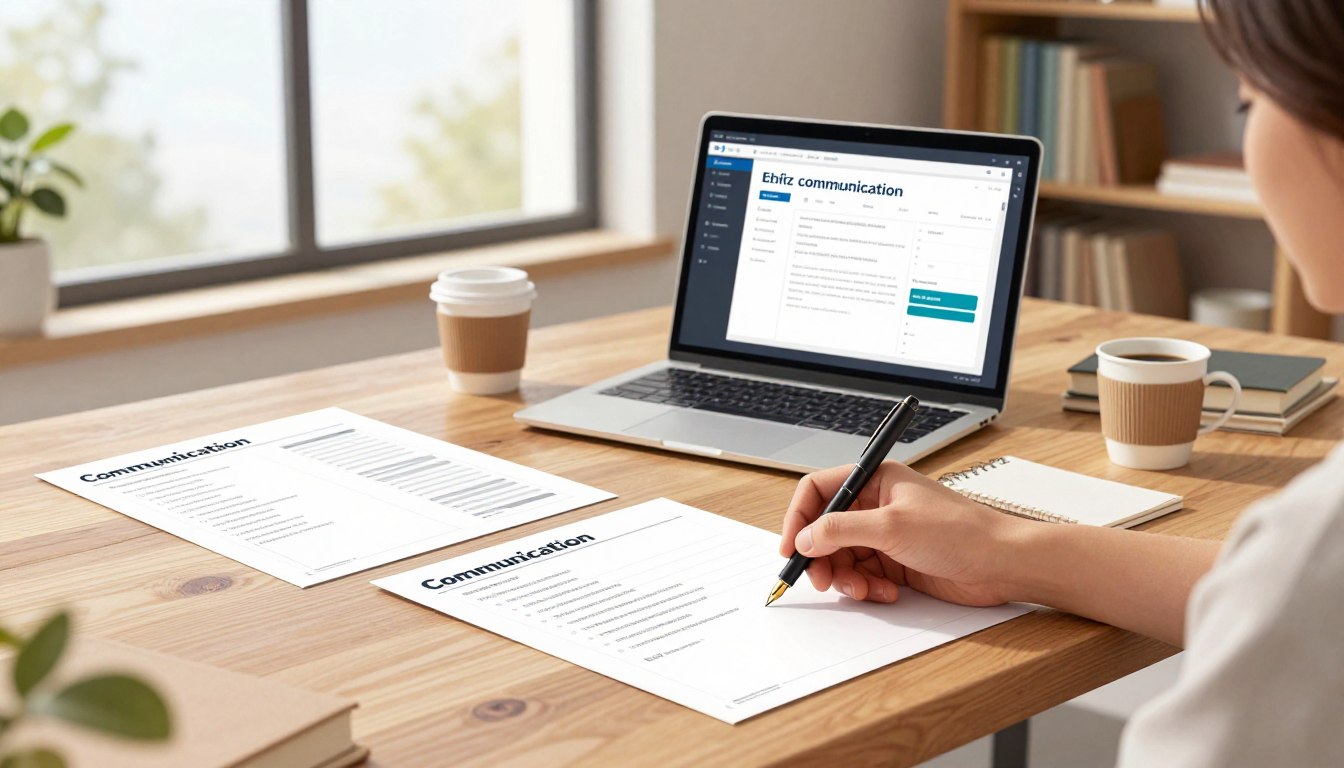
“If you can’t explain it simply, you don’t understand it well enough.” — Albert Einstein.
Experts often speak in codes that peers understand but lay audiences do not. When clarity slips, misinformation spreads and trust falls—especially on urgent topics like climate change and vaccines.
The guide acts as a practical, downloadable support set. It presents a step-by-step method and ready-to-send templates that help people draft messages fast, keep accuracy, and keep a professional tone.
Modern exchanges move quickly across email, text, memos, and public channels; structure matters as much as grammar. Clear phrasing speeds decisions, reduces confusion, and lowers the risk of misread messages at work and in communities.
FlowScholar is introduced as an Education AI Tool that helps users draft faster, organize content, and land the right tone. Readers should be able to copy a template today and send a better email within minutes. Learn more at https://www.flowscholar.com.
Key Takeaways
- The guide offers practical templates and a clear method to shape messages.
- Better phrasing reduces errors, speeds action, and builds trust.
- Templates suit fast channels: email, memo, and public notes.
- FlowScholar helps draft, organize, and match tone to audience.
- Readers can apply a template immediately and see quick impact.
Why clear writing matters in real life communication today
Every public message competes for attention in a crowded information ecosystem. The most direct messages win: they reach the audience, prompt action, and save time.
Bridging the gap between expert knowledge and everyday readers
Scholars can be precise within their fields but struggle when the audience lacks shared background. That gap lets uncertainty spread—especially on topics like vaccines and climate.
The best communicators translate technical knowledge into practical stakes: what changes for the reader, and what they should do next.
How unclear phrasing fuels confusion, misinformation, and wasted time
Vague or dense information creates real costs: long email threads, duplicated work, compliance errors, and reputational risk. In the U.S., varied reading levels make plain messages more equitable.
- Clear messages reduce cognitive load—fewer interpretations, fewer follow-ups.
- When official notes are ambiguous, people fill gaps with rumor and screenshots online.
- Clarity becomes a competitive advantage: the clearest message often shapes the world of decisions.
| Problem | Consequence | Fix |
|---|---|---|
| Technical jargon | Audience confusion | Translate to everyday terms |
| Vague guidance | Rumor and delay | State next steps and deadlines |
| Overlong messages | Ignored information | Lead with the bottom line |
Strategic takeaway: every message should reduce cognitive load—clear purpose, visible audience, and explicit next steps align readers and save time.
What FlowScholar is and how Communication Templates support students and professionals
When deadlines loom, a guided drafting tool reduces friction between idea and send. The product acts as an Education AI Tool that moves users from a blank page to a solid draft fast, without losing structure or tone.
Education AI tool overview: faster drafting, clearer structure, better tone
It bakes best-practice organization into each draft, so students and professionals spend time on facts, not formatting. The result: more accurate content and fewer rounds of edits.
When templates help most: email, text, memos, and public-facing writing
Most office messages repeat: requests, updates, clarifications, follow-ups. Templates shorten that workday by offering a tested way to arrange information.
- Who benefits: students writing instructors and admins, professionals messaging peers or leadership, entrepreneurs reaching customers.
- Channels covered: email, text, memos, and public posts—so writers see scope before they start.
- Tone control: templates reduce accidental bluntness and over-explaining by suggesting balanced phrasing.
| Use case | Why it helps | Typical channel |
|---|---|---|
| Quick request | Provides a direct ask and deadline | |
| Time-sensitive update | Leads with bottom line to limit confusion | text |
| Policy or memo | Keeps format consistent and scannable | memo |
To explore templates and how-to guides, visit https://www.flowscholar.com. The platform generates a draft you can customize to match audience and context—helpful when stakes are high and clarity matters most.
FlowScholar Communication Templates: Clear Writing for Real Life
Templates paired with step-by-step guidance reduce guesswork when stakes are high.
Deliverables: ready-to-use templates plus a concise how-to framework that explains why each section exists and how to customize it. The pack includes sample words, recommended style notes, and quick-edit tips you can use today.
Start by picking the purpose: request, inform, persuade, or document. Next choose the channel—email, text, memo, or public post—and then filter by audience: peer, supervisor, client, or broad public. This order keeps edits focused and minimizes rewrite time.
Strategic value: a template is more than wording; it is a decision aid that aligns purpose and audience expectations and clarifies next steps. The guide also enforces tone control to avoid messages that sound too casual, too stiff, or too long.
| Purpose | Channel | Audience |
|---|---|---|
| Request | Supervisor / Peer | |
| Inform | Memo | Team / Internal |
| Persuade | Public post | Client / Broad public |
Would like readers to know: later sections teach “bottom line first,” readability checks, and analogies as clarity multipliers. For a downloadable guide, visit the site noted at the end of this article.
Start with purpose, audience, and context before you write
Before a single sentence is typed, define who must act and why the message exists now. A quick pre-writing check prevents rambling drafts and keeps the main point visible.
Define your purpose
Inform, persuade, request, or document: each purpose alters structure and tone. An inform note leads with facts; a request ends with a clear ask and deadline.
Identify a specific audience
Replace “the general public” with a real public: a neighborhood association, prospective customers, a team channel, or department leadership. Name the person or group and list 2–3 questions the reader will have.
Match message to situation, channel, and relationship
Channel and relationship shape tone: peer requests can be direct; external partners need context and courtesy. Context (time, place, constraints) guides length and formality.
Find the exigence
Ask: why this message, and why now? Treat urgency as a clear reason—deadline, safety, or decision point. Use that exigence to lead the note and keep the audience focused.
Use the “bottom line first” method for faster understanding
Put the decision up front to help busy readers act without parsing paragraphs. This structural choice leads with the outcome, decision, or request and then adds only necessary support.
How the bottom-line approach differs by audience
Peers: a short context sentence plus a direct ask is usually enough. Peers can handle brief evidence and a reference if they want more.
Lay audiences: start with what it means and why it matters. Give a one-line relevance statement so the audience stays engaged before any technical detail.
Where to place the ask, deadline, and next step
Put the ask and deadline in the first screen of an email or text, then repeat next steps at the end. That placement cuts back-and-forth because readers do not have to hunt for dates or expectations.
Micro-template: “Bottom line + why it matters + what you need from the reader + by when + how to respond.”
Tone note: a single courteous sentence before the bottom line preserves relationships without diluting clarity. The included Templates guide writers to front-load action while keeping supporting details scannable, saving time and meetings across distributed teams.
Adjust reading level without “dumbing down” your ideas
Good messages meet readers where they are; that starts with level-appropriate language. Readability is strategic: the clearer the sentence, the more likely a reader will interpret the note correctly and act.
Why it matters in the United States: many competent adults prefer plain language and average reading ability is often cited near Grade 7. Aim around Grade 9 to reach a broad audience without losing nuance.
How to use the Hemingway App
Paste your draft, check the grade level, and review highlighted “hard-to-read” sentences one at a time. Don’t accept every suggestion automatically—edit selectively.
Plain-language swaps and a quick revision playbook
- Shorten long sentences; break them where natural pauses occur.
- Move the main verb earlier: “decide” instead of “make a decision.”
- Replace heavy words: “utilize” → “use”; “prior to” → “before”; “in the event that” → “if.”
“Clarity is not simplification of ideas; it is smarter organization and sharper word choice.”
| Focus | Action | Result |
|---|---|---|
| Sentence length | Split complex lines | Faster comprehension |
| Word choice | Swap jargon for plain words | Less ambiguity |
| Proofread | Verify names, dates, links | Maintained credibility |

Practical note: templates standardize structure so teams can focus on phrasing. When writers match language to audience needs and verify facts, readers act more often and trust increases.
Write clearer by using analogies and metaphors people actually understand
When a comparison matches readers’ daily routines, complex topics feel manageable and actionable.
Why analogies work: they move unfamiliar knowledge into a known frame, so people grasp key ideas without losing nuance.
Choose metaphors from the audience’s world—finance, scheduling, shipping, sports, or caregiving. That audience-rooted pick makes the model meaningful and practical.
Professional example: call a data pipeline “a delivery route with checkpoints.” Stakeholders then see where delays happen and what to fix next.
- Don’t use catchy comparisons that mislead; an attractive metaphor can create a long-term problem if the mental model is wrong.
- Avoid dated textbook lines that distance the reader and reduce trust.
Quality test: does the analogy lead to a clear next action? If it only decorates, cut it. Use a short metaphor in the “why it matters” line of an email or post to make the topic stick quickly.
Ethical note: analogies should reduce fear and clarify uncertainty, not oversell certainty.
Email templates for professional, effective communication
Professional emails put the main action first and remove guesswork for busy readers.
Subject lines that get opened and understood quickly
Use a subject line formula: Action required by Fri: Q1 budget review — or — Meeting reschedule request: Tue 2:00–2:30. Keep it specific and date-driven so the recipient knows priority at a glance.
Professional salutations, tone, and signature blocks
Start with a respectful greeting; match tone to relationship. Internal notes can be warmer and shorter. External notes should be slightly more formal and forwardable.
The three-paragraph rule: brief, scannable, and action-focused
Paragraph 1: bottom line or ask. Paragraph 2: essential context in two sentences. Paragraph 3: next steps, deadline, and how to reply. Limit to three short paragraphs to reduce back-and-forth.
Attachments, links, and formatting that reduce back-and-forth
Name attachments clearly, reference them in the body, and test links before send. Use bullets for requirements and bold only the deadline or key decision to guide readers’ eyes.
Replying fast without replying emotionally
When a message triggers strong feelings, draft a reply, pause, then reread for tone. Aim to respond within 24 hours but avoid sending reactive messages. Use “Reply All” sparingly and never use all caps.
Text message templates for quick, time-sensitive communication
A concise text often closes a gap that email leaves open: immediate clarity and a quick yes or no.
When texting is the right tool—and when it isn’t
Texting fits brief, time-bound needs: confirmations, arrival updates, or a schedule change that needs a fast reply. It saves time when a single person can answer quickly.
Not appropriate: complex decisions, sensitive feedback, legal or HR matters, and any topic that needs full documentation.
Preventing misinterpretation with short, specific wording
Keep words concrete: state context, the ask, a deadline, and a request to confirm. Example pattern: “Meeting delayed 10 min — can you still make it? Reply yes/no.”
Frequency, boundaries, and professionalism on the go
Match abbreviation level to the audience. A close colleague may accept shorthand; a supervisor or client usually prefers spelled-out terms. Respect off-hours and limit repeated pings.
Safety and judgment: no texting while driving
Do not text and drive. Safety is part of professional judgment. If a thread grows beyond a few messages, escalate to a call or email so the record and clarity remain intact.
- When to text: quick confirmations, short yes/no questions, arrival notices.
- When to stop: sensitive topics, long threads, or items needing paper trails.
- Template reminder: Context + ask + deadline + confirmation request.
| Situation | Best channel | Sample phrasing |
|---|---|---|
| Arrival update | text | “Arriving 5 min late — ok?” |
| Schedule change | text | “Reschedule to 3pm? Reply yes/no by 2:30.” |
| Policy or complaint | email/call | “Please send details by email for record.” |
Templates in the guide help teams keep messages short, consistent, and respectful, so everyone knows the quickest way to act.
Netiquette guidelines for respectful online writing
Every post, reply, and DM builds a searchable record that shapes how others view your expertise.
Virginia Shea’s core rules in practice
Remember the human. Address the reader as a person with limited time and context. Keep tone measured and helpful.
Respect privacy and bandwidth. Don’t post sensitive details or forward messages without consent. Treat DMs as potentially public.
Preventing flame wars and managing tone
Flame wars often start from vague claims, sarcasm, or public corrections. Pause before replying and move heated threads to a calmer channel.
Use a simple calibration: reread the draft aloud as if in a meeting. If it sounds harsh, revise.
How to make yourself look good online without sounding stiff
Be concise, cite sources when making factual claims, and admit uncertainty rather than bluff. Share expertise responsibly and avoid power plays.
- Present netiquette as a performance standard: digital posts are permanent and searchable.
- Respect others: be forgiving and avoid public shaming.
- Use structured phrasing and templates as guardrails to reduce impulsive replies.
“Netiquette is less about rules and more about preserving trust in public spaces.”
Memo templates for internal workplace communication
One-page memos force a tight point: decisions, steps, and who must act next.
What a memo does best: it creates an official internal record that teams can file, print, and reference. Use a memo when a topic needs permanent context and a clear next step.
Header fields: always include DATE, TO, FROM, and SUBJECT. Add CC when transparency helps circulation; add BCC only for discreet routing to protect recipients’ privacy.
Follow block format: single-spaced lines, a blank line between short paragraphs, no indentations. Use headings or bullets to make the memo scannable on one page.
Direct vs. indirect organization
Direct: lead with the decision or action for routine updates and good news. Indirect: open with context and evidence when the audience may resist the point.
- Keep a one-page discipline: the goal is action, not an essay.
- Common uses: policy updates, procedure changes, announcements, and trip reports.
- Distribution note: memos often attach to an email—write the memo to stand alone even if the email body is brief.
Consistency matters: standardized memo formats help teams find the line they need quickly and reduce follow-up questions across work and writing tasks.
Public writing templates for sharing research and ideas beyond the classroom
Good public work begins by naming who will act on the research and why that action matters now.
Becoming an “academic citizen”
Academic citizenship asks students and scholars to move classroom insight into public conversations. It treats public engagement as a professional and civic skill.
Choosing an issue
Pick topics that are public, personally relevant, and timely. If an issue lacks urgency, the post will drift; if it is too narrow, it will not gain traction.
Audience research and publics
There is no single general public. Identify the specific audience or counterpublic you want to reach. Check what they already believe, the words they use, and the constraints shaping choices.
- Frame research to meet an audience’s values and decisions.
- Use invention activities to find timely stakes.
- Practice in courses, a blog, or a newsletter to build habit.

Movements like #MeToo and Black Lives Matter show how small acts of public writing aggregate into networked change.
Outcome: concise public templates help students and scholars translate evidence into accessible posts that respect nuance and support civic action.
A step-by-step FlowScholar workflow to draft, refine, and send with confidence
A stepwise process helps writers make each sentence earn its place and respect readers’ time.
Template → Customize → Revise → Proofread → Send checklist. Start with a FlowScholar template to generate a solid base, then tailor the first two lines to the specific reader and situation. This makes fast drafting sound personal, not generic.
Revise for clarity: cut filler phrases, swap vague nouns for verbs, and ask whether each paragraph supports the main point. Shorten long sentences and remove any sentence that does not earn its space.
Proofread for credibility: confirm spelling, grammar, names, titles, dates, file names, and that every link works. Read links aloud and click each one. A single broken link can erode trust.
- Format checks: short paragraphs, bullets for requirements, and clear attachment labels.
- Tone audit: read once for content, once for tone, and once for the reader’s next action.
- Final send: verify purpose, confirm the deadline, and list explicit next steps.
Why this saves time: a repeatable workflow reduces anxiety, prevents avoidable mistakes, and makes outcomes predictable. Use the method to cut drafts and approvals by removing common friction points.
Want practical tips on talking with non-specialist audiences? See a useful primer with examples in this short guide: five tips for academics.
“A clear workflow is the best guardrail for consistent, confident messaging.”
Download the FlowScholar how-to guide and start writing more clearly today
Immediate benefits matter. A short how-to guide plus ready examples helps busy professionals send better notes with less effort.
Get the Communication Templates and apply one to your next message. Pick a template, add purpose, audience, and deadline, then send a status update, request, or policy note within minutes. The pairing of sample wording and the reasoning behind it makes adaptation quick and confident.
The package acts as an Education AI Tool that supports drafting and refinement, not a replacement for judgment. Users get suggested phrasing plus step-by-step checks to reduce back-and-forth and speed decisions.
Why download now
- Immediate upgrade: produce clearer emails, texts, memos, and posts with less effort.
- Concrete use: apply one template to the next message you must send today.
- Team benefit: standardize notes and use a common send checklist to cut repeat questions.
| What | Use case | Benefit |
|---|---|---|
| Template + guide | Status update | Faster decisions |
| Template + guide | Request with deadline | Fewer follow-ups |
| Template + guide | Policy memo | Consistent records |
Call to action: visit https://www.flowscholar.com to download the FlowScholar Communication Templates and the how-to guide. Download, choose one template, fill in purpose/audience/deadline, and send a cleaner message within minutes.
Conclusion
,Good messaging starts with a habit. A dependable drafting routine turns complex ideas into useful pieces that readers can act on.
Thesis: concise writing improves professional outcomes, aids education, and strengthens public trust. The method is simple: clarify purpose, name a specific audience, lead with the bottom line, edit for readability, and observe respectful netiquette.
When information is stated plainly and ethically, others make better decisions; when it is vague, confusion fills the gap. Email, text, memo, and public post each need a tailored structure, but the same principles guide every type.
With a repeatable workflow and a short series of templates, writers build a steady track record of useful pieces. We encourage practice: note what questions return, then answer those needs earlier in the next message. The clearest communicators are intentional about audience, context, and action—use the toolset here to draft, refine, and send with confidence.
FAQ
What is the main purpose of FlowScholar Communication Templates?
FlowScholar Communication Templates provide practical, ready-to-use formats and guidance to help students and professionals draft clearer emails, memos, texts, and public-facing pieces faster—while keeping purpose, audience, and context front and center.
Who benefits most from these templates?
Ambitious professionals, graduate students, instructors, and entrepreneurs benefit most—anyone who needs to communicate complex ideas simply and persuasively. The templates suit people who value efficient drafting, improved readability, and stronger outcomes.
How do the templates speed up drafting?
Templates supply structure: headline, opening bottom line, key supporting points, and a clear ask or next step. That reduces decision fatigue during drafting and helps users focus on content and audience instead of format.
When should I use a memo template instead of an email?
Choose a memo for formal internal communication that needs a clear header (DATE, TO, FROM, SUBJECT), or when a concise one-page record is required. Use email for quicker, conversational updates or when recipients are external.
What does “bottom line first” mean and why use it?
“Bottom line first” places the main point or request at the top. This method respects readers’ time, reduces misinterpretation, and speeds decision-making—especially in professional and cross-disciplinary contexts.
How do I choose the right tone for different audiences?
Identify the audience’s knowledge level, relationship to you, and expected formality. Use concise, direct language with peers; simplify terminology and add brief context for lay audiences; keep formal language for senior stakeholders.
Will using templates make my writing sound repetitive or generic?
No—templates are starting frameworks. The guide emphasizes customization: adapt examples, swap metaphors that suit your audience, and replace placeholders with concrete details to preserve authenticity and impact.
How can I improve readability without “dumbing down” my ideas?
Aim for shorter sentences, active verbs, and clearer topic sentences. Use analogies tied to your audience’s experience and define technical terms briefly. This preserves intellectual nuance while increasing accessibility.
What tools do you recommend to assess readability?
The guide suggests tools like the Hemingway App to evaluate sentence length and readability. Pair automated checks with a quick human read to ensure tone and precision remain intact.
How do I craft subject lines that get opened?
Keep subject lines specific, outcome-focused, and time-sensitive when appropriate. Lead with the value or action: “Decision needed: Q2 budget allocation” or “Update: timeline for product launch.”
What is the three-paragraph rule for email?
The three-paragraph rule advocates a brief opening with the bottom line, a short context or supporting detail paragraph, and a final paragraph containing the ask, deadline, or next steps—scannable and action-focused.
Are there guidelines for texting professionally?
Yes—use texting for time-sensitive, brief items; be specific and polite; avoid technical details or sensitive topics; set boundaries about frequency; and never text while driving or in unsafe situations.
What netiquette practices should I follow for public writing?
Follow core netiquette: respect privacy, keep tone professional, avoid personal attacks, and cite sources. Aim to inform rather than inflame; craft messages that encourage constructive dialogue.
How should I adapt a template for public-facing academic writing?
Choose an issue that’s timely and relevant to your audience, use accessible language, connect research to real-world implications, and select appropriate channels—blogs, newsletters, or community forums—to reach intended publics.
What steps are included in the FlowScholar drafting workflow?
The workflow recommends: pick a template and define purpose/audience; draft with the bottom line first; revise for clarity by cutting filler; proofread for names, dates, and links; and run a final send checklist for tone and formatting.
How do the templates handle attachments and links to reduce back-and-forth?
The templates encourage clear labeling of attachments, a brief description of their contents, and explicit instructions for recipients (e.g., required review or optional reference). That reduces confusion and follow-up queries.
Where can I get the full how-to guide and templates?
The guide and templates are available for download at https://www.flowscholar.com—designed to help users apply the methods to their next email, memo, or public piece with confidence.