There are moments when a creator sits before a blank page and feels the weight of a thousand unwritten scenes. That pause costs time, momentum, and sometimes faith. This guide speaks to that exact friction: how to turn idea into production-ready script faster and with less friction.
Today’s workflows prove that smart tools cut task time by roughly 40% and raise quality by nearly 18%. A purpose-built script generator removes the blank-page drag. It captures topic, audience, tone, and structure so creators can move straight to recording.
The focus here is practical. Readers will learn how GPT-powered engines differ from typing prompts on a chat page; how integrated tools add formatting, scene timing, and export paths; and why this changes the economics of a youtube channel. This introduction sets expectations: clear steps, concrete examples, and measurable ROI that speed up video production and improve outcomes.
Key Takeaways
- A purpose-built script generator minimizes blank-page friction and speeds video creation.
- Integrated tools structure output for production and simplify collaboration.
- GPT serves as the core engine; the product layer standardizes inputs and exports.
- Better scripts reduce recording and edit time, improving channel ROI.
- The guide is practical—plan, prototype, and iterate to ship results today.
Why a GPT-powered YouTube script generator is worth building today
When drafting follows a repeatable process, creators reclaim hours and improve output consistency. That shift turns blank-page inertia into a reliable workflow that shortens time-to-first-draft by about 40% and raises quality near 18%.
From blank page to publish: an integrated tool enforces inputs—audience, tone, and runtime—so teams spend less time reformatting and more time refining content. This reduces reshoots and tightens edits, delivering real ROI.
How script quality impacts watch time and algorithm reach
Clear pacing and structured video scripts increase retention. Higher retention signals relevance to recommendation systems and boosts discovery of youtube videos. Better scripts also make CTAs more effective, compounding growth over time.
- Operational clarity: make sure the tool captures goal, target audience, and runtime up front.
- Phased rollout: prototype, validate with creators, then add templates, collaboration, and export features.
- Time-to-publish: a fast first draft enables parallel thumbnail and title testing to speed the whole process.
What GPT is and how it generates useful video scripts
At its core, GPT predicts the next word in a sequence, which lets it draft coherent video scripts from short prompts.
Generative, pre-trained, transformer means three things: it composes new text, it learns from massive books and websites, and its transformer attention keeps context across sentences.
How the model helps creators
The generative side expands outlines, drafts intros, and suggests scene flows while you control tone and style. With precise inputs, the model produces a usable video script draft that a script writer can refine.
Direct chat vs. integrated tools
Direct chat excels at fast ideation and quick revisions. It’s flexible for brainstorming hooks and variants.
“Integrated tools add structure: fields for audience, runtime, and AV formatting that speed production.”
- Use chat to test prompts and voice.
- Then run the generator tool to export formatted, shareable content.
Note limits: the model lacks live facts by default—supply current information and references for accurate youtube video scripts. Combine modes and prioritize style guidance to improve script writing and overall writing ergonomics.
Prerequisites and tech stack to get started
Start by locking down model access, backups, and cost controls—these shape every next decision. Sign up at chatgpt.com to get started with a free account; upgrade paths unlock advanced models such as GPT‑4. Consider alternatives like Gemini, Claude, Perplexity, and Chatsonic to compare output style and price.
Accounts and access: secure API keys, configure quotas, and plan fallbacks so the youtube script generator stays responsive during spikes. Track usage and costs to avoid surprises.
Core components: architect a lightweight backend to orchestrate prompts and responses, a prompt layer that enforces context and constraints, and a minimal UI that captures inputs and previews results.
- Use prompt templates that pass audience, goal, tone, runtime, and CTA when the user clicks the generate button.
- Implement an outline-first flow: one request creates structure; follow-ups expand sections to save tokens and time.
- Store inputs and outputs securely; log prompts to iterate and diagnose edge cases.
- Provide exports (PDF, DOCX, CSV) and webhooks for handoff to production tools.
Measure impact: track time-to-first-draft, revision counts, and acceptance rate to improve quality and ROI.
Designing your script generator: features creators actually use
An effective interface translates narrative intent into clear segments, timecodes, and visual cues. That focus moves teams from idea to shoot-ready material with fewer revisions.
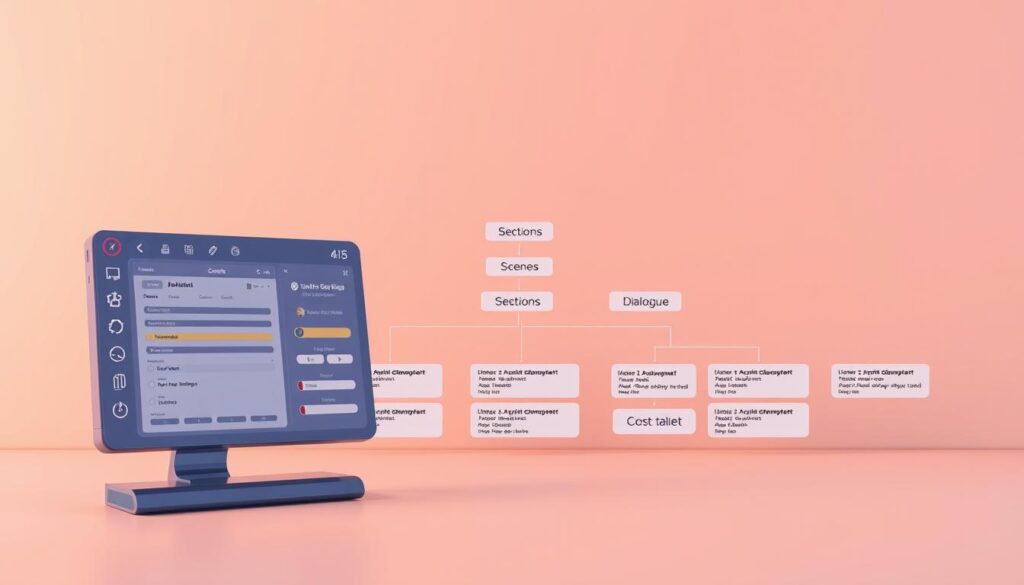
AV script structure: segments, scenes, and timecodes
Prioritize a two-column AV layout: audio and visual columns, segment banners, and row-level timecodes mirror production workflows. This layout makes the video script easy to scan and to hand off to editors or directors.
Timing and length controls for Shorts, mid-form, and long-form
Include runtime intelligence: word counts, estimated runtime per row, and segment totals. Let creators choose targets—Shorts, mid-form, long-form—and auto-scale phrasing to meet runtime goals.
Visual aids, collaboration, and versioning
Support uploads for images, storyboards, and reference links so visuals live alongside lines. Add inline comments, mention notifications, resolved states, and a version history to speed feedback.
- Flexible layout: customizable columns and hidden fields.
- Status color-coding: mark lines approved or needing rewrites.
- Reusable templates and exports: save templates, auto-save edits, and export PDFs with headers, footers, and watermarks.
Prompt engineering for YouTube video scripts
Precise prompts transform rough concepts into publish-ready video outlines. Start with a tight brief that lists audience, goal, runtime, and the target style. This reduces generic output and speeds revision.
Use examples and transcripts. Paste short transcripts from reference videos and mark what to copy—hook length, pacing, and transitions. The model mirrors patterns when shown clear examples.
Engineer an outline-first flow: ask for beats, then expand sections one at a time. That approach saves tokens and keeps the draft aligned with production needs like word counts and scene timing.
Incorporate keywords naturally. Place search terms in headings, CTAs, and callouts so the final video script reads well and surfaces in search. Iterate precisely—request tight intros, add statistics, or swap tone until the draft fits brand voice.
- Presets: tutorial, review, or case-study starters.
- Constraints: target runtime, number of scenes, visual density.
- Human pass: reserve nuance, humor, and brand voice edits for the final review.
Build, a, script, generator, for, youtubers, using, gpt
Start by capturing five core inputs: title or topic, target audience, runtime target, tone, and a clear CTA. Those fields anchor the generation process and focus the output on measurable goals.
Collect inputs: topic/title, audience, runtime, tone, and CTA
Place these fields in a simple input panel. Use presets for tone and runtime so creators choose quickly, then allow overrides for power users.
Generate outline-first, then expand sub-sections on demand
Run an outline step that returns beats: hook, setup, key points, proof, and CTA. When the outline is approved, expand only selected sections to save tokens and keep edits focused.
Break into scenes with audio/visual columns for clarity
Present scenes in an AV view with Audio and Visual columns. Add quick actions to split, merge, or reorder rows without breaking timecodes.
- Sensible defaults provide a strong first draft with one click of the generate button.
- Validation prompts catch missing runtime or CTA and keep momentum high.
- Store reference links and uploads so the model can use context for niche content.
Creating a creator-friendly editor experience
Design choices in the editor shape how fast teams move from draft to camera. The interface should reflect production needs: clear columns, quick tags, and non-disruptive autosave. Small details reduce friction and improve throughput.
Layout customization: columns, hidden fields, and banners
Provide customizable columns for Audio and Visual. Let users hide internal notes and surface them on demand. Banners mark segments and beats so teams scan structure at a glance.
Color-coding, status tags, and autosave to speed revisions
Color-coded lines and status tags (draft, needs b-roll, approved) make revision state obvious. Autosave should be configurable and subtle—show brief save states without breaking flow.
Export options: PDF with headers/footers, watermarks, episodic grouping
Exports must match production workflows: clean PDFs with headers/footers, optional watermarks, and episodic grouping for series planning. Include a scratchpad beside the script for quick notes and checklists.
- Drag-and-drop scenes with automatic timecode updates
- Templates users can save, clone, and adapt
- Keyboard-first editing plus simple defaults for newcomers
- Preview modes: clean read view and production view
| Feature | Why it matters | StudioBinder example | Best use |
|---|---|---|---|
| Custom Columns | Matches AV workflows | Audio/Visual columns | Scene-level clarity |
| Color Tags | Speeds reviews | Color-coded lines | Approval tracking |
| Autosave | Prevents lost work | Configurable save | Live collaboration |
| Export Controls | Shareable, production-ready files | PDFs with headers & watermarks | Vendor handoff |
“A calm UI that emphasizes content keeps powerful features one click away.”
From script to production: integrating your workflow
Effective hand-offs convert rough outlines into ready-to-shoot materials with minimal back-and-forth. The goal is a single, production-ready file that editors, sound designers, and directors trust as the source of truth.
Formatting for AV scripts and quick scene rearrangement
Output clean AV formatting: two-column audio/visual rows, clear beats, and accurate time estimates. That lets editors drop content into timelines without reformatting.
Support fast scene rearrangement and auto-update transitions and time blocks. Small edits should not force manual recalc of times or cues.
Hand-off to video tools and adding music/voiceover later
Provide export presets: PDF for review, CSV/JSON for programmatic imports, and DOCX for teleprompter use. One-click sends to project boards and editing suites speed producer workflows.
Annotate b-roll and sound design suggestions inline so media elements land where intended. Expose webhooks or API callbacks to trigger project creation and asset tracking.
- Lock the final version before recording; keep a minor change log for set updates.
- Include a pre-export check to make sure CTAs, on-screen text, and disclaimers are present.
- Document the end-to-end process in-app to reduce onboarding time.
| Capability | Why it matters | Output example |
|---|---|---|
| AV Columns | Aligns copy with shots | Audio / Visual rows with timecodes |
| Scene Reorder | Speeds storytelling edits | Drag, auto-update durations |
| Export Presets | Fits downstream tools | PDF, CSV/JSON, DOCX |
| Webhooks & API | Automates project setup | Trigger editor job, upload assets |
Improving quality: iteration, testing, and human touch
Iteration at the section level turns vague ideas into crisp, recordable scenes. Targeted rewrites sharpen hooks, tighten transitions, and reduce retakes.
Iterative regeneration: rerun selected sections—stronger hooks, clearer examples, tighter transitions—rather than regenerating full drafts. Use an “add examples” prompt to expand complex beats with mini case studies or analogies.
Keep a detailed outline, not a word-for-word text. Many creators prefer outlines to preserve natural delivery. Track times per segment and trim where retention drops.
Human polish matters
Reserve a human pass for humor, nuance, and brand voice. A script writer should vet phrasing, verify stats, and add personality.
“Small edits in hooks and CTAs often move watch time more than big rewrites.”
- Store quotes and references in a side panel for fast access during recording.
- A/B test intros and CTAs across drafts to find higher-performing ideas.
- Resolve collaborator comments before shooting; save winning patterns as templates.
| Action | Why it matters | Result |
|---|---|---|
| Section-level regen | Focuses changes | Fewer tokens, faster fixes |
| Add examples | Improves credibility | Stronger viewer trust |
| Human polish | Protects voice | Authentic delivery |
| Timing checks | Reduces drop-offs | Higher retention |
Limitations, safeguards, and ongoing optimization
Even smart workflows hit accuracy and context gaps that demand human review. Teams should treat generated drafts as starting points, not final copy.
Address accuracy and bias: supply vetted sources in the prompt and flag time‑sensitive facts. For niche topics, seed the model with glossaries and excerpts so the output stays precise.
Checklists and safety
Practical safeguards reduce rework and protect the brand.
- Add disclaimers on financial or medical claims and route sensitive output to moderation.
- Require editorial review: a script writer verifies stats and tone before export.
- Log errors found in edits and link them to prompt or template fixes.
Pre‑record checklist
Follow a short checklist to cut avoidable edits: notify housemates, test mic, check lighting and backdrop, warm up voice, silence devices, and run a test recording with a few seconds of silence.
| Risk | Mitigation | Outcome |
|---|---|---|
| Outdated information | Inject current sources | Accurate video facts |
| Bias or errors | Editorial review | Safer public release |
| Niche gaps | Seed domain glossaries | Precise scripts |
“Treat generated drafts as drafts—verify facts, protect tone, and test before you record.”
Conclusion
A reliable product layer—inputs, outlines, AV formatting—changes how teams move from idea to publish.
Pair generative power with structure: add templates, timing controls, and clear exports so the first draft is production-ready. This shortens writing and editor hand-off times and raises consistency across videos.
Start small today: ship a minimal prototype, test with real creators, and keep human polish in the loop. Use analytics and checklists to refine hooks, pacing, and scenes over time.
When templates, collaboration, and exports work together, the workflow becomes a compounding asset. The payoff shows up in better videos, faster creation, and a stronger youtube channel.
FAQ
What is the core benefit of a GPT-powered YouTube video script tool?
The core benefit is speed plus consistency: it moves creators from blank page to publish-ready outlines and full video scripts quickly, reducing research and drafting time while improving structure, pacing, and repeatable formats that boost watch time and channel ROI.
Which creators gain the most from this script writing tool?
Ambitious creators, entrepreneurs, educators, and small production teams benefit most—anyone who publishes regularly and values efficiency. The tool supports short-form Shorts, mid-form tutorials, and long-form explainers with timing controls and scene breakdowns to match audience habits.
How does the generator improve script quality and algorithm reach?
By enforcing AV script structure—segments, scenes, and timecodes—and by incorporating keyword-driven headings and CTAs, scripts align with viewer intent and search patterns. Better pacing and clearer hooks increase retention, which signals the algorithm to surface videos more often.
What does “Generative, Pre-trained, Transformer” mean in simple terms?
It’s a type of AI model trained on large text datasets to predict and produce coherent text. In practice, it can draft outlines, expand scenes, and adapt voice and tone when given clear inputs like topic, audience, and examples.
Should creators use ChatGPT directly or an integrated tool with templates and workflows?
Direct ChatGPT works well for ad-hoc prompts and brainstorming. Integrated tools add value through templates, collaboration features, autosave, exports, and scene-based editors. Choose direct access for flexibility and integrated platforms for production-ready workflows.
What technical prerequisites are required to get started?
Creators need an API-capable model account such as GPT-4 or accessible alternatives, a simple backend to handle prompts, and a lightweight UI. Optionally add a prompt layer, versioning, and connection to video editing or publishing tools for smoother hand-offs.
Which core components should developers prioritize when building the tool?
Prioritize a reliable backend, a prompt orchestration layer, and an editor focused on usability. Then add collaboration, export options, and integrations with editing suites or asset libraries to streamline production.
What inputs produce the best outputs from the generator?
Clear inputs: topic/title, target audience, runtime, desired tone, primary CTA, and any reference transcripts or examples. The more specific the brief, the more targeted and useful the script and scenes will be.
How does the workflow "outline-first, expand-on-demand" help creators?
Starting with an outline saves time and lets creators iterate on structure before committing to full drafts. It simplifies feedback, enables scene-level edits, and reduces costly rewrites during production.
What features do creators actually use in an editor?
Usable features include column layouts for audio/visual notes, timecode fields, color-coding, status tags, comments, autosave, and export options like PDF with headers, watermarks, and episodic grouping for series planning.
How should scripts be formatted for easy hand-off to video tools?
Use AV columns, scene headers, timecodes, and clear asset references. Export options that preserve layout—PDF or CSV—help editors and motion designers import content, add music and voiceover, and arrange scenes faster.
Can the tool help with keyword optimization and search-driven scripts?
Yes. Prompt engineering can insert target keywords naturally into titles, hooks, and descriptions while keeping readability high. This balances discoverability with viewer experience and avoids keyword stuffing.
How do creators balance AI output with the human touch?
Treat AI drafts as scaffolding: use iterative regeneration to refine sections, then apply human editing for humor, nuance, brand voice, and accuracy. That combination yields faster production with authentic tone.
What safeguards should be built to address accuracy and bias?
Implement fact-check flows, content flags, and editable source citations. Add prompts that require the model to cite sources or mark uncertain claims, and include a human review step before publishing.
Which export options accelerate post-production?
Useful exports are formatted PDFs for producers, scripts with scene timestamps for editors, CSV for batch uploads to production tools, and cloud sync with video editors. These reduce manual copy-paste and speed the workflow.
How does versioning and collaboration improve content quality?
Versioning preserves prior drafts and enables rollbacks; comments and status tags streamline feedback between writers, editors, and producers. This minimizes confusion and keeps releases on schedule.
What common limitations should users expect from current models?
Models can hallucinate facts, lag on real-time data, or misjudge niche industry nuances. Expect to validate technical claims, timelines, and brand-specific terminology before finalizing scripts.
Are there ready-made templates and scene libraries to speed creation?
Yes. Effective tools ship with templates for hooks, tutorials, reviews, and interviews, plus scene libraries and storyboard snippets. These templates act as proven frameworks that reduce trial-and-error.
How can creators measure the tool’s impact on channel growth?
Track metrics such as publish frequency, average watch time, retention curves, viewer engagement, and subscriber growth before and after adoption. Correlate shorter production cycles with increased output and algorithm performance.
What workflow tips help teams move from script to final video smoothly?
Keep scripts modular with clear scene markers, attach references and asset links, assign ownership for each element, and use exports that integrate with editing suites. Regularly test end-to-end runs to refine hand-offs.