
There are moments when a single idea reshapes a career. A founder remembers building a simple assistant that answered product questions. It turned complex research into clear steps and won early users quickly.
The market shifted after OpenAI deprecated custom GPT Actions in early 2024. New tools now offer stronger orchestration, memory, and native integrations. This creates a practical path to productize focused GPT-driven services.
This guide frames a lean, test-first route: validate demand, assess data limits, define buyer profiles, and pick the right platform. Teams will compare OpenAI Assistants, CustomGPT.ai, and FastBots-style hosts to balance privacy, analytics, and fast embeds.
Readers will learn behavioral design, persistent knowledge strategies, and distribution tactics that help convert visitors into customers. The aim is clear: reduce risk, boost performance, and turn prototypes into durable products.
Key Takeaways
- Start with targeted research to confirm demand and reduce risk.
- Choose platforms that match privacy, analytics, and speed needs.
- Design tone, guardrails, and knowledge layers for consistent responses.
- Package product offerings for web embeds, workspace gates, or direct endpoints.
- Use integrations and measurement to move from demo to full workflow.
What “niche GPTs” are and why they’re winning after GPT Actions’ deprecation
When Actions were retired, a clearer path emerged: agents built for stateful, task-focused work. These solutions combine curated data, sharp instructions, and connected tools to solve domain problems reliably.
Modern agents hold memory, run conditional logic, and keep context across steps. That reduces unpredictable behavior and lifts overall performance.
From brittle function calls to resilient agents
OpenAI’s Actions required OpenAPI specs, auth work, and schema debugging. Builders reported fragility and slow rollout. Agent platforms—backed by Lindy, LangChain, Hugging Face, and Relevance AI—offer orchestration, fallbacks, and native integrations like Gmail and CRM.
“Agents turned assistive text into production workflows that schedule meetings, log CRM records, and close loops.”
Benefits for businesses and creators
- Automation: repeatable processes replace manual steps.
- Consistency: fewer variance in responses across users.
- Scalability: single model plus curated data handles routine tasks.
| Aspect | Actions (legacy) | Agents (modern) |
|---|---|---|
| State | Stateless calls | Cross-step memory |
| Reliability | Fragile schemas | Fallbacks and logic |
| Time to deploy | High (specs, auth) | Lower (native platform connectors) |
| Outcomes | Text responses | Actions completed, records logged |
For a developer-focused playbook on turning agents into products, see the developer blueprint.
Research your niche: validate demand, data availability, and buyer persona
High-quality research reveals where focused GPT solutions can drive real value. Start with short interviews to surface frequent, painful problems that a specialized assistant could own.
Interview target users and decision-makers separately. Capture daily tasks, failure points, and willingness to pay. Use search query analysis, community threads, and support tickets to quantify demand and gather insights.
Map data, privacy, and success metrics
List the exact information the model needs: documents, SOPs, FAQs, regulations. Note where data lives—drive, CMS, or CRM—and how fresh it must stay.
Custom GPTs perform best when fed curated domain datasets. CustomGPT.ai supports 1,400+ formats, OCR, detailed analytics, and stronger privacy controls—useful for sensitive business information.
- Define metrics up front: accuracy, time-to-resolution, conversion, or reduced backlog.
- Capture buyer personas: daily user goals and decision-maker budget authority.
- Prototype with a minimal pilot corpus; curation beats volume for relevancy and performance.
| Research step | Core question | Output |
|---|---|---|
| User interviews | What tasks fail most often? | Problem list + willingness-to-pay |
| Data mapping | Where is required information stored? | Source inventory + update cadence |
| Compliance review | Which rules apply in the US? | Platform constraints + encryption needs |
| Pilot metrics | How will success be judged? | Accuracy, leads, and resolution time |
Choose your build path: OpenAI, CustomGPT.ai, or hosted chatbot platforms
Choosing the right build path shapes initial velocity, cost, and long-term control for any GPT product. Teams should weigh integrations, privacy, and the desired feature set before committing.
OpenAI Assistants and function calling: pros, cons, and use cases
OpenAI is improving function calling and memory across newer models. That lets Assistants orchestrate tools through APIs and handle multi-step workflows.
Strengths: mature models, broad developer ecosystem, and fine-grained control through programmatic integration.
Trade-offs: additional engineering, potential privacy limits, and cost at scale—best for teams that need bespoke orchestration and can manage infrastructure.
CustomGPT.ai for deeper customization, privacy, and analytics
CustomGPT.ai focuses on privacy-first controls, detailed analytics, and wide data support—over 1,400 formats with OCR. This suits businesses that require strict handling of sensitive information.
Its developer API and SDK simplify embedding, integration, and iterative model tuning for higher performance.
FastBots-style hosts to embed and monetize chatbots
Hosted platforms speed time-to-market: upload documents, add videos, embed a widget, and enable a paywall to monetize subscriptions without premium user accounts.
They are ideal for creators and small teams validating demand quickly, while providing built-in interface elements and usage analytics.
| Option | When to pick | Key trade-off |
|---|---|---|
| OpenAI Assistants | Custom workflows, deep integrations | Engineering effort vs. control |
| CustomGPT.ai | Privacy-sensitive, high-volume deployments | Config complexity for max control |
| Hosted platforms | Fast validation, monetization | Less UI control, quicker launch |
Align platform choice with product goals: choose CustomGPT.ai for analytics and integrations, pick a hosted chatbot to test monetization, or build on OpenAI when bespoke tool orchestration is required. Instrument information capture and performance metrics to iterate.
Design behavior: instructions, context windows, and response quality
Designing clear behavior rules for an assistant sets expectations for every interaction. Start with a compact system prompt that defines role, scope, tone, and explicit do/don’t rules.
System prompts, tone, and guardrails for reliable outputs
Write a system prompt that lists steps the model must follow. Specify escalation paths and when to ask clarification. Include style notes: short paragraphs, citations, and when to defer to human support.
“Clear prompts reduce hallucinations and speed up resolution for users.”
Upload and curate domain data for accuracy and brand alignment
Curated data matters more than volume. Feed the assistant high-signal sources: FAQs, SOPs, policies, and exemplar answers. Remove outdated items to prevent drift.
- Calibrate the context window: prioritize essential snippets and retrieval rules so long interactions stay coherent.
- Add guardrails for compliance, privacy, and citation—set thresholds to pass issues to a human.
- Use exemplars to shape text format: ideal lengths, tables, and checklists improve consistency.
- Log failure modes—hallucination, missing context, tone mismatch—and iterate on prompts and data mapping.
For product-facing flows, define structured outputs (JSON schemas) to keep downstream systems predictable. Test prompts across personas and devices, and maintain a living prompt library as policies and offers change.
Build the knowledge layer: data ingestion, updates, and performance monitoring
A reliable knowledge layer turns scattered files into actionable context for every user query. Define which sources are authoritative and set a sync cadence so information stays current.
Standardize ingestion: normalize documents, add metadata, and chunk content with semantic tags. This improves retrieval and makes responses more accurate.
Establish an update pipeline that tracks versions and automates refreshes for time-sensitive information like pricing and policies.
Instrument performance with analytics: capture accuracy, latency, deflection rate, and user satisfaction. Correlate dips with specific data sources or prompt changes to find root causes.
- Use analytics dashboards on the chosen platform to spot gaps and unanswered queries.
- Implement human-in-the-loop review for high-stakes tasks and refine prompts from reviewer feedback.
- Document onboarding, QA, and rollback processes so updates stay safe and reversible.
| Focus | Action | Outcome |
|---|---|---|
| Ingestion | Normalize, tag, chunk | Precise retrieval; fewer contradictions |
| Updates | Versioning and automated refresh | Current information for users |
| Monitoring | Track accuracy, latency, satisfaction | Measurable performance improvements |
| Governance | Runbooks and human review | Safe, auditable changes |
Leverage platform features—such as CustomGPT.ai’s broad format support and analytics or agent dashboards like Lindy—to iterate continuously. Treat knowledge as a product: curate depth without bloat, and align content with evolving business goals and tasks.
make, niche, gpts, and, sell, access, via, api, or, notion
Monetizing a specialized assistant starts with clear delivery channels and measured quotas. Choose delivery that matches buyer habits: programmatic endpoints for engineers, or embedded widgets for marketers and support teams.
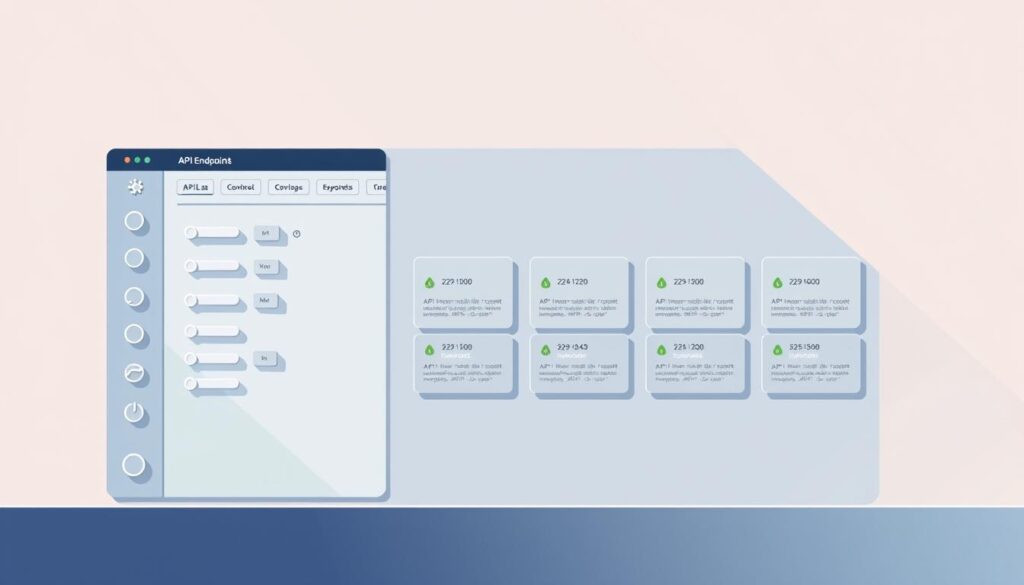
Design tiers around predictable usage. Offer tokenized API keys scoped to features and rate limits. Map paid tiers to quotas and premium endpoints so value aligns with cost.
API access: tokens, rate limits, and usage tracking for paid tiers
Scope tokens by feature set. Track account usage to power metered billing and to spot latency or error spikes. Publish a short Quickstart and code snippets to lower integration friction.
Notion delivery: gated pages, embeds, and membership workflows
Gate pages or databases behind memberships and embed a conversational widget. Link playbooks, FAQs, and templates to create a cohesive experience for each user segment.
Embedding on websites and landing pages to expand reach
Hosted platforms let teams upload PDFs, videos, and docs to enrich answers and speed time-to-market. Add a paywall to the embed; test subscriptions versus credit packs to find what converts.
- Optimize interface: clear CTA, sample prompts, quick onboarding.
- Instrument interactions: log common queries and convert workflows into one-click “recipes.”
- Package outcomes: highlight real results—faster leads, lower backlog, compliant outputs.
| Delivery | Best for | Key metric |
|---|---|---|
| Scoped API tokens | Developer integrations | Requests per minute, errors |
| Gated Notion pages | Knowledge-driven memberships | Member conversions, time on page |
| Embedded widget | Landing pages, self-serve trials | Engagement rate, paywall conversions |
Monetization models: paywalls, subscriptions, and licensing
Monetization must link value to measurable outcomes if a product will win repeat customers. Pricing should reflect results—leads delivered, time saved, or ticket deflection—so buyers see the direct business impact.
Design tiers by usage, features, and integrations. Create plans around requests per month, advanced tools like memory, and CRM hooks. FastBots supports paywalls and lead tracking, letting creators set pricing and embed chatbots across sites. CustomGPT.ai fits high-volume customers with analytics and privacy for enterprise licensing.
Tier strategy and conversion tactics
- Offer subscriptions for steady users; add credits for bursts.
- License seat- or domain-based plans for teams and agencies.
- Use free trials or time-limited credits to reduce friction.
- Capture leads from embeds with clear CTAs; nurture with case studies and ROI examples.
Anchor pricing to outcomes: cite “$X per qualified lead” or “$Y to cut support time by Z%.” Bundle premium content—playbooks, SOP libraries, templates—with product access to raise perceived value and cut churn.
| Model | Best for | Key metric |
|---|---|---|
| Paywall / widget | Self-serve discovery | Paywall conversion |
| Subscription + credits | Mixed steady & burst use | ARPA / active users |
| Enterprise license | Teams, agencies | Expansion revenue |
Finally, add SLAs and admin controls for higher tiers and a self-serve billing portal with usage alerts. Track funnel metrics—conversion by tier, activation time, expansion—to iterate where the product delivers the fastest sales and best performance.
Integrations and automation: connect CRMs, email, and workflows
Connecting assistants to core tools turns isolated replies into measurable business workflows. That shift lets teams automate routine tasks and focus on higher-value work.
Use low-code automators for multi-step flows. Zapier AI Actions or Make can parse incoming queries, enrich leads with Clearbit-like data, log records, schedule meetings, and send confirmations without heavy engineering.
Prefer native integrations when possible
Agent platforms such as Lindy provide native Gmail, Slack, Salesforce, Stripe, and Google Sheets connectors. These reduce maintenance and improve reliability compared with stitched automations.
Sales and support workflows that scale
Build sales flows to capture leads, auto-qualify, enrich data, draft replies, and assign owners. Track conversion lift and time-to-first-response as core metrics.
For support, route tickets by intent, auto-summarize conversations, and surface targeted information to agents in real time to cut resolution time.
- Centralize processes on one platform for observability: throughput, errors, latency.
- Share integration templates with the team to standardize fields, naming, and audit trails across businesses.
- Use chatbot embeds to collect context and pass structured data into CRMs and help desks.
- Close the loop: push interactions and insights back to the knowledge base to improve future responses and deflection rates.
- Offer admin controls for roles and permissions; publish a roadmap of upcoming features to align buyer expectations.
| Use case | Integration | Key metric |
|---|---|---|
| Sales outreach | Gmail + CRM + enrichment | Leads qualified / time-to-first-response |
| Ticket routing | Slack + helpdesk + KB | Resolution time / deflection rate |
| Billing & trials | Stripe + CRM + email | Conversion rate / churn |
Go-to-market in the United States: positioning, distribution, and compliance
Market entry in the United States hinges on trust—proof points, compliance, and clear ROI. Buyers evaluate how a gpt delivers measurable gains for their businesses before they consider technical specs.
Positioning your custom assistant versus generic chatbots
Position around outcomes, not features. Say: “reduce ticket backlog by X%” rather than touting model complexity.
Differentiate with verified sources, deterministic workflows, and case metrics that prove better customer experience and faster resolution times.
Show dashboards and audit logs so procurement teams see real performance and support claims with references.
Security, data privacy, and acceptable use considerations
Publish transparent policies for acceptable use, retention, encryption, and incident response. This lowers friction with security and legal teams.
Provide architecture diagrams and model disclosures that show how data flows through the platform, where information is stored, and how deletion works.
“Clear governance and measurables are the fastest path past procurement gates.”
- Offer admin controls: SSO, role-based access, and export capabilities for enterprise buyers.
- Align pricing with procurement norms: annual contracts, SOC-ready docs, and clear SLAs.
- Use US regulations as a roadmap; keep research channels active to refine messaging and rebut common objections.
| Channel | Proof | Artifact |
|---|---|---|
| Partner marketplaces | Customer case metric | Dashboard screenshots |
| Vertical SaaS ecosystems | Performance uplift | Architecture diagram |
| Community forums | Reference clients | Audit logs |
Conclusion
Treat the assistant as a product: own onboarding, metrics, and the roadmap that turns early tests into repeatable revenue. After Actions were retired, builders shifted to agents with memory, logic, and native integrations to solve specific tasks.
Platforms like CustomGPT.ai (privacy, analytics, many data formats) and FastBots-style hosts (hosting, embeds, paywalls) make it practical to launch, measure, and monetize a focused chatbot.
Start narrow: ship an MVP, embed it on a landing page, and iterate weekly on prompts, data, and performance metrics. Instrument accuracy, conversion, and usage to guide product decisions and support sales growth.
Get started by curating high-signal content, choosing the right platform, and treating knowledge as the core asset that sustains long-term value.
FAQ
What are niche GPTs and why are they popular after GPT Actions was deprecated?
Niche GPTs are specialized conversational models tailored to a vertical or task—legal research, patient triage, content planning, and similar use cases. After GPT Actions ended in 2024, builders shifted to agent patterns and assistant frameworks that give more control over prompts, data sources, and integrations. The result: more reliable outputs, easier compliance, and clearer product-market fit for businesses and creators.
How did the transition from GPT Actions to modern agents change development?
The shift emphasized modular tools: function calls, system prompts, and external connectors instead of single-action workflows. Developers now design persistent context windows, plugin-style integrations, and explicit guardrails. That improves traceability, debugging, and the ability to connect CRMs, databases, and scheduling tools for multi-step flows.
What business benefits do specialized assistants provide?
They automate repetitive work, ensure consistent messaging, and scale expert knowledge across teams. For sales and support, that means faster lead qualification and ticket responses. For product teams, it speeds research and content creation. Overall, enterprises see higher throughput and predictable outcomes when the assistant aligns with domain rules and success metrics.
How should a founder validate a niche before building an assistant?
Start with customer interviews to identify high-intent problems—billing, compliance checks, or scheduling pain points. Check data availability and privacy constraints early. Run a small pilot or landing page to measure signups and willingness to pay, then track conversion and retention metrics before heavy investment.
Which verticals show strong demand for tailored assistants?
Healthcare, legal services, real estate, finance, and fitness often have repeatable, high-value workflows. These sectors benefit from domain data, regulatory guardrails, and measurable ROI—factors that make a paid assistant attractive to buyers.
What build paths are practical today: OpenAI, CustomGPT.ai, or hosted chatbot platforms?
OpenAI provides robust function calling, model variety, and ecosystem support. CustomGPT.ai offers deeper customization, privacy controls, and analytics suited for enterprise needs. Hosted chatbot platforms like FastBots simplify embedding and paywalling on sites. Choose based on control needs, compliance, and speed-to-market.
When should a team use OpenAI Assistants and function calling?
Use them when you need reliable model behavior plus structured integrations—database queries, payment actions, and third-party APIs. Function calling reduces hallucinations for deterministic tasks and simplifies orchestration across services.
Why choose a platform like CustomGPT.ai for deeper customization?
CustomGPT.ai often adds fine-grained prompt controls, enterprise privacy SLA options, and built-in analytics. That matters when handling sensitive data or when you need audit trails and team management around assistant behavior.
How do hosted chatbot hosts help with embedding and monetization?
Hosts provide widgets, landing-page embeds, and paywall features so creators can gate assistant usage behind subscriptions or one-time payments. They also handle scaling and basic compliance, reducing engineering overhead for early monetization.
What are the key design elements for consistent assistant behavior?
Define system prompts, tone guidelines, and guardrails up front. Limit context windows to relevant data and curate domain documents for grounding. Regularly test prompts for edge cases and log failures to refine instructions and improve response quality.
How should teams ingest and manage domain data to ensure accuracy?
Use structured ingestion pipelines: canonical sources, versioned uploads, and metadata tagging. Schedule updates, run retrieval-evaluation checks, and monitor relevancy metrics. This reduces drift and preserves brand voice across interactions.
What technical details matter for paid API access tiers?
Track token usage, enforce rate limits, and implement tiered quotas. Offer usage dashboards and API keys per customer. Ensure billing and overage policies are clear to prevent surprises and to support enterprise procurement cycles.
How can creators deliver assistants through Notion while gating content?
Use gated Notion pages with membership workflows, embeddable widgets, or OAuth-based access controls. Combine Notion’s content with an embedded assistant for guided experiences and link gating to subscription platforms for unlocks.
What are best practices for embedding assistants on websites and landing pages?
Use lightweight widgets, lazy loading, and clear value propositions on the page. Provide trial access, demo flows, and lead capture so visitors convert. Optimize loading and privacy notices to meet compliance expectations.
Which monetization models work best for niche assistants?
Tiered subscriptions by usage or features, per-seat licensing for teams, and white-label licensing for enterprises are common. Combine trials, freemium funnels, and lead capture to build a predictable revenue pipeline.
How should pricing tiers be structured for maximum conversion?
Align tiers to clear value: basic access for light users, advanced features for power users, and enterprise plans with integrations and SLAs. Use usage caps, premium connectors, and priority support to differentiate tiers.
What conversion tactics help turn trials into paid users?
Time-limited trials, onboarding checklists, proactive outreach, and in-product nudges drive adoption. Use contextual help, case studies, and success metrics to demonstrate ROI and encourage upgrades.
How do integrations and automation improve assistant value?
Connectors to CRMs, email, calendars, and billing systems make the assistant actionable—logging leads, scheduling calls, and updating records automatically. Automation reduces manual handoffs and boosts productivity.
When should teams use Zapier or Make for multi-step flows?
Use no-code tools for rapid prototyping of outreach, logging, and scheduling. They speed integration without engineering effort and are ideal for early customer-facing automations before building native connectors.
What native integrations typically matter on agent platforms?
Gmail, Slack, Salesforce, Stripe, and calendar systems are high-impact. Native connectors reduce latency, improve security, and simplify enterprise adoption compared with ad hoc solutions.
How can assistants support sales and support teams specifically?
Assistants qualify leads, enrich profiles, draft outreach sequences, and triage tickets. They automate follow-ups and surface context to agents, which shortens resolution times and increases throughput.
How should a product be positioned in the U.S. market?
Differentiate on vertical expertise, measurable outcomes, and secure data handling. Emphasize case studies, compliance posture, and integration depth to win trust in U.S. enterprise procurement processes.
What security and privacy steps are essential for commercial assistants?
Implement encryption in transit and at rest, limit data retention, and provide role-based access controls. Maintain audit logs, clear acceptable use policies, and pursue SOC 2 or ISO 27001 if targeting larger customers.
How do acceptable use and regulatory concerns affect product design?
They shape content filters, escalation flows, and data minimization. For regulated sectors, add consent capture, human-in-the-loop review, and explicit disclaimers to mitigate risk and stay compliant.
What metrics should teams monitor to measure performance?
Track usage (sessions, tokens), conversion rates, retention, response accuracy, and resolution time. Combine qualitative feedback with quantitative KPIs to iterate on prompts, data, and UX.
How can teams capture leads and qualify prospects using assistants?
Use interactive qualification scripts, capture contact data, and push leads into CRMs with enrichment. Automate follow-up sequences and score leads based on intent signals collected during chats.
What role does content and social media play in go-to-market efforts?
Content educates buyers and showcases use cases; social media amplifies proof and drives traffic to demos. Case studies, short tutorials, and measurable outcomes help build credibility and inbound demand.
How do creators balance customization with maintainability?
Prioritize modular prompts, version control, and well-documented data pipelines. Start with a minimal viable assistant, then iterate with customer feedback while keeping core behavior stable.
What support and onboarding resources help customers adopt assistants?
Provide step-by-step setup guides, API docs, example use cases, and a knowledge base. Offer live onboarding sessions and prioritised support for higher tiers to speed time-to-value.
How should teams plan for long-term updates and model improvements?
Schedule periodic retraining of retrieval data, review failure logs monthly, and run A/B tests on prompt variants. Maintain a roadmap that ties model changes to user outcomes and compliance needs.