There are moments when a simple toggle changes how people feel about a product. Readers who have wrestled with low-contrast interfaces know the frustration of strained eyes and lost context. This introduction meets that feeling with a practical promise: treat dark mode as a clarity problem, not an afterthought.
The guide frames a structured vibe coding approach that moves from intent to interface. It shows how semantic HTML, theme-ready CSS variables, and lightweight JavaScript can honor a user‘s system settings while persisting preferences with localStorage and matchMedia.
Expect a clear way to map product tone to interface choices—pill toggles, microinteractions, and visible focus states—that improve legibility and accessibility. The focus is on contrast ratios, color tokens, and maintainable components that scale from prototype to production.
Key Takeaways
- Dark mode is a clarity and contrast challenge solved by structured workflow.
- Use semantic HTML and CSS variables for fast, maintainable theming.
- Persist preferences with a lightweight script that respects system settings.
- Prioritize contrast ratios, tokens, and focus indicators for accessibility.
- Design components to be reusable, testable, and production-ready.
Why dark mode now: aligning user intent with vibe coding in the United States
Today, preference for low-light interfaces shapes product expectations across the United States.
Informational intent demands a clear, step-by-step process that improves contrast and comfort.
Vibe coding compresses the idea-to-interface loop. Teams describe an idea, test a prototype, and refine quickly. This conversational iteration reduces ambiguity and speeds learning.
Practitioners report fast exploration with Figma AI for visuals, Cursor for interactive flows, and VS Code plus GitHub Copilot for full apps. These tools let teams validate core journeys before adding polish.
Informational intent: learning a step-by-step way to better contrast and clarity
Start small: define primary user flows first. Prioritize contrast and readability early to avoid rework. Test assumptions on real devices and with real users.
Past lessons that shape today’s process
Engineering discipline remains essential. Maintainable naming, accessibility checks, and structured tokens keep rapid creation from becoming technical debt.
| Stage | Tool | Goal | Outcome |
|---|---|---|---|
| Concept | Figma AI | Explore visual ideas | Fast direction options |
| Prototype | Cursor | Interactive flows | Validate journeys |
| Build | VS Code + Copilot | Scale implementation | Maintainable product |
Tools and setup: choosing the right vibe coding stack for dark mode
Choose a lean stack that maps each phase of the project to a single focused tool. This reduces context switching and keeps iterations fast: visual ideation, interaction testing, full development, and prompt-to-UI acceleration.
Practical pairing matters. Designers favor Figma AI for rapid UI exploration. Cursor handles interactive flows. VS Code with GitHub Copilot accelerates scalable programming and app builds. Vitara.ai speeds prompt-to-HTML output with semantic HTML and theme-ready CSS variables.
Project scaffolding and repo hygiene
Scaffold with clear folders: components, styles, scripts, and docs. Use concise README files and naming conventions so maintainers can onboard quickly.
Keep dependencies minimal. Favor semantic HTML, a token-based CSS language, and a small utility set—Tailwind can provide responsive classes without custom media rules.
- Theme strategy: tokens for color, spacing, typography that sync light and dark variants.
- Checks: accessibility linters and contrast tests in CI to catch regressions early.
- Repo practices: clear commit messages, protected branches, and stored prompt artifacts to preserve decision history.
For a compact walkthrough of recommended tools and workflows, see this comprehensive guide. It maps each tool to the stage it serves best, so teams can move from prototype to production with confidence.
vibe coding dark mode design: from prompt idea to first layout
A precise prompt sets the trajectory from idea to an initial, testable layout. Teams that start tight—mobile-first, minimal, accessible, and fast—get usable HTML earlier.
Writing the first prompt that encodes vision, speed, and simplicity
Begin with a short brief: name the goal, interaction pattern, and performance limits. Ask for semantic HTML, CSS variables for light/dark tokens, and unobtrusive JavaScript that persists preference.
Generating semantic HTML with theme-ready CSS variables
Request specific outputs: aria-labels, prefers-color-scheme support, a single root class toggle, and clear variable names. This keeps the code maintainable and theme-ready.
Iterating prompts to reduce friction and clarify the product vibe
Refine prompts to address hit areas, motion timing, and contrast targets. Treat each revision as a design decision and record what changed. Over time, a prompt library speeds future work.
- Call for accessible focus states and keyboard operability.
- Prioritize GPU-friendly transitions to preserve speed.
- Validate spacing, hierarchy, and responsiveness on real devices.
| Phase | Ask | Output | Why it matters |
|---|---|---|---|
| Initial | Mobile-first prompt | Semantic HTML + CSS vars | Fast prototype and clear tokens |
| Refine | Accessibility constraints | ARIA, focus states | Inclusive product and fewer reworks |
| Polish | Performance details | GPU transitions, small JS | Smooth interactions and low battery use |
Designing the toggle UI: contrast, clarity, and minimalism
A toggle should answer a single question: is the interface in this state or not? The control must be obvious, easy to hit, and communicate change without stealing attention. Teams that choose a pill-style switch often gain clearer affordance at small sizes and more reliable touch targets.
Pill-style vs icon switches: mapping the right vibe to user experience
Pill switches scale well for mobile. They show state with position and color, which helps users read status at a glance. Icon toggles can be compact, but they risk ambiguity when contrast is low or the icon is small.
“Clarity wins over novelty: make the control readable, reachable, and consistent across themes.”
Microinteractions that communicate state without noise
Microinteractions should inform, not distract. Favor subtle translation and opacity shifts. Keep transitions under 120ms for tactile feedback and avoid heavy easing that feels decorative.
| Aspect | Pill | Icon |
|---|---|---|
| Readability | High at small sizes | Medium; relies on glyph clarity |
| Accessibility | Easy to hit; good focus states | Requires larger hit area |
| Implementation | Simple CSS vars + tokenized colors | SVGs + aria-labels; slightly more code |
Practical checklist:
- Calibrate foreground contrast to exceed WCAG thresholds.
- Keep hit areas consistent for mobile ergonomics.
- Use tokenized styles and minimal code paths for maintainability.
- Implement clear focus rings and ARIA attributes to build trust.
For a compact walkthrough of a responsive toggle implementation, see this responsive toggle guide. It shows how to balance accessibility, microinteractions, and minimal tooling to ship a reliable switch.
Responsive behavior: making dark mode feel right on every device
Responsive behavior ensures a theme feels native whether in a pocket or on a desktop.
Treat responsiveness as behavior: scale hit areas, density, and spacing so a toggle remains usable on phones and tablets. Use utility classes or tokens—Vitara.ai output and Tailwind classes proved effective for adaptive sizing without writing custom media rules.
Validate layout stability during theme switches. Avoid layout shift and jitter by anchoring dimensions and using GPU-friendly transforms for animations.
Test on real screens. Check thumb reach, glare, and ambient light; synthetic tests miss these details. Align interaction patterns across platforms so users of different apps see a native experience without duplicate effort.
“Simplicity in responsive rules reduces bugs and makes behavior predictable across time.”
- Harmonize spacing and type with tokens to prevent drift between themes.
- Record responsive decisions in system tokens so components inherit the same way.
- Measure and iterate fast—short feedback loops lower the cost of fixes in production.
| Focus | Strategy | Result |
|---|---|---|
| Hit areas | Tokenized sizes | Consistent tapping across devices |
| Animations | GPU transforms, short timing | Smooth transitions, no jitter |
| Testing | Real devices | Fewer layout surprises in the wild |
For a concise walkthrough of tools and responsive tactics, see this practical overview. It maps recommended tools and the fastest way to validate behavior across apps and platforms.
Accessibility first: applying WCAG contrast and keyboard clarity
Accessibility begins where contrast decisions meet real user needs. Good choices require clear tokens, consistent focus, and predictable interactions that serve everyone.
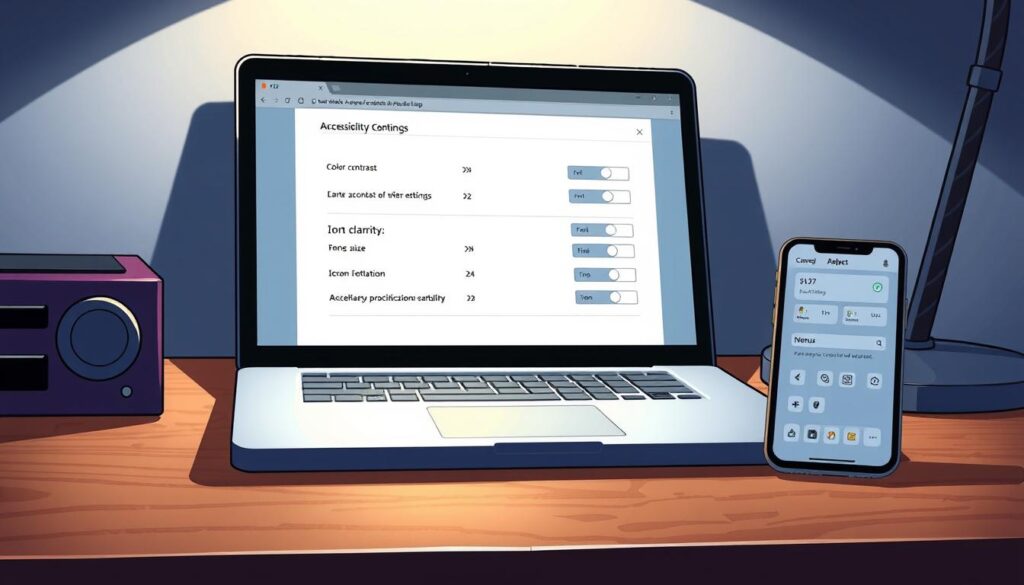
Color tokens and contrast ratios for dark backgrounds
Define tokens for foregrounds, accents, and states. Validate each token against WCAG AA or AAA for large and normal text.
Focus rings, aria-labels, and target sizes
Provide visible focus indicators that do not rely on color alone. Add aria-labels and explicit button semantics so assistive tools convey intent.
Prefers-color-scheme: honoring system preference
Respect system settings with prefers-color-scheme while letting the user override and persist their choice in storage. This balances default behavior and explicit preference.
“Treat accessibility as core engineering quality—fewer regressions, better outcomes for all.”
- Size targets for touch and keyboard equally; keep tab order logical.
- Write labels and alt text in plain language; avoid jargon.
- Document edge cases such as OLED black vs near-black.
| Area | Action | Outcome |
|---|---|---|
| Colors | Tokenize & test ratios | Readable text and icons |
| Focus | High-contrast rings + visible outlines | Keyboard clarity and confidence |
| Preferences | Prefers-color-scheme + persistent toggle | Respects system and user choice |
Theme logic and persistence: lightweight JavaScript that remembers
Keep theme state simple: toggle a single HTML class as the app’s single source of truth. This avoids style drift and makes audits faster.
Implementation in three lines: check prefers-color-scheme, read localStorage, then set or remove the dark class on document.documentElement. Store explicit choices so the user’s preference persists across sessions.
Initialize this script early to prevent a flash of incorrect theme. Inline the critical setup or run it before rendering non-essential assets. For performance, defer other logic.
Separation of concerns: theme logic owns state; CSS variables handle presentation. That keeps development tidy and reduces regressions during refactors.
Include a tiny listener for system changes so the page updates when the user flips their OS preference. Also document each line that touches theming to speed future troubleshooting.
“One class, clear tokens, and a short script make theme persistence reliable and easy to maintain.”
- Single source of truth: toggle one HTML class to switch tokens globally.
- Use
window.matchMedia('(prefers-color-scheme: dark)')then persist overrides inlocalStorage. - Keep code readable and minimal—few branches, clear names, and comments for migration paths.
| Concern | Action | Benefit | Notes |
|---|---|---|---|
| Initialization | Check matchMedia, then localStorage | No flash of wrong theme | Inline critical lines early in |
| Persistence | Store user override in localStorage | Consistent experience across sessions | Prefer explicit values: ‘light’ or ‘dark’ |
| Maintainability | One HTML class + tokenized CSS vars | Simple audits and refactors | Document migration paths for token renames |
Testing and iteration: real devices, real users, real clarity
Testing on real hardware reveals the gaps that emulators miss. Teams validated the toggle across mobile, tablet, and desktop for spacing, touch response, animation smoothness, and keyboard accessibility.
Cross-browser checks confirm that subtle easing and reduced-motion preferences are consistent. Validate animations in Chromium, WebKit, and Firefox; check reduced-motion settings to avoid unwanted motion.
Cross-browser checks for animation smoothness and layout stability
Test theme transitions to catch reflow and visual jitter. Run quick A/B checks on low-end devices to ensure stable rendering and consistent paint times. Track layout shifts and fix anchoring or transform usage when needed.
Prompt-level refinements vs code-level refactors
Iterate at the prompts stage for behavior and styling experiments; reserve code-level refactors for architecture and performance. This preserves development speed and reduces rework.
“Observe users switching themes in real contexts—low light, glare, and on-the-go—and record measurable issues.”
- Validate animations across browsers and reduced motion settings.
- Test layout stability through theme transitions to avoid jitter.
- Use prompts to explore ideas quickly; refactor only when implementation debt appears.
- Run keyboard and screen-reader checks; confirm persistence of system defaults and user overrides.
From prototype to production: avoiding creative and technical debt
Moving from prototypes to a stable product requires deliberate practices that prevent quick wins from becoming long-term liabilities.
The creation‑maintenance divide is real: fast coding and rapid product experiments get to 0→1. Scaling to 1→10 needs tests, docs, and architecture.
The creation-maintenance divide and how to plan for scale
Plan ownership early. Assign clear lines for refactoring and budget cycles. Add linting, type checks, and CI so prototypes survive growth.
Security, distribution, and the shift from building to reaching users
Review AI-generated code for security and anti-patterns before shipping. Treat distribution as a core skill—the right channels and messaging often beat extra features.
“Ship in measured increments: production readiness is a series of deliberate steps, not a single leap.”
- Document tokens, tests, and decisions to speed onboarding.
- Align engineering and product around problems, not roles.
- Invest in guardrails: accessibility tests, performance checks, and security reviews.
| Focus | Action | Result |
|---|---|---|
| Ownership | Refactor budget & clear owners | Less debt over time |
| Quality | Linting, CI, tests | Stable releases |
| Reach | Distribution plan | Faster adoption |
Conclusion
Good product endings tie deliberate choices to everyday use. Teams that pair vibe coding with clear tokens and simple scripts move from prompt to reliable toggles quickly. This path keeps the layout readable and interactions predictable.
Strong prompts reduce rework. Clear rules—semantic HTML, CSS variables, matchMedia, and localStorage—make the outcome repeatable. The right tool at the right time compounds momentum without extra complexity.
Sustainable programming and upkeep matter: document tokens, run accessibility checks, and assign ownership. That turns fast experiments into products people trust and return to.
Final note: treat constraints as creativity fuel. Small rules produce elegant results—simple on the surface because the choices underneath were deliberate and tested over time.
FAQ
What is the core idea behind "Dark Mode Design: Applying vibe coding to Contrast and Clarity"?
The core idea is to treat theme work as a visible product decision: prioritize readable contrast, consistent semantic HTML, and a minimalist interface that communicates intent. It combines visual language with a practical development workflow to deliver clarity and speed across devices.
Why is dark theme adoption accelerating now in the United States?
Adoption rises because users expect personalized interfaces and lower eye strain for long sessions. Mobile and desktop platforms now support system-level preferences, and teams use toolchains like VS Code + GitHub Copilot and Figma AI to prototype and ship faster.
How should a team approach learning contrast and clarity step-by-step?
Start with accessibility goals: define contrast targets using WCAG ratios, pick color tokens for foreground and background, scaffold a theme system, and validate with real-device tests. Iterate prompts and prototypes until clarity holds across states and sizes.
What historical lessons influence today’s approach to theme systems?
Past projects show that inconsistent tokens and ad-hoc styles create maintenance debt. The remedy is early agreement on tokens, minimal dependencies, and automated checks so future iterations remain fast and predictable.
Which tools form an efficient stack for building a theme-ready workflow?
A practical stack pairs Figma (with AI plugins) for visual ideas, Cursor or VS Code for code editing, GitHub Copilot for boilerplate, and services like Vitara.ai for semantic assets. This mix speeds from prompt to prototype while keeping repo hygiene.
How do you set up project scaffolding and maintain repo hygiene?
Start with a small, well-documented repo: clear component boundaries, a theme token file, linting rules, and CI checks. Favor minimal dependencies and automated formatting to reduce friction during collaboration.
What makes a first prompt effective when translating vision to layout?
An effective prompt encodes purpose, constraints, and desired speed: define target devices, accessibility targets, preferred interaction patterns, and a short visual reference. That direction helps tools generate semantic HTML and theme-ready CSS variables.
How do you generate semantic HTML that’s ready for theming?
Use proper elements (header, nav, main, button), ARIA where needed, and CSS variables for color and spacing. Keep styles state-driven with a single class toggle for themes to simplify persistence and testing.
What iteration strategy reduces friction when refining a product’s visual "vibe"?
Alternate between prompt-level experiments in Figma or AI tools and small code-level refactors. Validate each change on devices, document token updates, and prefer tiny incremental releases to avoid large regressions.
How should teams decide between a pill-style toggle and an icon switch?
Choose based on context: pill toggles communicate binary state clearly and work well in toolbars; icon switches are compact and familiar on mobile. Prioritize clarity, hit target size, and ensure the control has a visible focus state.
What microinteractions help communicate theme state without adding noise?
Subtle transitions, brief label changes, and minimal motion convey change without distraction. Keep durations short, avoid layout shifts, and test reduced-motion preferences to respect accessibility.
How can dark theme feel consistent across devices?
Use responsive tokens, fluid type scales, and media queries for touch targets. Test on phones, tablets, and desktops to ensure contrast and spacing scale correctly and interactions remain comfortable.
Which accessibility considerations matter most for dark backgrounds?
Ensure text meets WCAG contrast ratios, provide sufficient target sizes, and implement clear focus indicators. Use color tokens that work at multiple brightness levels and add ARIA labels for interactive controls.
How do focus rings, aria-labels, and target sizes improve keyboard and touch clarity?
Clear focus rings signal keyboard position; ARIA labels clarify intent for screen readers; and adequate target sizes reduce touch errors. Together they make the interface predictable and inclusive.
Should an app honor prefers-color-scheme by default?
Yes—honoring system preference respects user choice. Provide a manual override and store it so the user’s selection persists across sessions and devices when appropriate.
What is a lightweight approach to theme logic and persistence?
Use matchMedia to detect system preference, toggle a single HTML class on the root element, and persist user choice in localStorage. This keeps JavaScript small and easy to audit.
How do you test animations and layout stability across browsers?
Run cross-browser tests on major engines (Chromium, WebKit, Gecko), check reduced-motion settings, and inspect layout shifts with performance tools. Real-device testing catches touch-specific quirks that emulators miss.
When should you refine prompts versus refactor code?
Refine prompts when the design intent or copy needs clarity; refactor code when structure, performance, or maintainability is the bottleneck. Treat prompts as design briefs and code as the durable implementation.
How do teams avoid creative and technical debt when moving from prototype to production?
Set clear boundaries between exploratory experiments and production-ready components. Lock down tokens, add tests, document APIs, and schedule maintenance sprints to prevent shortcuts from compounding.
What planning helps bridge the creation-maintenance divide at scale?
Define ownership, version tokens, and create migration guides. Prioritize backward-compatible changes and automate deployment checks so teams can ship features without destabilizing the product.
What security and distribution concerns apply to theme systems?
Keep client-side logic minimal, audit third-party packages, and avoid exposing sensitive data in themes. For distribution, provide theme packages or tokens that integrate easily into consumer apps and design systems.