There are moments when fast results feel like magic — until a hidden error pulls the rug out. Teams embrace vibe coding to push ideas forward quickly, and many developers celebrate the speed. Yet speed without clear visibility can create costly drift between intent and outcome.
This introduction frames a practical fix: fast, observable cycles that reconnect prompts, code, and runtime traces. The guide shows how tools like Replit, Copilot, Cursor, and observability systems make iteration evidence-based rather than guesswork.
Readers will learn how to define interface goals, instrument an application from day one, and run short Plan → Generate → Run → Observe → Compare → Refine cycles. The approach preserves velocity while giving teams control over quality and learning.
Key Takeaways
- Instrument early: traces turn blind spots into actionable signals.
- Pair agents with runtime context to reduce compounding errors.
- Structure prompts so each code change has measurable outcomes.
- Use CI/CD-driven checks to compress time to insight.
- Treat agents as collaborators whose output requires verification.
Why fast, frequent feedback loops matter in vibe coding right now
When code generation accelerates, the gap between intent and outcome widens unless teams tighten inspection cycles.
High-speed development compresses time. As tools multiply throughput by 10x or more, teams cannot rely on manual review alone. Research from leaders like Gene Kim and the State of DevOps shows that faster CI/CD-driven checks predict better performance and fewer surprises.
User intent and the risk of moving fast without control
Generated code can appear correct but behave differently at runtime. Without execution visibility, large language models compound errors across services.
Traces and spans from systems like Sentry expose timing, call chains, and flows. These signals turn blind guesses into verifiable facts so teams can spot mismatches before they scale.
From “hope and pray” to verification: stabilizing high-speed code generation
Verification upgrades “move fast and break things” into “move fast with control.” Short cadences — minutes or hours — let teams checkpoint progress and validate software behavior quickly.
Pair CI/CD with telemetry to shorten the time from change to signal. This way, teams steer development with evidence, reduce rework, and align shipped code with real intent.
For more tactical patterns on tightening these cycles, see a practical guide on short verification cadences.
Vibe coding fundamentals for interface development
Interface work benefits from a clear start: let agents draft, then apply human judgment to improve outcomes.
Defining the approach: this method centers on expressing intent in natural language so agents produce runnable code quickly. Teams accept imperfect early drafts and plan structured refinement. Andrej Karpathy framed this in 2025 as AI-driven creation from natural intent—favoring iteration over upfront perfection.
Agents, scope, and the “code first, refine later” mindset
Agents perform best with explicit responsibilities: UI scaffolding, data access, or interaction logic. Scope boundaries keep context focused and reduce drift.
Make prompts concrete: reference files, components, and expected behavior so the agent maps intent to actionable changes. Treat generated code as a scaffold and schedule refactoring time to raise long-term quality.
Tools and environments
Choose platforms that match your workflow. Tools like Cursor with Claude, ChatGPT, Copilot, and Replit cut friction for interface development. They let developers stay in flow and test ideas fast.
- Pick Replit for dynamic builds and quick runs.
- Use Copilot or ChatGPT for inline suggestions and rapid drafts.
- Combine Cursor and Claude for multi-file coordination when context matters.
For deeper guidance on organizational adoption, see a focused piece on vibe coding.
vibe coding user feedback loops
Streaming execution traces back to agents closes the blind spot between design intent and real software runs.
Short, instrumented cycles connect plan, generation, and runtime observation so teams can confirm whether an interface behaves as intended.
Start with a concrete plan that names files and expected calls. Generate code in a branch, deploy to staging with Sentry enabled, and capture spans, timings, and errors.
MCP-enabled clients like Cursor or ChatGPT can then query those traces. That lets the agent compare the trace to the plan line by line and point out missing calls or unexpected queries.
The loop scales beyond bug fixes. It highlights slow transitions, redundant API calls, and unresponsive states—so UX tuning becomes evidence-driven.
| Step | Tooling | Outcome | Why it matters |
|---|---|---|---|
| Plan | Plan doc with file refs | Concrete expectations | Reduces ambiguity before code is generated |
| Run | Staging + Sentry | Traces, spans, errors | Shows what actually executed in the software |
| Compare & Refine | MCP-enabled agent | Actionable diffs | Guides targeted fixes and UX adjustments |
- Instrument early: traces make calls and latency visible.
- Short cadence: frequent checks stop small issues from growing.
- Shared language: product and engineering align on measurable signals.
Over time, these verified patterns form a library that speeds onboarding and lowers risk—delivering a safer path to speed.
Designing the feedback loop lifecycle for interfaces
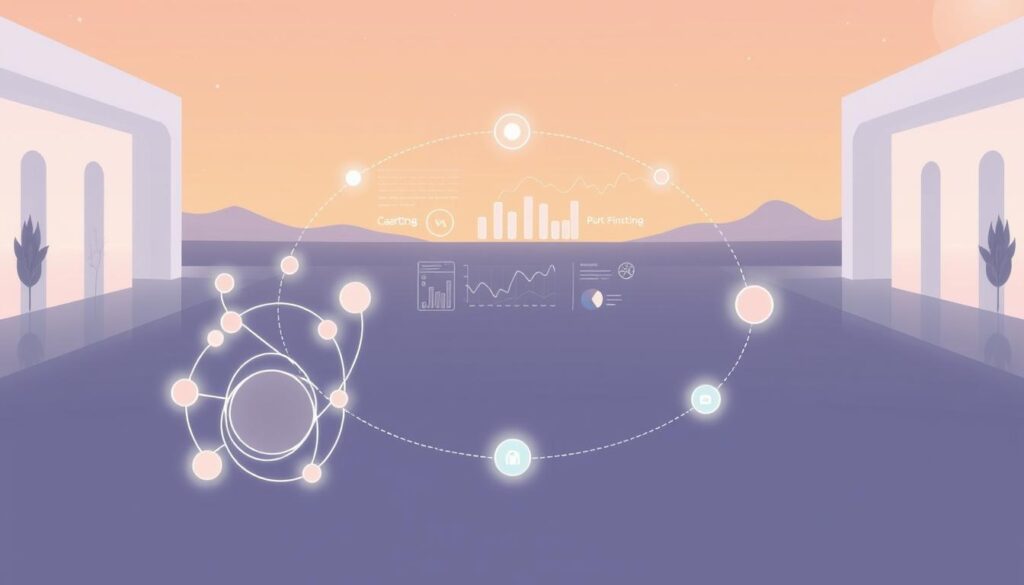
A deliberate Plan → Generate → Run → Observe → Compare → Refine rhythm turns guesswork into repeatable progress.
The lifecycle standardizes momentum: each step clarifies intent, gathers evidence, and points to the next precise change. This keeps interface development on track and reduces surprise work.
Plan → Generate → Run → Observe → Compare → Refine
Plan captures goals, constraints, and concrete file references so agents and engineers share the same map.
Generate asks the agent to implement specific pieces tied to the plan. Scope and traceability matter more than speed.
Run and Observe execute flows in staging while capturing traces and spans; evidence replaces assumption.
Compare diffs observed behavior against the plan to spot missing calls, unexpected queries, or UX deviations.
Refine applies targeted code changes and adds or updates tests until the trace matches intent.
Validation vs verification
Validation confirms the team is building the right thing. Verification ensures the implementation is correct and robust under expected conditions.
Both are required: validation aligns product intent; verification secures runtime quality.
Parallel exploration with tight checkpoints
Run multiple small experiments in parallel but gate progress with short checkpoints. This reduces rework while preserving learning velocity.
| Step | Primary Tool | Evidence | Outcome |
|---|---|---|---|
| Plan | Durable plan doc | Goals, file refs | Clear scope for changes |
| Run & Observe | Staging + Sentry | Traces, spans, timings | Runtime validation of behavior |
| Compare & Refine | MCP-enabled agents | Diffs and targeted issues | Focused fixes and new tests |
| Generate | Agent-assisted implementation | Pull requests and code | Traceable code generation |
Instrument execution visibility with traces and telemetry
Execution telemetry turns guesswork into clear signals. Tracing converts runtime events into structured data so teams can see how an application behaves end to end. This visibility makes it possible to target the exact code paths that matter.
Closing the LLM blind spot: Sentry traces, spans, and performance data
Sentry provides end-to-end tracing—spans show timings for frontends and backends. A 0.568s page trace dominated by database queries, for example, points to immediate optimization work.
Using MCP to stream runtime context into your coding agent
With a hosted MCP server, agents can fetch trace IDs, documentation, and instrumentation hints. That context lets an agent propose concrete code changes grounded in observed traces rather than abstract advice.
Tagging environments for safe iteration
Tag events as staging or production to separate experimental signals from live traffic. This protects customers while letting teams iterate quickly on nonproduction data.
What to capture: errors, timings, queries, flows, and interactions
- Errors and stack traces
- Timings and spans that reveal slow queries
- Request flows and interaction events that show real experience
Result: telemetry creates a feedback-aware cycle: traces guide code updates, and those changes improve instrumentation for the next pass. Over time the application becomes easier to diagnose and faster to improve.
Author prompts and plan docs that your agent can verify against
Prepare a plan that an agent can read, verify, and update when traces show gaps in implementation.
Durable plan documents align teams and agents. They list scope, concrete file paths (for example: /docs/user_profile_plan.md and src/components/ProfileCard.jsx), and clear acceptance checks. A living plan outlives the agent’s context window and becomes the single source for verification and audits.
Creating durable plan documents with concrete file references
Write a short overview, an architecture flow, and a precise file map. Add a checklist of acceptance criteria that an agent can mark off.
Checklist items should be testable: expected API calls, UI states, and performance thresholds. Keep each item terse so automated checks and humans can verify quickly.
Prompt patterns for trace-driven investigations and summaries
Phrase prompts so the agent fetches trace context, compares it to the plan, and returns actionable diffs. Use a clean chat session and embed the plan path.
“Investigate the following trace: <Trace ID>. Compare the observed execution flow against *@/docs/user_profile_plan.md*. Point out discrepancies and update the plan with findings.”
- Ask for diffs and where to insert code; require rationale and test suggestions.
- Request span summaries with timings to link technical impact to perceived slowness.
- Have the agent append updates to the plan so the document records decisions and improves quality over time.
Deploy to staging and test like a pro
Treat staging as the laboratory where traces, tests, and human exploration meet to verify code behavior.
Enable Sentry before deployment and set the Environment tag to staging so errors and performance data separate from production. This step ensures the application emits traces you can act on.
Start with smoke tests to confirm the app boots, routes resolve, APIs respond, and core components render. Then run exploratory flows that mirror likely user journeys and capture spans end to end.
Use tracer-bullet tests to target high-risk areas—file uploads, auth hooks, payment interactions—so you get fast, focused signals with minimal setup.
- Make test expectations explicit in the plan doc so the agent can propose and update tests.
- Leverage Sentry auto-PR reviews and tools like Seer to turn new errors into actionable PRs.
- Review traces as a team, prioritize fixes by impact, and loop staging insight back into code changes before shipping.
Analyze, compare, and iterate based on real runtime data
Runtime data reveals where intent and execution diverge; the goal is to make those gaps actionable.
Diff the plan against traces. Compare timelines to find missing calls, unexpected queries, or skipped event handlers. Use span-level timing (for example, a 0.568s page load dominated by one slow query) to highlight hotspots.
Convert those insights into precise changes. Focus on code paths that drive the most delay or risk, and ask the agent for patch diffs tied to trace evidence so reviewers can verify quickly.
Turn traces into tests and code fixes
Request the agent to propose tests for each discrepancy. Add small, targeted tests that lock in expected API calls and behaviors. This raises quality while keeping iteration cycles short.
Automate repetitive review tasks
Leverage MCP tools to fetch traces, auto-update plan docs, and generate test skeletons. Combine PR review bots and Sentry auto-tests so routine work runs without draining developer time.
| Action | Primary Tool | Evidence | Outcome |
|---|---|---|---|
| Compare plan vs trace | Plan doc + Sentry | Trace timelines, missing calls | Targeted change list |
| Apply fixes | Agent-assisted PRs | Patch diffs tied to spans | Measurable code improvements |
| Add tests | Auto-generated & manual tests | New test output | Higher regression protection |
Keep cycles short: make small changes, re-run flows, and confirm improvements with fresh traces. Share findings in the plan doc so the team preserves a clear history of what changed and why.
Guardrails that scale: modularity, CI/CD, and code quality
Designing safe defaults—modularity, CI gates, and branch discipline—keeps velocity intact.
Modularity contains blast radius. Split the system into clear modules so teams and agents can work on features in parallel. Research from Gene Kim and Steve Yegge shows modular architectures improve performance and reduce attrition.
Modularity to contain blast radius and enable parallel agents
Well-defined module contracts let agents propose generation changes without touching unrelated files. That independence reduces cross-impact and helps detect agent contention when edits overlap.
CI/CD pipelines: linters, type checks, unit, integration, and e2e tests
Pipelines act as the nervous system. Enforce formatting, static analysis, unit tests, integration checks, and e2e gates so code quality remains consistent as changes flow.
Branch strategies to explore options without merge chaos
Use short-lived branches, meaningful names, and protected main lines. Optimize workflows to give fast signal to the commit line and prevent merge conflicts while teams explore alternative features.
| Guardrail | Primary Benefit | Tooling |
|---|---|---|
| Modularity | Limits blast radius; enables parallel work | Module contracts, API schemas |
| CI/CD | Fast, automated quality checks | Linters, type checks, unit & e2e tests |
| Branch Strategy | Safe exploration without merge chaos | Short branches, protected main, naming rules |
Security, governance, and learning culture in the loop
Embed security review steps into each iteration to turn fast change into safe change.
Security must be part of the rhythm: treat generated code as untrusted until it passes scans, policy checks, and a human review. Automated dependency alerts, SCA tools, and pre-merge gates stop vulnerable libraries from slipping into main branches.
Security reviews and dependency hygiene
Require static analysis and dependency scans on every branch. Flag known CVEs and block merges until remediation is complete.
Use a simple checklist: linting, secrets detection, and SCA reports. These guardrails cut risk without slowing momentum.
Warning-sign detectors and “count your babies” checks
Train teams to spot suspicious signs: tiny diffs, commented-out logic, or unexplained performance drops.
“Count your babies” means verifying each requested item exists in code and traces. Make this a mandatory verification step before approving changes.
Team learning rhythms to keep pace
Make learning a regular practice: short retros, postmortems, and shared knowledge notes. Pair reviews with mentoring so developers turn mistakes into lasting knowledge.
Capture lessons in living documents so the whole team benefits. Balance speed and safety by focusing on how decisions are made, not only on outcomes.
For practical team practices and a look at agent-assisted workflows, see team practices with HyperGPT.
Conclusion
, This conclusion distills the method: marry intent with observable evidence so teams iterate with confidence.
Define durable plan docs, instrument early, and run short cycles that use traces to guide precise changes. Use MCP-enabled agents and CI/CD gates to keep generation safe and testable.
Modularity limits blast radius while tracer-bullet tests and “count your babies” checks catch regressions early. Teams that combine these practices see better code quality, faster delivery, and clearer performance signals.
In practice, generate code quickly, verify with real traces, and refine in small steps. With the right tools and culture, software development becomes a disciplined conversation between intent and reality—vibe coding at its best.
FAQ
What are fast, frequent feedback loops and why do they matter now?
Fast, frequent feedback loops are rapid cycles of generating code, running it, observing results, and refining. They matter because modern code generators and assistant tools produce high-velocity output—without quick verification, teams risk shipping broken flows, wrong intent, or security regressions. Short loops reduce rework, surface performance issues earlier, and align work with real usage patterns.
How should a team define "vibe coding" and the agents involved?
Vibe coding describes a code-first, iterate-later approach where developers and AI agents collaborate to produce interface code quickly, then refine via runtime signals. Agents can be copilots like GitHub Copilot, ChatGPT, Claude, or platform-specific automations; their role is to propose code, run checks, and suggest refinements while humans validate intent and quality.
Which tools and environments support this workflow?
Use integrated editors and cloud sandboxes: Cursor, Replit, Visual Studio Code with Copilot, OpenAI or Anthropic APIs for assistants, and observability tools such as Sentry for traces. Combine these with CI/CD platforms, linters, and test runners so generation, execution, and verification happen in a safe, repeatable environment.
What is an effective lifecycle for a feedback loop?
A concise loop: Plan → Generate → Run → Observe → Compare → Refine. Plan sets intent and acceptance criteria; Generate produces code; Run executes in staging; Observe gathers telemetry and traces; Compare diffs plan vs actual behavior; Refine applies fixes and adds tests. Repeat until acceptance criteria are met.
How do validation and verification differ in this context?
Validation asks, “Are we building the right thing?”—it focuses on user goals and acceptance. Verification asks, “Did we build it right?”—it focuses on correctness, performance, and security. Both are essential: validation ensures alignment with intent; verification ensures robustness and compliance.
How can teams explore multiple solutions without causing chaos?
Run parallel explorations with small, isolated branches and tight checkpoints. Use modular boundaries to contain risk, short-lived feature branches, and automated checks. Frequent merges into a staging branch with clear tests and reviewer responsibilities minimize merge conflicts and rework.
What runtime data should be captured to inform iterations?
Capture errors, request timings, database queries, user interaction flows, feature flags, and context-rich traces (spans). Correlate logs with traces and key metrics so agents and developers can reproduce issues, identify bottlenecks, and prioritize fixes.
How do traces and telemetry close the "LLM blind spot"?
Traces and telemetry provide concrete runtime context—Sentry spans, performance metrics, and request traces—so code-generation agents can compare planned behavior to actual executions. That context enables targeted prompts, reproducible investigations, and trace-driven code changes rather than guesswork.
What is MCP and how does it help automation?
MCP (a message or context-propagation mechanism) streams runtime context and metadata back into coding agents or pipelines. By attaching relevant request context, environment tags, and trace snippets, MCP lets agents generate fixes and tests that reflect real conditions rather than abstract examples.
How should environments be tagged for safe iterations?
Clearly label environments such as staging, qa, and production in telemetry and traces. Use environment tags in logs and traces to prevent accidental production changes, enforce stricter checks for production-deployed code, and ensure agents can target the right scope for tests and fixes.
What makes a plan document durable and machine-verifiable?
Durable plan documents include concrete file references, expected side effects, API calls, and acceptance criteria. Structure them so agents can map steps to files and tests—this allows automated diffing between plan and execution and supports trace-driven investigation prompts.
Which prompt patterns help with trace-driven investigations?
Use prompts that include: a short intent summary, relevant trace excerpts, affected file paths, and a clear ask (debug, patch, or test). Ask agents to propose minimal, verifiable changes and corresponding tests. Keep prompts focused to reduce ambiguity and speed iteration.
What tests should be run in staging before deployment?
Run smoke tests to confirm core flows, exploratory UX flows to validate user journeys, and tracer-bullet tests to exercise recently changed code paths. Add integration checks for third-party calls and basic security scans before promoting to production.
How to turn trace insights into concrete code changes?
Diff the plan against actual traces to identify missing calls, unexpected queries, or timing out operations. Create targeted patches that address the root cause, add unit or integration tests that capture the failure pattern, and rerun loops to verify the fix under similar runtime conditions.
What automation can reduce manual review cycles?
Automate PR generation with proposed fixes and corresponding tests, attach relevant trace snippets, and use MCP to populate context in the PR. Integrate linters, type checks, and generated tests into CI so reviewers focus on intent and design rather than catching basic regressions.
How do modularity and CI/CD guardrails scale with agent-driven work?
Modularity contains the blast radius of generated changes and enables parallel agents to work without stepping on each other. CI/CD pipelines—linters, type checks, unit, integration, and end-to-end tests—act as automated gatekeepers that maintain code quality as velocity increases.
What branch strategies work best for rapid exploration?
Use short-lived feature branches for experiments, a shared staging branch for integrated testing, and protected main branches for production. Encourage small, frequent merges with clear test coverage to avoid long-lived divergence and merge chaos.
How should teams handle security and dependency hygiene for generated code?
Run automated dependency scanners, license checks, and SAST tools on generated artifacts. Require human review for privileged operations and sensitive changes. Combine automated alerts with periodic manual audits to maintain hygiene as tools evolve.
What warning-sign detectors and "count-your-babies" checks help catch issues early?
Implement detectors for spike in error rates, latency regressions, unexpected database writes, and new external calls. “Count-your-babies” checks verify that expected outputs, records, or events are produced after a change—use them as lightweight invariants in CI and staging tests.
How can teams build a learning rhythm around these tools and practices?
Establish short, regular retrospectives focused on incidents and agent interactions. Share trace-driven case studies, maintain a living playbook for prompts and plan docs, and rotate responsibilities so engineers gain hands-on experience with trace analysis, agent prompts, and test design.