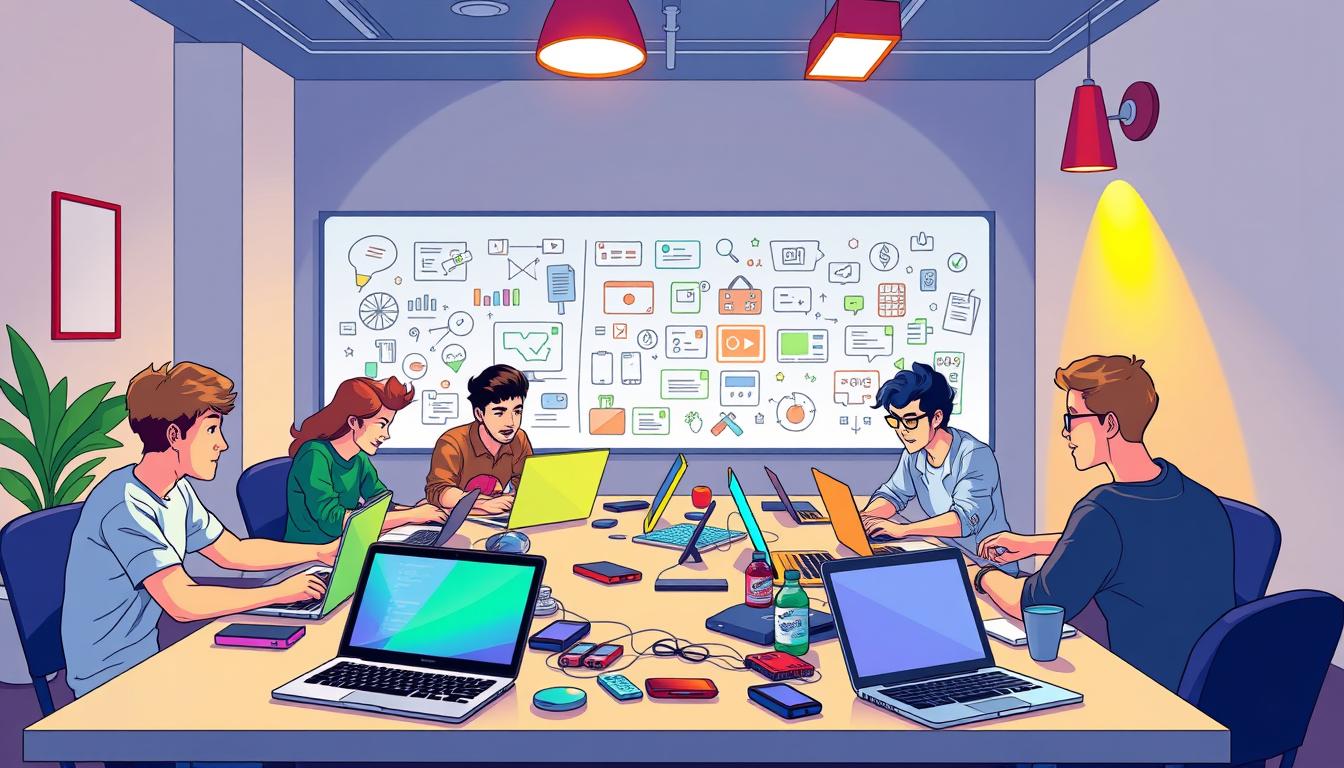
There is a quiet thrill when someone with no technical background watches an app appear from a phrase they speak aloud. That moment—when the abstract becomes usable—drives this guide. It meets designers, artists, and curious beginners in the United States who want to learn build without wrestling syntax.
This introduction frames a practical buyer’s guide: what vibe coding is, which tools to use, and how an organizer can deliver outcomes without attendees writing code by hand. Expect step-by-step structure: prompt fundamentals, a guided small web app build, and a portfolio-ready demo.
Tools and access are clear up front—Cursor, Claude, Replit Agents, Windsurf, and Bolt.new power the flow; accounts for ChatGPT or Claude and optional Replit logins speed setup. Courses range from free Replit 101 modules to paid tracks under $100; many learners begin with short beginner courses and progress to paid development tracks.
This workshop promises that attendees will use natural language prompts to co-create working apps and automations by session end. Organizers should plan co-facilitators, shared templates, and a prompt library to ensure smooth learning and measurable outcomes.
Key Takeaways
- Attendees can build working apps using natural language prompts—no prior code needed.
- Core tools: Cursor, Claude, Replit Agents, Windsurf, and Bolt.new for rapid development.
- Course options span free to under $100; choose materials to match skill and budget.
- Plan access: ChatGPT/Claude accounts, Cursor installs, and optional Replit workspaces.
- Success metrics: prototype app, saved prompt library, and clear next-step course path.
Why vibe coding workshops are perfect for beginners and creatives in 2025
Modern workshops center on product outcomes—letting models do repetitive code work. This approach is practical: large language models and agent tooling now generate production‑grade boilerplate from clear prompts. Beginners focus on vision and UX while the model handles routine code.
Immediate value for creative teams: attendees can build web prototypes and simple applications fast. Studios and founders use this to validate ideas, ship MVPs, and create client demos in days rather than weeks.
Commercial and institutional gains
Organizers and schools boost enrollment and differentiate offerings by adding a hands‑on course track. Low-cost tools like Cursor, Claude, Windsurf, Bolt.new, and Replit Agents keep budgets modest—most courses run free to under $99.
- Career lift: learners practice prompts, context strategies, and AI collaboration—skills that translate to developer and product roles.
- Data and privacy: teach safe prompt hygiene and secure environments for sensitive data.
- ROI: faster prototyping, measurable learner outcomes, and clear follow‑on course funnels.
What is vibe coding? A plain‑English definition and value proposition
Imagine describing a feature and receiving a working prototype back. Vibe coding uses natural language to instruct a large language model to write real, shippable code for applications and automations.
Natural language prompts + LLMs = real apps. Instead of hand‑typing every line, participants craft prompts that orchestrate an llm or agent to generate source, tests, and a repo. This shifts focus from syntax to product thinking and rapid iteration.
How it differs from no-code: AI‑native flows still produce editable code and repos. Teams keep version control, reviews, and engineering practices while gaining speed and flexibility.
- Examples: build a responsive landing page with a subscription form; create a dashboard that pulls API data; draft an email automation pipeline—all started with natural language prompts.
- Core tools: tools like Cursor and Claude accelerate context, agent modes, and multi‑file development; Cursor is central to deep context editing.
Outcomes are tangible: codebases, working prototypes, and prompt libraries. A coding course such as The Complete AI Coding Course teaches how to deploy full‑stack apps with Cursor, Claude, and Vercel. Expectations depend on prompt quality—facilitators must teach prompt design to reduce ambiguity and improve results.
Audience and format: scoping a workshop that actually fits
Define who should attend before you pick a format—clarity saves time and improves outcomes. This lets organizers choose the right balance of demos, guided builds, and hands-on time for each session.
Beginners vs. intermediate developers
Absolute beginners need step-by-step setups, clear checklists, and a single web prototype to finish in a session.
Intermediate learners move faster. They benefit from multi-tool stacks, Git tasks, and deployment steps that mirror real development.
Formats that fit your goals
Match format to outcome: awareness, a portfolio piece, or an MVP that ships.
| Format | Duration | Primary Deliverable | Recommended Prep |
|---|---|---|---|
| 90‑minute intro | 1.5 hours | Concept demo | None; demo account access |
| Half‑day sprint | 4 hours | Single‑page web project | Replit 101 or prompt primer |
| Two‑day intensive | 16 hours | Deployed MVP | Replit + Cursor accounts, Git basics |
| Multi‑week cohort | 4–8 weeks | Feature prototype + portfolio | Prompt engineering course; intermediate course options |
Ensure access: confirm Cursor, Claude/ChatGPT, and Replit logins before day one. Keep small groups for peer support and faster problem solving.
Follow-up paths: point attendees to free Replit 101 and Prompt Engineering for Developers, or paid courses like The Complete AI Coding Course for deeper learning and project development.
Core tools and models to include in your stack
Start by picking a few dependable tools that reduce friction and keep the focus on product decisions.
Standardize on Cursor as the primary IDE: it offers inline prompting, rules, and deep context memory to scaffold features fast. Combine Cursor with lightweight UI generators to move from idea to prototype.

Fast front-end + editor loop
Pair Windsurf or Bolt.new to generate clean front-end scaffolds. Then iterate in Cursor with an LLM for rapid refinement.
Models and context strategies
Use Claude and ChatGPT as complementary models: choose based on reasoning, cost, and token limits. Apply repository indexing, system prompts, and task breakdowns to keep the model on-spec.
Onboarding and helpers
Introduce Replit Agents or Lovable for entry-level builders; they reduce setup pain and boost confidence. Add GitHub Copilot for code completion, test generation, and docs.
| Tool | Primary role | Best for |
|---|---|---|
| Cursor | IDE, deep context | Large refactors, multi-file projects |
| Windsurf / Bolt.new | UI scaffolds | Fast front-end prototypes |
| Claude / ChatGPT | LLM reasoning | Complex prompts, conversational troubleshooting |
| Replit Agents / Lovable | Onboarding assistants | First-time builders, demos |
| GitHub Copilot | Completion, tests | Incremental edits, docs |
Tip: demonstrate a flow—start in Bolt.new, iterate in Cursor with Claude, then deploy—to show practical development steps. Recommend follow-up courses so learners can continue after the session.
Curriculum blueprint: a hands-on pathway from prompts to projects
A clear curriculum turns scattered demos into repeatable learning steps for beginners and creatives. Start by framing learning goals and mapping short, measurable milestones so every learner leaves with a working deliverable.
Fundamentals
Teach system rules, role prompts, and context packing first. Use Prompt Engineering for Developers and LinkedIn Learning “Vibe Coding Fundamentals” as free or low-cost primers to show structure and chaining logic.
Build real projects
Guide attendees to build a simple web app, a lightweight automation (email or data scrape), and a dashboard. Pair Replit 101 and Cursor-focused course material to teach Git, deployments, and practical tool use.
Debugging with AI
Use AI chat panels to surface stack traces, generate tests, and iterate fixes. Demonstrate when agent modes should plan tasks and when human review must keep tighter control.
Responsible practice and assessment
- Responsible AI: cover data handling, licensing, and ethical guardrails.
- Assessment: quick checks on prompt clarity, code comprehension, and feature completeness.
- Templates: supply prompt libraries and reusable scaffolds to accelerate follow-up development.
Map next steps to deeper course paths—Cursor FullStack, Ultimate Cursor AI, or the Complete AI Coding Course—to convert this session into lasting skills and portfolio projects.
Vibe coding workshops: course picks and bundles that work
Curate course stacks by outcome—starter access, project practice, tool specialization, or end-to-end mastery.
Free on-ramps: Recommend Replit 101 (Free, 1.5h) and Prompt Engineering for Developers. They give learners basic agentic workflows and prompt fundamentals before paid work begins.
Project-driven tracks
Suggest project-first courses for quick wins: Vibe Coding with ChatGPT & Python (Udemy, 1.5h) and Vibe Coding from Scratch (Udemy, 1h51m). Both focus on shipping automations and simple web applications.
Tool deep-dives
Offer Cursor FullStack (Udemy, 7h) and Ultimate Cursor AI (Instructa, $99) for teams standardizing on tools like Cursor. These courses emphasize rules, Git, and deployment.
Comprehensive pathways
The Complete AI Coding Course (Udemy, 11h) pairs Cursor, Claude, and v0 for full-stack builds; LinkedIn Learning provides a short fundamentals certificate for managers and beginners.
| Course | Platform | Level | Duration | Price |
|---|---|---|---|---|
| Replit 101 | Official | Beginner | 1.5h | Free |
| Vibe Coding with ChatGPT & Python | Udemy | Beginner | 1.5h | $54.99 |
| The Complete AI Coding Course | Udemy | Intermediate | 11h | $54.99 |
| Cursor FullStack | Udemy | Advanced | 7h | $79.99 |
Purchase guidance: use Coursera subscriptions when stacking short modules; prefer one‑time Udemy purchases for lifetime access. Package bundles by audience—Beginner Launch, Cursor Pro, or Full‑Stack Builder—to align with learner goals and follow-up sequencing.
Logistics, pricing, and delivery in the United States
Delivery hinges on clear choices: budget, setup, and session length determine outcomes more than any single tool.
Budgeting and course options: Many learning paths cost between free and $99 per learner, with most priced $20–$80. Coursera bundles run $99–$990/year and offer certificates and financial aid; Udemy one‑time purchases give lifetime access and an affordable Personal Plan (~$30/month). Combine free primers with paid courses under $99 to keep access broad and inclusive.
Device and account requirements: Provide a checklist: laptops with stable internet, browser access to ChatGPT or Claude, Cursor installed or account created, and optional Replit workspaces for hands‑on editing. Share starter repos and templates so beginners can build apps quickly without writing code from scratch.
In‑person vs. virtual setups: For live rooms, secure reliable Wi‑Fi, power strips, and breakout tables. For remote sessions, use a platform with screen share, chat, and breakout rooms. Maintain a help desk channel (Slack or Discord) for fast troubleshooting and post-session support.
Timeboxes and delivery formats: Use 90‑minute intros for awareness, half‑day sprints for a single working prototype, and two‑day buildathons for MVPs and user testing. Offer tiered tickets—student discounts, team bundles, and educator access codes—to broaden participation.
| Item | Recommendation | Why it matters |
|---|---|---|
| Price per learner | $0–$99 (most $20–$80) | Keeps courses affordable and increases enrollment |
| Essential accounts | Cursor, ChatGPT/Claude, optional Replit | Ensures full access to tools and development flows |
| Session formats | 90‑min / Half‑day / Two‑day | Aligns timebox to outcome: demo, prototype, or MVP |
| Support | Slack/Discord help desk + starter repos | Speeds troubleshooting and post-session learning |
| Data safeguards | No sensitive data in public models; use enterprise options as needed | Protects participant and client data |
- Subscription vs. one‑time: Choose Coursera for bundled progression and certificates; pick Udemy for lifetime access to targeted courses like Cursor FullStack.
- Measurement: Track attendance and completion with sign‑in forms and post‑session surveys to iterate on delivery and content.
Measuring success: skills, projects, and career impact
Measure outcomes by what participants can ship and explain, not just what they watched. Set clear standards so every attendee leaves with a portfolio-ready prototype—a hosted full-stack app or a small automation that can be demoed.
Assessment should balance product, prompt skill, and code quality. Evaluate prompt clarity, prompt-refinement history, and the learner’s ability to use AI chat panels for debugging.
Portfolio-ready outputs: full-stack apps and prototypes
Require a live URL, a GitHub repo, and a two-paragraph write-up describing the problem and the prompts used. Include basic CI, tests, and documentation where feasible to show code standards.
Prompt engineering, debugging, and AI collaboration skills
Measure skill gains by comparing initial and refined prompts, tracking time from prompt to working feature, and noting improvements in build velocity.
“Employers increasingly value prompt engineering and AI-assisted development skills as verifiable career assets.”
| Metric | What to collect | Why it matters |
|---|---|---|
| Project deliverable | Live URL, repo, short write-up | Shows tangible product and deployment ability |
| Prompt skill | Prompt versions, notes, chat logs | Demonstrates clarity and iterative thinking |
| Code quality | Tests, docs, basic CI | Signals maintainability and standards |
| Career impact | Resume bullet, LinkedIn link | Helps translate session work into job outcomes |
- End with peer demos to build presentation skills and collect feedback.
- Recommend follow-ups: Complete AI Coding Course for full-stack growth and Cursor FullStack for deep tool mastery.
Conclusion
Adopting agent-first practices lets teams ship prototypes faster and test ideas with real users.
Learn vibe coding to move from concept to deployed app by collaborating with AI using natural language. Industry toolchains—Cursor, Claude, Windsurf, Bolt.new, Replit Agents, and Copilot—make practical builds routine.
Choose a format that fits goals: a 90-minute intro, a half‑day sprint, or a two‑day buildathon. Prep attendees with starter repos and follow-up courses so they keep momentum.
Measure success by shipped code, portfolio artifacts, and improved learner confidence. Maintain repos, document prompts, and standardize rules so results scale beyond a single session.
Now is the time to learn vibe coding scratch: start small, iterate fast, and invest in a coding cursor deep-dive or a complete course to broaden skills.
FAQ
What is the best way to run a vibe coding workshop for beginners and creatives?
Start with outcomes instead of syntax. Define a clear project — a web app, automation, or dashboard — and show how natural language prompts plus a large language model can produce working code. Use tools like Cursor, Replit Agents, and GitHub Copilot to accelerate development. Keep sessions short and hands-on: a 90-minute intro, half-day sprint, or two-day buildathon works well. Provide templates, context rules, and debugging workflows so learners spend time building, not wrestling with boilerplate.
Why are these workshops particularly suited to beginners and creative professionals in 2025?
They focus on practical outputs and rapid iteration, letting AI handle repetitive code so learners can concentrate on design, product thinking, and problem framing. This approach lowers the barrier to entry for entrepreneurs, designers, and nontraditional learners while teaching fundamentals like prompt engineering, context management, and testing. Organizers can scale offerings with mixed formats — one-off intros, multi-week cohorts, or intensive bootcamps — to match different learner goals.
How should an organizer set commercial goals for a workshop?
Align the curriculum with measurable outcomes: portfolio-ready projects, deployable MVPs, or demonstrable skills in prompt engineering and debugging. Price tiers can range from free on-ramps to per learner for instructor-led sessions; consider subscriptions for deeper tracks. Offer tool-focused add-ons (Cursor FullStack, Claude access) and certificate pathways to increase perceived value for schools, studios, and companies.
What exactly does "vibe coding" mean in plain English?
It means building real applications primarily through natural language prompts that drive an LLM and supportive developer tools. Instead of typing every line, learners describe functionality, refine prompts, and use models to generate code, tests, and documentation. The value is speed: rapid prototyping, fewer boilerplate tasks, and a stronger focus on product and UX than traditional syntax-first instruction.
How is this approach different from no-code platforms or traditional programming?
Unlike no-code, it still produces editable, exportable source code and teaches programming fundamentals like architecture, debugging, and version control. Compared with traditional paths, it replaces early rote memorization with prompt-driven workflows and model-assisted generation; learners still gain transferable engineering skills but via AI-native tools and context strategies rather than by hand-coding every component.
How do you scope an audience and workshop format that actually fits learners?
Segment by experience: absolute beginners need guided, project-based introductions like Replit 101 and Prompt Engineering for Developers. Intermediate learners benefit from project-driven tracks and tool deep dives. Choose a delivery format that matches goals — single-session intros for awareness, multi-week cohorts for skill growth, or bootcamp intensives for rapid portfolio builds — and limit class size to ensure hands-on support.
Which core tools and models should be included in the stack?
Prioritize accessible, well-documented tools: Cursor for full-stack prompt-driven building, Replit Agents for entry-level workflows, and GitHub Copilot for code generation and tests. Include LLMs like Claude and ChatGPT for different strengths, and introduce context strategies that keep prompts reliable. Consider Windsurf or Bolt.new for rapid app scaffolding and integrate testing and docs into the flow.
What does a curriculum blueprint look like from prompts to projects?
Start with fundamentals: crafting prompts, defining system instructions, and managing context. Move to small builds — a landing page, an API endpoint, an automation — then combine into a full project: web app or dashboard. Teach AI-assisted debugging with chat panels and agent modes, and conclude with responsible AI practices and prompt hygiene for classrooms and communities.
Which course picks and bundles perform well for different learner stages?
Free on-ramps like Replit 101 and introductory prompt engineering work for absolute beginners. Project-driven paid tracks (ChatGPT + Python, building from scratch) suit those who want portfolio pieces. Tool deep dives — Cursor FullStack or Ultimate Cursor AI — are ideal for advanced learners. Offer comprehensive bundles (The Complete AI Coding Course or LinkedIn Learning paths) when learners need structured progression.
How should organizers handle logistics, pricing, and delivery in the United States?
Budget from free to about per learner for guided sessions; subscriptions are appropriate for ongoing cohorts. Decide on in-person versus virtual based on equipment: provide device checklists, accounts for key tools, and sample projects beforehand. Timebox sessions clearly and offer follow-up office hours to support completion and deployment.
How do you measure workshop success in skills and career impact?
Track portfolio-ready outputs: deployed full-stack apps, automations, and prototypes. Measure skill gains in prompt engineering, debugging, and AI collaboration through practical assessments and peer reviews. Collect career signals — job interviews, freelance gigs, or startup projects launched — to quantify long-term impact and refine future offerings.