There are moments in healthcare that feel quietly revolutionary. A clinician logs on from a rural clinic. A caregiver joins from a kitchen table. A patient finds a circle of peers when travel is impossible.
These moments show why telemedicine virtual patient support groups matter. They turn isolation into connection. They make complex care easier to manage.
This guide talks about telemedicine virtual patient support groups. They are remote sessions that mix clinical help with peer support. This improves health outcomes.
It uses resources like BC Mental Health & Substance Use Services’ video telehealth guidance. It also looks at MindRx Group’s telehealth models for mental health.
Readers will get clear steps for starting, leading, and growing telehealth patient groups. The guide covers what these groups are, their benefits, and how to pick a platform. It also talks about privacy, measuring success, and common challenges.
Successful telemedicine support groups use different ways to connect. They use live video, phone, and messaging. They need good planning, technology, and ways to keep improving to work well.
Key Takeaways
- Telemedicine virtual patient support groups combine clinician oversight with peer support to expand access.
- They serve clinicians, program leads, and community organizations focused on continuity and engagement.
- Effective programs span video, phone, and messaging and follow clear governance and quality cycles.
- Established practice guides and telehealth research inform standards for safety and effectiveness.
- This guide provides step-by-step strategies for launching, moderating, and scaling virtual support networks.
What Are Telemedicine Virtual Patient Support Groups?
Telemedicine virtual patient support groups use live video, phone, and messaging. They help people with chronic conditions or mental health issues. These groups meet online, so you don’t have to travel.
They mostly use video, but also messaging and phone calls. Groups like BC Telehealth and MindRx Group say this mix is best. It’s both helpful and easy to use.
Definition of Virtual Patient Support Groups
Virtual patient support groups meet online. They offer support, education, and sometimes help from doctors. These groups are led by experts.
They have rules to keep things safe and private. This includes checking who can join and keeping records. They also have online spaces for people to talk between meetings.
Differences from Traditional Support Groups
Virtual groups are different because they don’t need travel. This means more people can join, even if they live far away. It helps health systems reach more people.
Online groups use special technology to keep things private. This includes secure video and ways to get consent. It follows rules for keeping records, just like in-person meetings.
Some groups mix online and in-person visits. This way, they can offer more support and connect it to personal care plans. Clinics use this to help patients more.
Running these groups needs special work. This includes finding the right group for each person and having staff for tech help. These steps help keep the groups safe and effective.
Benefits of Telemedicine for Patient Support
Telemedicine changes how we connect and get care. It makes care more accessible and affordable. It also offers flexible follow-up options.
Improved Access to Healthcare
People in rural areas and those who can’t move easily get better care. Telehealth removes distance as a barrier. It uses libraries and community centers for care.
Telehealth makes appointments easier to fit into busy lives. It saves time and money on travel. This makes it easier to keep up with care plans.
Many experts can join in without leaving their offices. This helps make care plans better and faster.
Enhanced Patient Engagement
Patients feel safer talking from home. This makes them more likely to join groups for mental health and chronic care.
Platforms for remote care offer live and recorded sessions. These help with managing medicine and tracking symptoms. They also help reach out between visits.
Groups help people learn from each other. Feedback helps make these groups better. This keeps people coming back to online communities.
Regular updates keep programs working well. They address new challenges and keep up with technology and patient needs.
| Benefit | Practical Effect | Example Mechanism |
|---|---|---|
| Geographic reach | Access for rural and mobility-limited patients | Telehealth Access Points in public spaces |
| Scheduling flexibility | Higher appointment adherence and lower missed visits | Evening and weekend virtual sessions |
| Specialist access | Faster multidisciplinary input and care planning | Cross-site video case conferences |
| Patient comfort | Lower stigma, increased first-time participation | Home-based group participation |
| Continuous engagement | Improved medication adherence and monitoring | Asynchronous messaging via remote patient engagement platforms |
| Community learning | Peer support and shared coping strategies | Moderated online healthcare communities with structured feedback |
Types of Telemedicine Support Groups
Telemedicine support groups come in many forms. Each type fits the needs of patients and the technology used. Leaders pick the best way to help patients while keeping things easy to access.
Groups for chronic illnesses help people with long-term health issues. These include diabetes, heart disease, and COPD. They offer regular meetings and education to help patients manage their health better.
These groups also use tools to track health and adjust treatment plans. They follow best practices to make sure everyone gets the right care.
Chronic Illness Support Groups
These groups use technology to help patients. They talk about health topics and use data from devices. Doctors from different fields help lead the discussions.
They figure out who needs group help the most. This makes sure everyone gets the right kind of support.
Mental Health Support Groups
Mental health groups use video, phone, and text. They offer therapy and support for mental health. Clinicians make sure everyone is safe and follow rules for privacy.
They use special techniques to build trust over screens. They also have plans for emergencies. This makes sure everyone feels safe and supported.
Guidelines help make sure these groups are done right. They cover how to lead groups and use technology safely. You can find more information on the American Psychological Association’s website.
Condition-Specific Support Groups
Some groups focus on specific health issues. This includes postpartum care, PTSD, and cancer survivorship. They offer special support and education for these conditions.
These groups help people connect with others who understand their situation. They also work with communities to reach more people.
When planning these groups, they think about what technology is needed. They make sure everything is safe and private. They also train leaders to handle both the technology and the group dynamics.
| Group Type | Primary Uses | Core Competencies | Key Infrastructure |
|---|---|---|---|
| Chronic Illness | Self-management education; peer check-ins | Multidisciplinary coordination; remote monitoring | Secure data integrations; intake triage |
| Mental Health | CBT, mindfulness, substance use support | Telepsychology training; crisis management | HIPAA-compliant video; emergency protocols |
| Condition-Specific | Targeted education; survivor networks | Specialist moderation; culturally competent care | Privacy safeguards; community partnerships |
Key Features of Effective Virtual Support Groups
Good groups have a clear plan and the right tools. Leaders make sure everything runs smoothly with set agendas and rules. They also learn how to handle tough situations and keep records right.
Leaders need the right licenses and follow rules when groups meet in different places. Helpers learn how to help others and spot when things get too hard. Sometimes, extra help is added to make joining easier and fix tech issues.
Facilitator Role and Training
Trainers teach how to build trust and feel connected online. They practice and get feedback to improve. They learn how to manage conflicts and share time fairly.
It’s important to keep records right, like who was there and what was said. When groups work together, they make sure everyone knows their role. This keeps everyone safe and helps groups grow.
Use of Technology in Sessions
Good tech is key for a good meeting. You need a good camera, a strong computer, and clear sound. A clean background helps too.
Choosing the right platform is important. It should keep things private and make scheduling easy. Having tech help and backup plans keeps things running smoothly.
Checking tech before meetings and teaching participants helps avoid problems. Having clear rules for meetings makes things run better. For more info, check out this article on video groups: home-based videoconference groups.
Setting Up a Telemedicine Support Group
Starting a telemedicine support group needs careful planning and the right tools. You must plan how to handle intake, triage, and scheduling. Also, think about consent and emergency plans.
Start with small tests to see how everything works. This helps you figure out staff roles and how technology fits. It also shows how participants move through the group.
Choosing the Right Platform
Choose a platform that follows HIPAA rules and uses strong encryption. Look at Zoom for Healthcare, Microsoft Teams for Healthcare, or Doxy.me. They offer good video and security features.
Make sure the platform has waiting rooms and breakout rooms. It should also support secure file sharing and have clear recording rules. Always get consent before recording, following local rules.
Do technical tests with IT and legal teams. Check if the platform meets your needs and fits with your policies. Make sure it works on different devices and is easy for everyone to use.
Test how documents are sent and how sessions work with a small group. This makes sure everything works well before opening it to more people.
Scheduling and Frequency of Meetings
Set up a way to check if participants need help and how urgent it is. This helps direct them to the right support. Use a structured way to keep the group safe and focused.
Decide how often to meet based on what you want to achieve. Weekly or biweekly is good for ongoing support. Short sessions are better for teaching new things.
Use tools that make it easy to schedule meetings online or by phone. Make sure it’s easy to follow rules and remember meetings. This helps keep people coming back and trusting the group.
Best Practices for Moderating Virtual Support Groups
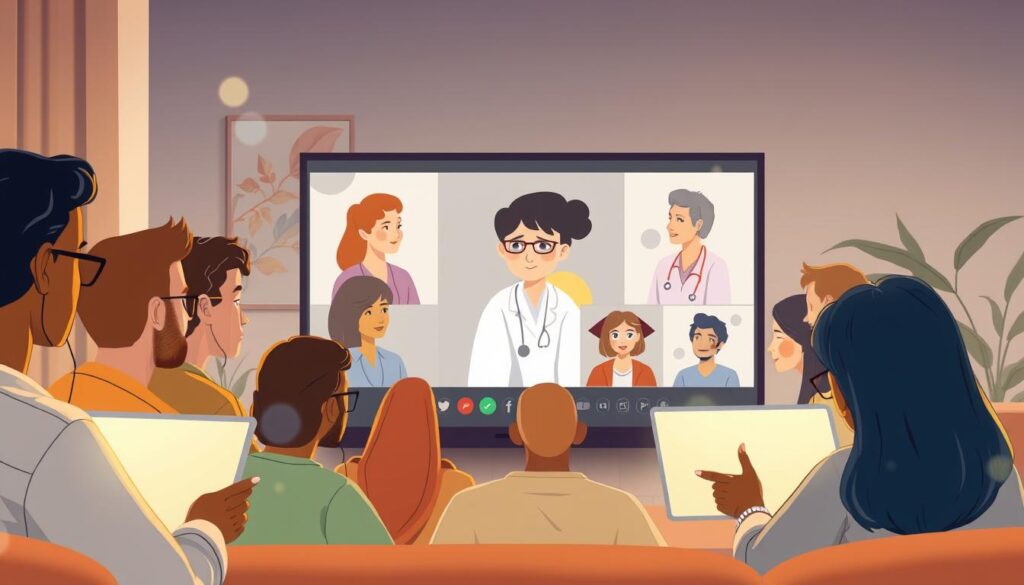
Good moderation makes virtual support groups better. It’s about having a clear plan and being kind but firm. This builds trust and makes everyone feel safe.
Effective Communication Strategies
Start with a simple agenda and rules for talking. Teach how to use the platform’s tools. This keeps things moving smoothly.
Listen well and sum up what’s said. This makes people feel understood. Experts say using clear, simple language helps a lot.
Make sure everyone knows the rules. This includes how to keep things private and how to talk. Having clear rules helps everyone feel safe.
Creating an Inclusive Environment
Make sure everyone can join in. Use captions and support different languages. Help those who struggle with technology.
Make sure everyone feels welcome. Say it’s okay to be different. Deal with any mean comments quickly and quietly.
Keep the background simple and teach how to use cameras. Watch how many people are in the group. This helps everyone stay involved.
- Teach platform basics: brief tutorials at first session.
- Set and share norms: written and verbal at intake.
- Use structured agendas: outline topics and time per item.
- Offer multiple access modes: video, phone, chat.
- Prioritize accessibility: captions and low-bandwidth plans.
Following these tips makes virtual support groups better. It helps everyone feel safe and understood. Good moderation is key to success.
Patient Privacy and Confidentiality
Keeping patient privacy safe is key for trust in telemedicine groups. Good rules and actions lower risks. This guide helps those running telehealth groups and forums.
Importance of HIPAA Compliance
HIPAA rules are a must for telemedicine groups in the U.S. Everything must follow these rules for patient info. Make sure to have clear rules for notes and recordings.
Choose tools wisely, making sure they meet HIPAA standards. Always get consent before recording sessions. For more on privacy in telehealth, click here.
Strategies for Protecting Patient Data
First, pick the right platform. Use encrypted, HIPAA-compliant tools for video and messages. Never use personal email for health info.
Use controls like access levels and training. These steps help keep patient info safe in groups and forums.
Think about the environment and how things work. Make sure rooms are private and clean. For those who can’t keep things private, do one-on-one meetings. Make sure to follow rules for billing and records.
| Risk Area | Common Issue | Practical Control |
|---|---|---|
| Environmental | Lack of private space for participants | Reserve private rooms, use secure kiosks, stagger sessions |
| Technology | Unencrypted platforms or poor internet access | Require HIPAA-compliant vendors, offer low-bandwidth options |
| Operational | Unclear documentation ownership and reimbursement barriers | Document storage policies, sign MOUs, standardize billing |
| Administrative | Insufficient training and weak access controls | Role-based access, unique credentials, yearly privacy drills |
Make privacy a part of everything you do. Train leaders to handle sensitive topics. Regular checks and feedback help find and fix problems. These steps build trust and keep groups safe.
Engaging Participants in Virtual Settings
Getting people to engage in virtual care needs careful planning. Leaders should mix structure with flexibility. This keeps things interesting and focused on health.
Interactive Activities to Foster Connection
Start with simple icebreakers to get people talking. Use breakout rooms for small group chats. This helps everyone feel connected and less tired from screens.
Share screens for slides and symptom trackers. This helps everyone follow along. Letting members lead and share their stories builds empathy. Asynchronous threads keep the conversation going between meetings.
Techniques for Maintaining Attention
Keep meetings short and on track. Set limits for each part of the meeting. Mix things up with short talks, polls, and exercises.
Use pictures and feedback tools to keep everyone’s attention. Let people share their faces on camera. This makes them feel more connected. Track how well things are going and ask for feedback to get better.
Plan for when things go wrong. Have someone else handle tech issues. This keeps the meeting flowing smoothly.
| Engagement Element | Practical Tactics | Expected Outcome |
|---|---|---|
| Icebreakers | One-question prompts, 3-minute paired sharing in breakout rooms | Faster rapport, reduced initial anxiety |
| Educational Anchors | Shared slides, symptom trackers, short video clips | Clear learning moments, consistent reference points |
| Peer-Led Segments | Member storytelling, facilitated lived-experience slots | Deeper empathy, stronger group cohesion |
| Asynchronous Touchpoints | Message boards, scheduled check-ins between meetings | Continuous support, expanded online healthcare communities |
| Attention Tools | Polls, visual cues, alternating presenters, camera prompts | Improved focus, higher participation rates |
| Technical Contingency | Dedicated co-host, troubleshooting checklist, backup platform | Smoother sessions, minimal disruption to care |
| Platform Strategy | Integrate remote patient engagement platforms and analytics | Actionable metrics, scalable engagement |
| Therapeutic Model | Blend of clinical facilitation and virtual group therapy methods | Balanced safety and peer connection |
Measuring the Impact of Telemedicine Support Groups
Measuring telemedicine groups needs both numbers and stories. It’s important to show value to everyone involved. Clear goals help teams know what success means.
Tools for Evaluation and Feedback
Use a mix of numbers and stories to assess. Track things like how many people show up and how they feel. Also, ask for feedback to understand more.
Make sure to follow rules about privacy and safety. Use tools to make tracking easier. This helps keep things running smoothly.
Doctors and managers can use quick surveys to see how things are changing. This helps link how people are doing online to real-life health outcomes.
Success Stories and Case Studies
Case studies show how telehealth helps people in need. In Illinois, libraries and kiosks helped more people keep their appointments. This shows how to help more people.
Mental health programs also see big improvements. They help people get help faster and feel better. These stories show how telehealth can make a big difference.
It’s good to look at what others have found. A study on social media and telemedicine is helpful. You can find it here: research on telemedicine and social media.
By using numbers and stories together, we can learn and grow. This makes online health support better for everyone.
Challenges in Telemedicine Support Groups
Telemedicine support groups have many benefits. But, they also face some challenges. These include tech problems, privacy issues, and feeling left out.
Technical Issues and Solutions
Internet issues, bad sound or video, and devices not working are common. It’s good to use reliable tech and strong internet. The National Consortium says to use good cameras, headsets, and computers.
Do test runs before meetings and have guides for tech problems. Offer help with setting up and have a backup plan. This could be using phones or having tech help ready to fix issues.
Scheduling and privacy are also big concerns. Use safe booking systems and private areas to protect privacy. Clean shared items and limit sharing in public places.
Addressing Participant Isolation
Online groups make it easier to join but can make people feel alone. It’s hard to read people’s feelings without seeing them. Leaders need to make activities that help people feel connected.
Have small groups, check-ins, and reach out between meetings. Sometimes meet in person or use public places. This helps people feel closer.
Watch for signs of trouble and have a plan for help. Use tools to keep track of who’s coming and who needs help. But keep their info private.
See these problems as things to solve. Invest in training, partnerships, and good tools. This will help telehealth groups and online support networks help people more.
Future Trends in Telemedicine Support Groups
Telemedicine support groups are getting better. Health tech leaders are adding new features. These changes make virtual support networks more helpful for everyone.
Innovations in Virtual Health Platforms
Platform vendors are adding cool stuff. They include advanced interoperability and AI-assisted triage. This helps facilitators quickly figure out what’s needed.
They also added asynchronous messaging and educational modules. These let members learn and get ready for group talks.
New ways to access telehealth are coming. Kiosks, library partnerships, and retail sites are making it easier. These places use cloud-based platforms to help more people.
Studies show big benefits. 24/7 access cuts wait times by over 30%. Chatbots reduce staff work by 20%. Clinics see wait times drop by 40% with virtual health assistants.
Want to learn more? Check out a case study on virtual health assistants at virtual health assistants for patient engagement.
Integration with EHR Systems
Direct integration with electronic health records is key. It makes documenting sessions easier. It also helps with scheduling and consent forms.
For successful integration, you need secure APIs and standardized data. Clear agreements on credentialing and document ownership are also important. Health systems must protect patient data while sharing useful analytics.
When telehealth groups link session outcomes to EHR data, they get useful insights. These insights help improve care and reduce missed appointments. Virtual support networks are becoming a big part of modern care.
Resources for Telemedicine Support Groups
Telemedicine support groups need good resources to grow. Guides and standards help them start fast and safely. They need clinical rules, access tools, and partnerships to thrive.
Organizations Supporting Virtual Groups
The National Consortium of Telehealth Resource Centers has guides and tools. They cover equipment, scheduling, and cleaning. The American Telemedicine Association has standards for mental health online.
Public libraries and community centers can host these groups. They help make telehealth groups last long.
Recommended Reading and Toolkits
BC Mental Health & Substance Use Services has clear guidelines for online care. The NCTRC TAPs Best Practices Guide helps with setup and partnerships. Library Telehealth 101 gives tips for starting groups in communities.
Use tools like secure video platforms and scheduling software. Digital Navigation toolkits and quality improvement templates are also helpful. This mix makes groups work well and grow online.
FAQ
What are telemedicine virtual patient support groups?
Telemedicine virtual patient support groups are online group sessions. They use live video, phone, and messaging. These groups help with chronic diseases, mental health, and education.
How do virtual support groups differ from traditional in-person groups?
Virtual groups reach more people, including those in rural areas. They use secure online platforms. Sometimes, they work with in-person services for extra help.
Who benefits most from implementing telemedicine support groups?
Many people benefit, like doctors and patients. Those who can’t travel easily or live far away gain a lot. They get help with mental health and specific conditions.
What primary outcomes should programs expect to improve?
Programs should see better access and more patient engagement. They should also see better care and real improvements in health.
Which modalities are recommended for clinical appropriateness?
Live video is best for building relationships. Phone and messaging are good for quick checks and updates.
What operational elements are essential for sustainability?
Important things include good leadership and trained staff. You also need tech support, scheduling, and clear rules for safety and privacy.
How should facilitators be trained for virtual groups?
Facilitators need training on building rapport online. They should know how to manage groups and handle emergencies. They must also keep their licenses up to date.
What technology standards ensure effective sessions?
Good technology includes high-quality cameras and strong internet. Platforms should be safe and support group features.
How do programs choose the right telehealth platform?
Look for platforms that are safe and easy to use. Make sure they support groups and can connect with EHRs. Test them out and get approval from experts.
What scheduling cadence works best for virtual groups?
The schedule depends on the goals. Some groups meet weekly, others less often. Make sure to plan and remind participants.
What communication strategies keep virtual sessions effective?
Use clear language and teach how to use the platform. Start with rules and use agendas to stay on track.
How can virtual groups be made inclusive and accessible?
Offer captions and support for different languages. Use low-bandwidth options and phone alternatives. Make sure everyone feels safe and included.
What HIPAA and privacy protections are required?
Use encrypted platforms and get consent from participants. Make sure only authorized people can access the group. Follow rules for sharing data.
How should programs protect patient data during group sessions?
Use safe platforms and avoid sharing personal emails. Keep notes in the EHR and follow rules for data sharing. Use private rooms for TAPs.
What interactive activities work best to build connection online?
Use icebreakers and small groups. Share screens and let participants share their stories. Use message boards for ongoing conversations.
How can facilitators maintain attention during sessions?
Keep sessions short and focused. Use visual aids and polls. Have a co-host for technical issues. Check how participants are doing and ask for feedback.
Which tools measure program impact effectively?
Use a mix of tools like attendance and surveys. Make sure to follow rules for collecting data. Use these tools to improve the program.
Are there documented success stories for telemedicine support groups?
Yes, there are many success stories. For example, telehealth kiosks in libraries have helped many people. These stories show how telemedicine can improve health.
What common technical issues arise and how are they mitigated?
Issues like bad internet and poor audio are common. Use Digital Navigators and test sessions. Have backup plans and guides for participants.
How do virtual groups address participant isolation?
Encourage participants to connect with each other. Use activities that build bonds. Make sure to watch for signs of isolation and offer help.
What innovations are shaping the future of virtual support groups?
New features include better integration and AI. There are also new ways to access groups, like kiosks in libraries.
How can group sessions integrate with EHR systems?
Use EHRs for scheduling and tracking. Make sure to follow rules for sharing data. This improves care and reporting.
Which organizations offer guidance and toolkits for launching virtual groups?
Organizations like the National Consortium of Telehealth Resource Centers offer help. They have guides and toolkits for starting virtual groups.
What practical resources should programs combine when building a telemedicine support group?
Use clinical guidelines and access plans. Get tools for navigation, safety, and improvement. This will help you create a successful virtual group.